promotional bannermobile promotional banner

Hit Range Mod

This modification visualizes the hit range of players with circles.
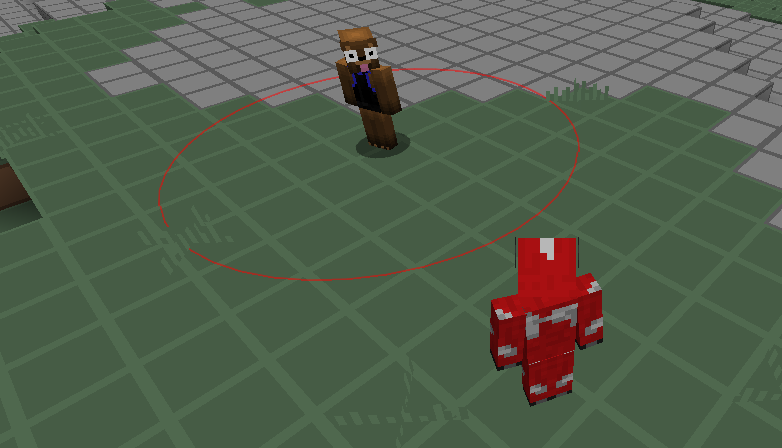
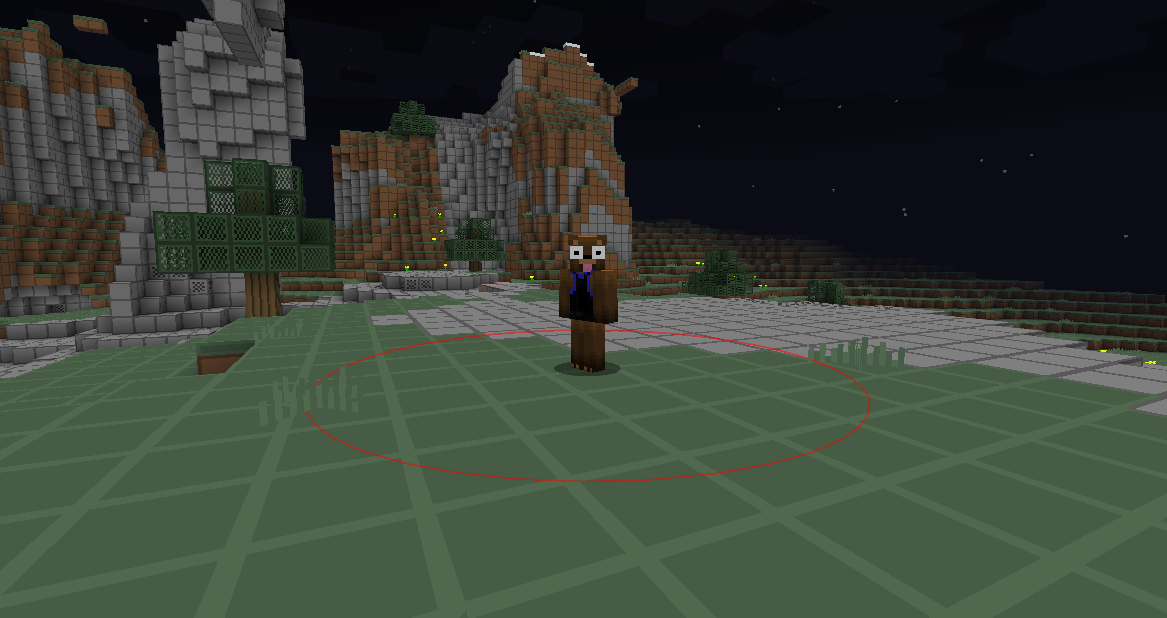
The circle indicates by its red color that you are not within hit range
The circle indicates by its red color that you are not within hit range

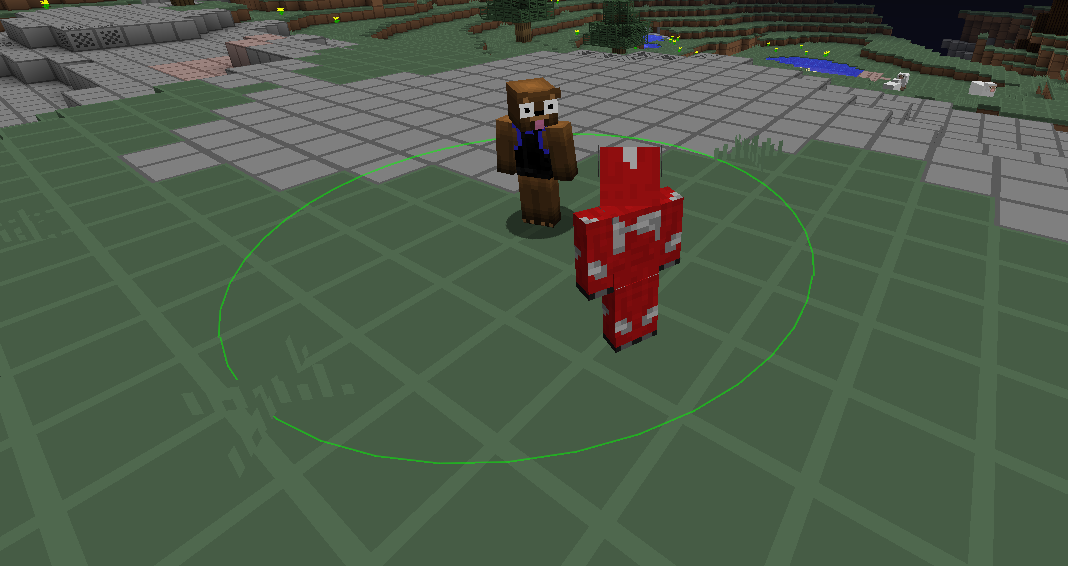
The circle indicates by its green color that you are within hit range
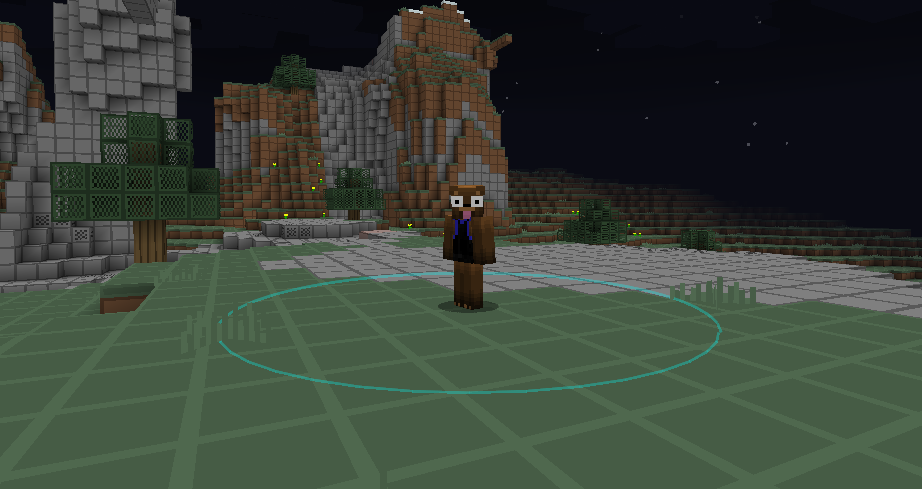
The circle indicates by its green color that you are within hit range

item image
This circle was customized (color, opacity, line width)
This circle was customized (color, opacity, line width)

The circle indicates by its red color that you are not within hit range

The circle indicates by its red color that you are not within hit range

Description

Hit Range Mod [Forge 1.7.10 + 1.8.9]

This modification visualizes the hit range of players with circles.


What does this modification exactly do?

As already stated above, this modification visualizes the hit range by drawing circles around every player. It is quite easy to understand if you take a look at the images below.

You can customize the circles and modify their radius, as well as disable this modification (configuration or by pressing the H key) without uninstalling it.
A circle isn't drawn if you're dead, the player is dead, the player is invisible (to you), the player is a spectator (1.8), the player is sleeping, the player is sitting inside a vehicle or if you can't see the player.
In addition, there's a configuration option to detect simple NPCs so that no circe is drawn around them. You can also configure if you want to have a circle drawn around all players or only the closest one.

Please note that the hit range visualization might not always be accurate because of ping / latency and other factors.


How does it look like?

Customized CircleCircle indicating that you are not within hit rangeCircle indicating that you are within hit rangeCircle indicating that you are not within hit rangeConfiguration Options (GUI)


Do other players need to have this modification installed? Does it work on every server?

No, other players don't need to have this modification installed! This modification works on every server.


Requirements

- You need Minecraft Forge 1.7.10 or 1.8.9.


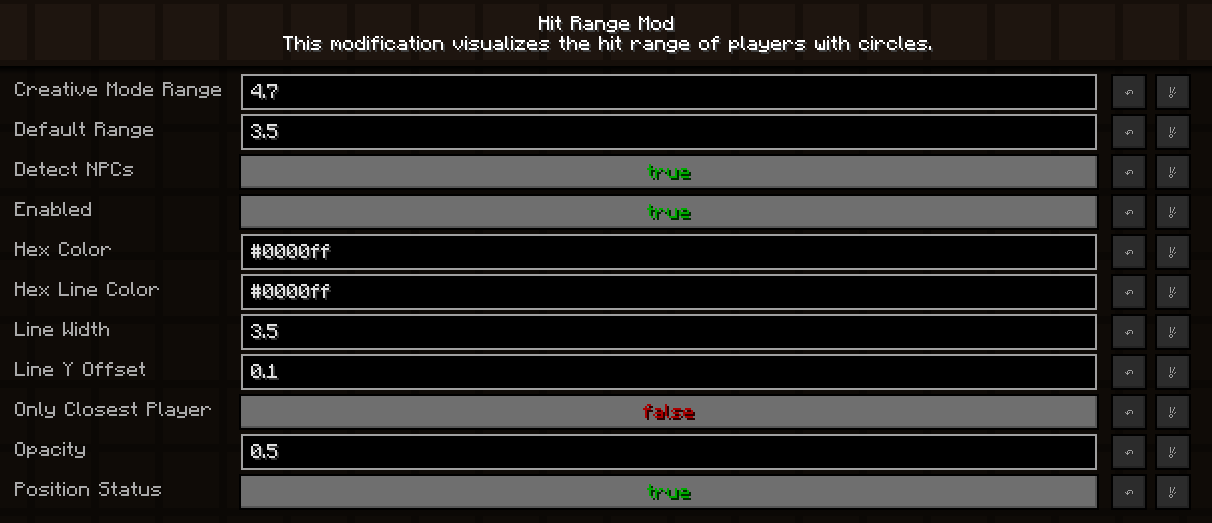
Configuration

You can configure this modification when you are currently running Minecraft Forge:

Main Menu -> Hit Range Mod -> Config or Game Menu -> Mod Options -> Hit Range Mod -> Config


Installation

First, install Minecraft Forge for 1.7.10 or 1.8.9. Second, download this modification and put the downloaded JAR file into the mods folder in your .minecraft folder. That's it, you're done!

Note: Version 1.0 and 1.1 are no longer available for download because they were beta releases and therefore unstable. Version 1.2 and above are recommended to use.


The Hit Range Mod Team

profile avatar
  • 4
    Followers
  • 8
    Projects
  • 70.3K
    Downloads

More from KrymonotaView all

  • Blinking Skin Port project image

    Blinking Skin Port

    • 9.1K
    • Mods

    Allows you to toggle 2nd skin layers automatically with configurable delay.

    • 9.1K
    • June 11, 2023
    • Mods
    • +1
  • Blinking Skin Mod project image

    Blinking Skin Mod

    • 40.9K
    • Mods

    This modification allows you to automatically toggle your whole or certain skin overlay parts in configurable intervals.

    • 40.9K
    • November 11, 2016
    • Mods
  • BungeeNCPNotify project image

    BungeeNCPNotify

    • 4.2K
    • Bukkit Plugins

    BungeeNCPNotify

    • 4.2K
    • October 29, 2015
    • Bukkit Plugins
    • +4
  • HeadGUI project image

    HeadGUI

    • 0
    • Bukkit Plugins

    HeadGUI

    • 0
    • March 16, 2014
    • Bukkit Plugins
  • Blinking Skin Port project image

    Blinking Skin Port

    • 9.1K
    • Mods

    Allows you to toggle 2nd skin layers automatically with configurable delay.

    • 9.1K
    • June 11, 2023
    • Mods
    • +1
  • Blinking Skin Mod project image

    Blinking Skin Mod

    • 40.9K
    • Mods

    This modification allows you to automatically toggle your whole or certain skin overlay parts in configurable intervals.

    • 40.9K
    • November 11, 2016
    • Mods
  • BungeeNCPNotify project image

    BungeeNCPNotify

    • 4.2K
    • Bukkit Plugins

    BungeeNCPNotify

    • 4.2K
    • October 29, 2015
    • Bukkit Plugins
    • +4
  • HeadGUI project image

    HeadGUI

    • 0
    • Bukkit Plugins

    HeadGUI

    • 0
    • March 16, 2014
    • Bukkit Plugins