History Stages
- By
Guide your players through the ages. History Stages lets modpack creators lock items, recipes, dimensions, mobs, loot, and more behind custom research-based eras with full in-game tooling.
models.png
Screenshot 2026-03-06 222521.png
v5.X.X
Screenshot 2026-04-06 181124.png
Bananemdnsa | History Stages
Create a server, get 25% off your first month

Description

- 📖 Wiki — full documentation, config fields, JSON examples & developer API
- 💬 Discord — support, questions & sneak peeks
- 🐛 Issue Tracker — bug reports & feature requests
History Stages is a progression and gatekeeping mod for modpack creators. Lock items, recipes, dimensions, structures, biomes, mobs, fluids, merchant trades, enchantments, and loot behind custom eras — and let players unlock them however you want: research, in-game triggers, quests, or commands.
Stages can unlock server-wide (global), per player (individual), or as Dual-Phase — locked globally first, then per-player once the era is reached. You decide how progression works in your pack.
🔒 What You Can Lock
Almost everything — not just item usage:
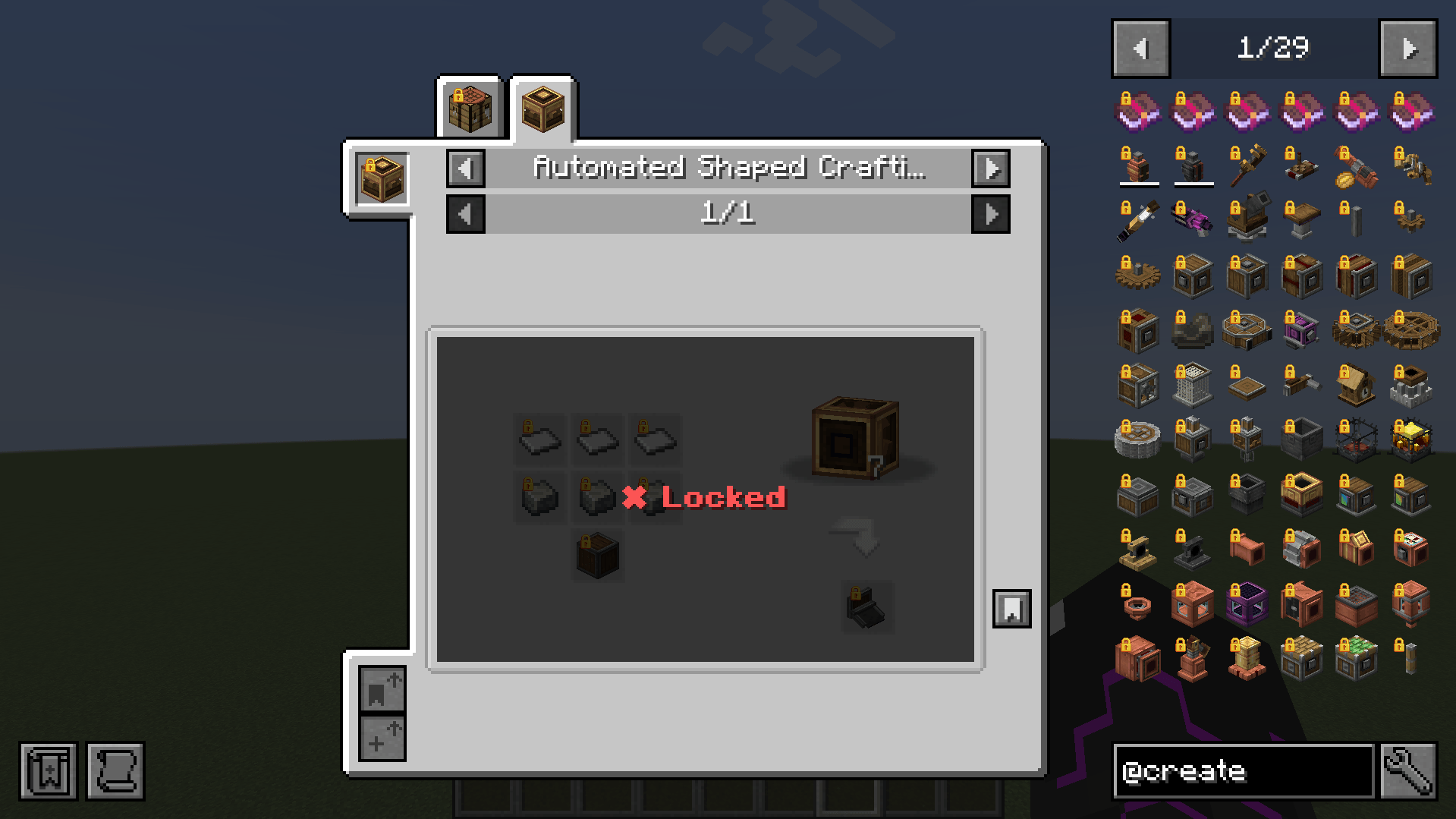
- Items & Tags (incl. NBT criteria), entire Mods, Specific Recipes — recipe locks apply per player at the crafting table, the 2×2 grid, the stonecutter and the smithing table, and a locked recipe stays out of the recipe book
- Dimensions, Structures & Biomes — with force-field zones, damage, potion effects & a red screen overlay
- Zones [BETA] — an area you draw yourself, built from cuboids, spheres and cylinders, several shapes per zone. A locked zone pushes players back, shows a force-field wall up close and an outline from a distance, and tints the screen from the inside
- World Generation — keep locked structures out of the world entirely, or cap how many may generate (while locked, or after the stage is unlocked)
- Mobs — attacklock & interaction lock: breeding, mounting, trading, leashing, shearing, milking, naming and equipping, each toggleable per entry and filterable by held item
- Spawn rules — a spawn lock is a full rule: a phase, eight optional conditions (dimension, biome, sky, height, time of day, light, weather, moon phase) and biomes the creature additionally spawns in, with a sentence in the editor saying in plain words what the rule does
- Trades — hide a single offer, a whole profession (optionally only on some of its levels), or a merchant level, per player, back the moment the stage unlocks. A locked offer is absent from the list rather than crossed out, so nobody loses a profession or stops levelling
- Fluids — gate a fluid through whatever is carrying it: vanilla buckets, modded buckets and tank items alike, without listing a single item id. It also covers the recipes that fluid is consumed by or produces
- Loot — chests & mob drops, removed or replaced
- Blocks — breaking, GUIs & container access
- Enchantments — anvil & enchanting table
- Armor Stands & Item Frames — displayed locked items are protected
On top of that, locked items can hide or replace their names and tooltips, and per-entry unlock_actions let you allow specific interactions (e.g. pickup or crafting) while everything else stays locked.
🔓 Unlock It Your Way
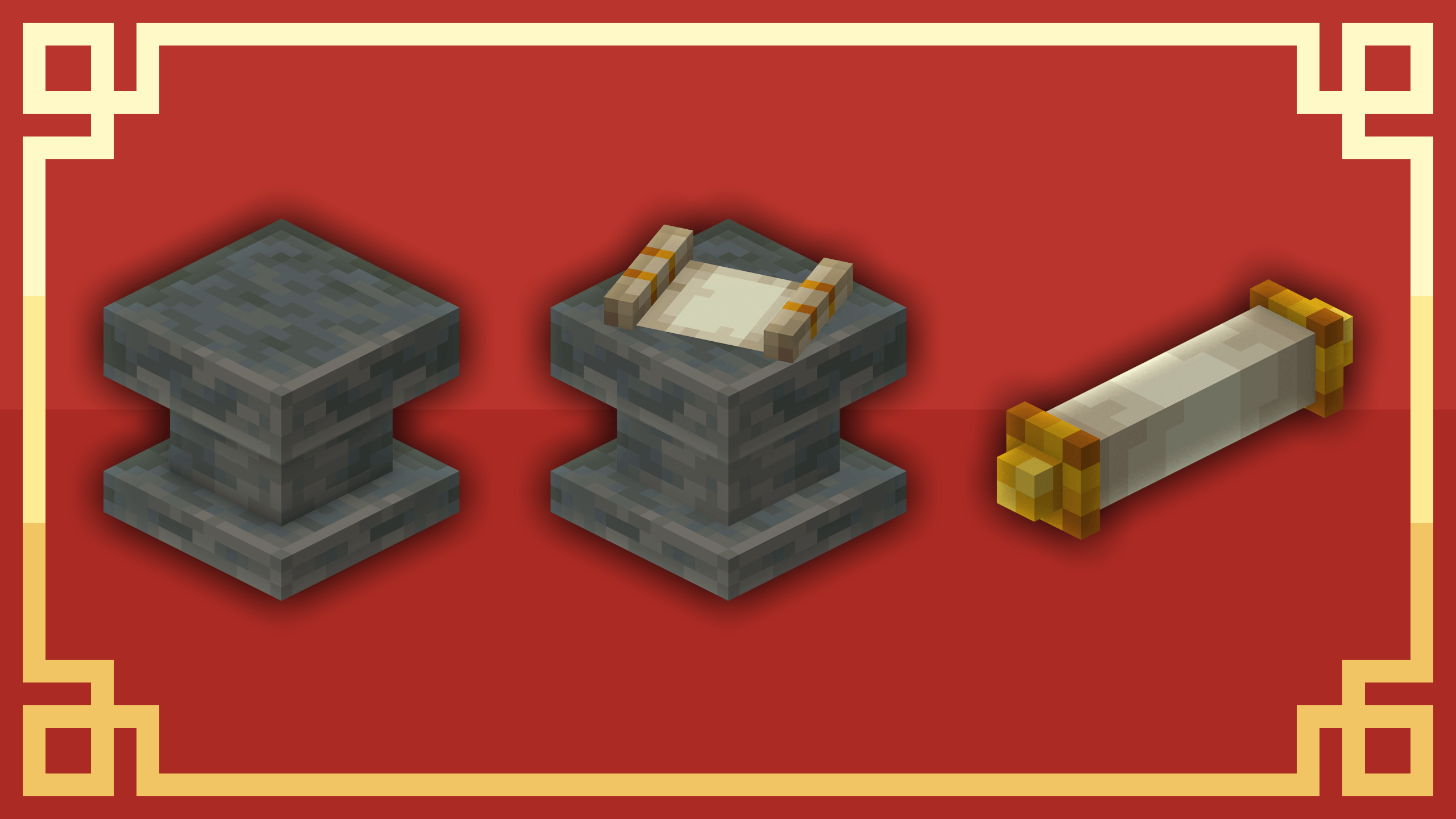
The Research Pedestal is just the default, not a requirement — every stage has a mode that defines how it unlocks:
- Default — classic research with Scrolls at the Pedestal
- Auto — unlocks via in-game triggers: item pickup, entering a biome/dimension/structure, entity kill/interact, block place/break, advancements, playtime, any vanilla statistic, XP level, a status effect, the weather, the day count and the time of day (any/all combinable)
- External — unlock only via
/history, KubeJS/CraftTweaker, or as FTB Quests reward - Temporary — unlocks and re-locks on a timer, with cooldowns & trigger limits
Mix all of these freely in the same pack — research-driven eras, exploration-based unlocks, and quest rewards can live side by side. Individual stages can also be set to be lost on death, dropping the items they gated.
🔬 Research System
Players physically bring Research Scrolls to the Research Pedestal and spend time researching the next era. Four pedestal tiers (I–IV), placeable Research Boosters, and per-stage research times let you tune the pacing. With the Dependency System, stages can additionally require XP levels, mob kills, statistics, advancements, scoreboard objectives, another stage — global, or an individual one the researcher alone has to hold — and items or whole item tags deposited directly into the pedestal.
What happens to the scroll when the research finishes is up to you, per stage:
- Consumed — the scroll is used up
- Replaced — a fresh scroll for the same stage goes back into the pedestal, so the next player needs no second copy
- Opened — an open scroll stays behind as a readable keepsake
📜 The Research Record
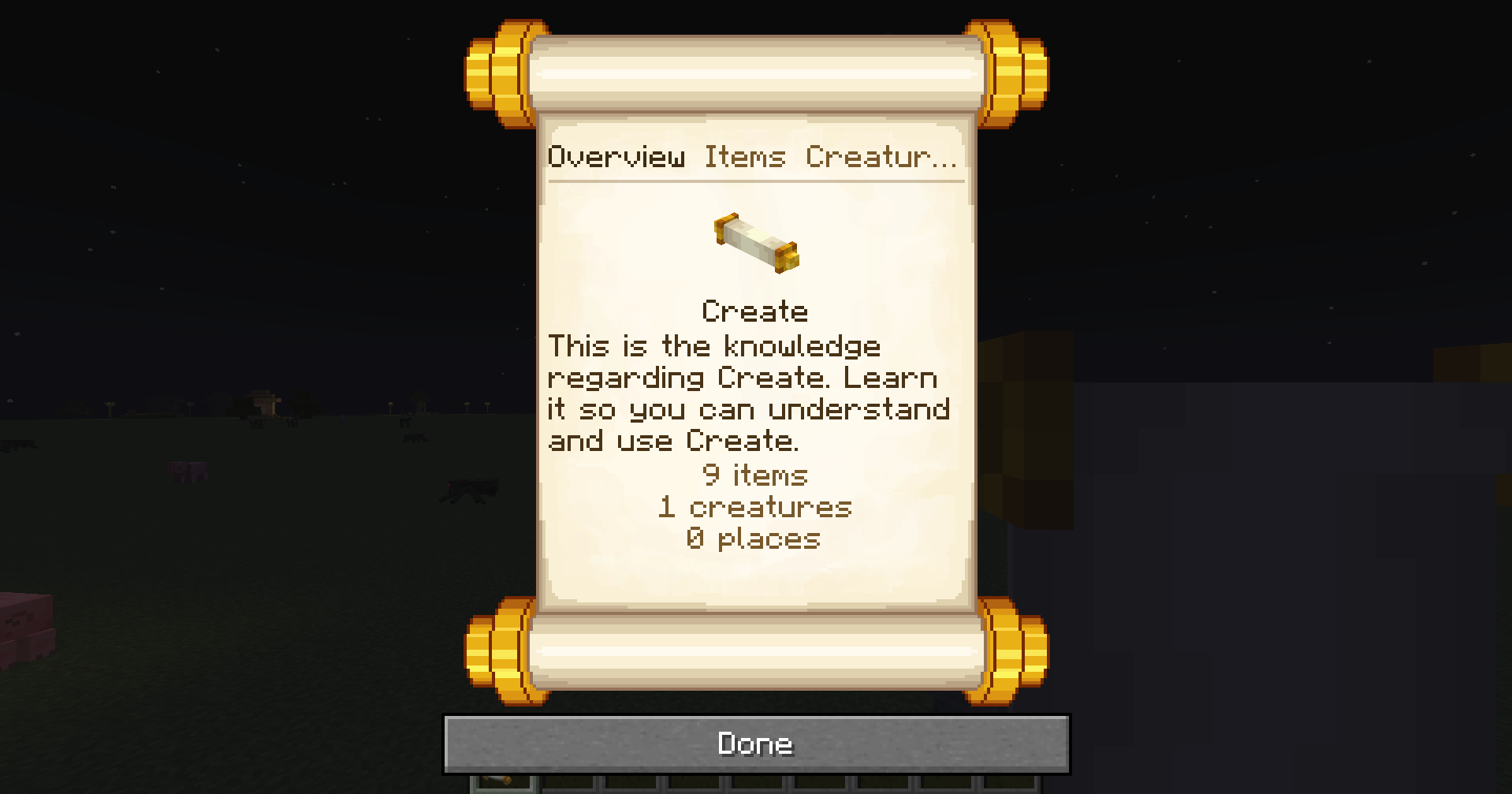
An opened scroll is a real, readable document — chapters for Items, Creatures and World (dimensions, structures, biomes, zones and trades), with a searchable overview of everything the stage gates. Lay it on a lectern and it stays there to be read by anyone who walks up.
Set it to Visible and it reads as a plain record; set it to Obscured and locked entries become silhouettes with their names written in enchanting glyphs. Chapters and overview blocks are re-orderable, so the document says exactly what you want it to say.
🗺️ Stage Graph
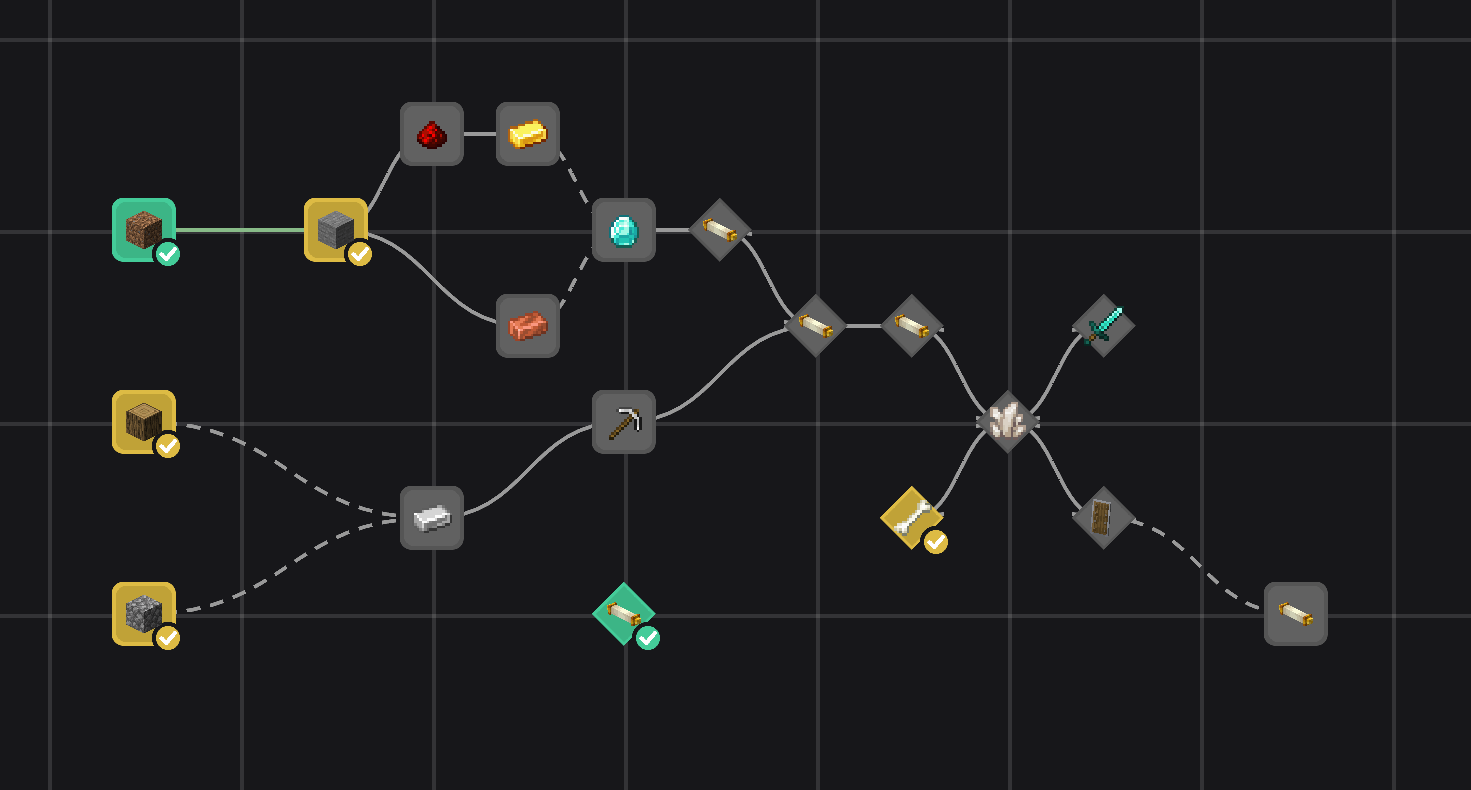
A progression map players can open from the pause menu: stages as nodes, dependencies as edges, colour-coded into Unlocked, Reachable and Locked.
- Four visibility modes — from the whole map down to unlocked only, so you decide how much of the pack's structure players get to see
- Hand-authorable — drag nodes where you want them, or leave the layout to compute itself
- Per-stage node styles — fill, border, label colour and corner radius, each editable per lock state
- Changing backgrounds — a stage can swap the map's background image once it is unlocked
- Info texts & a detail window — describe an era and show exactly what it requires and what it unlocks
It's off by default (the map reveals how a pack is built); admins always reach it through the editor. Colours, title and layout live in a Graph tab in the in-game config editor.
🛠️ In-Game Editor
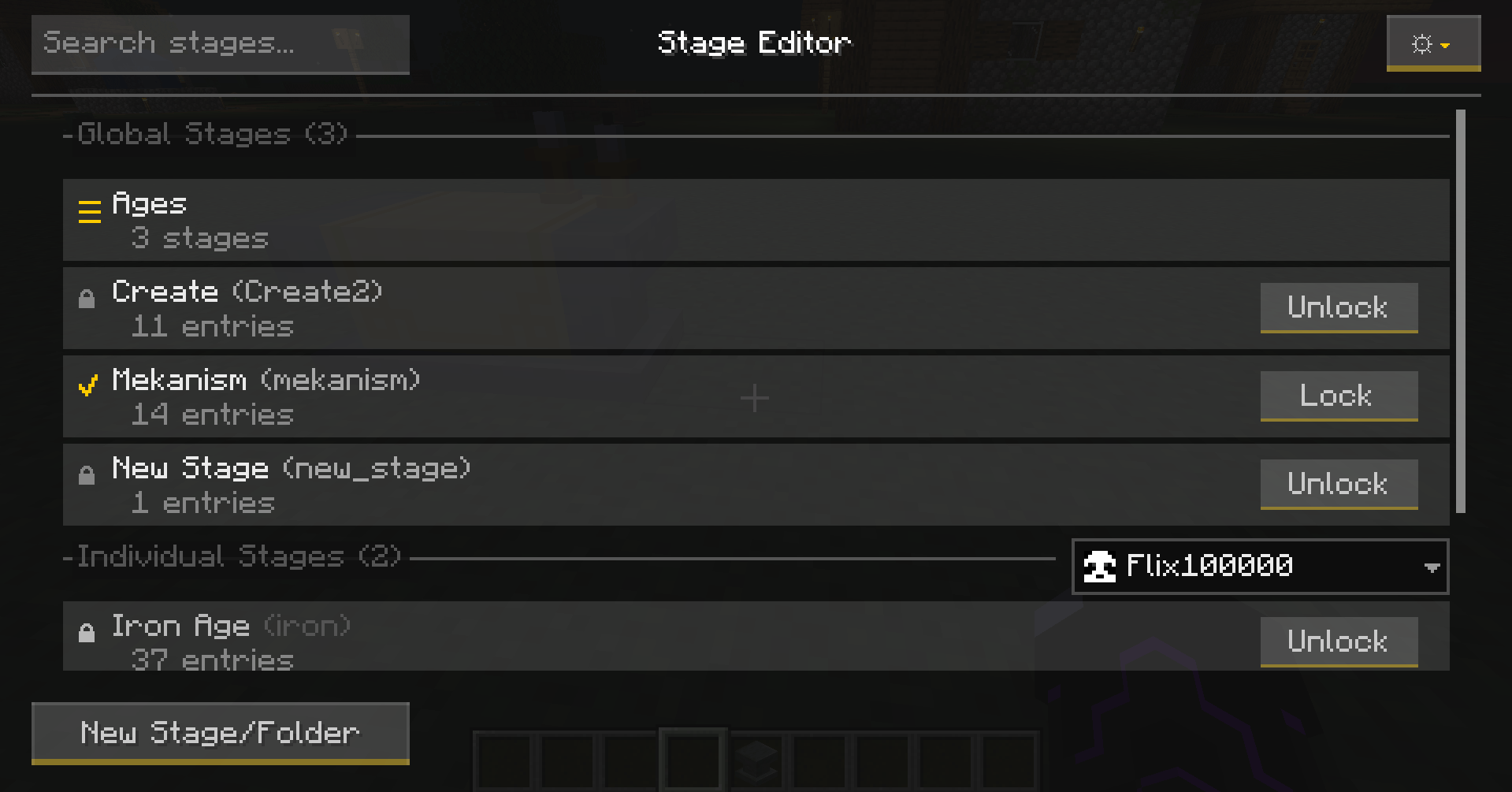
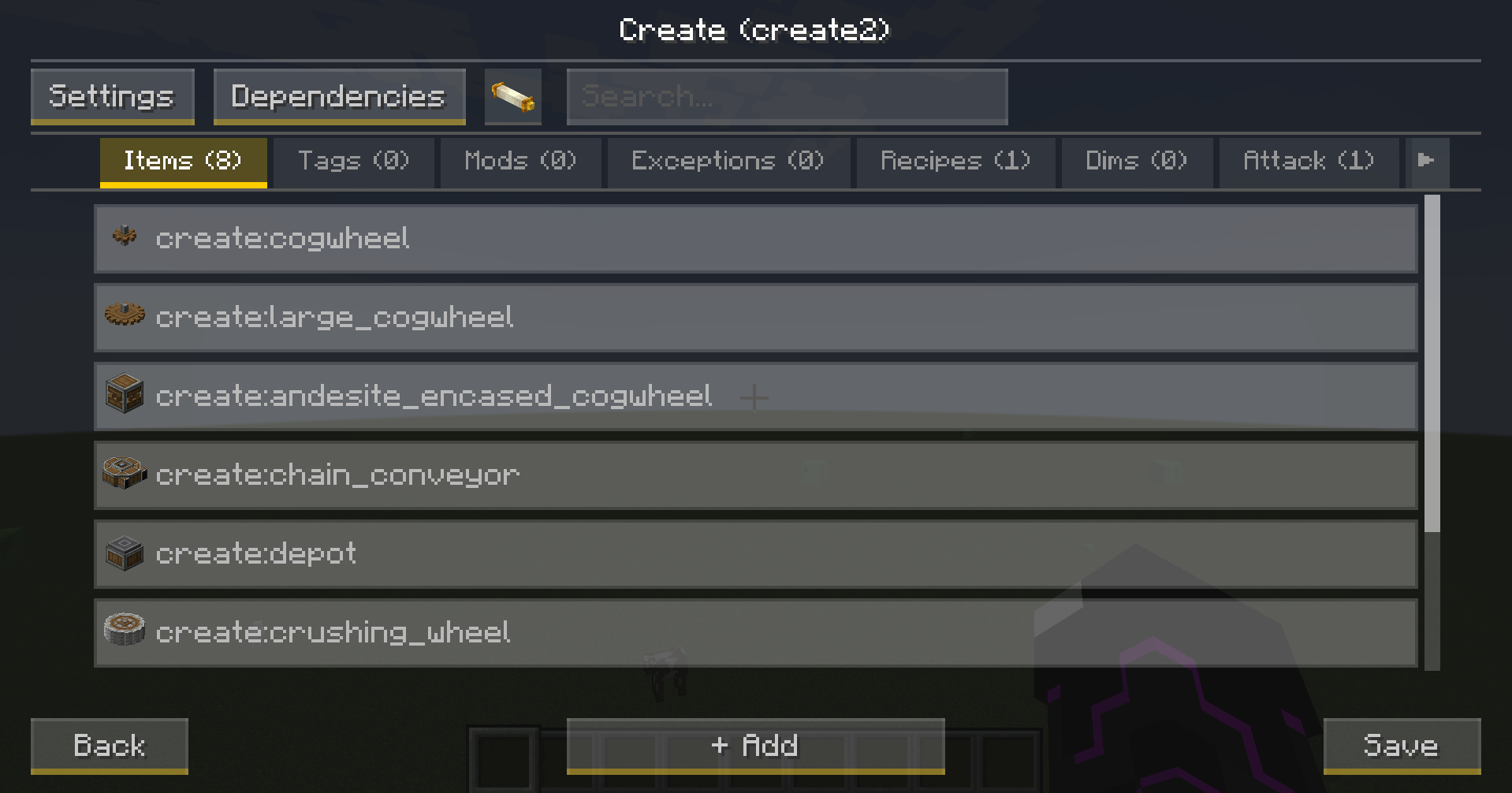
Build and tweak your entire stage setup without ever touching a config file — straight from the pause menu (OP required):
- Searchable multi-select lists, folders for your stages and an organize mode to drag them around
- A recipe picker that shows what a recipe is made of instead of its raw id, with fluids filed where the recipes are
- A zone editor with a live map you can drag, zoom and jump around in
- Dedicated editors for Dependencies, NBT criteria & Lock-Actions — Ctrl-click any inventory slot to import its NBT
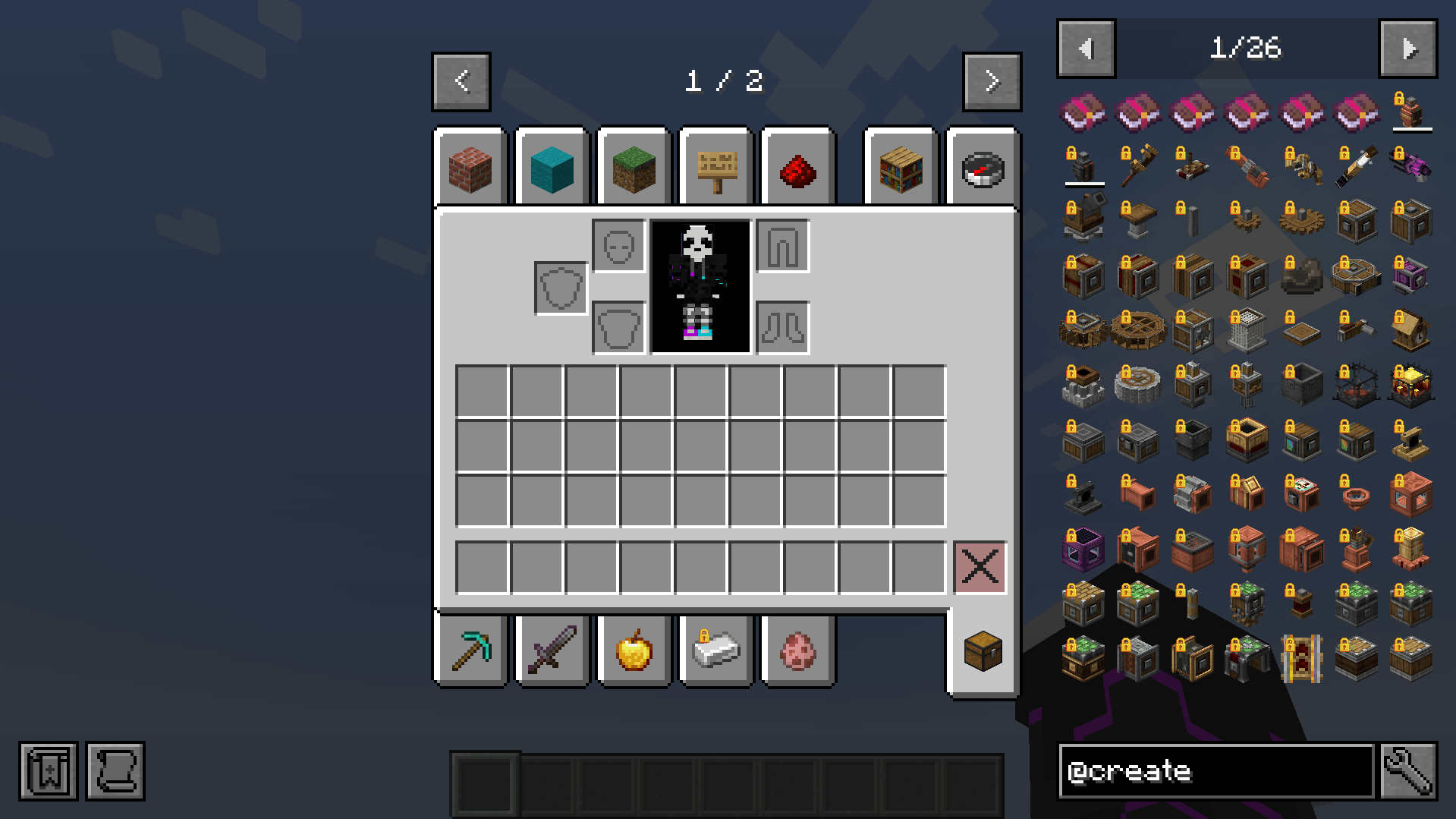
- Unlock or re-lock individual stages per player right from the overview
- Design the Research Scroll tooltip line by line, with colours and a live preview
- Overlap warnings between global & individual stages, plus a full in-game config editor
🧩 Scripts & Addons
KubeJS and CraftTweaker get a real integration: four KubeJS events, two ZenScript event types and a hasStage expansion on the player. Scripts can read which stages are unlocked, unlock or re-lock them, and ask whether a given thing is gated. What belongs to a stage stays with the editor, so the editor always shows what is actually locked.
Other mods can extend History Stages without a fork and without a mixin. An addon registers its own lock categories, requirements, auto-triggers, per-stage settings and config sections, and each one gets a tab in the in-game editor built from the same widgets as the built-in ones — so a packmaker configures it without writing a script. → Addon Development
🎨 Feedback & Integrations
Players always know why something is locked: lock icons in inventories and JEI/EMI, "Locked" recipe overlays, toasts with custom per-stage icons, and configurable actionbar/chat messages.
- FTB Quests — native stage task & reward types (global + individual)
- KubeJS / CraftTweaker — full scripting API, see above
- Jade — looking at a locked block, entity, armour stand or item frame names the stage it needs
- Curios & Accessories — a locked item cannot be equipped as a trinket, ring or belt
- Spell Engine & Better Combat — a locked weapon is inert: no spell damage, no attack
📂 Creating Stages
Use the in-game editor, or write simple JSONs in config/historystages/global/ and individual/ — subfolders are picked up, so a big pack stays sorted. Full field reference: The Stage File.
The mod intentionally ships without default recipes for the Pedestal, Boosters & Scrolls — you decide how players obtain them (KubeJS, datapack, quest rewards, …). Give a scroll via:
/give @s historystages:research_scroll[minecraft:custom_data={StageResearch:"YOUR_STAGE_NAME"}]On 1.20.1 and older, where item data is still raw NBT:
/give @s historystages:research_scroll{StageResearch:"YOUR_STAGE_NAME"}📦 Dependencies
- Lootr — required
- Optional: JEI, EMI, FTB Quests, Jade, Curios, Accessories, Spell Engine, Better Combat
❓ FAQ
Per player instead of server-wide? Yes — global, individual, or both mixed (overlaps become Dual-Phase locks).
Is Lootr really required? Yes, loot filtering is built on Lootr's container system. Without loot locking it just sits there quietly.
Do I need FTB Quests? No — the integration only activates when it's installed.
Do I have to update the server and the client together? For 6.0, yes. The stage sync changed format, so a 6.0 client on a 5.x server gets the incompatible-mod screen instead of being dropped mid-login with nothing in the log. Settings and stage files migrate themselves on first load.
Supported versions?
- 1.21.1 — NeoForge
- 1.20.1 — Forge
- 1.21.1 — Fabric
- 1.19.2 — Forge (legacy, no longer updated)
Questions or found a bug? Join the Discord or open an issue — we read everything! 🙂
The History Stages Team