


Hex's Advanced Minimap
- By
1_interactive_map_screen.png
2_cave_radar_hud.png
3_waypoints_and_ruins.png
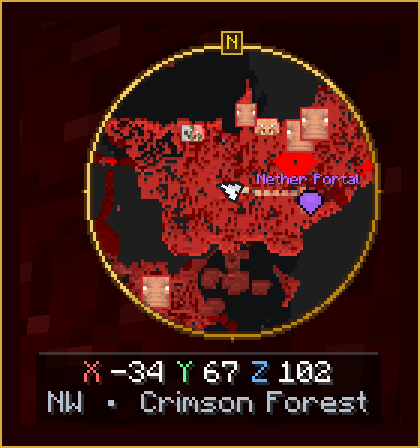
4_nether_radar_hud.png
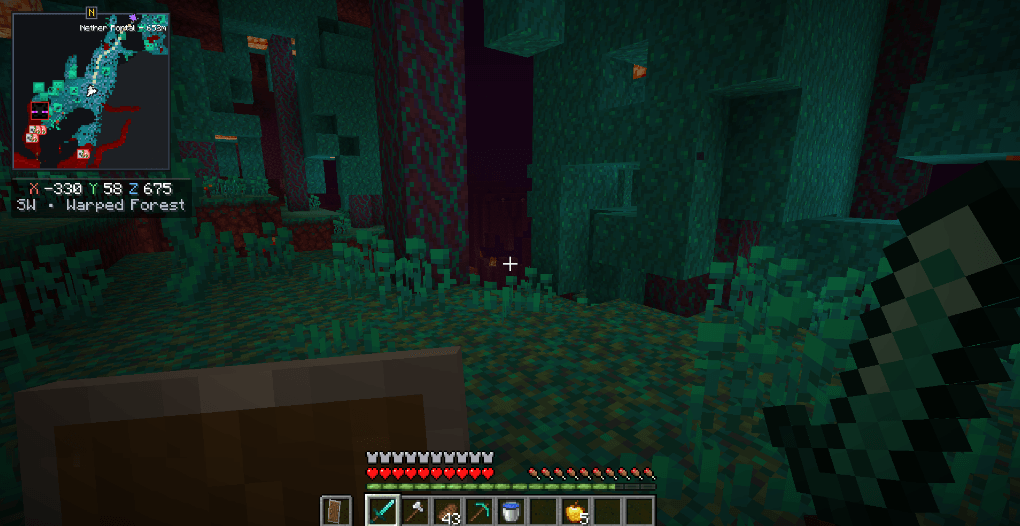
5_gameplay_hud_clean.png
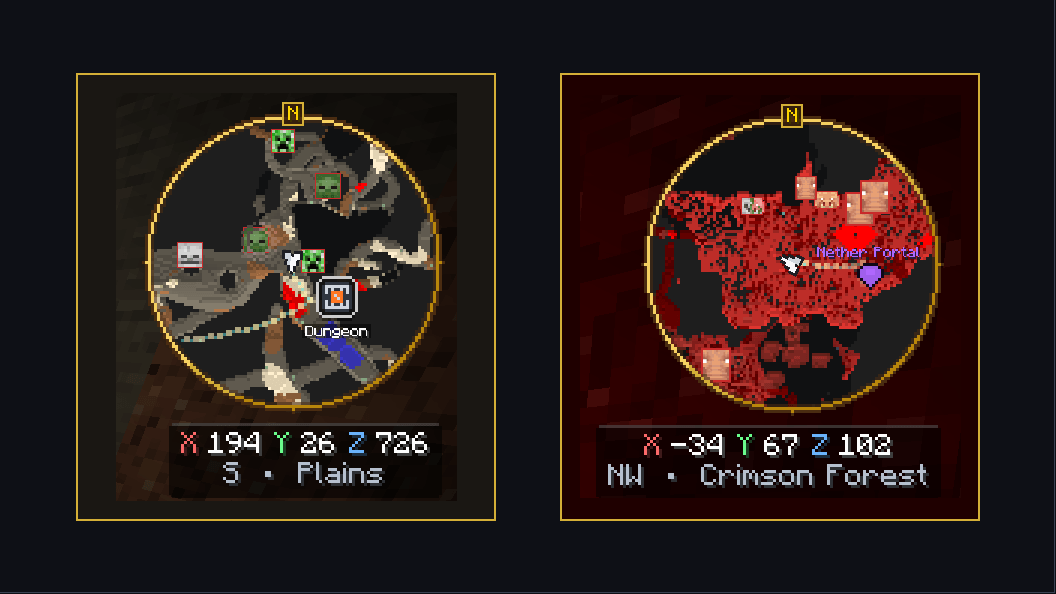
6_dual_hud_showcase.png
Description
Hex's Advanced Minimap
Explore further. Find your way back.
A client-side minimap and interactive world map for Minecraft, with surface and cave views, custom waypoints, and a marker for your latest death. Keep your bearings without leaving the adventure.
Minecraft 1.20.1 · Forge · Client only · 12 languages
Choose your download · Press M in-game to open the map.
Your next destination, one pin away
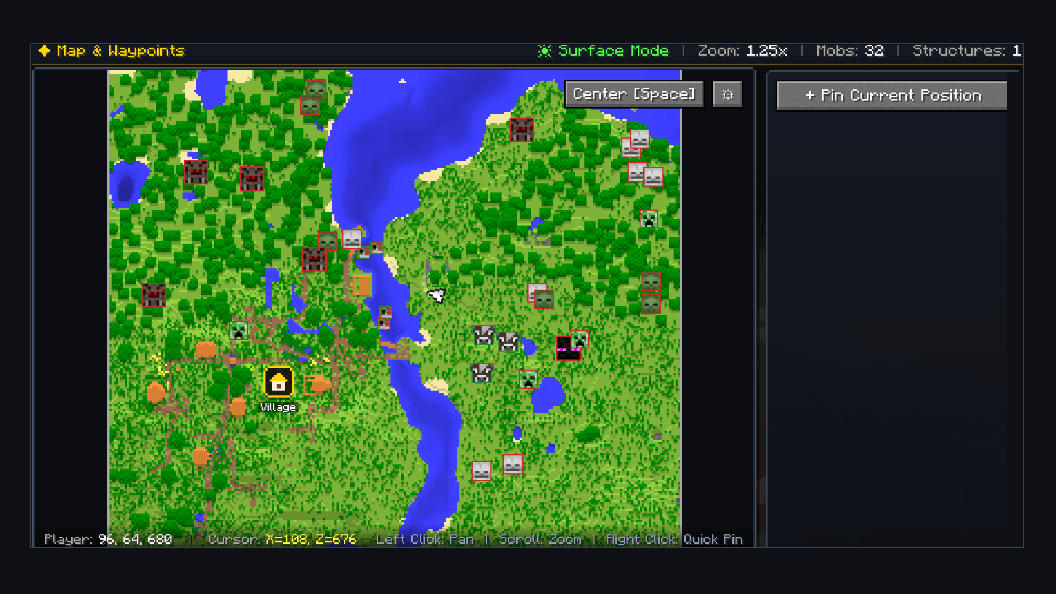
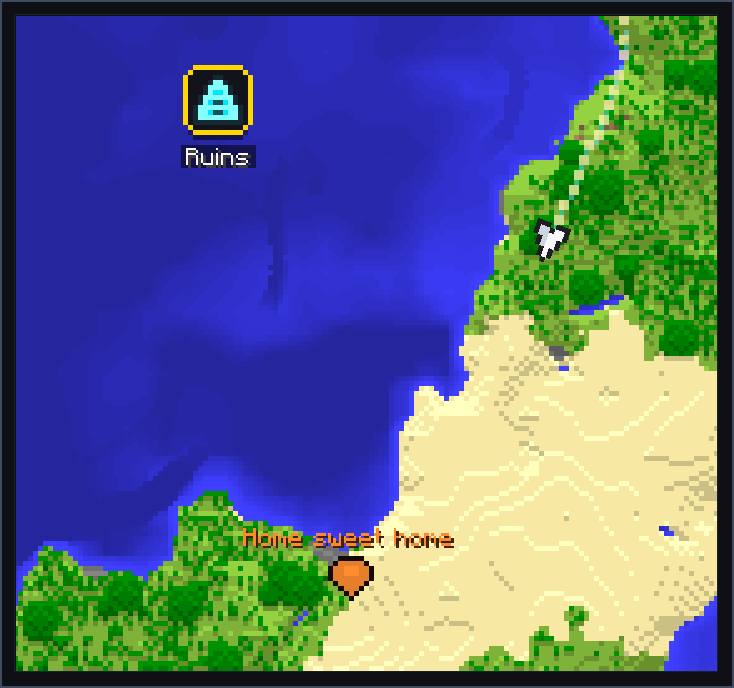
Open the interactive map, drag to explore the view, scroll to zoom, and right-click to place a quick waypoint. Mark your base, a useful landmark, or the next stop on your journey.
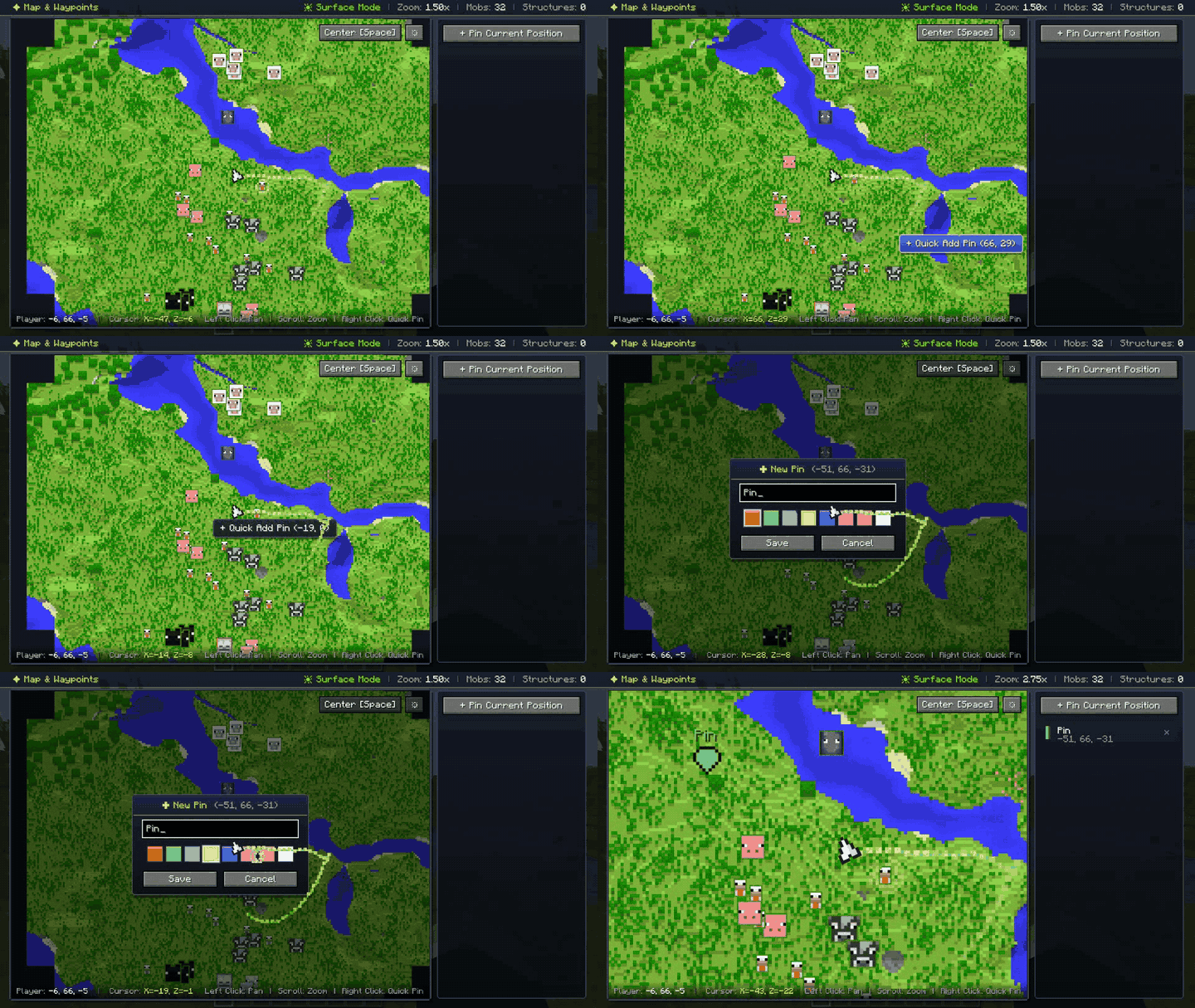
- Give waypoints names and colors, and toggle their visibility.
- Keep waypoint collections separate across worlds and servers.
- Follow edge indicators toward destinations beyond the minimap.
Keep your bearings underground
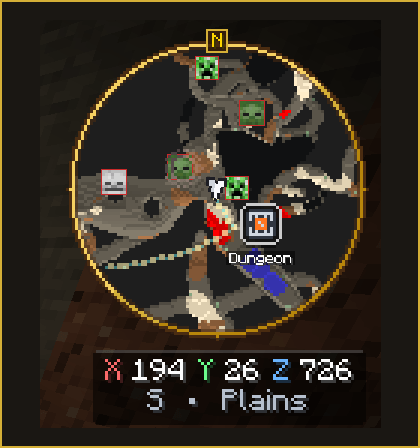
The map switches between surface and cave views as you explore. Terrain colors and elevation shading help you read your surroundings at a glance.
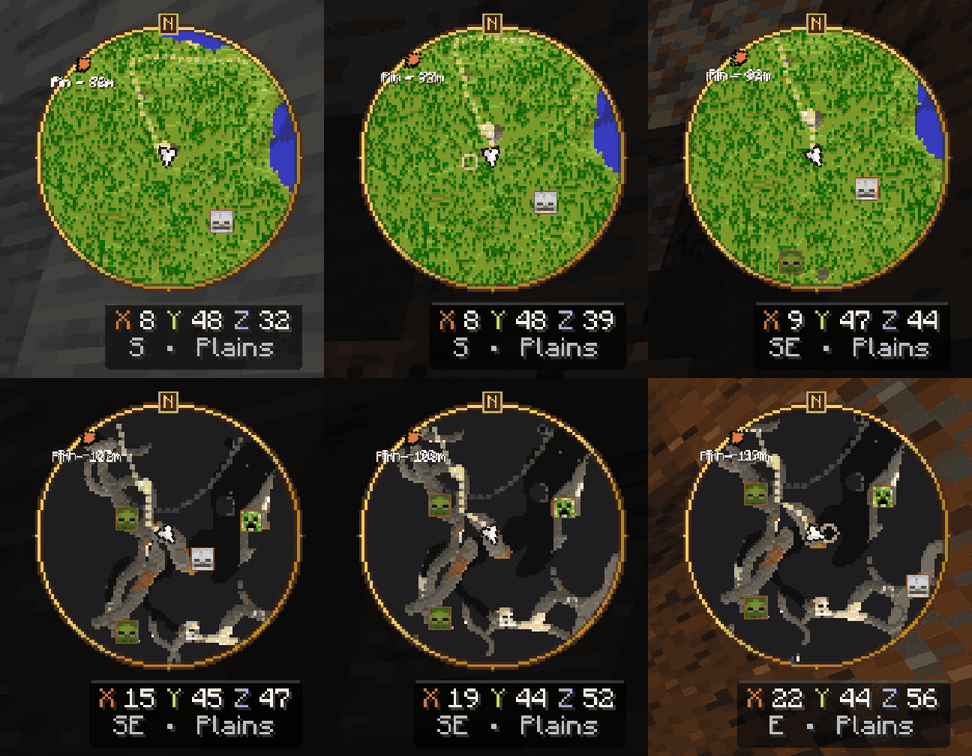
Optional cave breadcrumbs help trace your recent route when commands or operator permissions allow them.
See nearby sounds
Enable Sound Radar to show visual ripples for supported nearby sound events. It adds another way to notice activity around you while keeping the map in view.
Sound Radar is off by default and can be enabled in settings without the mod's cheat permission requirement. Individual multiplayer servers may have their own mod rules.
Find your way back after a death
Your latest death location receives a skull marker and a distance indicator. The marker expires after five minutes or clears when you return close to it; it does not preserve dropped items.
Make the map yours
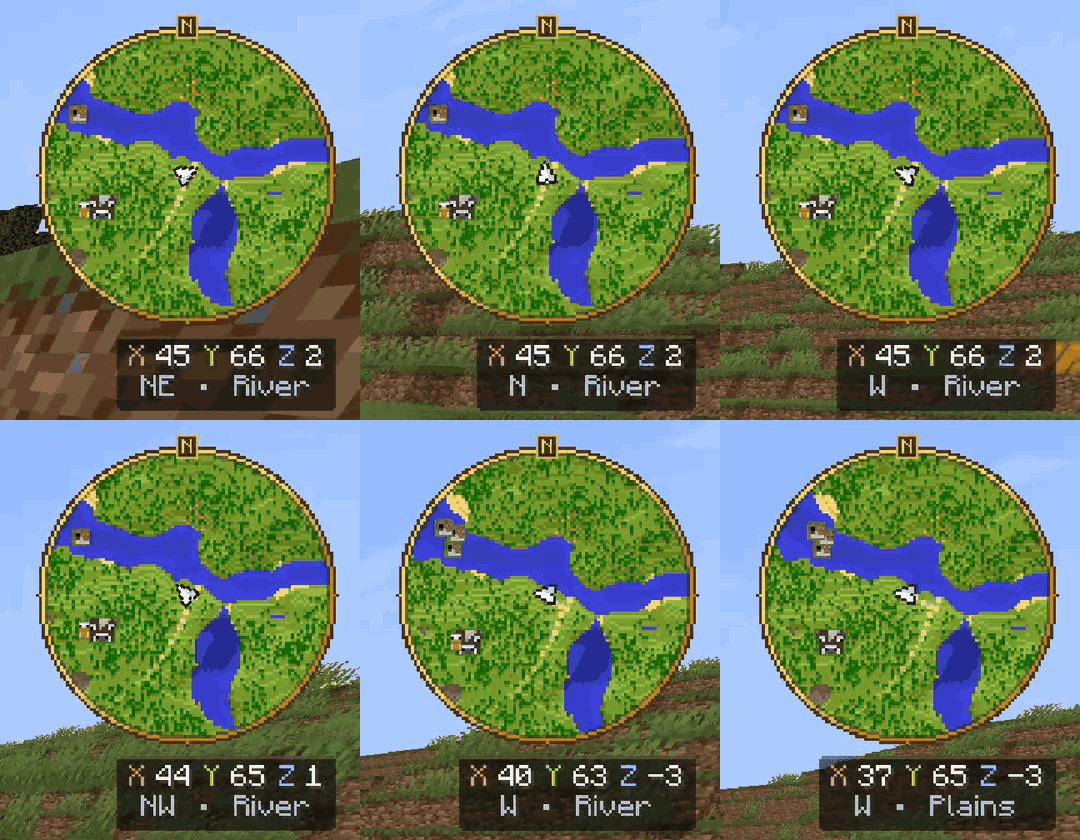
Choose a circular or square map, change its visual theme, and place it in any screen corner. Adjust size and opacity, then choose between a rotating map and a north-locked view.
Open M → gear button to customize your HUD.
Optional radar, with permission checks
Mob Radar, Structure Badges, and Cave Breadcrumbs require commands enabled in singleplayer or operator permission level 2 or higher in multiplayer.
Normal mapping, waypoints, coordinates, cave mode, visual settings, and Sound Radar do not require those permissions. Structure detection depends on the information available in the current world; multiplayer detection differs from singleplayer.
Get started
- Install Forge for Minecraft 1.20.1.
- Download the matching mod file from this project's Files tab.
- Put the JAR in your client's
modsfolder and launch the matching profile. - Join a world and press M. Use the gear button to adjust your settings.
Install the mod on the client; a server installation is not required. Keep only one version of this mod in the same profile.
Quick answers
Which key opens the map?
M, configurable in Minecraft's Controls menu. Drag with the left mouse button, scroll to zoom, and right-click to place a quick pin.
Why are some radar options locked?
Mob Radar, Structure Badges, and Cave Breadcrumbs check world commands or operator permissions.
Which languages are included?
English, Turkish, Azerbaijani, German, Spanish (Spain and Mexico), French, Portuguese (Brazil), Russian, Simplified Chinese, Japanese, and Korean.
Can I include it in a modpack?
Yes, in CurseForge or Modrinth modpacks under the project's existing terms: use the official, unmodified file and do not redistribute it elsewhere. All Rights Reserved © Hexador.
Hex's Advanced Minimap Team
