baranhan123 | Hero Capes
Create a server, get 25% off your first month

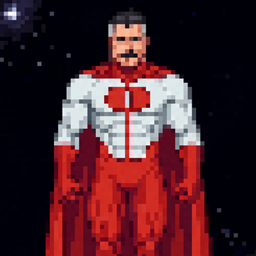
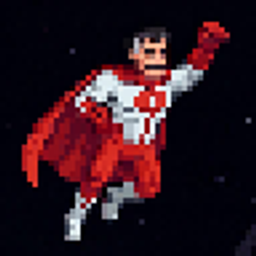
Adds very cool 2D customizable capes, that's it.
If you are developer and want to add custom capes to your mod:
You can use CurseMaven to add Hero Capes to your project as a dependency.
You don't need to touch anything client-side. You just need to cast the player to HeroCapesTracker and set your custom ResourceLocation. Make sure to set it back to null when you don't use it.
@SubscribeEvent
    public static void onServerTick(TickEvent.ServerTickEvent event) {
        if (event.phase == TickEvent.Phase.END) {
            if (ServerLifecycleHooks.getCurrentServer() != null) {
                for (ServerPlayer player : ServerLifecycleHooks.getCurrentServer().getPlayerList().getPlayers()) {
                    HeroCapesTracker tracker = (HeroCapesTracker) player;

                    if (player.getItemBySlot(EquipmentSlot.CHEST).is(Items.IRON_CHESTPLATE)) {
                        //tracker.herocapes$setCapeEnabled(true);

                        tracker.herocapes$setCustomCapeTexture(new ResourceLocation(HeroCapes.MODID,
                                "textures/cape/iron_chestplate_cape.png"));
                        // Prevent the player from using cape commands, don't use herocapes$setCapeTexture!!!

                        tracker.herocapes$setCapeHeight(25);
                        tracker.herocapes$setGravity(-0.025f);
                        //...
                    }
                    else {
                        tracker.herocapes$setCustomCapeTexture(null); // Allow the player to use cape commands or don't...
                        tracker.herocapes$setCapeHeight(21);
                        tracker.herocapes$setGravity(-0.035f);
                        //...
                    }
                }
            }
        }
    }
This mod works perfectly as a client-side only mod! However if you install it on a server you and your friends will be able to see each other's capes.
You can easily use your own cape textures. Just drop your custom .png files into the .minecraft/herocapes folder. You can then apply them in-game using the /herocapes texture [filename] command.

Mods that use vanilla model and renderer classes have built-in support.

Epic Fight and its addons are supported!


Fresh Moves, Fresh Animations and other EMF resource packs are supported.

| Command | Argument Type | Value Range | Description |
|---|---|---|---|
/herocapes enabled [value] |
Boolean | true or false |
Enables or disables the cape. DV = true |
/herocapes texture [name] |
String | Text | Sets the texture file name of the cape. DV = "default" |
/herocapes width [value] |
Integer | 1 to 100 |
Sets the width of the cape. DV = 14 |
/herocapes height [value] |
Integer | 1 to 100 |
Sets the height of the cape (Resets physics when changed). DV = 17 |
/herocapes nodecount [value] |
Integer | 2 to 50 |
Sets the number of physics nodes in the cape (Resets physics when changed). DV = 8 |
/herocapes gravity [value] |
Float | -10.0 to 10.0 |
Sets the gravity force of the cape (Resets physics when changed). DV = -0.035 |
/herocapes damping [value] |
Float | 0.01 to 1.0 |
Sets the elasticity and air resistance of the cape (Resets physics when changed). DV = 0.8 |
/herocapes speedlimit [value] |
Float | 0.01 to 50.0 |
Sets the maximum physics speed limit for the cape (per tick) (Resets physics when changed). DV = 1.0 |
/herocapes collisionthreshold [value] |
Float | -1.0 to 1.0 |
Sets the collision threshold between the player's body and the cape (Resets physics when changed). DV = -0.25 |
/herocapes windspeed [value] |
Float | 0.0 to 10.0 |
Sets the general blowing speed of the wind (Resets physics when changed). DV = 0.1 |
/herocapes windripple [value] |
Float | 0.0 to 10.0 |
Sets the ripple frequency of the wind effect (Resets physics when changed). DV = 0.3 |
/herocapes windstrength [value] |
Float | 0.0 to 1.0 |
Sets the amplitude of the wind moving the cape (Resets physics when changed). DV = 0.015 |
The Hero Capes Team


Owner