Heavymatica
- By
Schematics with a simple placement UI and a cloud library that follows you to every world and server. Capture builds, place ghosts, and see wrong and missing blocks as you build.
target-hud.webp
details.webp
materials.webp
wheel.webp
Description
Heavymatica
Schematics with a simple placement UI and a cloud library that follows you to every world and server.
Heavymatica helps you build from schematics by hand. You place a ghost of the build, lock it in place, and the mod shows you what is still missing, what is wrong and which items you need next. It runs on the client alone, so it works on any server, vanilla included.
Features
Your library, everywhere
- One in-game library (
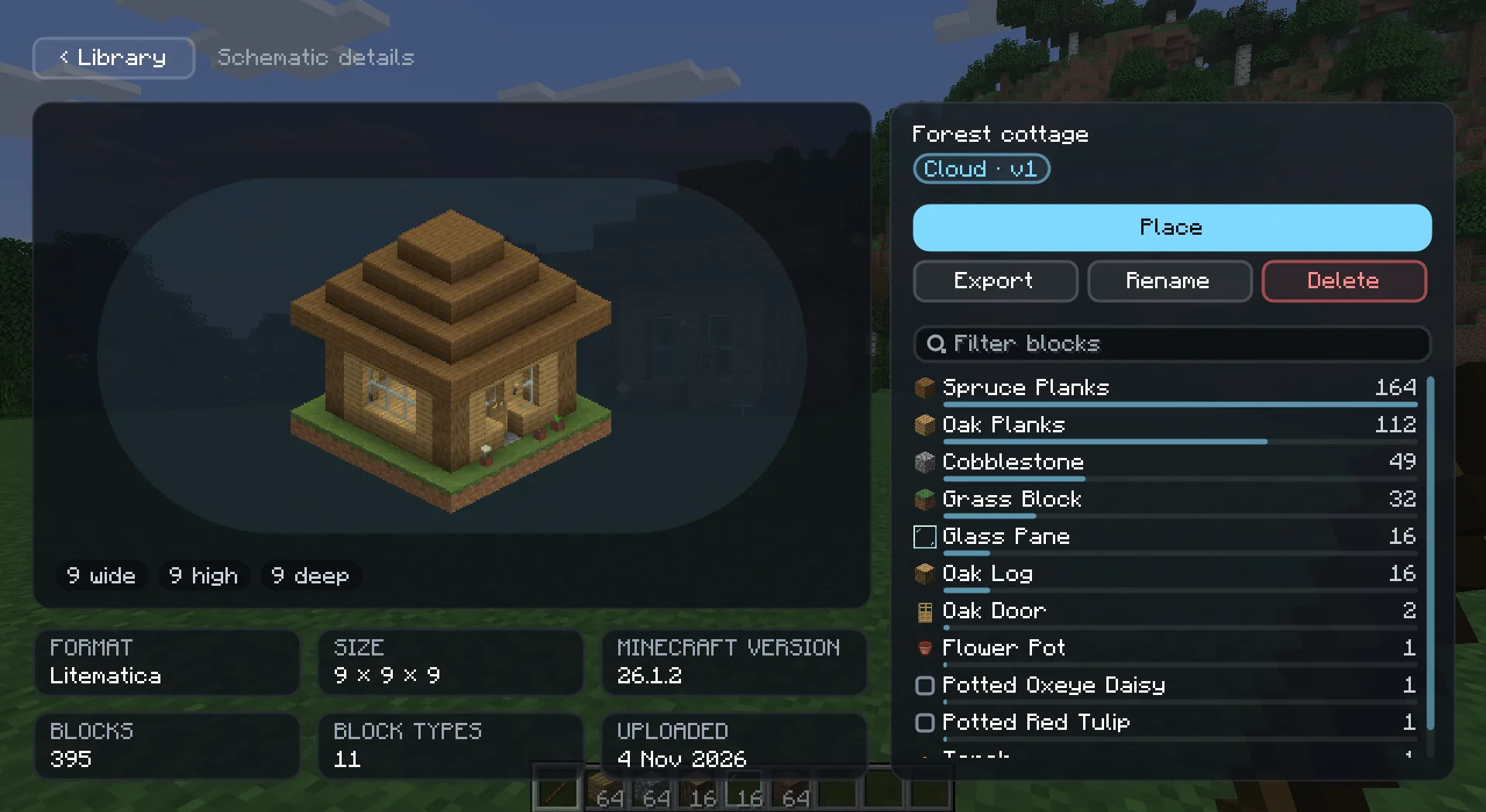
H) for all your schematics, local and cloud alike: browse, search, sort into folders and inspect them. - Cloud schematics follow you to every world and server. Downloaded ones stay available when you are offline.
- Bring what you already have: drag and drop files onto the library, or pick them from your
schematicsfolder. Litematica, WorldEdit / Sponge and vanilla structure files are supported. - Capture your own builds: mark two corners, adjust them, and save the area as a new schematic. Export any entry
back to
.minecraft/schematics/for other tools.
Simple placement
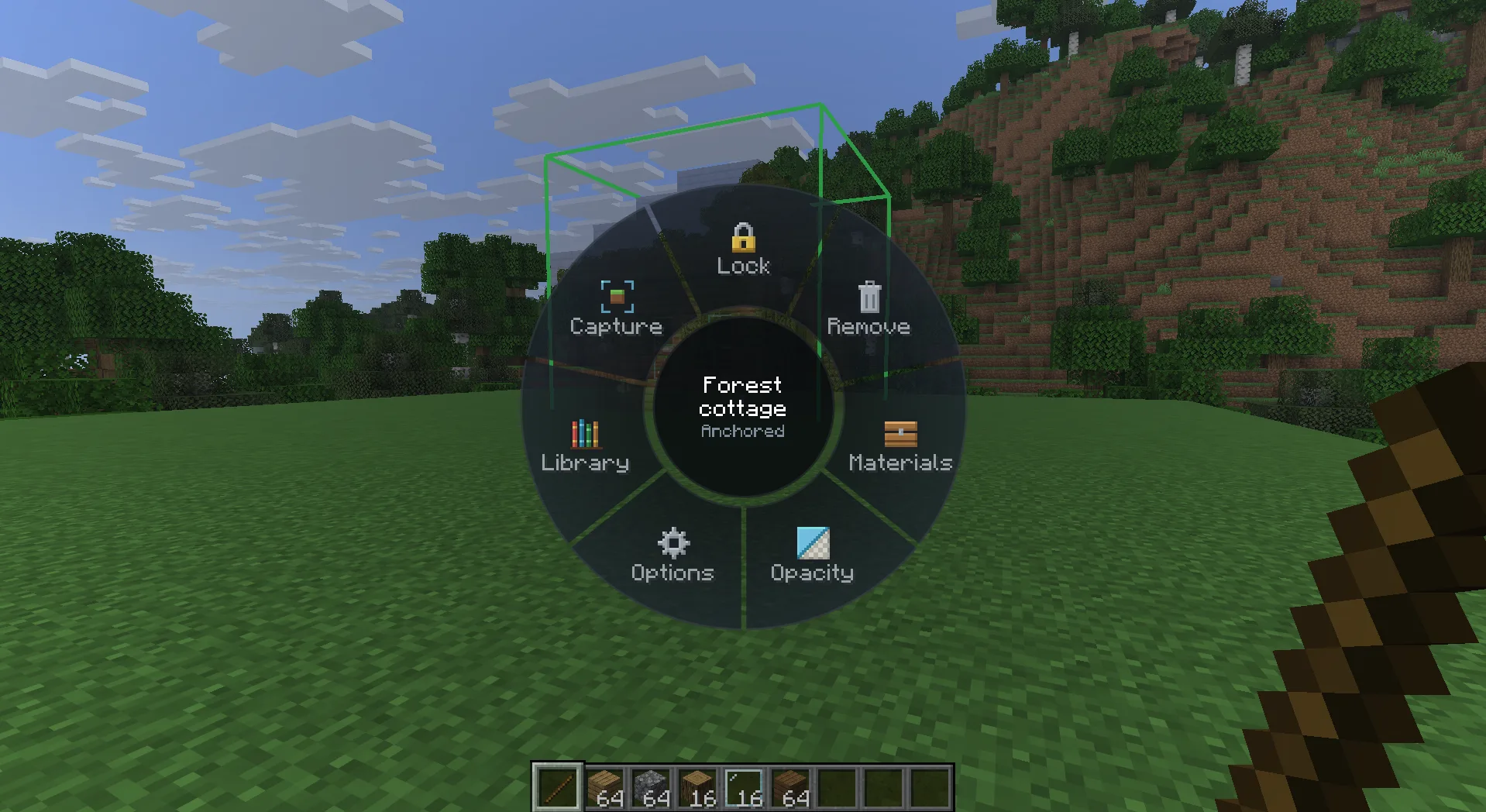
- Hold the remote to move, rotate and mirror a ghost, then anchor and lock it. All actions sit on one wheel (
V), which only shows what you can do right now. - Place several schematics at once, and find your anchored placements again when you come back.
- Swap materials per placement, for example spruce instead of oak, without editing the schematic.
Building by hand
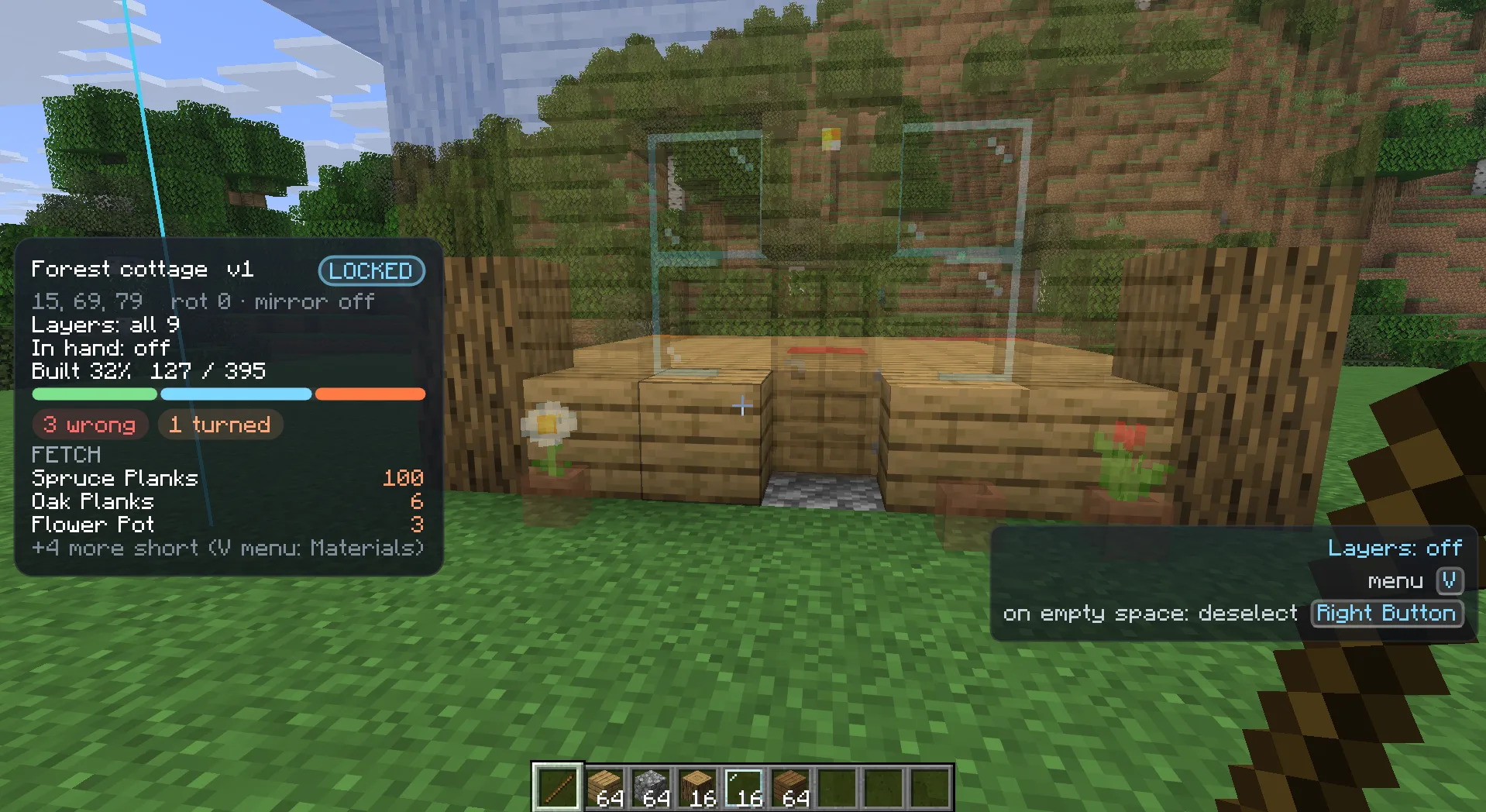
- Live comparison: coloured boxes mark wrong blocks, wrong orientation, missing water and extra blocks. Missing blocks show as ghosts.
- Layers: show a window of layers, everything up to your feet, or only the blocks you are holding.
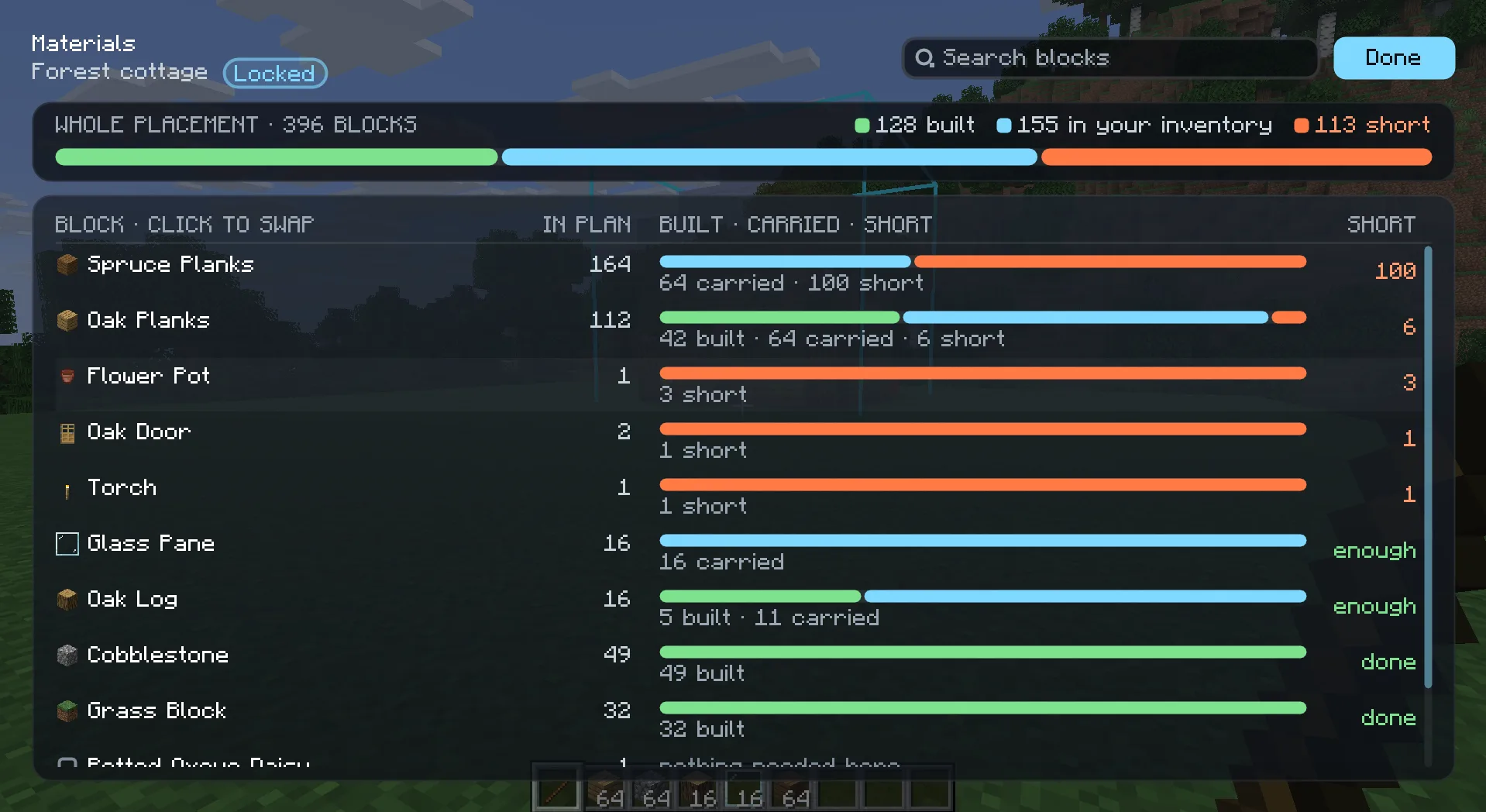
- Material list: what the build still needs, compared with what you carry.
- Ghost targeting: look at a ghost to see which block belongs there, and middle-click to pick its item.
- Easy Place: right-click a ghost to place the planned block with the right orientation, without aiming at a supporting face.
- Placement restriction: optionally refuse blocks that would contradict the plan.
- Mistake pointer: points you to the nearest mistake or missing block in a large build.
- Grass, dirt paths, stripped logs, concrete and similar blocks count as built the way the game allows, and the overlay tells you when only a finishing step is left.
- Creative paste: in creative single player, paste a whole placement at once and undo the last paste.
Requirements
- NeoForge for Minecraft 26.1.2
- Client-side. The server doesn't need the mod.
- Optional: Jade shows ghost information in its tooltip.
Alpha
Heavymatica is in early alpha. Expect rough edges, and please report bugs and ideas on the issue tracker.
Network access
Contacts heavymatica.com when you open the schematic library; can be turned off in the settings. Local schematics work without an account.
Heavymatica Team