sus_Murieli44 | Hardcore Revival B...
Create a server, get 25% off your first month

Create Server

Description
⚡ Revive Beacon: Helping Hand
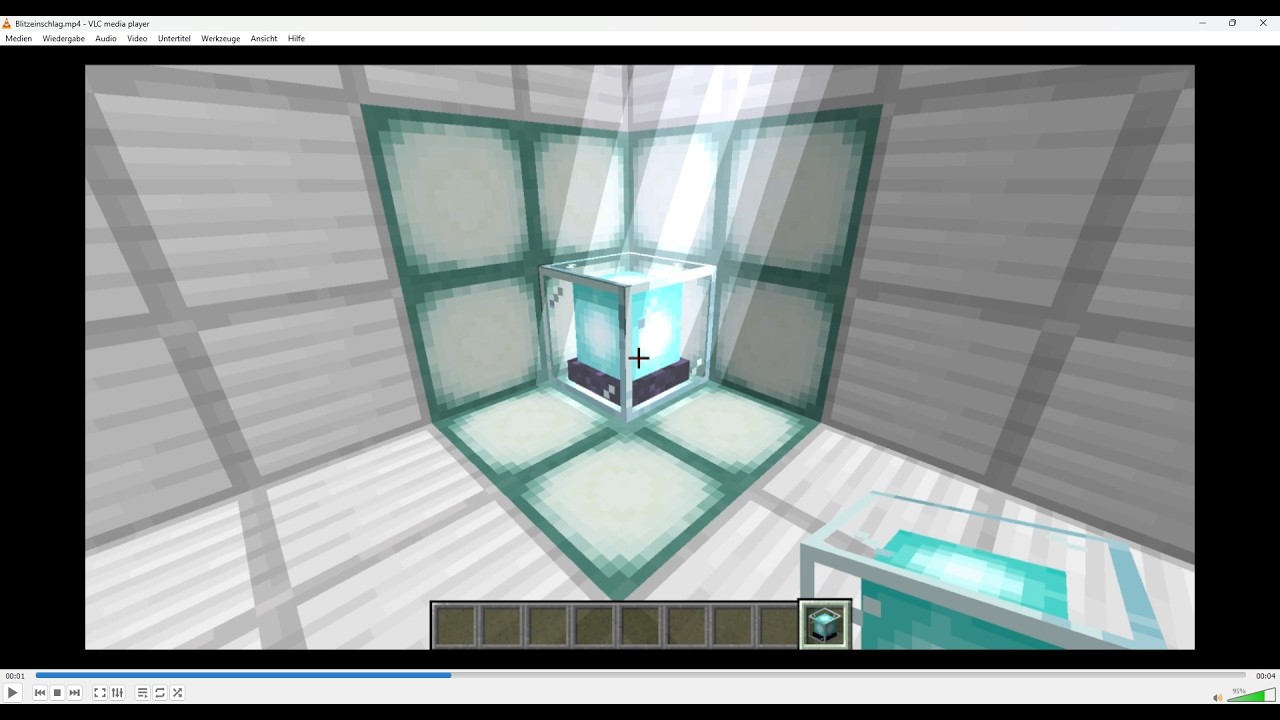
Death is no longer the end. Revive Beacon introduces a powerful, mystical artifact to Minecraft that defies the laws of mortality. Designed for Hardcore enthusiasts and multiplayer survival, this mod offers a high-stakes way to pull your allies back from the void.
✨ Features:
-
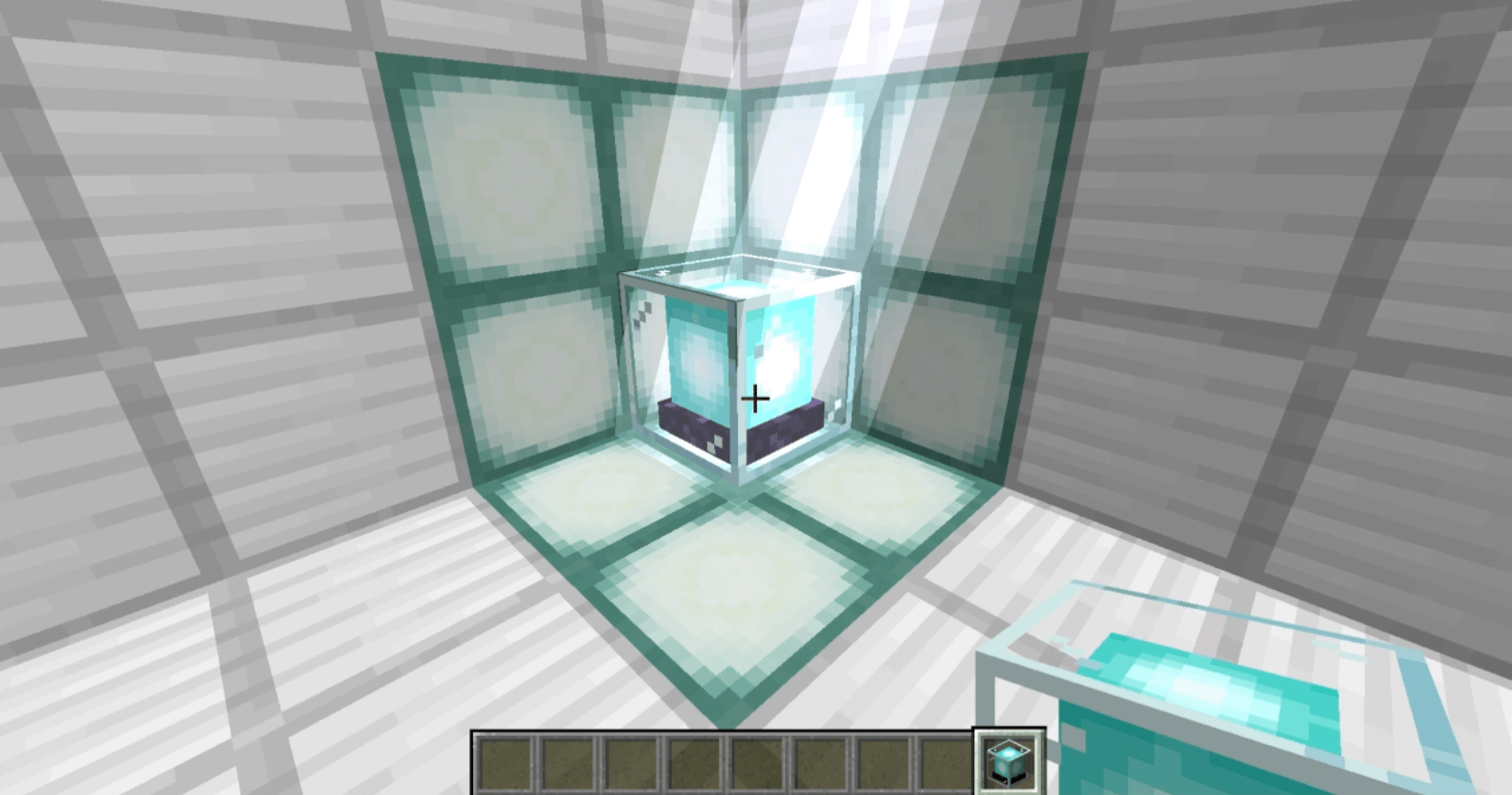
The Ritual of Placement: When the Beacon is placed, the sky itself reacts. A powerful lightning strike marks the spot, binding the soul of the placer to the block.
-
Soul-Bound Protection: A Beacon is a personal lifeline. Due to its mystical nature, it is bound to its creator. Only the person who placed the Beacon has the power to dismantle it, keeping it safe from those who would wish to see you stay in the shadows.
-
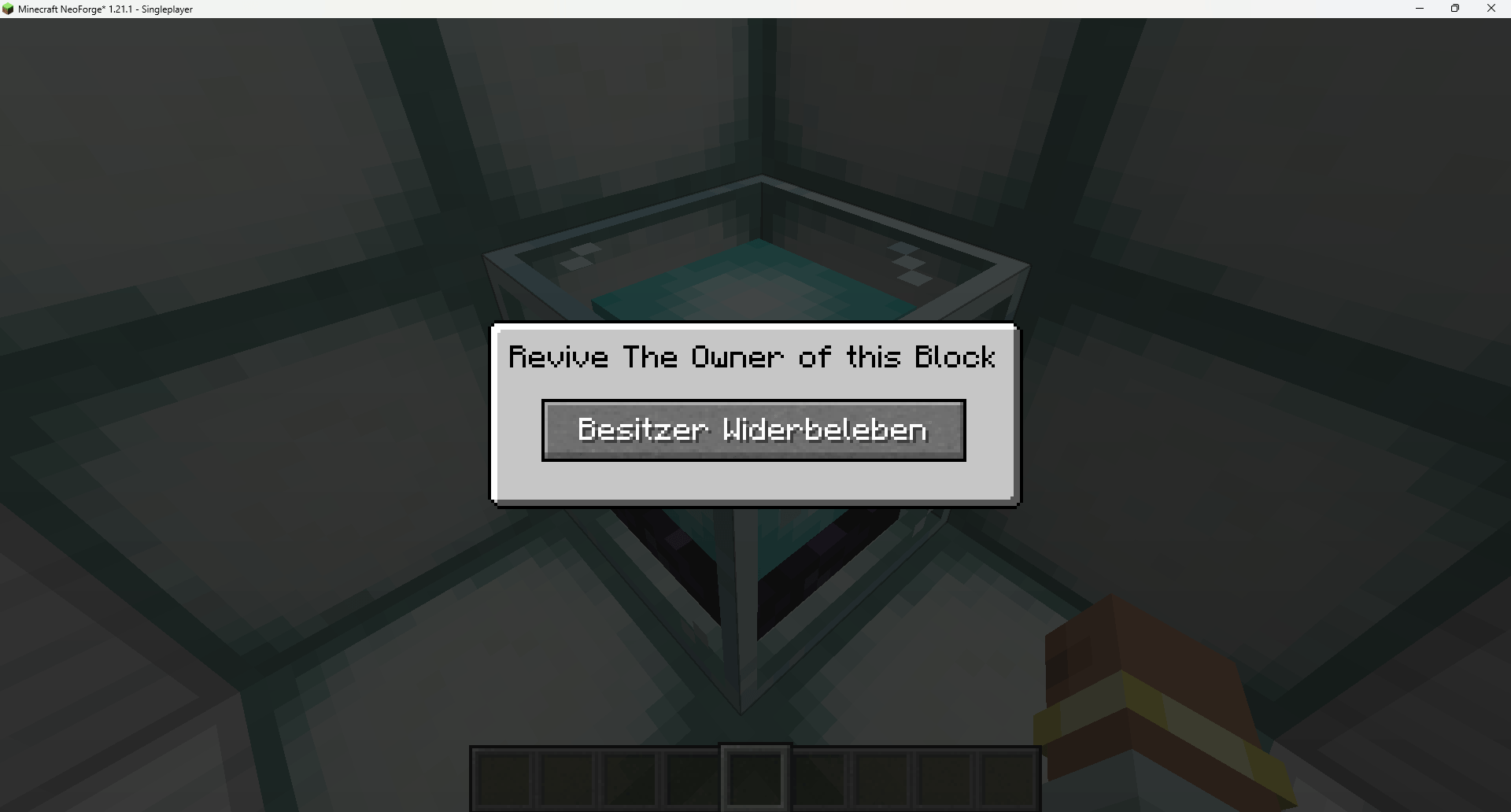
The Awakening Interface: By interacting with the block, a unique interface appears. The Beacon hums with energy, sensing the state of its owner across dimensions.
-
The Great Return: If the owner’s spirit is drifting in Spectator Mode, a savior can activate the Beacon. This surge of energy teleports the fallen player back to the World Spawn, restoring their physical form and setting them back into Survival Mode.
-
Eternal Recognition: Acts of salvation do not go unnoticed.
🛠️ How to use:
-
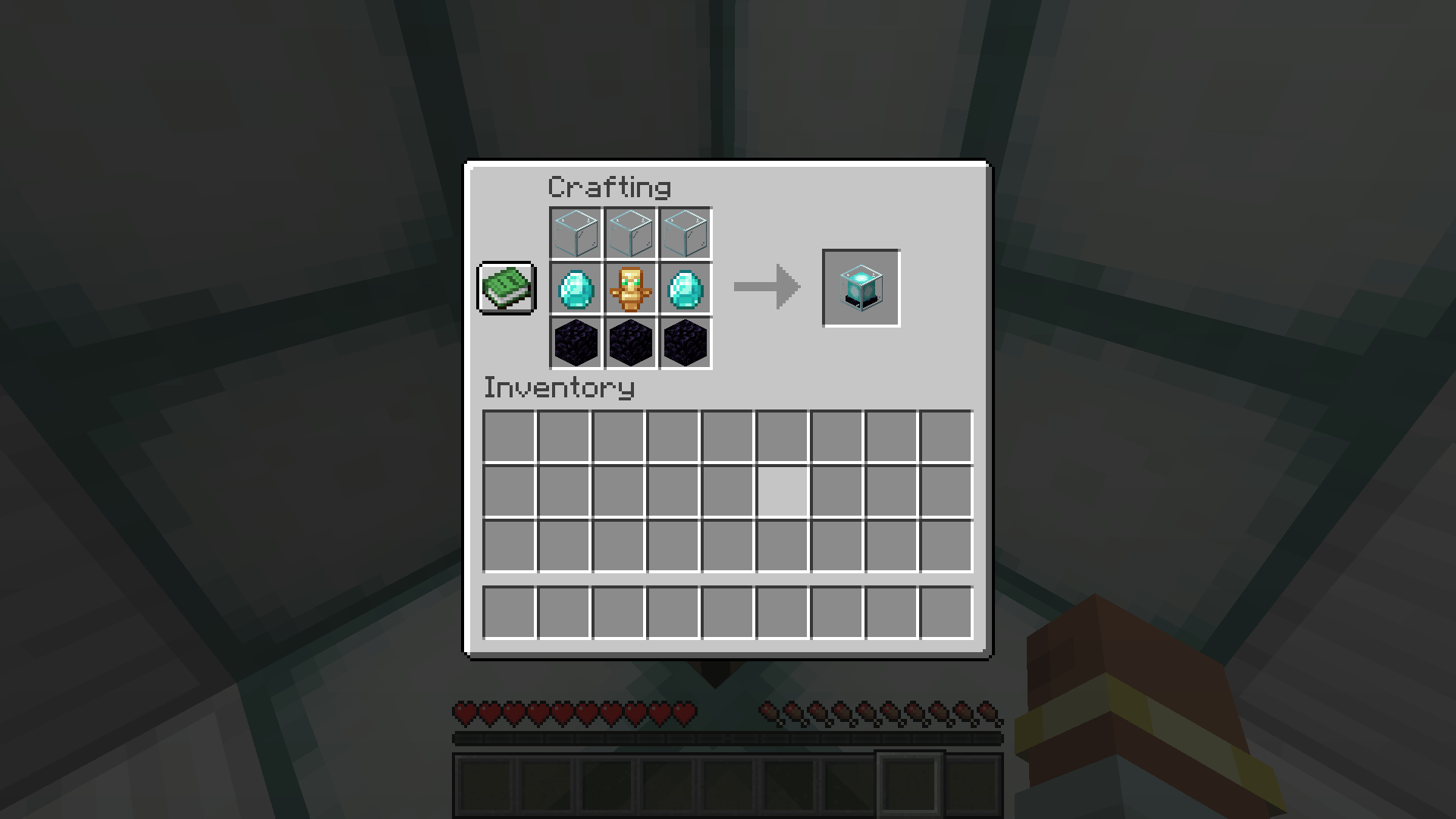
Craft the mysterious Beacon Recipe: 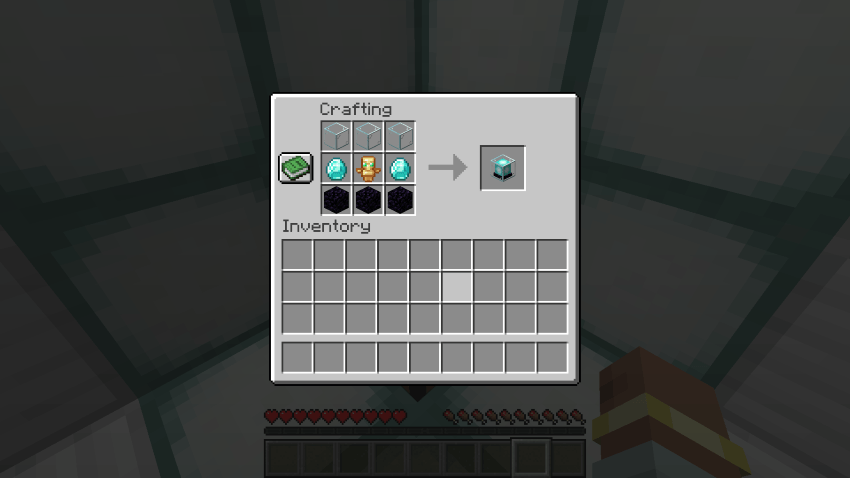
-
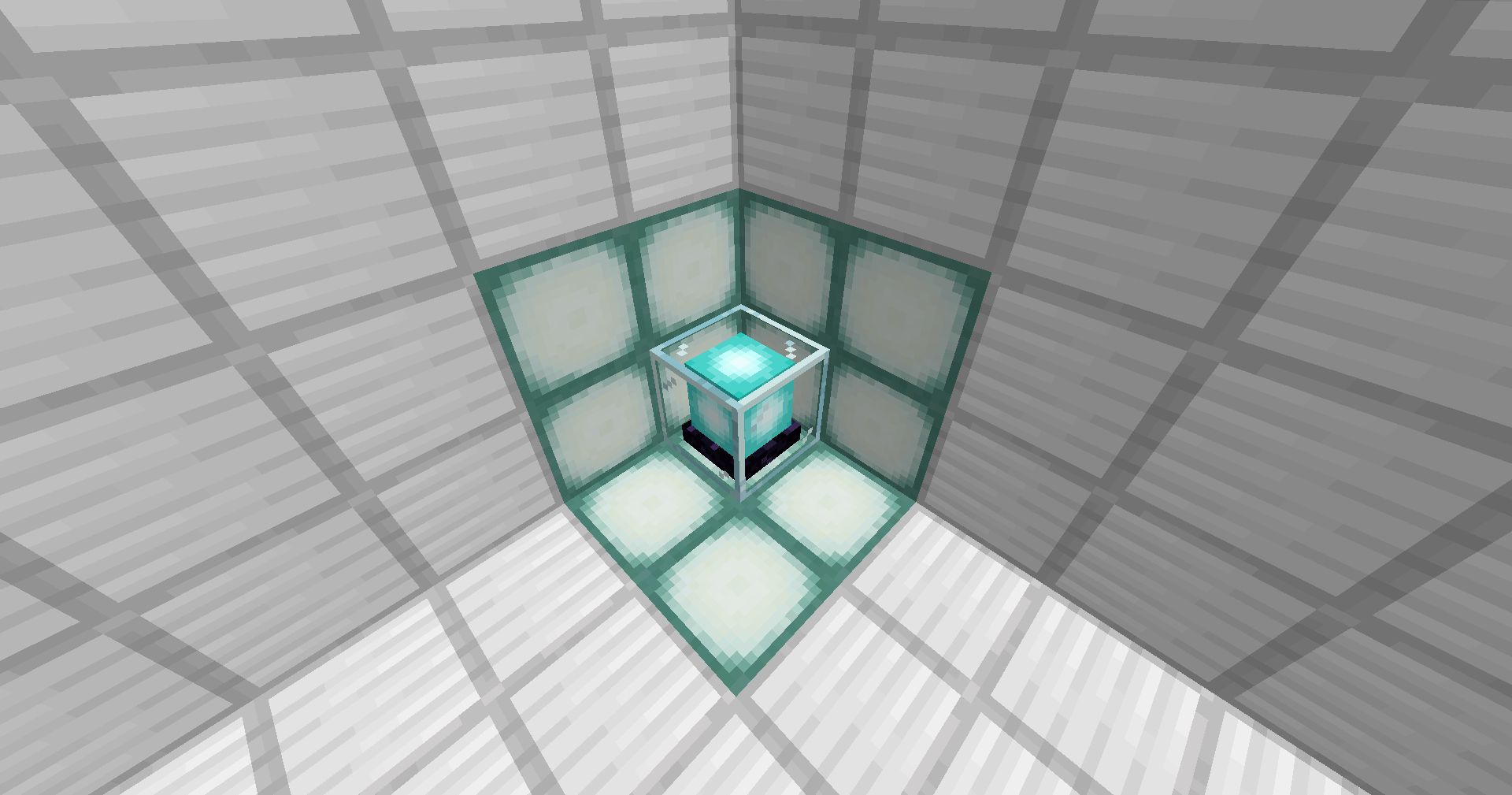
Place it carefully. The lightning will confirm the bond is set.
-
Wait. Should you fall, your Beacon remains as a beacon of hope.
-
Resurrect. Once a friend uses the Beacon to bring you back, the block shatters, its energy spent.
License & Permissions:
-
Modpacks: You are free to include this mod in any modpack.
-
Servers: You are allowed to use this mod on any public or private server (including Aternos, BisectHosting, etc.).
-
Commercial Use: Redistribution or selling this mod or its assets is strictly prohibited.
-
Source: Please only download this mod from official sources (CurseForge/Modrinth).
The Hardcore Revival Beacon Team
Welcome to my profile! I create Minecraft mods as a hobby – often inspired by small challenges within my group of friends.
More from sus_Murieli44View all
I have used Ai assistents when i diden`t know something since im still lerning!
Prevents Nether portal creation on the server. Only a player with OP permissions can directly ignite a portal to allow it.
HideTagPlugin lets players with the hidden tag hide themselves and control whether they can see other hidden players.
A client-side survival helper that automates smart food consumption, emergency Gapple usage, and safe offhand totem refills.
I have used Ai assistents when i diden`t know something since im still lerning!
Prevents Nether portal creation on the server. Only a player with OP permissions can directly ignite a portal to allow it.
HideTagPlugin lets players with the hidden tag hide themselves and control whether they can see other hidden players.
A client-side survival helper that automates smart food consumption, emergency Gapple usage, and safe offhand totem refills.