Hall effect: Analog Keyboard Movement
- By
Real analog WASD movement in Minecraft. Press your Hall Effect keys partway to walk slowly; press all the way for full speed.
Screenshot 2026-05-18 at 2.41.13â¯AM.png
Screenshot 2026-05-18 at 2.40.23â¯AM.png
Description
Most Minecraft mods that promise "slow walk" do it with a hotkey toggle. HE-Keyboard does it the way a controller does — by reading the actual depth of your keypress. Hall Effect keyboards report continuous 0.0–1.0 pressure values per key; this mod feeds those values straight into Minecraft's movement system.
The result: walk forward slowly by barely touching W. Sprint by pressing it all the way. Strafe at a custom angle by varying A and D against each other. The transition is buttery smooth because the underlying signal is analog, not stepped.
Features
- Analog WASD — partial keypress = partial walk speed, with proper diagonal normalization so analog diagonals don't outrun cardinal directions.
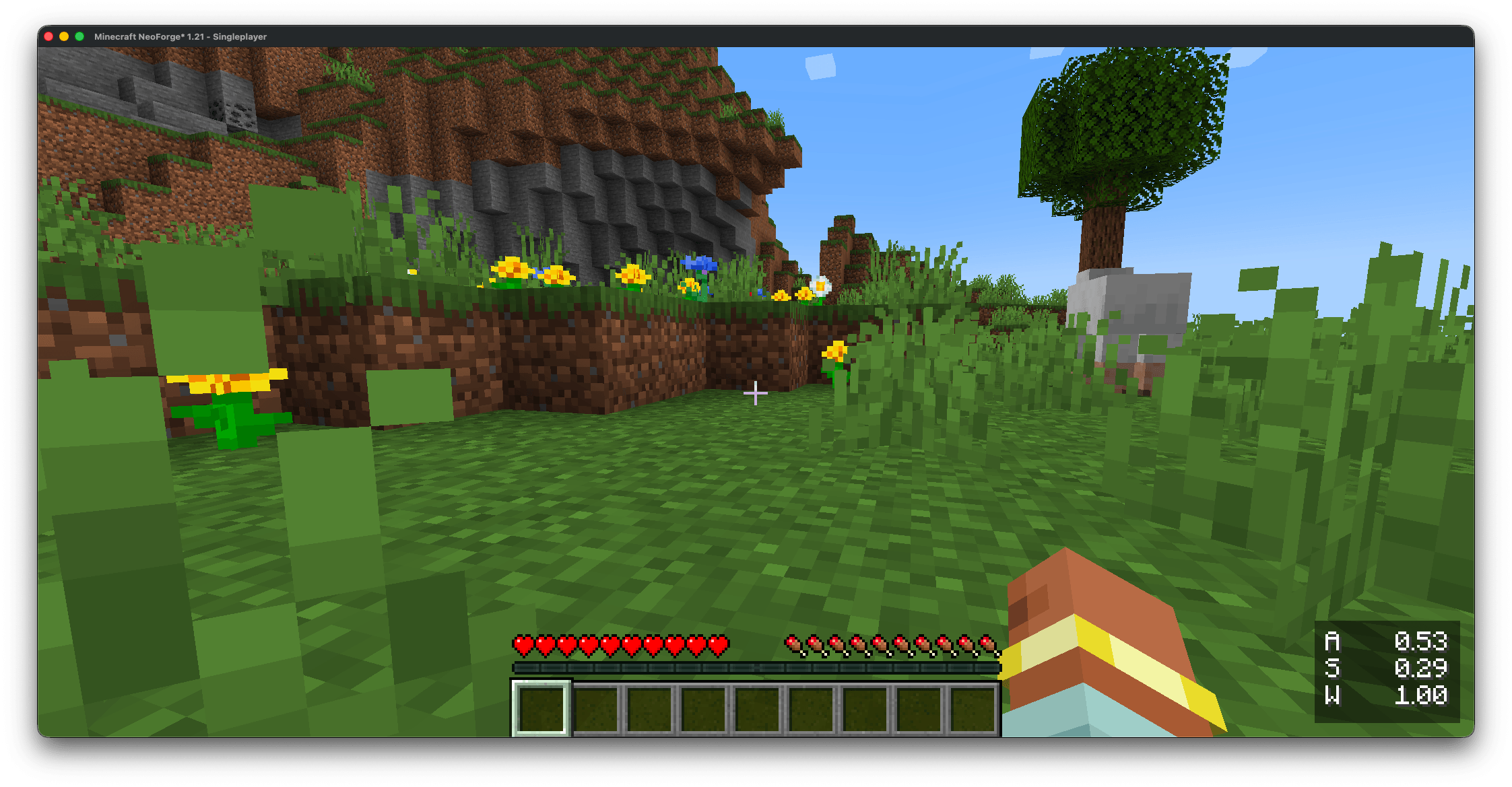
- Live HUD overlay — a toggleable lower-right panel shows every currently-pressed analog key with its 0.00–1.00 pressure value. Great for verifying your install and tuning the actuation threshold.
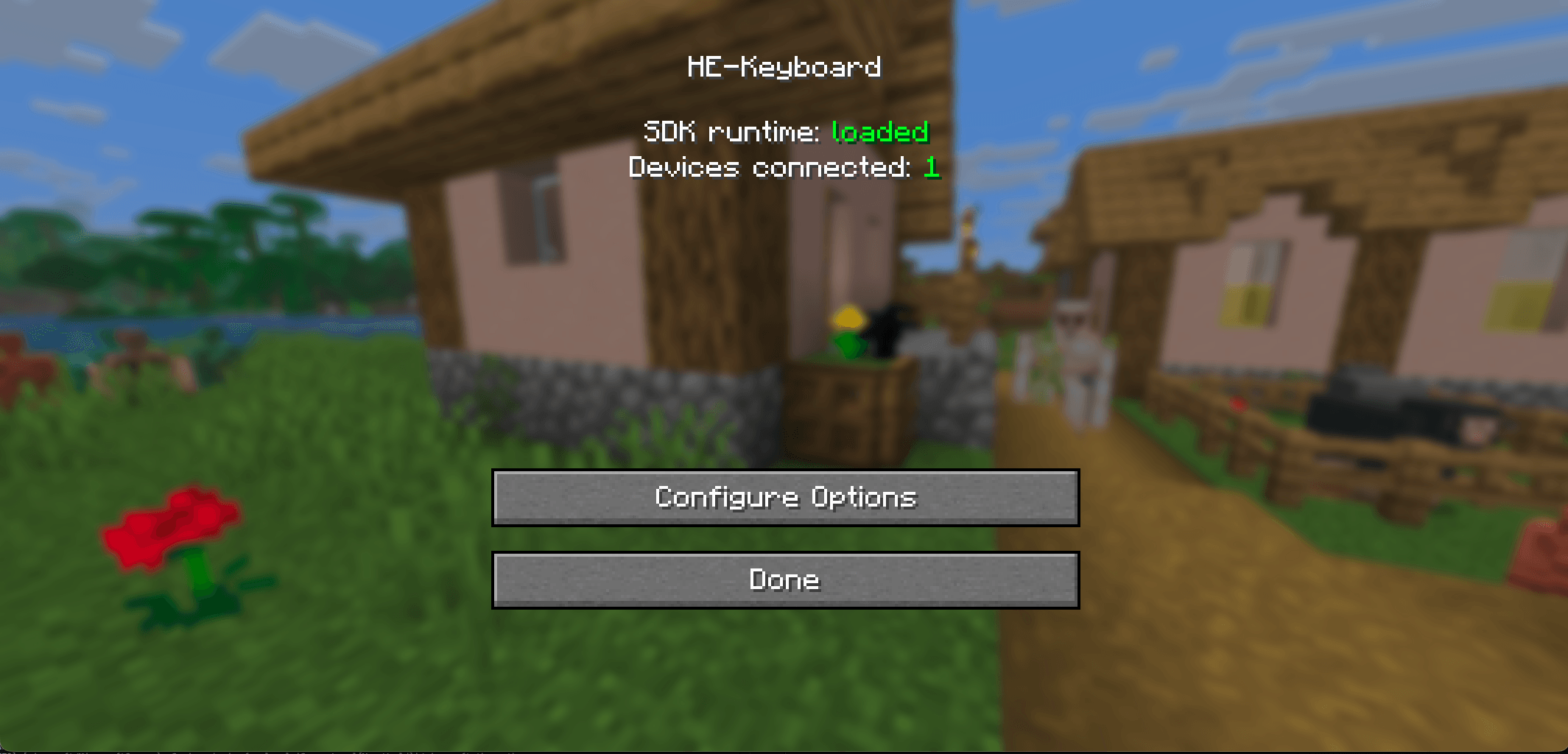
- In-game SDK status panel — open the config screen and see at a glance whether the SDK runtime is loaded and how many HE keyboards are connected. No more digging through
logs/latest.logto debug an install. - Untouched non-movement keys — jump, sneak, sprint, attack, use, hotbar slots all behave exactly as in vanilla. Only the four WASD movement keys are made analog.
- Safe fallback — no keyboard plugged in or SDK missing? The mod logs one warning and stays out of the way. Vanilla WASD keeps working.
- Client-only — nothing installs on the server. Safe to use on any vanilla / NeoForge server, modded or not.
Supported keyboards
Anything the Wooting Analog SDK can read:
- Wooting boards — supported natively on Windows, macOS, and Linux. Just install Wootility.
- NuPhy Field75 HE, DrunkDeer A75+, Keychron Q1 / Q3 / Q5 / K2 HE, Lemokey P1 HE, Madlions MAD60 / MAD68HE — supported via the community Universal Analog Plugin, which slots into the Wooting SDK as a vendor backend. Windows and Linux out of the box — and now macOS too, via our fork of the plugin: we fixed four macOS bugs in its HID layer (validated in-game with a Keychron Q5 HE), and those fixes are merged upstream, so the official plugin will pick them up in a future release.
- Razer Huntsman V2 / V3 Pro Analog — supported via the Universal Analog Plugin too, but Windows only: Razer's analog mode requires Razer Synapse, which doesn't exist on macOS or Linux.
Minecraft compatibility
- 1.21.x – 1.21.11 (1.21.9 not supported) and 26.1 / 26.1.1 / 26.1.2 / 26.2
Setup
1. Install the Wooting Analog SDK runtime. The mod needs the Wooting Analog SDK's native library on your system — it loads the library automatically and does not bundle it. (On macOS the SDK ships as two dylibs, the SDK plus a thin C-API wrapper; on Windows and Linux a single all-in-one SDK library exposes the same API. The mod handles whichever your platform provides.)
Windows: install Wootility — it installs the Wooting Analog SDK library (
wooting_analog_sdk.dll), which the mod loads directly. (There's no separatewooting_analog_wrapper.dllon Windows, and you don't need one.) Or download the standalone.msifrom https://github.com/WootingKb/wooting-analog-sdk/releases.macOS: download the latest
.tar.gzfrom https://github.com/WootingKb/wooting-analog-sdk/releases, then copy both dylibs into/usr/local/lib/:
  sudo cp libwooting_analog_sdk.dylib /usr/local/lib/
  sudo cp libwooting_analog_wrapper.dylib /usr/local/lib/
  sudo xattr -d com.apple.quarantine /usr/local/lib/libwooting_analog_sdk.dylib
  sudo xattr -d com.apple.quarantine /usr/local/lib/libwooting_analog_wrapper.dylib
Both xattr commands are required — macOS Gatekeeper blocks unsigned dylibs downloaded from the internet until that attribute is cleared.
- Linux: install the
.debfrom the releases page (it sets up the required udev rules for HID access). On non-Debian distros, extract the archive manually and follow the SDK docs for udev setup.
2. (Optional) Install the Universal Analog Plugin if your HE keyboard is from Razer, NuPhy, DrunkDeer, Keychron, Madlions, or Lemokey. On Windows / Linux, grab it from https://github.com/AnalogSense/universal-analog-plugin and follow its install steps. On macOS, use our fixed build instead, from https://github.com/KrookedLilly/universal-analog-plugin (the upstream plugin's macOS support was broken; our fork fixes it, and the fixes are merged upstream). Either way it slots into the Wooting SDK as a vendor backend — no mod-side configuration. Wooting boards skip this step.
3. Drop the matching mod jar into your mods/ folder. Pick the jar that matches your Minecraft version from the compatibility table above.
4. Launch Minecraft and verify. Open Mods → HE-Keyboard → Config. The status panel at the top should show:
- SDK runtime: loaded (green) — the SDK library was found and JNA bound successfully.
- Devices connected: N — number of HE keyboards the SDK currently sees.
If you see SDK runtime: not found, the SDK library probably isn't installed (or isn't xattr-cleared on macOS). The panel shows an OS-specific install hint when something's missing.
That's it. Try a partial W press in-world — you'll feel it immediately.
What's NOT bundled, and why
The Wooting Analog SDK is MPL 2.0 licensed. Bundling its native binaries directly would add platform-specific signing / packaging requirements (macOS notarisation, Linux udev rules, MPL source-availability paperwork) and turn every SDK patch release into a full mod re-release. Cleaner for everyone if the SDK lives outside the mod jar and you can update it independently.
If your keyboard already works with Wootility, the mod already works.
If you enjoy this mod, please check out our other games and apps at KrookedLilly.com
Hall effect: Analog Keyboard Movement Team