GUI Scalar
- By
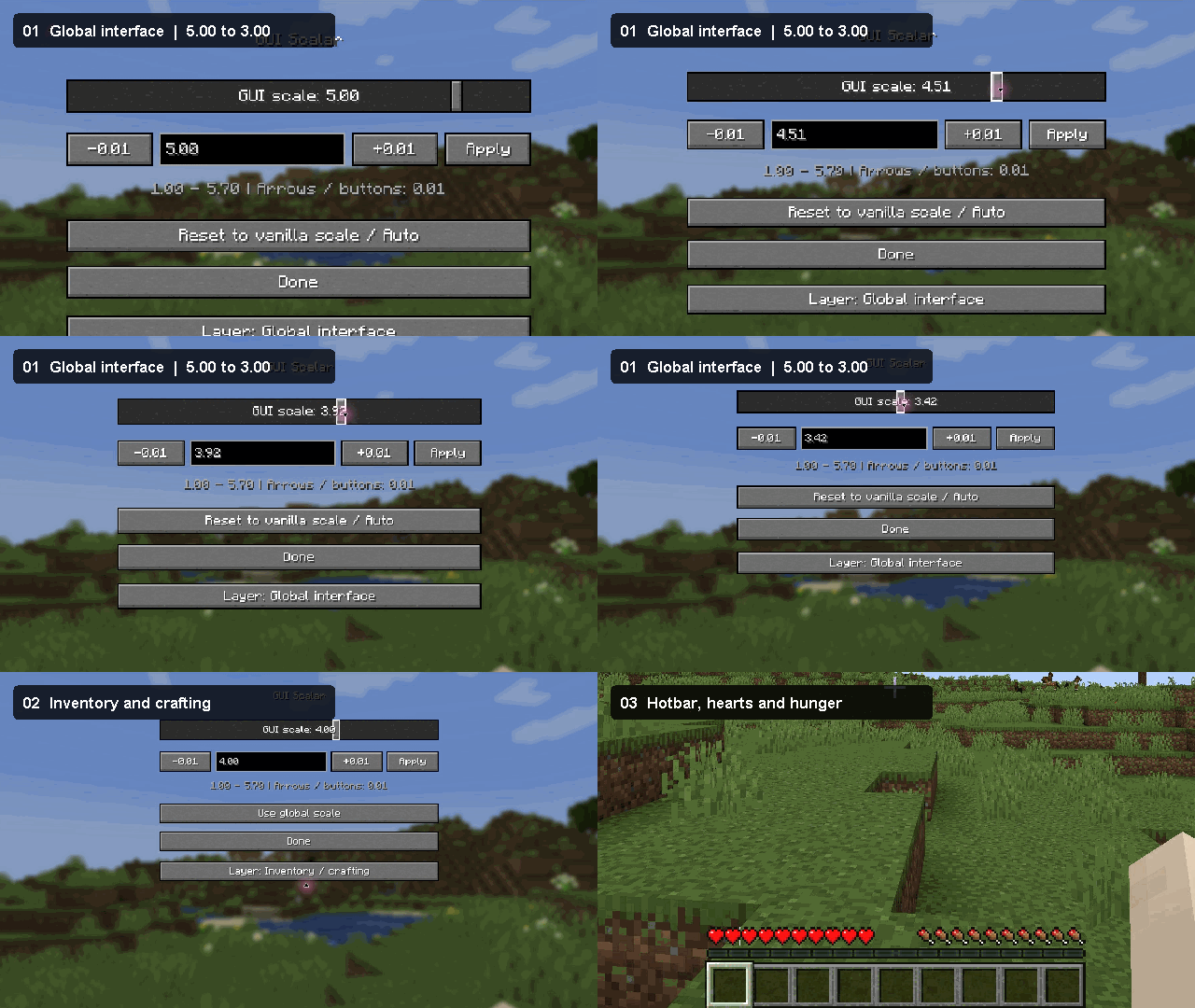
gui-scalar-curseforge.gif
Description
GUI Scalar
Set separate scales for your menus, inventory, and hotbar. GUI Scalar adds a live slider and precise fractional values such as 3.56.
Three scale settings
- Global interface controls menus and the default GUI scale.
- Inventory / crafting resizes the entire inventory, crafting screen, and other containers. Mouse clicks follow the scaled slots.
- Hotbar resizes the item slots, hearts, hunger, armor, air, and experience together.
How to use
Open Options → GUI Scalar and click Layer to switch between settings. Drag the slider, use the arrow keys or −0.01 / +0.01 buttons, or enter a value such as 3.56 or 3,56 and click Apply. Each layer saves its own setting. Use Use global scale to reset an individual layer, or Reset to vanilla scale / Auto for the global setting.
Requirements and installation
Minecraft 1.21.1–1.21.11 · NeoForge · Java 21
Choose the JAR for your Minecraft version and place it in your client’s mods folder. GUI Scalar is client-side. Sodium is optional. The interface is available in English and Russian.
The scale starts at 1.00. Its maximum depends on your window resolution. At 1920 × 1080, the maximum is 4.50. Fractional values can soften pixel art and text edges. Custom HUDs that draw in physical pixels may need separate support.
Licensed under the MIT License.
GUI Scalar Team