789a3b0e4f31f6d257e17bd36f017402f55d54f9.webp
dc7b46825f70ae1179668254780e0af40ec258f3.png
5adbc23989d9327b568f843fab9962b69af0bac5.jpg
205f68681fd6e5b9bb45d4c2090c13dcf3074036.png
ab8aa8c829f3642c52fba39f42060b9834ac3bcf.webp
GraphWaypoints
Create your game server with 

Description
GraphWaypoints adds a powerful waypoint system to enhance your navigation in Minecraft. Mark important locations, track them across all dimensions, and share coordinates with ease. It’s a simple and effective tool for any explorer.
🛠️ Features
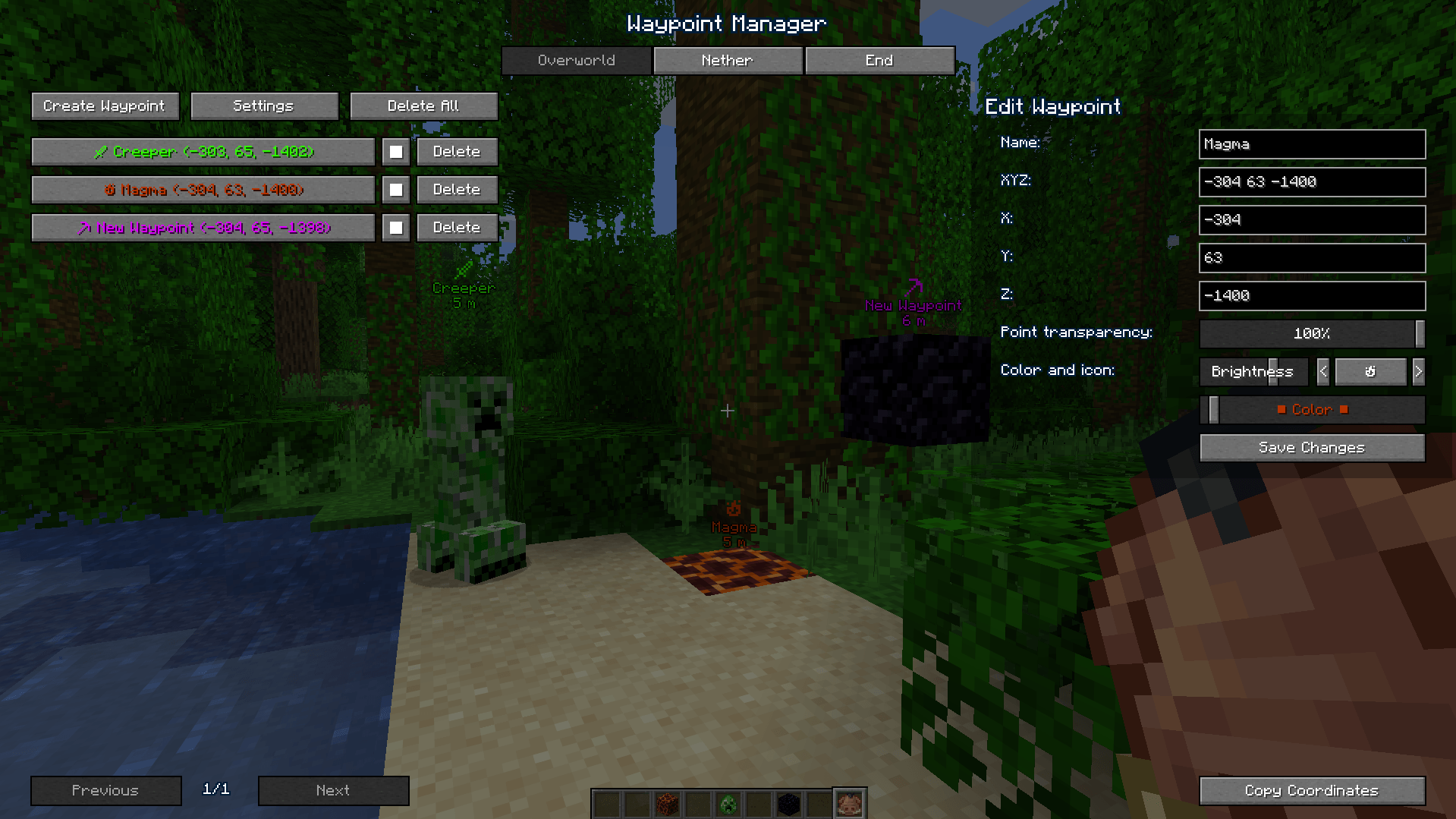
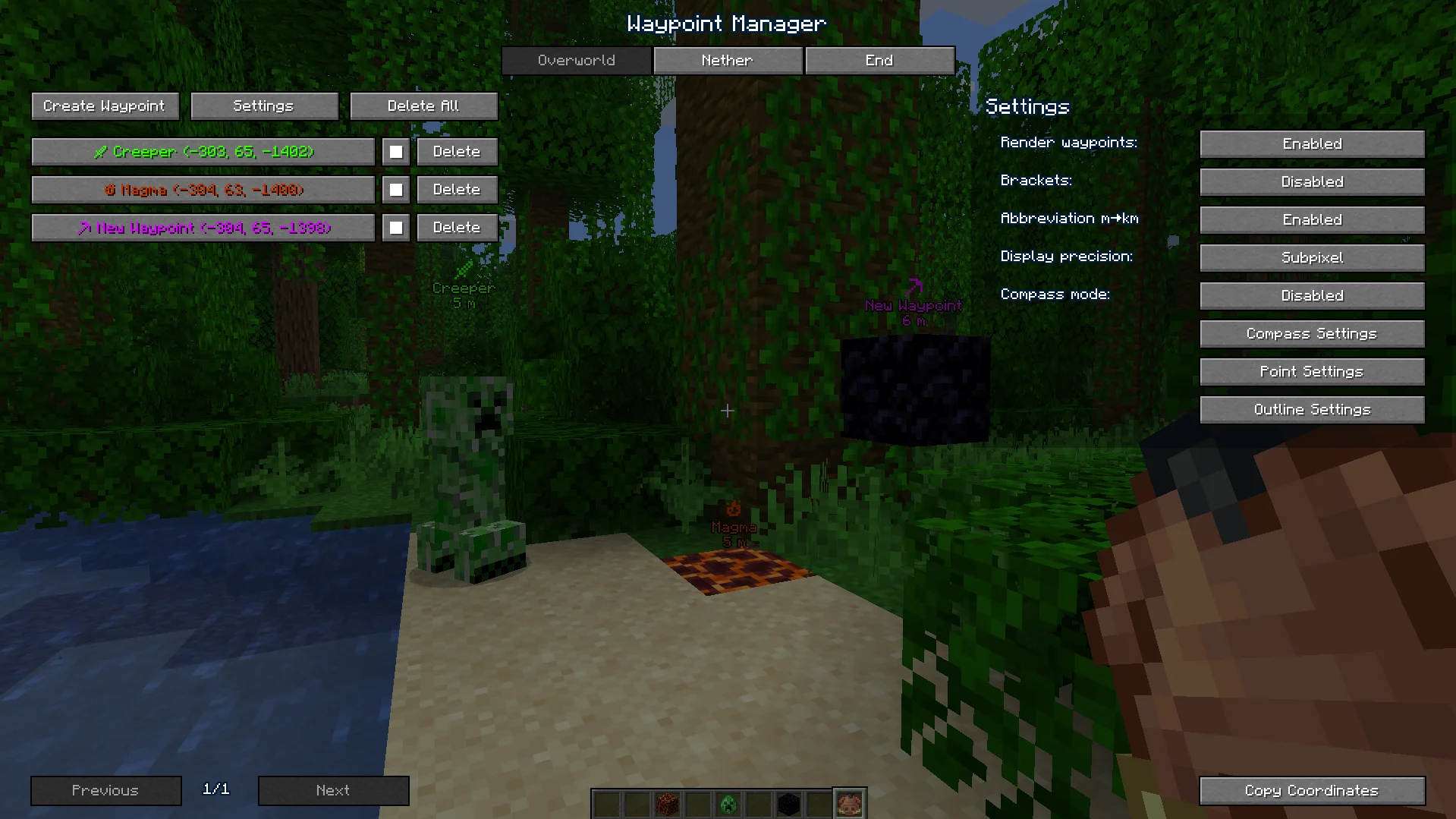
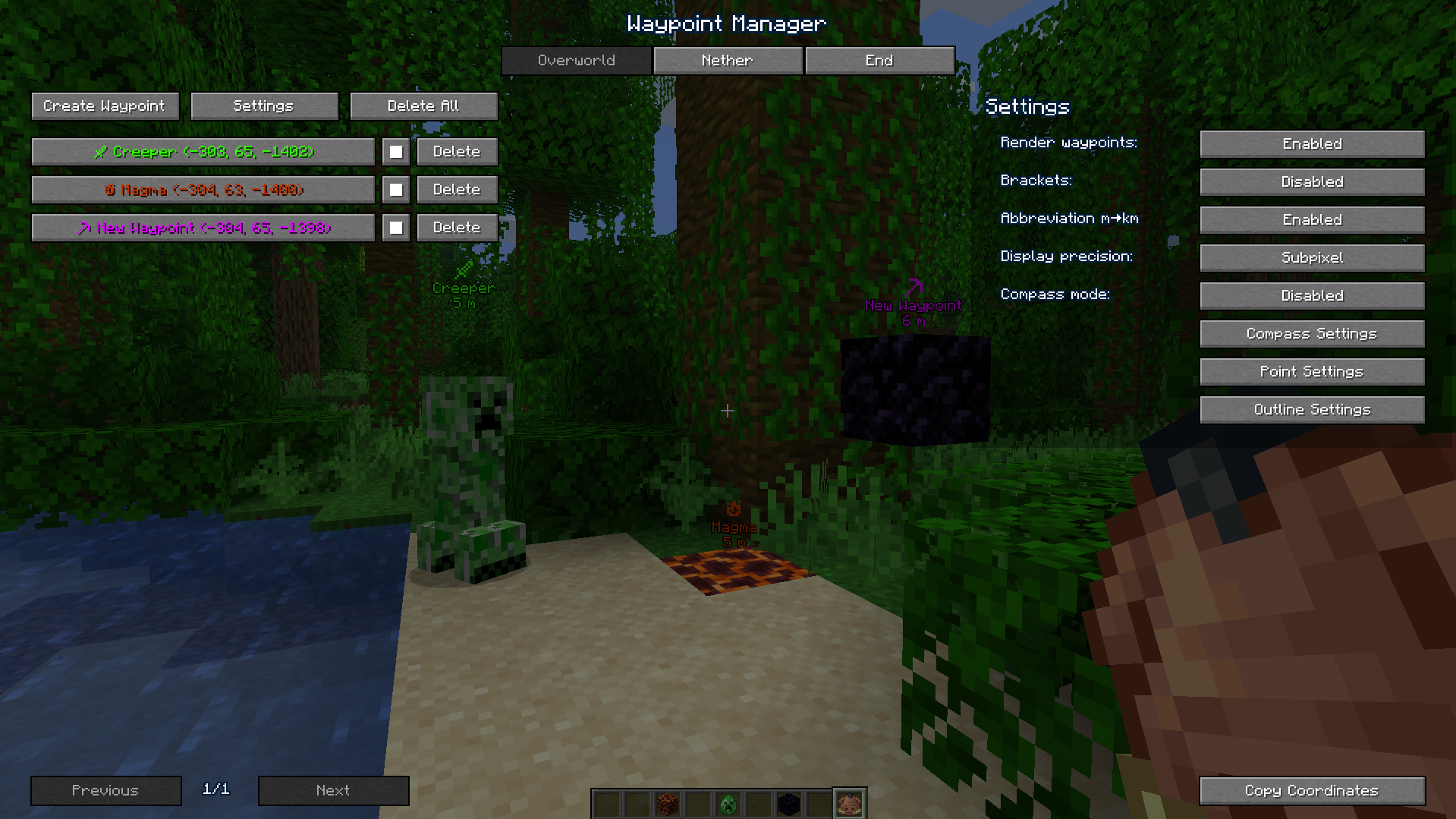
- Waypoint Management: Create, customize (name, color), and organize waypoints for all dimensions through an intuitive interface.
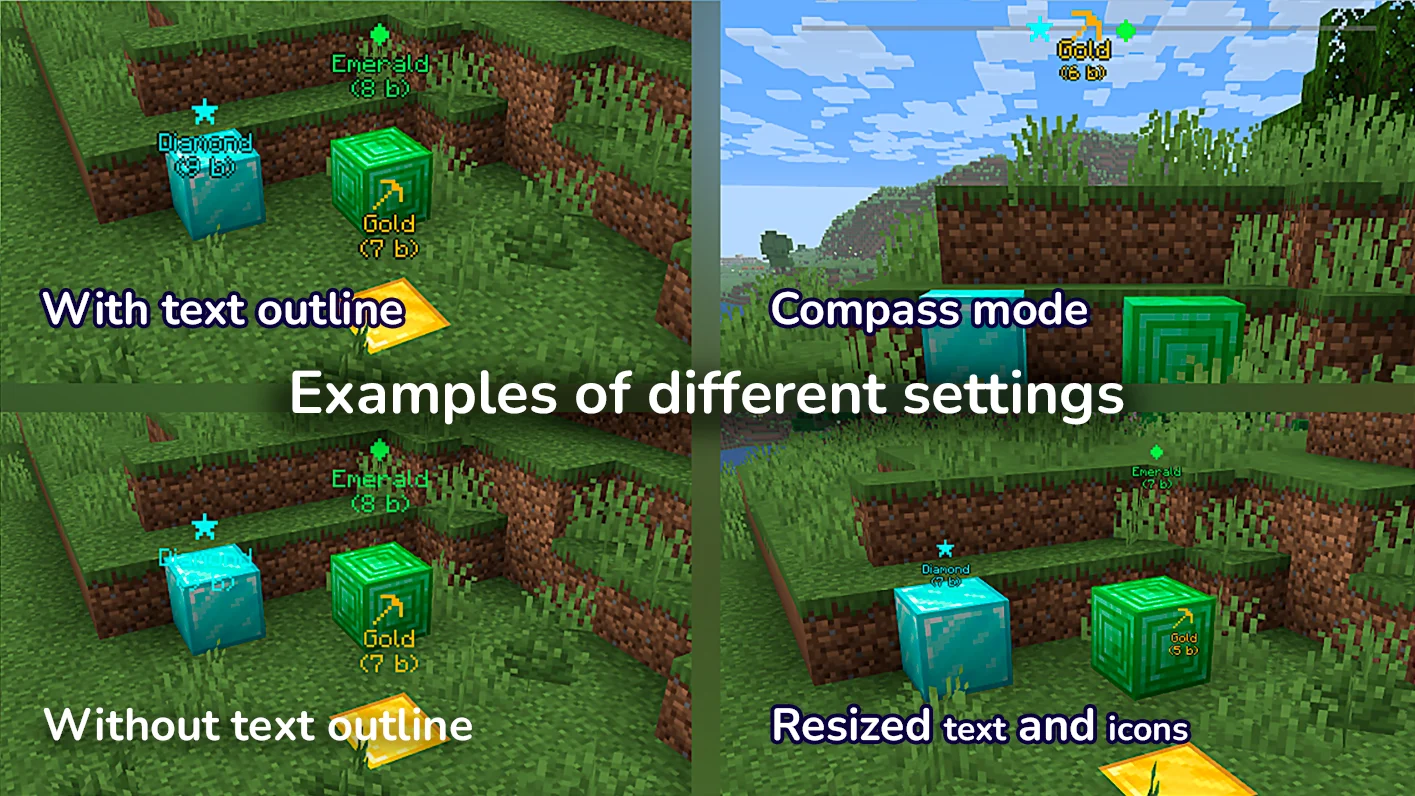
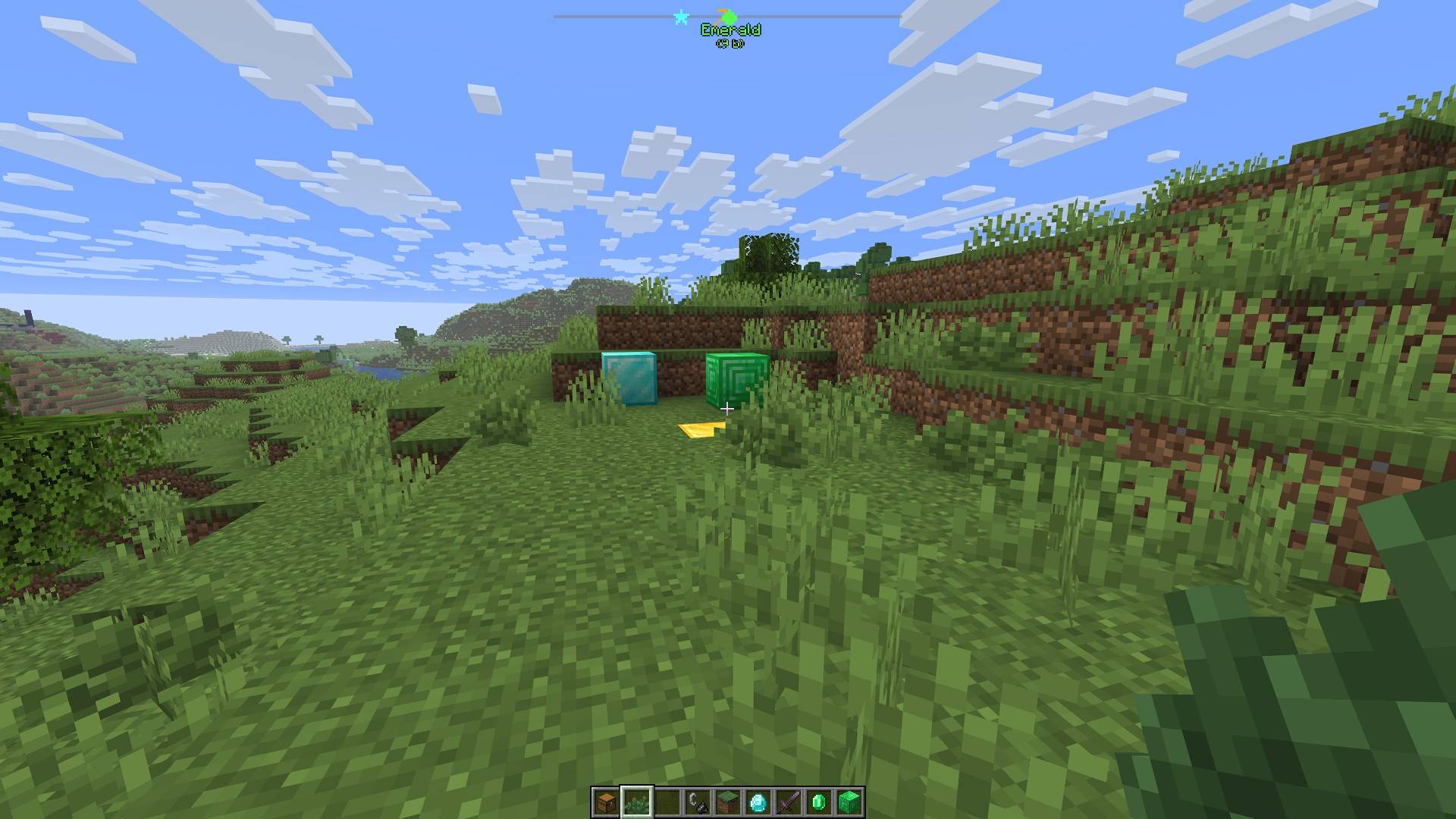
- Compass Navigation: A compass bar at the top of your screen displays all active waypoints for easy tracking over long distances.
- Hotkeys & Sharing: Use configurable hotkeys to open the waypoint manager (default:
B) or toggle their visibility if they get in the way (default:K). You can also instantly share coordinates with a button or a server command (/c).
📸 Screenshots
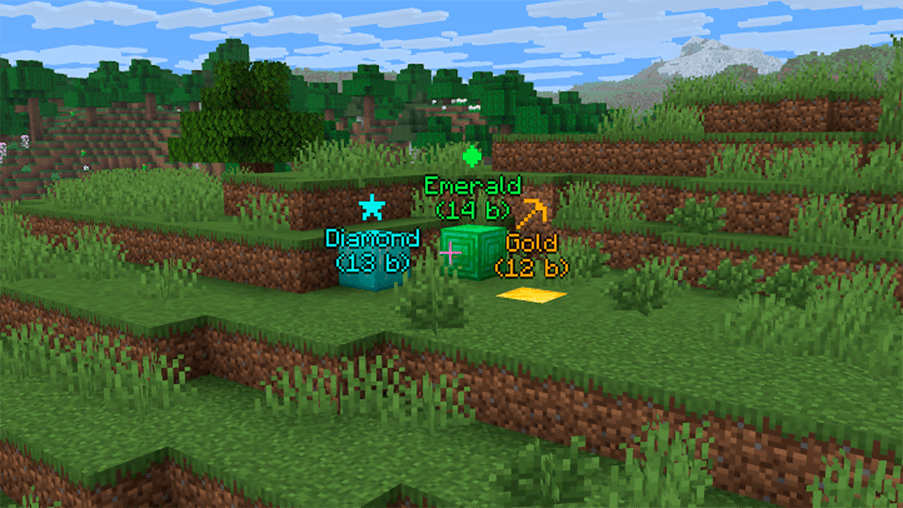
Waypoints in Action

Waypoint Manager
📋 Installation
- Install Fabric and Fabric API.
- Place the
graph_waypoints.jarfile in yourmodsfolder. - Launch Minecraft and configure hotkeys in the Controls menu (default:
Bfor manager,Kto toggle visibility). - For servers: Install on the server to enable the
/ccommand.
🔧 Compatibility
- Minecraft Version: 1.21.11, 26.1.x
- Mod Loader: Fabric
- Dependencies: Fabric API
GraphWaypoints Team