Ghostbys FPS & Ping HUD
- By
Shows your FPS, ping, coordinates and direction in a clean little HUD you can put in any corner.
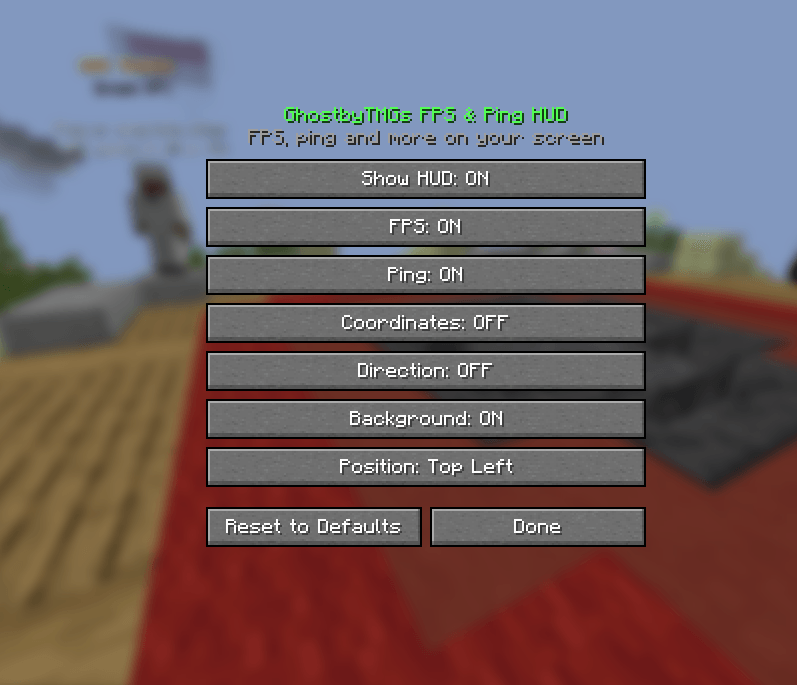
Screenshot 2026-11-17 163759.png
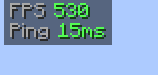
Screenshot 2026-11-17 163737.png
Description
GhostbyTMGs FPS & Ping HUD
Your FPS and ping, always in view.
A small, clean HUD that shows how your game and connection are running, without the clutter of the F3 screen.
Features
- FPS: frames per second, green when smooth, yellow when OK, red when laggy.
- Ping: your connection to the server in milliseconds, color-coded the same way. Hidden in singleplayer.
- Coordinates: your X Y Z position, if you want it.
- Direction: which way you’re facing, like North or South-East.
- Any corner: top left, top right, bottom left or bottom right.
- Background: an optional dark box behind the text so it’s always easy to read.
- Hides with F1 like the rest of the HUD.
- Settings: open them from Mod Menu, or set keys in Controls to open settings and show or hide the HUD.
Versions
- Fabric: 1.21 – 26.2
Requirements
- Fabric API
- Mod Menu (optional)
Client-side only, so it works on any server.
Ghostbys FPS & Ping HUD Team