Ghost Opacity
- By
Make players and mobs ghostly and see-through with command-controlled opacity from 0–100%. Built for Fabric.
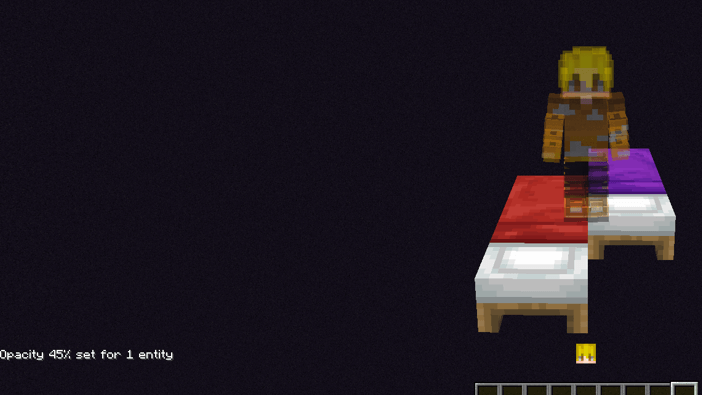
Screenshot 2026-11-09 144822.png
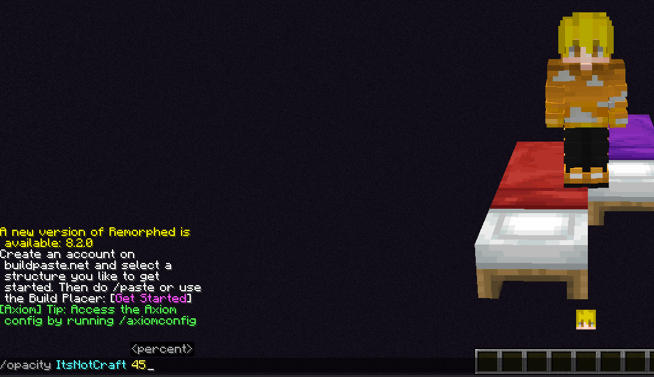
Screenshot 2026-11-09 144841.png
Description
Give players and mobs a ghostly, see-through appearance with a simple command.
Ghost Opacity lets you adjust the opacity of selected players and mobs from 0% to 100%. Choose a faint ghost effect, partial transparency, or restore their normal appearance.
Commands
-
/opacity <targets> <0-100>— Set the opacity of selected targets. -
/opacity <targets> reset— Restore normal opacity.
Examples
-
/opacity @s 50— Set yourself to 50% opacity. -
/opacity @e[type=minecraft:zombie] 25— Set all selected zombies to 25% opacity. -
/opacity @a reset— Restore normal opacity for all players.
At 0%, the main entity model becomes fully transparent. At 100%, normal rendering is restored. Below 100%, additional render layers are disabled rather than faded.
Opacity settings are saved with entities, synchronized to clients, and configured to carry over when players respawn. The command requires gamemaster permissions, such as operator access or cheats enabled.
For multiplayer, install the mod and Fabric API on the server and on clients that should display the transparency effect.
Created by Itsnotcraft.
Ghost Opacity Team