Genesis: Neural Rendering
- By
More FPS for Minecraft: NVIDIA DLSS upscaling, DLSS Frame Generation, AMD FSR 3.1 frame generation and an experimental 3x/4x generator, with Automatic modes that turn on only when they help. Alpha. Requires Genesis: Core.
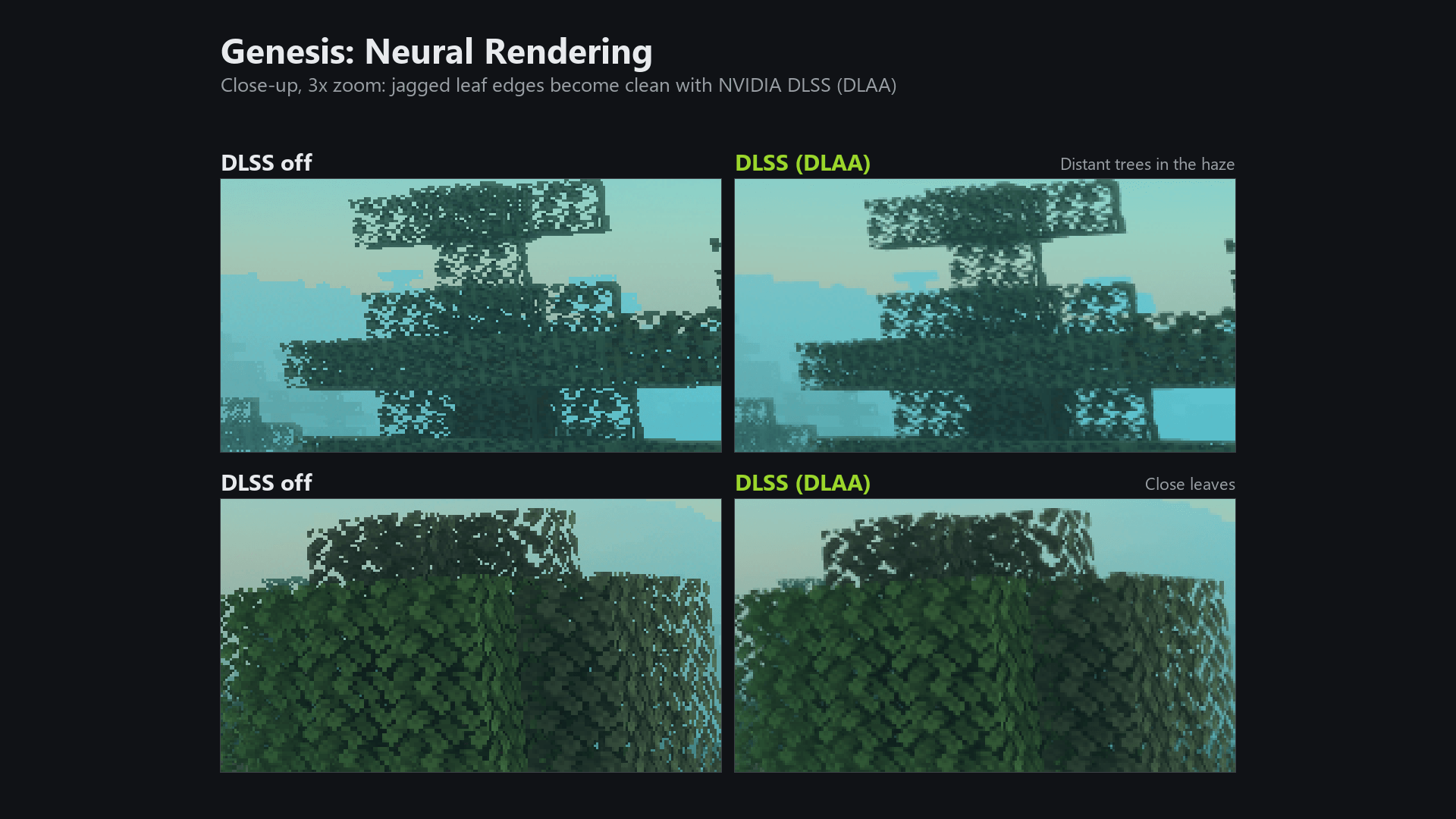
gallery-dlss-dlaa-edges.png
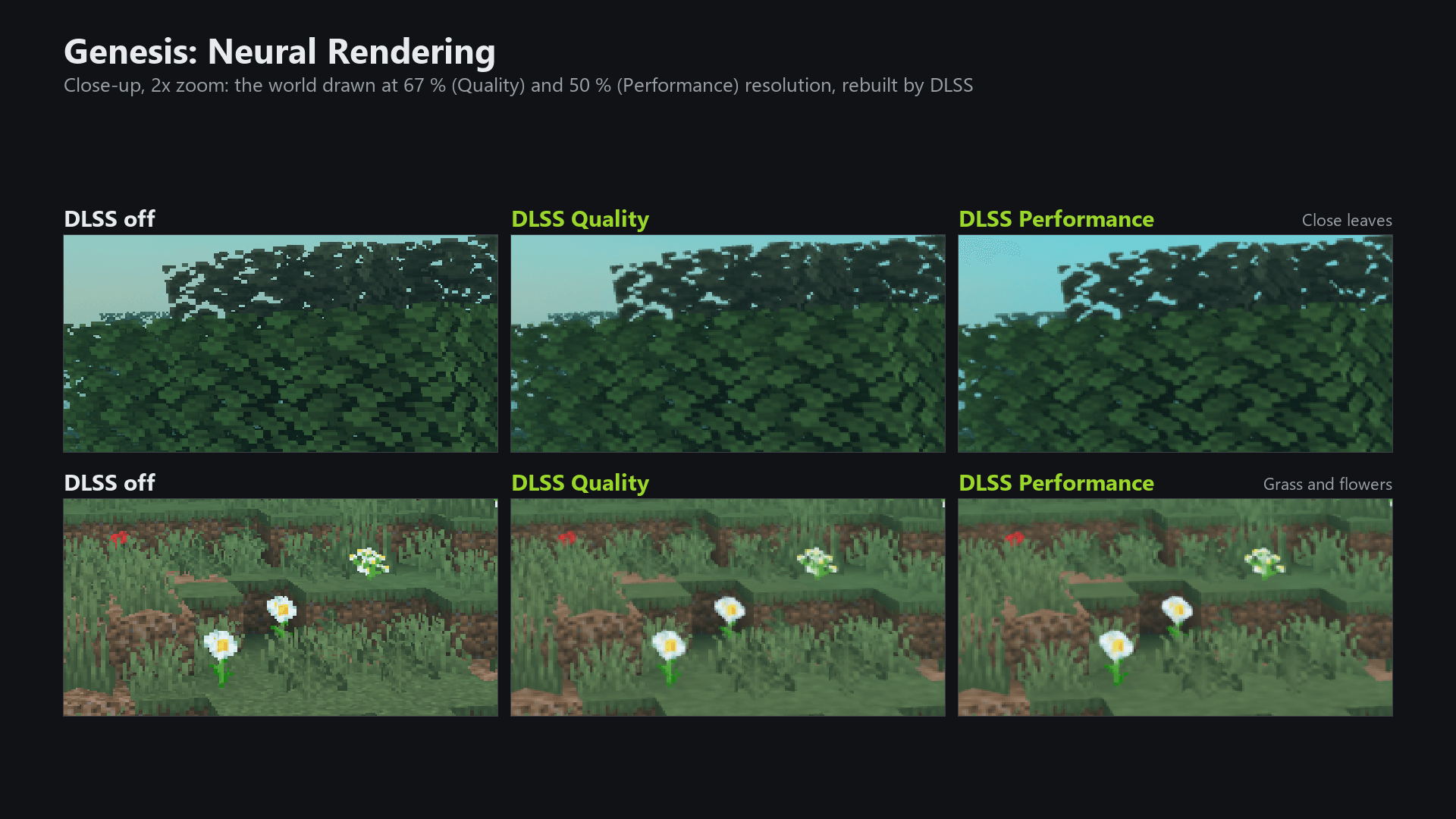
gallery-dlss-upscaling-modes.png
Description
🧠 Genesis: Neural Rendering
DLSS Upscaling · Frame Generation · Automatic Modes · Built for Minecraft's OpenGL Renderer





⚠️ Alpha Release — Please Read
- Genesis: Neural Rendering requires Genesis: Core 1.0.1 or newer.
- This is an alpha. It has been tested in depth on one machine (GeForce RTX 4050 Laptop GPU, 1080p, with and without Sodium). AMD and Intel graphics cards, and RTX 20/30/50-series cards, have not been tested on real hardware yet. Please report what you see.
- Everything is off by default. Nothing changes until you switch a feature on.
- Windows only. On macOS and Linux the mod loads and stays switched off.
Minecraft draws its world with OpenGL. DLSS and frame generation live in Vulkan. Neural Rendering builds the bridge.
Genesis: Neural Rendering brings the GPU features of modern PC games to Minecraft Java. The world is drawn at a lower resolution and NVIDIA DLSS rebuilds a sharp full-resolution picture, so the graphics card does less work per frame. Frame generation adds frames between the ones the game draws, so the screen shows two, three or four times as many. Your HUD, chat and menus stay pixel-sharp: only the world is upscaled.
You do not need to know which setting fits your PC. The Automatic modes measure your game while you play and switch on only what actually helps.
🌟 At a Glance
| Feature | What it does | Graphics card |
|---|---|---|
| 🔍 DLSS Super Resolution | Draws the world at 33–67 % resolution and rebuilds it sharp (DLAA, Quality, Balanced, Performance, Ultra Performance) | NVIDIA GeForce RTX |
| 🤖 Automatic DLSS | Picks the step that saves just enough GPU time to reach your frame-rate target, and turns DLSS off where the processor is the limit | NVIDIA GeForce RTX |
| 🎞️ DLSS Frame Generation | One generated frame per real frame (2×), with NVIDIA Reflex keeping input latency down | NVIDIA GeForce RTX 40 / 50 series |
| 🟥 AMD FSR 3.1 Frame Generation | 2× frame generation through AMD FidelityFX | Vulkan-capable cards (tested on NVIDIA only) |
| 🧪 Genesis Multi-Frame Generation | Genesis's own 3× / 4× generator (experimental) | Modern NVIDIA / AMD cards |
| ⚖️ Automatic Frame Generation | 2× only while the game runs below your screen's refresh rate; off when it is not needed | Any supported method |
| 📊 Frame Cost Overlay | Optional readout: CPU/GPU time, the costliest parts of the frame, 1 % lows, stutters, Reflex latency | All |
🔍 DLSS Super Resolution
- Five steps: DLAA (full resolution, smoother edges), Quality (67 %), Balanced (58 %), Performance (50 %) and Ultra Performance (33 %, for 4K screens).
- Two models: Sharp uses NVIDIA's current transformer model; Fast uses the older CNN model at about half the GPU cost.
- Sharp interface: the HUD, chat, inventory and menus are drawn at full resolution after the world is upscaled. The first-person hand is marked so DLSS keeps it clean.
- Motion data from the game itself: depth and motion vectors are taken from Minecraft's own frame, so moving terrain and turning the camera do not smear.
🎞️ Frame Generation
- NVIDIA DLSS Frame Generation (2×) on RTX 40/50-series cards, with NVIDIA Reflex pacing the frames to keep latency low.
- AMD FSR 3.1 Frame Generation (2×) as an alternative.
- Genesis Multi-Frame Generation (3× / 4×, experimental): example measurement on an RTX 4050 Laptop with DLSS Quality: 128 FPS drawn → 512 FPS on screen.
- Method "Automatic" uses NVIDIA where the card supports it, then AMD FSR, then Genesis's own generator.
- Frame generation pauses in menus and while the window is minimized, and resumes by itself.
💡 Tip: frame generation is meant for games running at roughly 40–120 FPS. If your game already runs above your screen's refresh rate, generated frames cannot be shown and the game's own frame rate drops. Automatic frame generation handles this for you.
🤖 Automatic Modes
- Automatic DLSS reads the game's CPU and GPU time every few seconds. When the graphics card is holding the game back it steps down (Quality → Balanced → Performance); when the processor is the limit it turns DLSS off, because upscaling cannot help there. Sodium's GPU wait is counted, so GPU-heavy scenes are recognized correctly.
- Automatic frame generation switches 2× on when the game stays below 80 % of your screen's refresh rate and off again once it reaches 90 %. Instead of guessing, it checks with short, measured trials, and the trials grow rarer when they keep failing.
🎛️ Settings & Controls
- All settings are on the Genesis settings hub (the G button on the title and pause screens, or
/genesis config) under Neural Rendering, and take effect live, without restarting. - Two key bindings, F9 (change the DLSS step) and F10 (frame generation on/off), rebindable in Controls. A short note on screen confirms each change.
- Info line: an optional top-of-screen line showing the DLSS resolution and frame generation (game FPS → screen FPS). Frame cost: an optional detailed readout below it.
💻 Laptops & Integrated Graphics
- On a laptop with two graphics cards, make sure Minecraft runs on the NVIDIA/AMD card (Windows Settings → System → Display → Graphics). The settings page explains how in plain words when the game is on the integrated chip.
- On Intel integrated graphics Neural Rendering stays switched off for safety.
🧩 Compatibility
- Sodium: fully compatible and recommended. Tested together throughout development.
- Genesis: Horizon: Horizon's sky, clouds, light and haze are drawn into the lower-resolution world, so DLSS also makes Horizon's effects cheaper.
- Genesis: Atlas: fully compatible.
- Shader packs (Iris/Oculus): not supported in this alpha.
🗺️ Feature Status & Roadmap
| Status | Feature | Details |
|---|---|---|
| 🟢 Alpha | DLSS Super Resolution + DLAA | Five steps, two models, sharp HUD |
| 🟢 Alpha | DLSS Frame Generation + Reflex | 2× on RTX 40/50 |
| 🟢 Alpha | AMD FSR 3.1 Frame Generation | 2× |
| 🟡 Experimental | Genesis Multi-Frame Generation | 3× / 4× on modern NVIDIA / AMD cards |
| 🟢 Alpha | Automatic DLSS & Automatic Frame Generation | Measured, not guessed |
| ⏳ Planned | Hardware validation | AMD Radeon, RTX 20/30/50 series, more laptops |
| ⏳ Planned | GPU-side optimizations | Cheaper Genesis effects under DLSS, smarter rendering hints between Genesis mods |
🧩 Genesis Ecosystem
- Genesis: Core: the shared library: settings hub, performance card, benchmark and frame-time measurement that Neural Rendering builds on. Required (1.0.1+).
- Genesis: Horizon: seasons, weather, skies and light.
- Genesis: Atlas: continents, river networks and erosion-carved mountains.
⚖️ Third-Party Technology & Licenses
Neural Rendering ships NVIDIA's and AMD's official, signed runtime libraries unmodified, together with their license texts (inside the jar under natives/licenses):
- NVIDIA DLSS, DLSS Frame Generation and Reflex, through NVIDIA Streamline. NVIDIA, GeForce RTX, DLSS and Reflex are trademarks and/or registered trademarks of NVIDIA Corporation.
- AMD FidelityFX FSR 3.1. AMD and FidelityFX are trademarks of Advanced Micro Devices, Inc.
Genesis: Neural Rendering is an independent project and is not affiliated with or endorsed by NVIDIA or AMD.
💡 Modpack Policy & Support
- Modpacks: You may include Genesis: Neural Rendering in modpacks. Keep in mind it is an alpha and Windows-only, and that everything is off until the player switches it on.
- Bug Reports: Please include your graphics card, driver version, screen resolution and whether Sodium is installed. The game log lines starting with
[Genesis NR]help most.
The Genesis: Neural Rendering Team