gearswap
Three equipment presets per player. Hold a key and press 1/2/3 to swap your entire loadout instantly, mid-fight, without opening a menu.
2026-09-17_23.14.24.png
2026-09-17_23.14.32.png
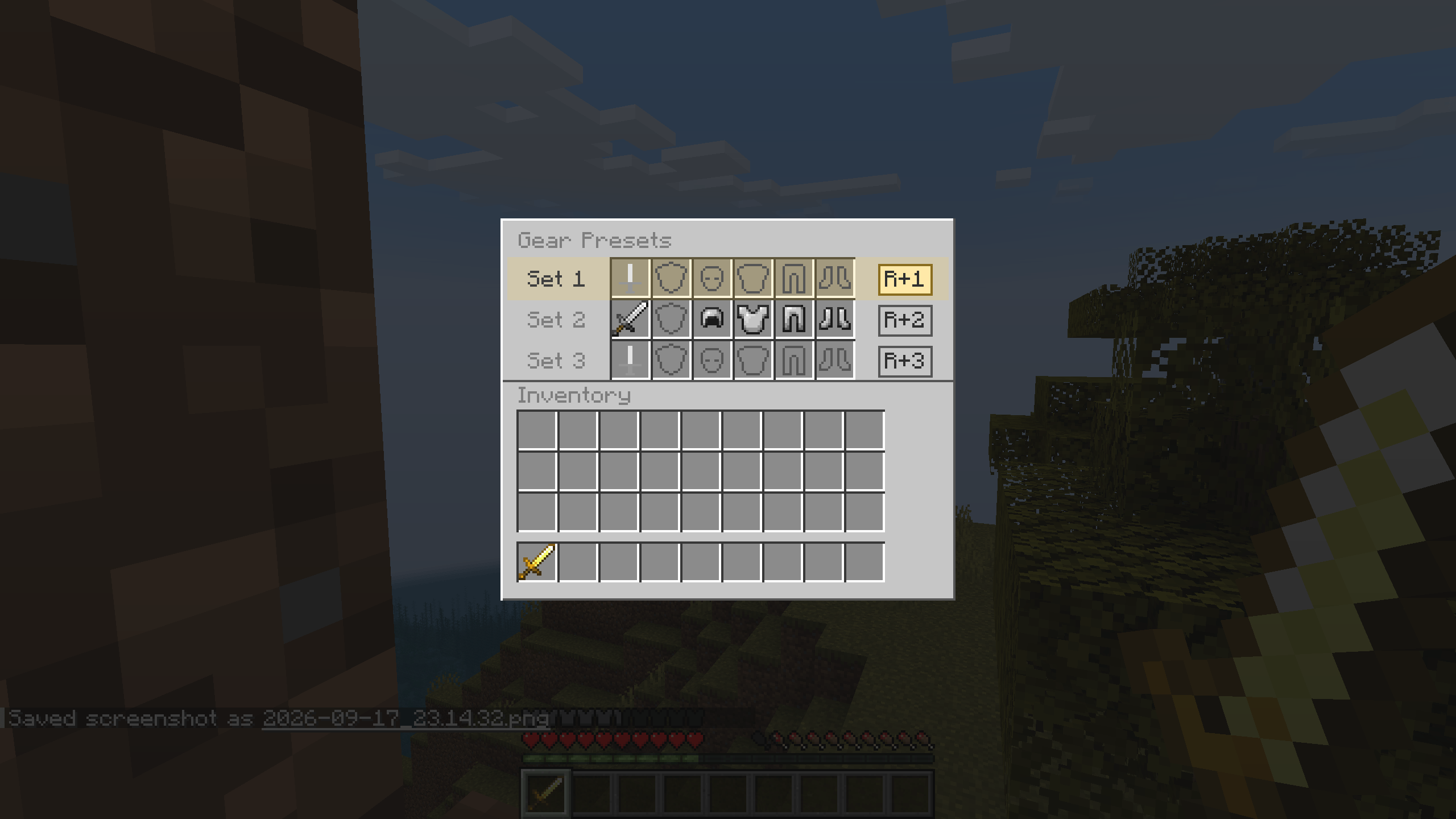
2026-09-17_23.14.37.png
Description
Gear Swap
Three equipment presets per player. Swap your whole loadout with one keystroke — mid-fight, without opening a menu.
Gear Swap stores three complete loadouts for every player — main hand, offhand and all four armor pieces — and puts the entire set on you instantly. Presets are saved per player, follow your world, and survive death.
No items to craft. No blocks to place. Just install it and fill your presets.
Features
3 presets × 6 slots
Each preset holds a main hand weapon, an offhand item, and a full set of armor: helmet, chestplate, leggings and boots.
Instant swapping in combat
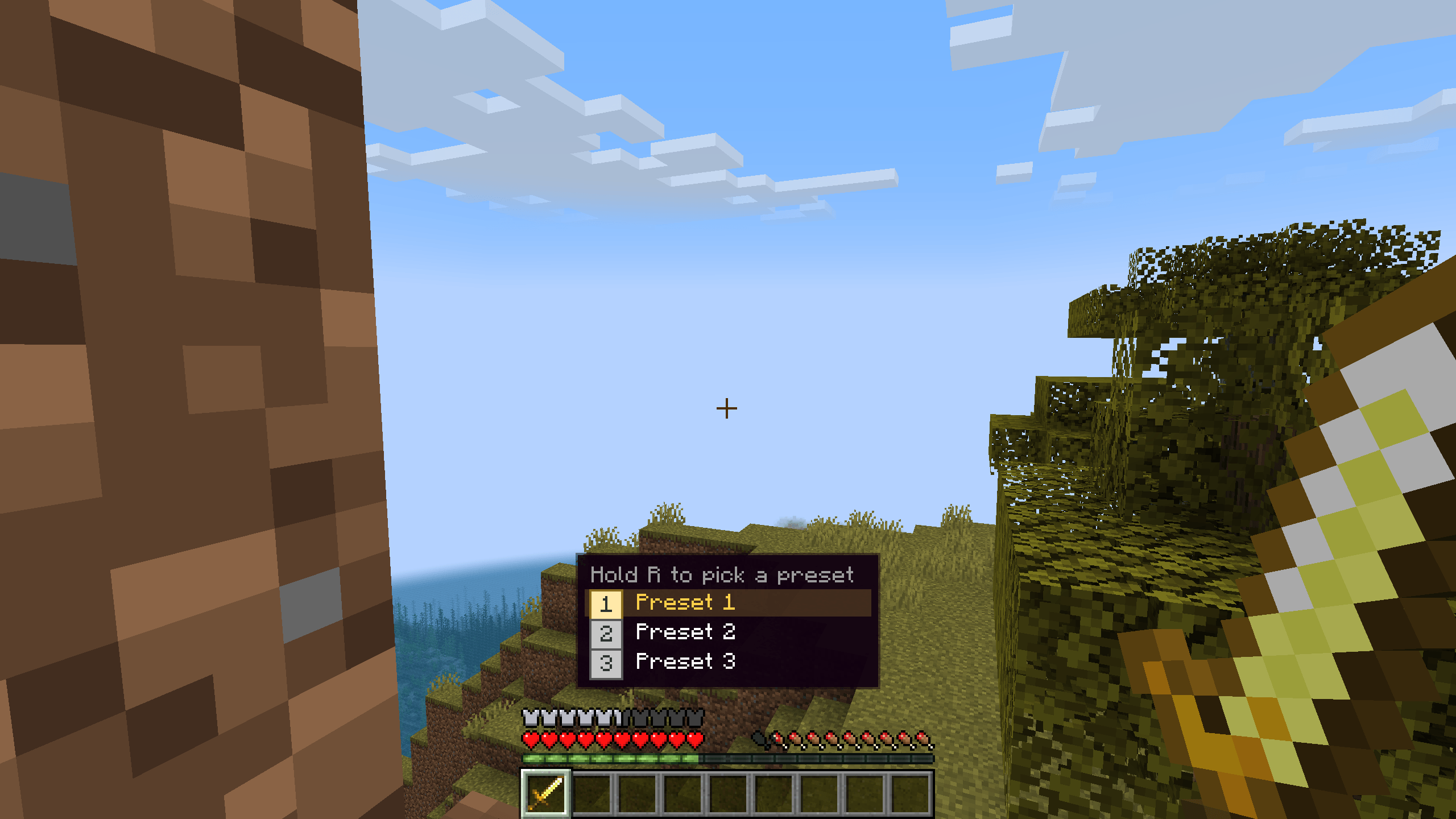
Hold the selector key (default R) and press 1, 2 or 3. Nothing opens, nothing is interrupted — you keep moving and fighting. While the selector key is held, a small overlay lists your three presets and highlights the active one.
A real GUI when you want one
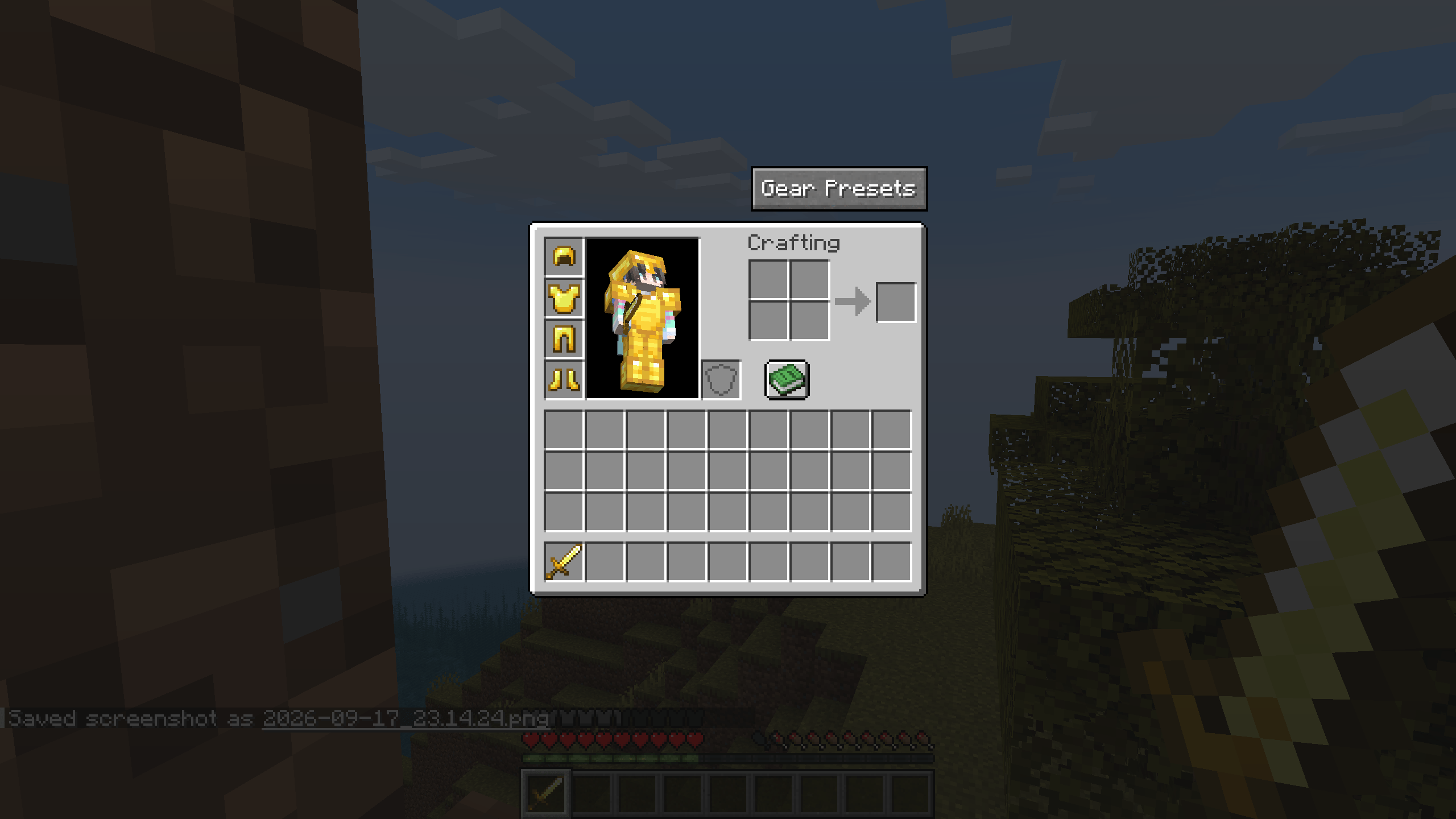
Click the Gear Presets button at the top-right of your inventory screen. Each preset is one row — main hand, offhand, helmet, chestplate, leggings, boots — and clicking a row swaps to it.
Your items always go home
- Gear that came from a preset returns to that preset's own slot, so switching presets never mixes your loadouts.
- Gear that didn't come from a preset goes back into your backpack.
- A preset weapon that ended up elsewhere in your hotbar is tracked down and returned to its slot.
- Not enough room in your backpack? The entire swap is cancelled and you get a Backpack is full message. Nothing is ever lost, and nothing is ever applied halfway.
Sensible slot rules
- Main hand and offhand accept anything, and stackable items keep their normal stack size.
- The four armor slots accept only the matching piece, one item each.
Curse of Binding is respected
In survival, armor locked by Curse of Binding is left alone instead of being ripped off.
How to use
- Open your inventory and click Gear Presets.
- Fill the three rows — the first slot is your main hand, the second is your offhand, the last four are armor.
- Hold the selector key and press
1,2or3whenever you want to swap.
The selector key can be rebound in Options → Controls → Gear Swap.
Requirements
- Minecraft 1.21.1
- NeoForge 21.1.x or newer
- Needed on both client and server (works in singleplayer)
No other dependencies. Preset data is stored server-side as player data, so your loadouts travel with your character.
Languages
English and 简体中文 (Simplified Chinese).
Modpacks
You are welcome to include Gear Swap in any modpack, with credit appreciated but not required.
装备预设 Gear Swap
按住一个键,整套装备瞬间换掉。
为每名玩家保存 3 套完整装备预设(主手 + 副手 + 头盔 / 胸甲 / 护腿 / 靴子),一键整体换装,战斗中也能用。预设随存档保存,死亡也不会丢。
不需要合成任何物品,也不需要放置方块,装上就能用。
功能
3 套预设 × 6 个格子
每套预设包含主手武器、副手物品,以及完整的一套盔甲:头盔、胸甲、护腿、靴子。
战斗中瞬换
按住选择键(默认 R)再按 1 / 2 / 3。不打开任何界面,不打断你的操作,边走边打边换装。按住选择键时画面会显示三套预设的列表,并高亮当前生效的那套。
需要时也有正经界面
在背包界面右上角点击「装备预设」按钮打开。每套预设占一行 —— 主手、副手、头盔、胸甲、护腿、靴子 —— 点击某一行即可切换到那套预设。
物品一定会回家
- 来自某套预设的装备,会回到那套预设原本的格子,所以反复切换也不会把几套预设串在一起。
- 不是来自预设的装备,退回玩家背包。
- 跑进快捷栏别处的预设武器,会被追踪找回并放回它该在的格子。
- 背包放不下怎么办?整次换装直接取消,并提示「背包已满,无法替换」。绝不丢物品,也绝不换到一半。
格子规则合理
- 主手和副手什么都能放,可堆叠物品按原有堆叠上限处理。
- 四个盔甲格只接受对应部位的装备,且每格固定 1 件。
尊重绑定诅咒
生存模式下,被绑定诅咒锁住的盔甲不会被强行脱下,而是跳过该部位。
使用方法
- 打开背包,点击「装备预设」。
- 填好三行 —— 第一格是主手,第二格是副手,最后四格是盔甲。
- 想换装时,按住选择键再按
1/2/3。
选择键可以在 选项 → 控制 → 装备预设 里重新绑定。
环境要求
- Minecraft 1.21.1
- NeoForge 21.1.x 或更高
- 客户端与服务端都需要(单人游戏可直接使用)
没有其他前置。预设数据以玩家数据形式存在服务端,换电脑、换存档都跟着角色走。
语言
English 与 简体中文。
整合包
欢迎把本模组加入任何整合包,注明出处更好,但不强制。
The gearswap Team