Bloom UI - Resource Pack Manager
- By
Transforms Minecraft’s resource pack screen into a fast, categorized manager with drag-and-drop ordering, bulk actions, load-order presets, and customizable pack controls.
Bloom | Bloom UI - Resource Pack M...
Create your game server with 


Overview
Bloom UI - Resource Pack Manager replaces Minecraft's resource-pack screen with an organized workspace for browsing, enabling and arranging your packs. Search large collections, manage several packs at once, save load-order presets, and spot duplicate downloads while keeping a clear view of your active setup.
Features
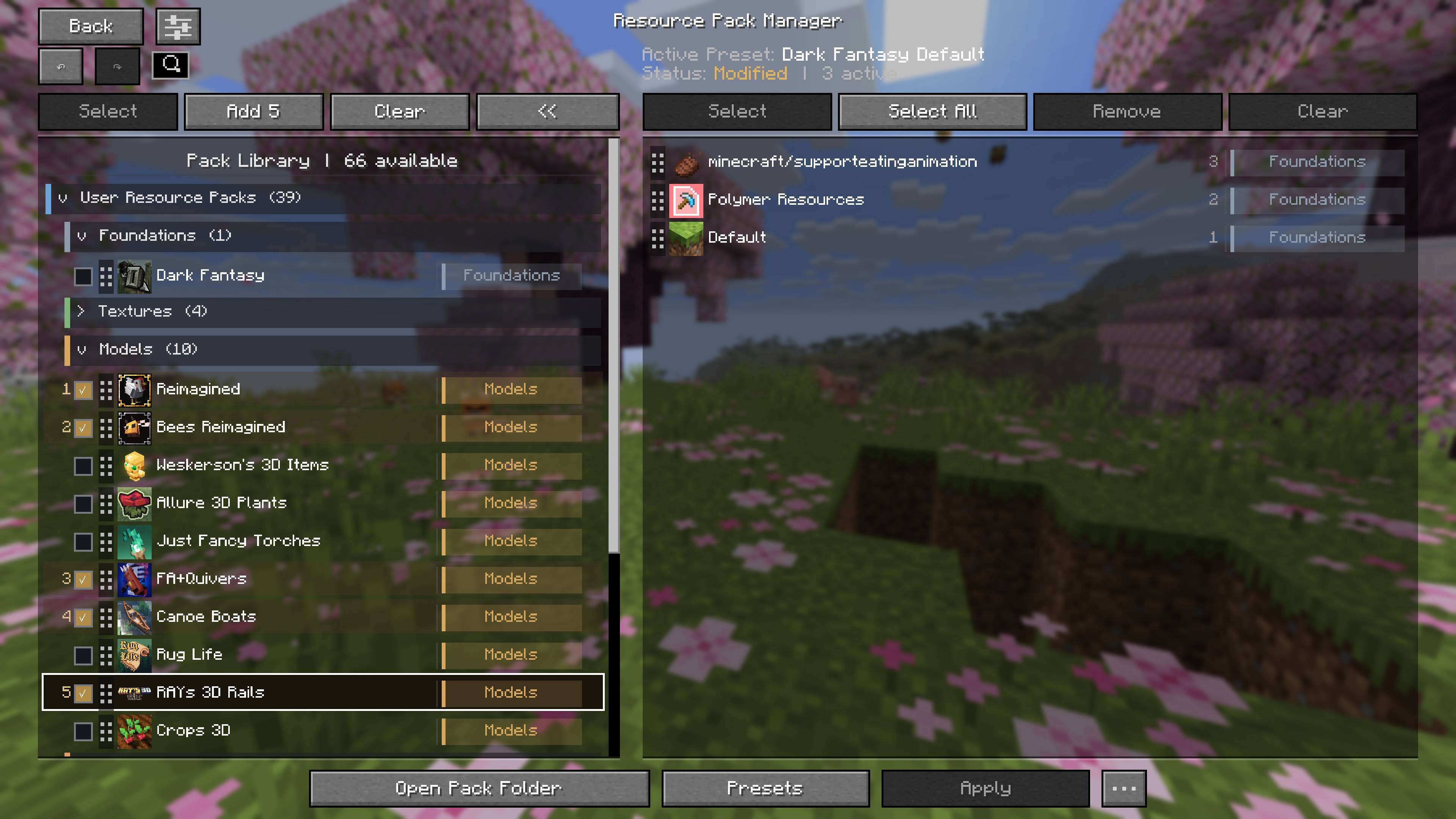
Organized Pack Library
- Browse collapsible content categories, mod-provider groups and Minecraft's built-in packs.
- Search the available library and your active pack stack.
- See pack descriptions, source information, category tags and original filenames.
Load Order and Bulk Actions
- Drag packs between columns to enable or disable them.
- Reorder active packs with a floating row, placement line and edge scrolling.
- Select multiple packs and add them in numbered order, or remove them together from the active stack.
- Undo and redo load-order changes, and apply them without leaving the manager.
Load-Order Presets
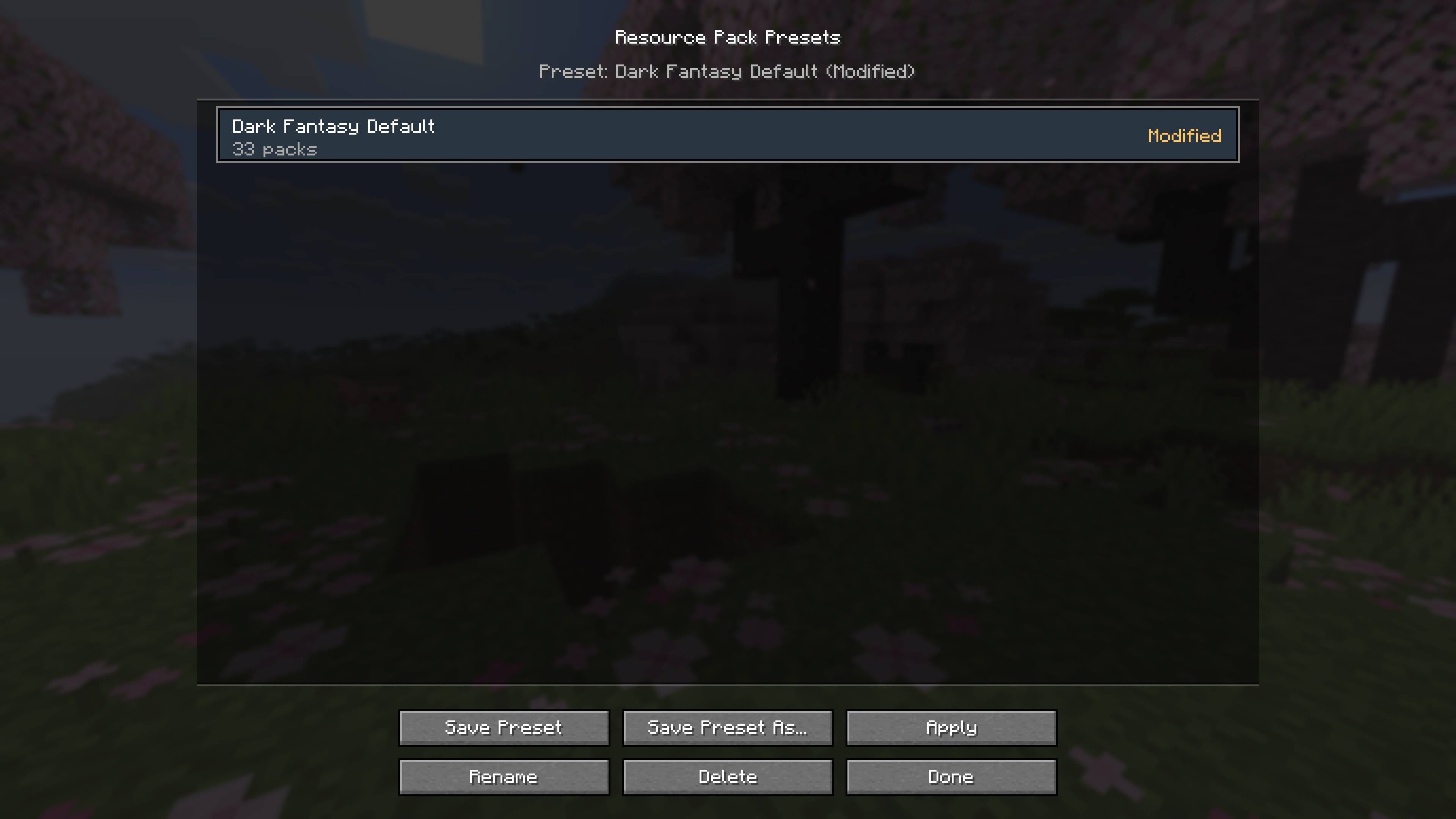
- Save named setups and switch between them.
- Rename, overwrite or delete saved presets.
- Review missing packs and compatibility warnings before applying a preset.
- See whether the active setup matches a saved preset or has unsaved changes.
Duplicate Detection and Safe Removal
- Identify identical pack downloads and possible duplicate versions.
- Delete user-installed ZIP packs after confirmation.
- Keep required, built-in and mod-provided resources protected from deletion.
Customize Your Workspace
- Adjust card size, pack details, category tags and source grouping.
- Control compatibility warnings globally or for individual packs.
- Access controls supplied by other mods through the Others menu.
- Review unapplied changes before leaving the screen.
Usage
Open Options > Resource Packs. Browse or search the available library, add the packs you want, and arrange their priority in the active column. Use Apply to reload your resources, or Presets to save and switch setups.
Compatibility
This is a client-side interface mod; multiplayer servers do not need it. It manages resource packs already installed in your game and does not download packs or alter their contents. Category and compatibility labels help organize the library but do not guarantee that different packs work together visually.
Bloom UI - Resource Pack Manager Team