GameStyle
- By
Customize Minecraft’s music, panoramas and UI—with PNG/OGG imports and in-game panorama capture.
GameStyle
Make Minecraft feel like your game. Change its music, choose a background, and give standard menus a new color theme—all from an in-game settings screen.
Features
- Music choices for the menu, world, Nether, and End.
- Ten individual Minecraft tracks, normal automatic music, or silence.
- Your own OGG Vorbis music, with listening previews and song-gap controls.
- PNG backgrounds and rotating six-face panoramas.
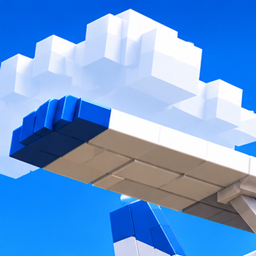
- Original Golden Hour and Midnight Peaks panoramas.
- Vanilla, Classic, Ocean, Slate, Rose, Amber, and Custom UI themes.
- Custom accent, panel, and text colors, plus menu-background opacity.
- Drag-and-drop PNG/OGG imports and a local library with resource reloading.
- An in-game command that captures a panorama from your world.
- Saved preferences, with a separate reset for each settings tab.
Requirements and installation
Minecraft Java Edition 1.21.1, Java 21, and NeoForge 21.1.259 or a newer 21.1.x release.
Put the GameStyle JAR in your Minecraft instance's mods folder and start the game. Install on the client only; servers do not need GameStyle. No additional mods are required.
Open the settings
Press F8, click GameStyle on the title screen or pause menu, or open Mods → GameStyle → Config. In a world, /gamestile or /gamestyle also opens the settings.
Import your own music and backgrounds
Open GameStyle → Library → Open import folder.
- Put OGG Vorbis audio in config/gamestyle/music/.
- Put a PNG directly in config/gamestyle/panoramas/ for a still background.
- For a rotating panorama, create a folder in panoramas/ containing panorama_0.png through panorama_5.png. All faces must be square and equally sized. Face order: front, right, back, left, up, down.
Click Reload imports, then choose the new files on the Music or Panorama tab. You can also drag PNG and OGG files onto GameStyle to copy and import them.
Audio must be OGG Vorbis; MP3, WAV, and OGG Opus are not supported. PNGs can be up to 4096×4096. Music follows Minecraft's Master and Music volume controls. The library supports up to 128 imported music files and 64 imported backgrounds.
Capture a panorama in your world
Stand still with a good view and run:
/gamestile start panoramamakeing
The correctly spelled alias /gamestyle start panoramamaking also works.
GameStyle captures six square 90-degree views, saves the PNGs, reloads the library, and selects the completed panorama. Capture takes about six seconds at 30 FPS. Keep still and keep menus closed. The HUD is hidden temporarily and restored afterward; your graphics settings and facing direction are preserved.
Use /gamestile cancel to stop. Movement, opening a menu, or leaving the world also cancels capture. See the finished background in the Panorama tab or on the title screen.
Compatibility and scope
Themes style standard Minecraft buttons, sliders, and menu panels. Mods with custom controls, container artwork, and HUD elements keep their own appearance. Vanilla choices preserve the normal game or resource-pack appearance. Minecraft music choices use the player's installed game audio; no Minecraft recordings are included.
The mod does not force low graphics settings. The optional development preview uses low settings for testing.
Credits and license
Created by Liam. Original GameStyle code and procedural artwork use the MIT license. The Classic theme's Minecraft button sprites and metadata belong to Mojang/Microsoft and are excluded from that license. See the project license and source archive for asset credits.
Personal music and backgrounds are imported locally by the player and are not bundled with the public release.
GameStyle Team