Description
Gameplay Recorder
Record everything you do in Minecraft and play it back exactly as it happened.
Gameplay Recorder captures your keyboard, mouse and camera movement while you play, then replays them through Minecraft's own input system. Placing blocks, jumping, flicking your camera and switching hotbar slots all replay at the same game ticks as when you recorded them.
Client-side only. No server install needed.
FEATURES
Accurate recording
- Records key presses and releases, including how long each key is held
- Records left, right and middle click, and any extra mouse buttons you have bound
- Records camera yaw and pitch with high-resolution timing, not once per game tick
- Records hotbar changes from both number keys and the scroll wheel
- Start and stop with a keybind, without opening the GUI
Tick-locked playback
- Inputs and camera rotation are applied at the start of each game tick, so replay doesn't depend on your FPS
- Playback speed follows the game's tick rate automatically. Record at /tick rate 5, replay at 20, and it runs 4x faster in real time while staying identical tick by tick
- Smooth camera interpolation between ticks, with no artificial smoothing
- Releases all simulated inputs when playback stops, so keys never get stuck
- Pauses safely when a menu is open or the window loses focus, and stops on death or disconnect
Glass-style interface
- Translucent glass panels, rounded corners and smooth animations
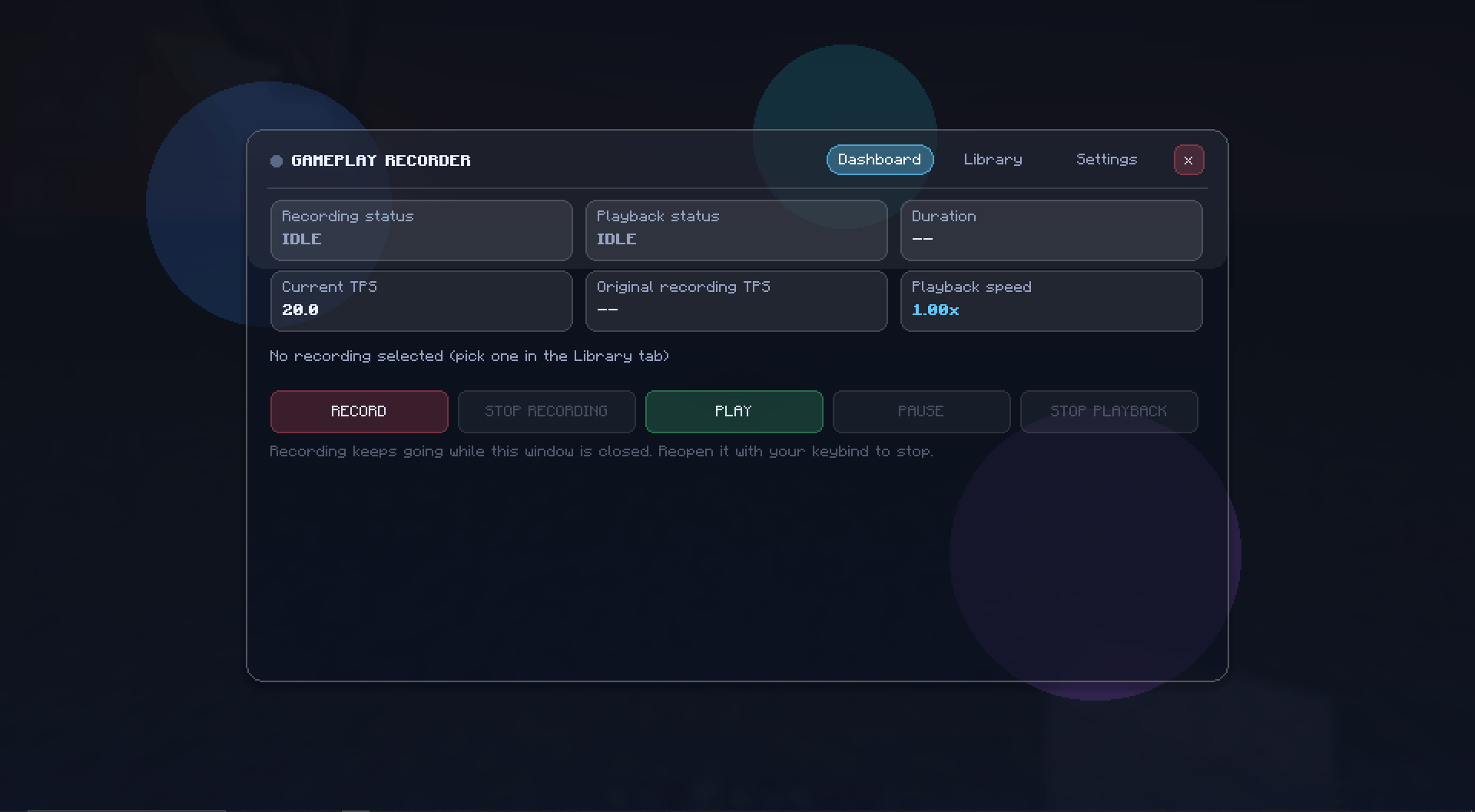
- Dashboard with recording and playback status, duration, current TPS, recorded TPS and playback speed
- Recordings library with name, duration, recorded TPS, date and event count
- Play, rename, delete (with confirmation) and view details for each recording
Playback settings
- Playback TPS (auto, or set manually)
- Speed multiplier
- Loop playback
- Start from the beginning, or resume where you stopped
- Stop after the current playback
- Separate toggles for camera, keyboard and mouse playback
HOW TO USE
1. Open Options > Controls > Key Binds and find the Gameplay Recorder category.
2. Bind "Open Gameplay Recorder" and, if you want it, "Start/Stop Recording". Both are unbound by default.
3. Press your key to open the GUI. Click RECORD, then play.
4. Press the keybind again to stop. The recording is saved automatically.
5. Pick a recording in the Library tab and press PLAY.
Recordings are saved in .minecraft/recordings/ and settings in config/gameplayrecorder.json.
TIPS FOR EXACT REPLAYS
- Keep "Auto: follow game tick rate" on and the speed multiplier at 1.00x. The settings tab shows "Tick-exact replay: ON" when this is the case.
- Start playback from the same position and facing you started recording from. Replay reproduces your inputs, not the world, so a different starting spot or different blocks will give a different result.
- In singleplayer, the integrated server runs on its own thread. In rare cases a placement can still shift by one server tick.
LIMITATIONS
- Inventory and container clicks are not recorded
- The mod does not change the game's real tick rate. It follows whatever rate the game is running at
REQUIREMENTS
- Minecraft Java Edition 1.21.11
- Fabric Loader
- Fabric API
FAQ
Does it work on servers?
It is client-side and uses normal game input, so it works wherever you can play. Check your server's rules before using any macro-style tool.
Does it use OS-level automation?
No. Playback goes through Minecraft's own key and camera handling.
Can I share recordings?
Recordings are single .gpr files in the recordings folder. Copy one into another install's recordings folder to use it there.
Found a bug?
Please report it on the issues page with your Minecraft, Fabric Loader and Fabric API versions and what you were doing.
HAS CODE MADE USING GENERATIVE AI!!
Gameplay Recorder Team