Frieren Spells: Zoltraak & Singularity - Iron's Spells Addon
- By
Bring Frieren-inspired magic to **Iron's Spells 'n Spellbooks**. Fire Zoltraak in three different modes, block incoming attacks with a hexagonal barrier, and unleash a black hole that rises from your hand before erupting in light and wind.
sho09 | Frieren Spells: Zoltraak &...
Create your game server with 

Description
Zoltraak
Both white and black Zoltraak feature a bright, flower-shaped magic circle and three firing modes:
- Single Shot — a focused magical beam.
- Rapid Fire — hold the casting control to sustain a stream of shots. Beams curve toward nearby visible targets, with limited tracking and ongoing mana consumption.
- Large — a massive beam with a volumetric body. It can break ordinary terrain, while resistant blocks stop it and produce a branching impact effect.
Black Zoltraak has a dark, textured beam and a granular edge, while keeping its magic circle white.
Defensive Magic
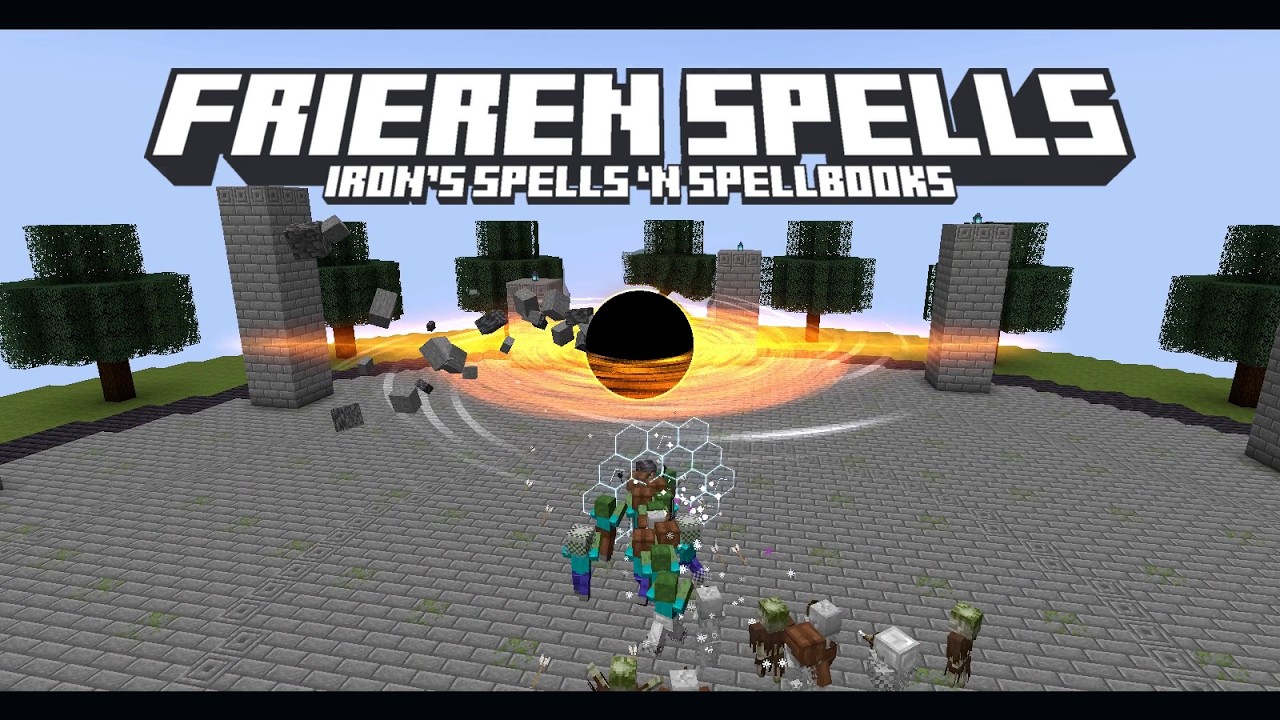
A short-lived hexagonal barrier follows your movement and aim. It intercepts supported incoming attacks, including arrows, Iron's magic projectiles, and Zoltraak. Impact flashes, cracks, and breaking panels show the barrier taking damage.
The barrier has limited capacity: attacks from behind bypass it, and damage exceeding its remaining capacity can pass through.
Black Hole — Singularity
A small core forms at your hand, rises, and grows into a black hole surrounded by a broad accretion ring. Nearby enemies and eligible terrain are drawn inward before the final detonation releases a bright flash, expanding shockwaves, and sweeping wind.
The spell includes an optional cinematic camera. Press V or move to leave the camera sequence.
Controls
- Equip and select the spell through Iron's Spells 'n Spellbooks.
- With either Zoltraak selected, tap Shift to cycle Single → Rapid → Large.
- In Rapid mode, keep the casting control held to continue firing. Release it to stop.
Installation
Requires Minecraft Java 1.20.1, Forge 47.4+, Java 17, and Iron's Spells 'n Spellbooks 1.20.1-3.16.3. Install Iron's dependencies, including Iron's Lib, GeckoLib, Curios API, and playerAnimator for the matching Minecraft/Forge version.
Place the addon JAR in your mods folder. Install the same addon version on the server and on every player's client. This release is for Forge 1.20.1; other loaders and game versions are not supported by this file.
Tested with Forge 47.4.23 and Iron's Spells 3.16.3. Shader-pack compatibility varies; an external shader pack is not required.
Settings
Server settings control damage, attraction strength, PvP, passive-mob interaction for Singularity, and terrain destruction. Terrain destruction is enabled by default for Singularity and Large Zoltraak, and consumed/destroyed blocks do not drop items.
Client settings control effect quality, sound volume, camera shake, the cinematic camera, and detonation flash intensity. Set detonationFlash and cameraShake to 0 to disable those effects. If a shader pack conflicts with refraction, disable gravitationalLensing.
Try the Spells
With cheats enabled or operator permission, obtain level-one scrolls using:
/frierenvoid zoltraak
/frierenvoid black_zoltraak
/frierenvoid defense
/frierenvoid scroll
The last command gives a Singularity scroll. Append a level from 1 to 3 to any of these commands.
Credits
An unofficial fan-made addon inspired by Frieren: Beyond Journey's End, built for Iron's Spells 'n Spellbooks. Not affiliated with or endorsed by the creators of Frieren, Mojang, or Iron's Spells 'n Spellbooks.
Support Development
If you enjoy this addon, please consider supporting my work. Your support makes a big difference and helps me continue developing and improving the mod. Thank you!
Frieren Spells: Zoltraak & Singularity - Iron's Spells Addon Team

Owner