
Frameless Portals
- By
frameless-portals-05.png
frameless-portals-02.jpg
frameless-portals-06.png
frameless-portals-04.png
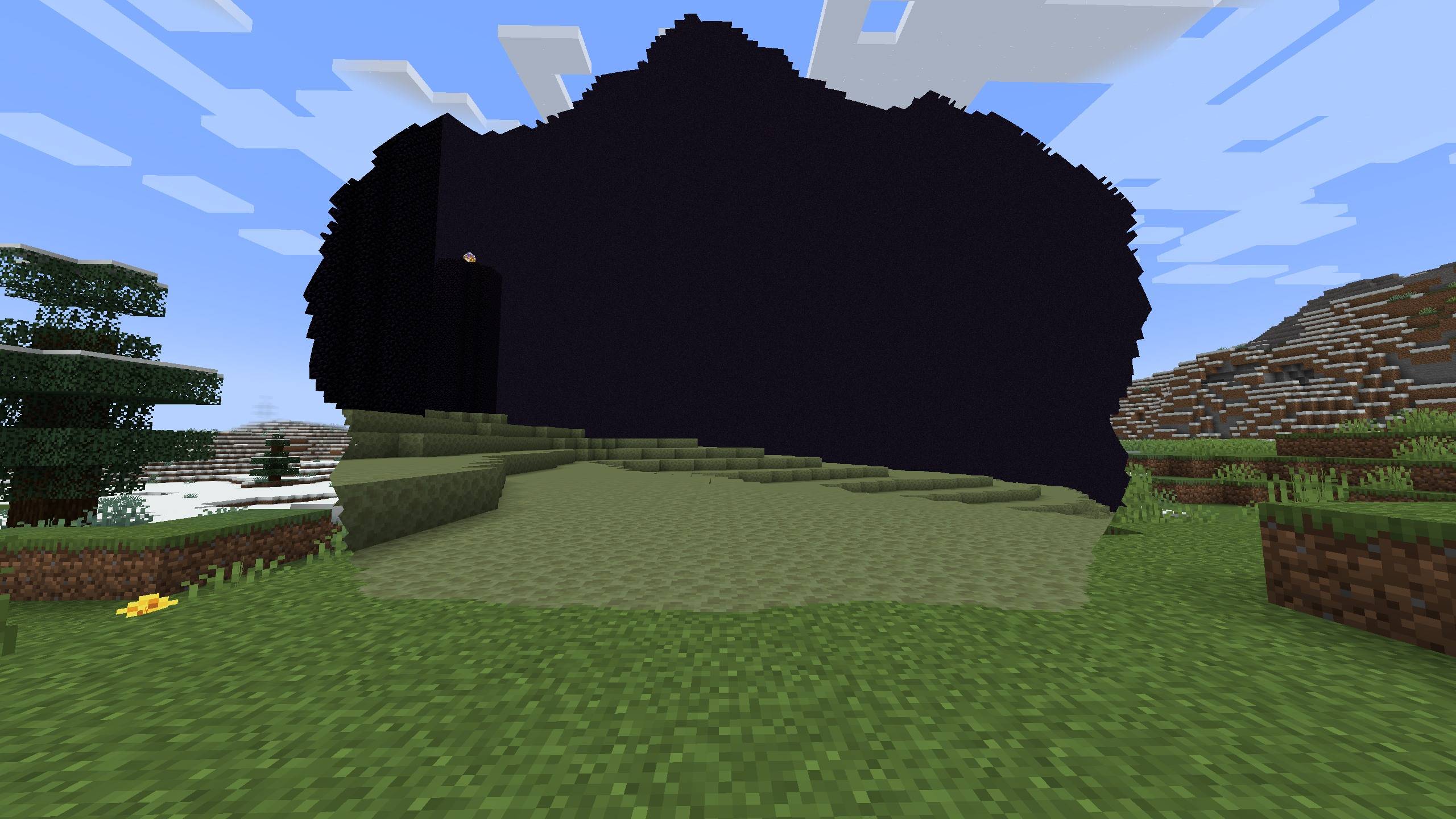
frameless-portals-07.jpg
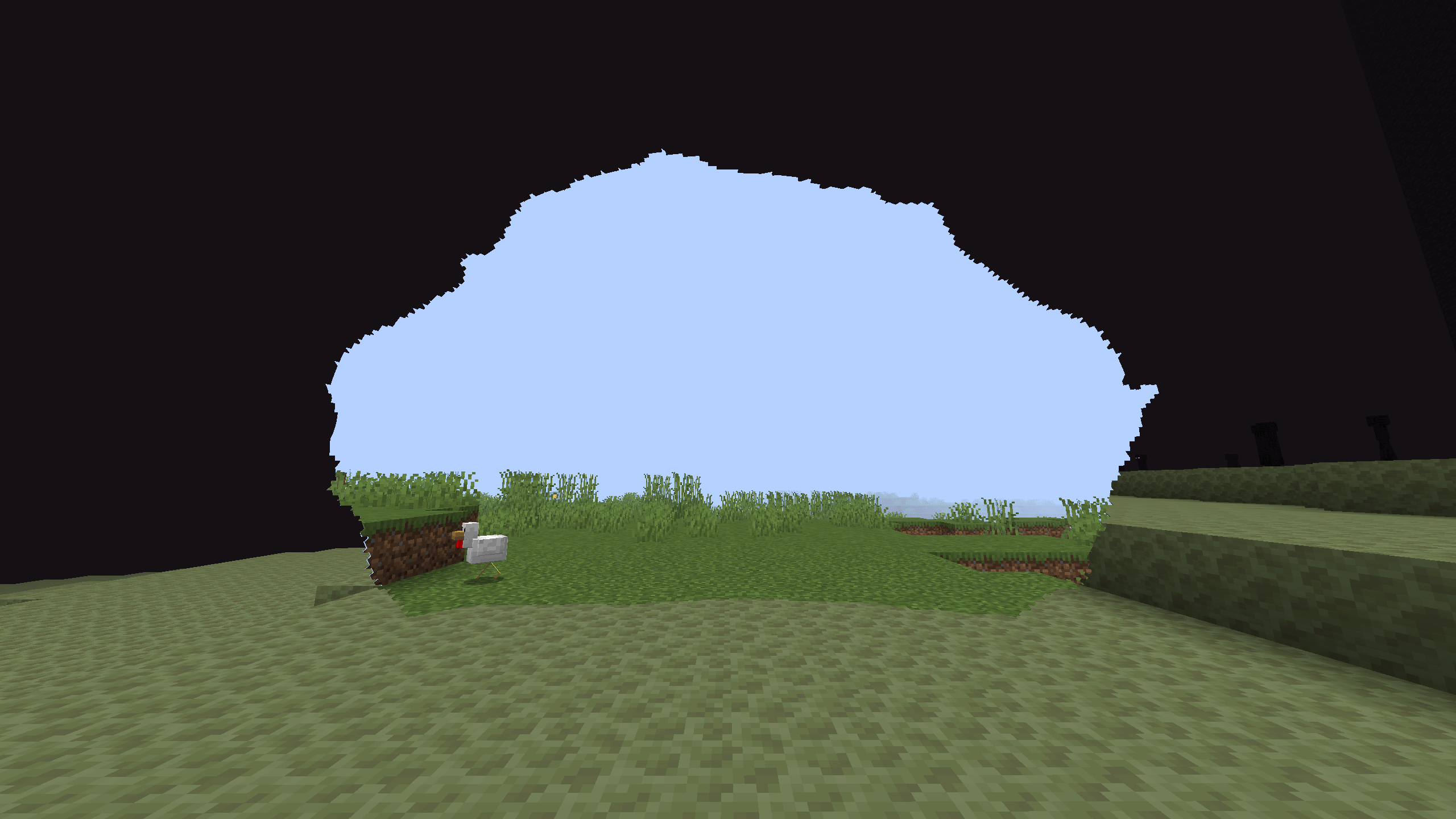
frameless-portals-08.png
Description
Frameless Portals
Beta! Please try it in a copy of your world, not your main save.
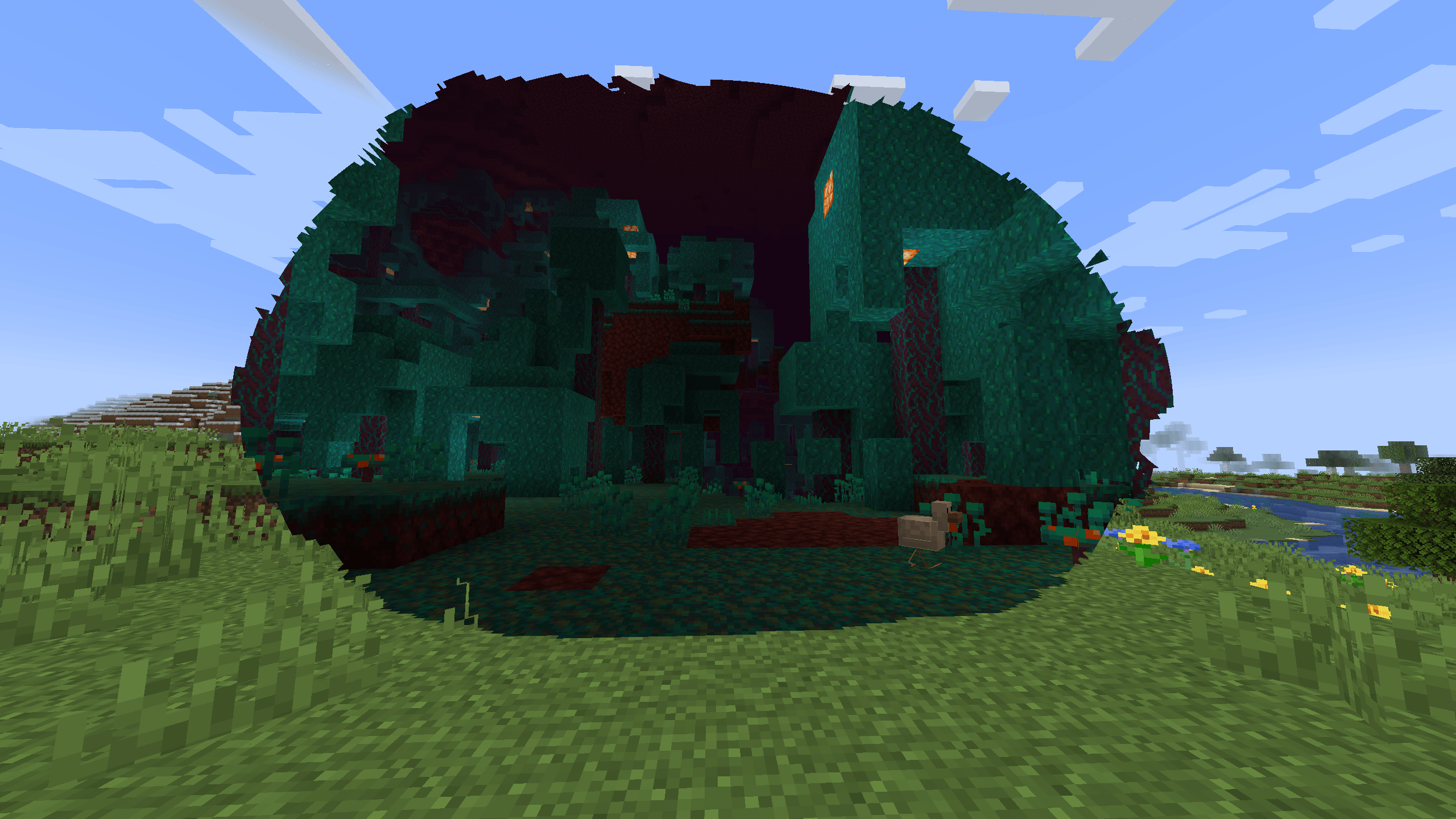
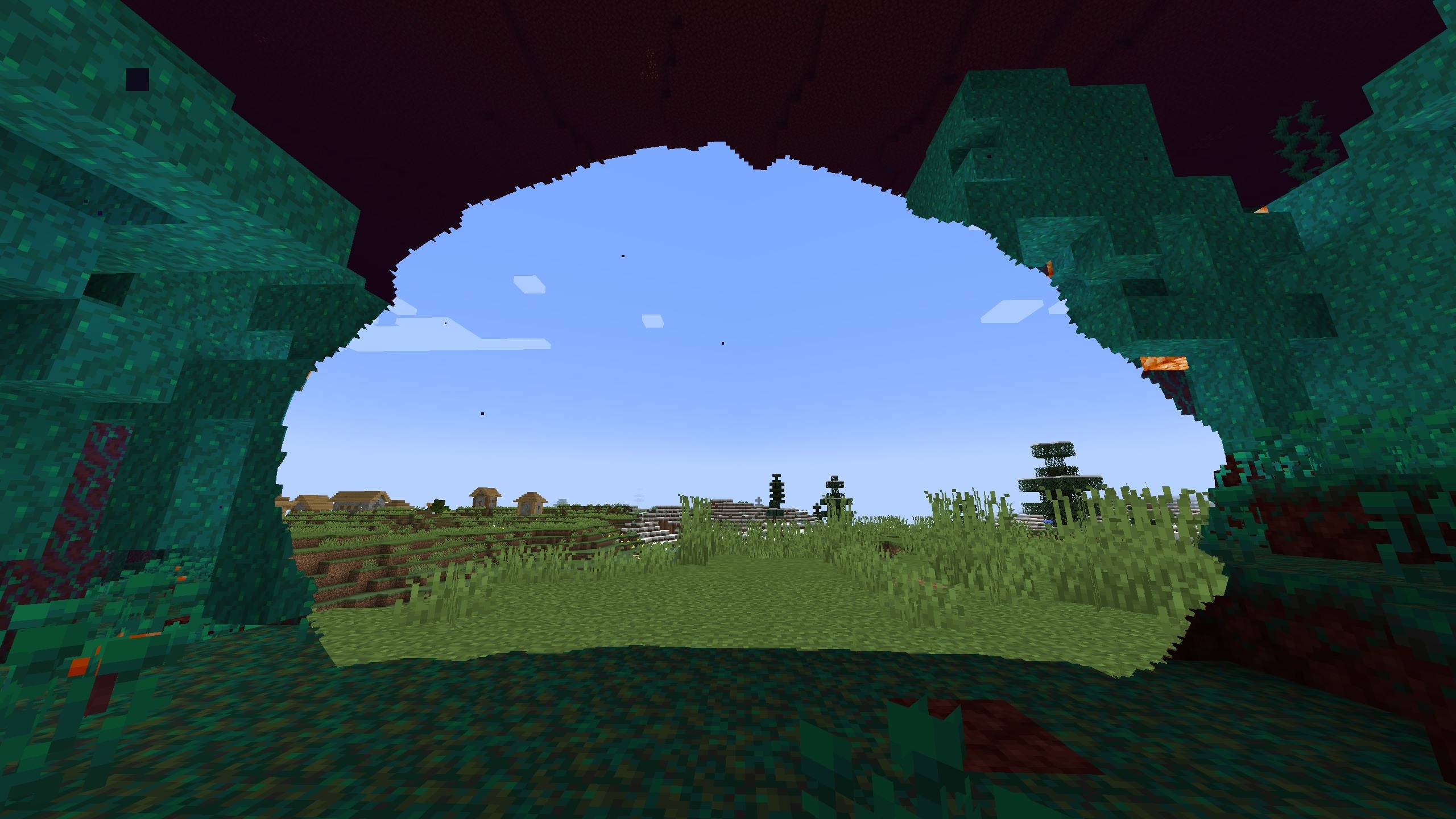
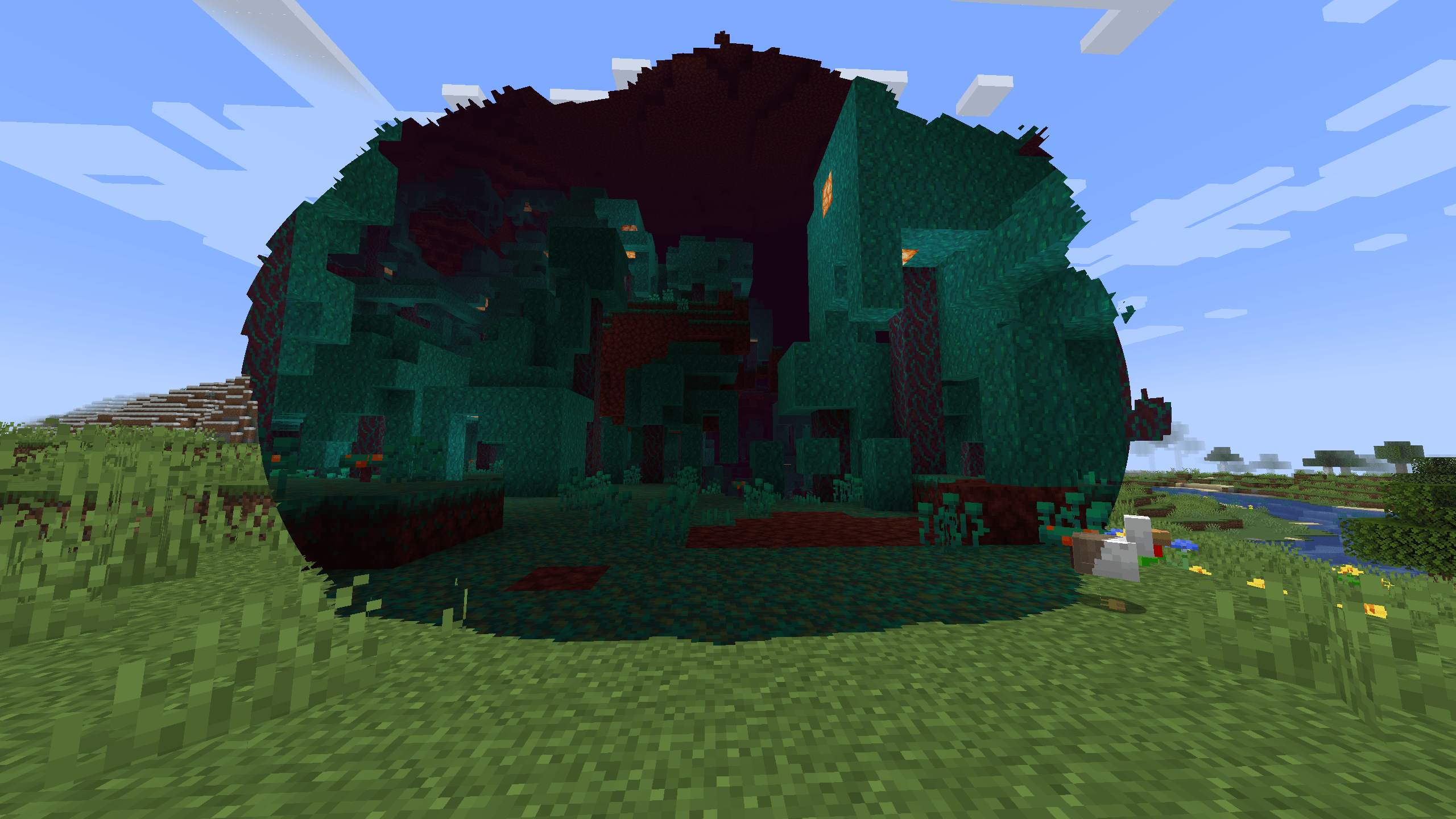
This mod adds portals with no frame and no loading screen. The portal is a bubble in the world: from far away it stays closed, and as you get closer it starts glitching and then opens up. You can see the other dimension through it and just walk in, from the front or from the back. Works with the Nether, the End and dimensions from other mods, so it should also fit mods like the Backrooms ones, where a loading screen kind of kills the mood.
What's in it
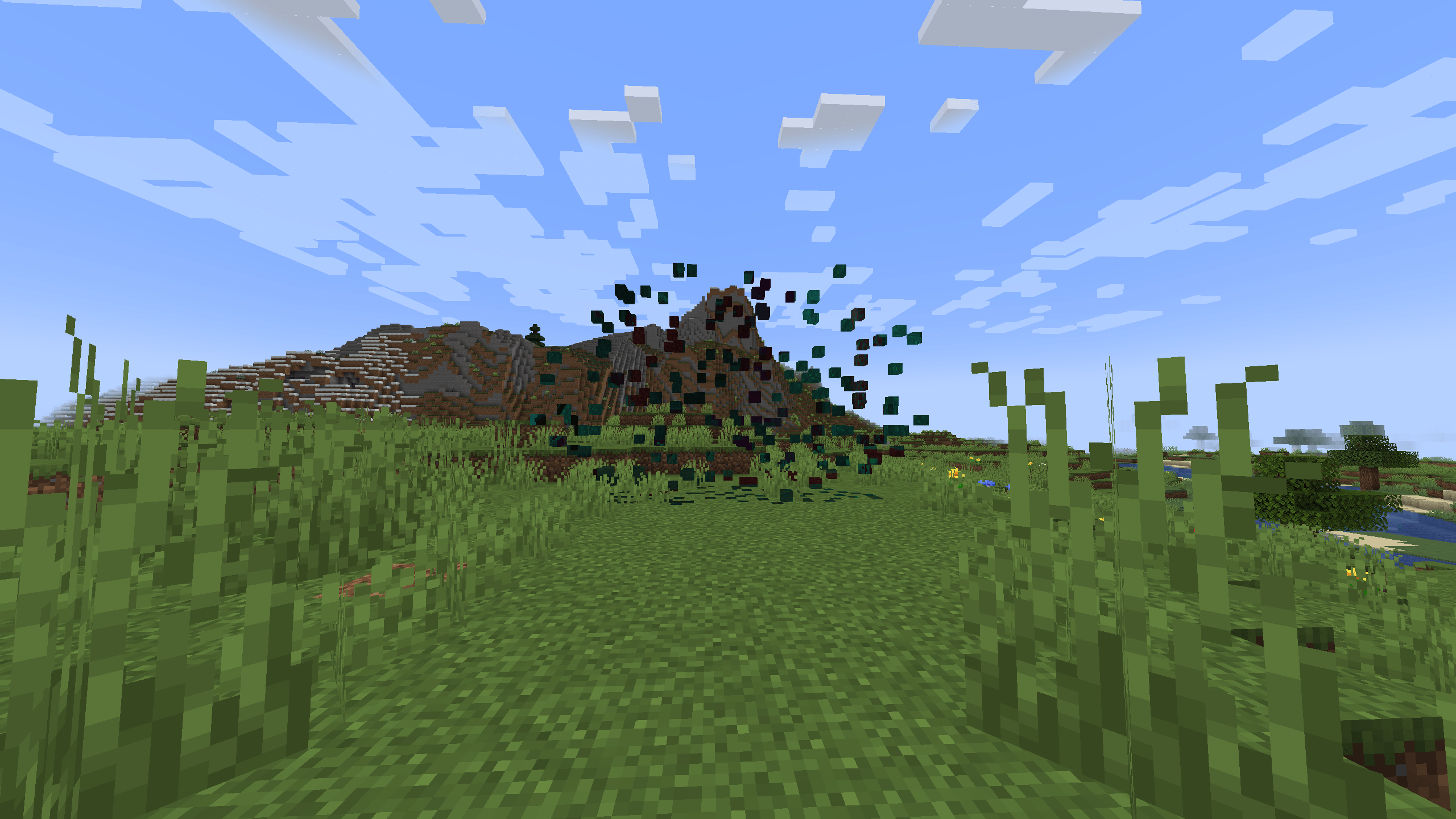
- The bubble stays closed when you're far away. Walk up to it and it starts glitching, then it opens. Walk away and it closes again
- The other dimension is actually loaded, so no respawn and no freeze when you cross
- Two-sided: walk in from either side, you come out on the side you were heading to
- While the portal is open, mobs, items, arrows, boats and minecarts go through too. You can hit a zombie on the other side, throw an ender pearl through it, and mobs chasing you follow you in
- Survival items to place, resize and remove portals, without breaking a single block
- Multiplayer: when one player opens a bubble, it opens for everyone nearby
- The portal leads about where vanilla would send you (1:8 in the Nether, main island in the End), then picks a clear spot nearby. Modded dimensions should work out of the box
How to use it
You need Minecraft 1.21.1 with NeoForge 21.1.250 or newer.
Portal Anchor
Places a portal.
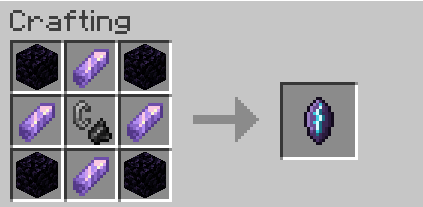
4 obsidian in the corners, 4 amethyst shards on the sides, a flint and steel in the middle.
Hold it: a preview of the bubble follows your crosshair, and anything in the way shows up in red. Nothing gets dug, so clear the spot yourself. Right-click to pick where it leads (the Nether, or the End once you've been there), its size and how far away it reacts, then open it.
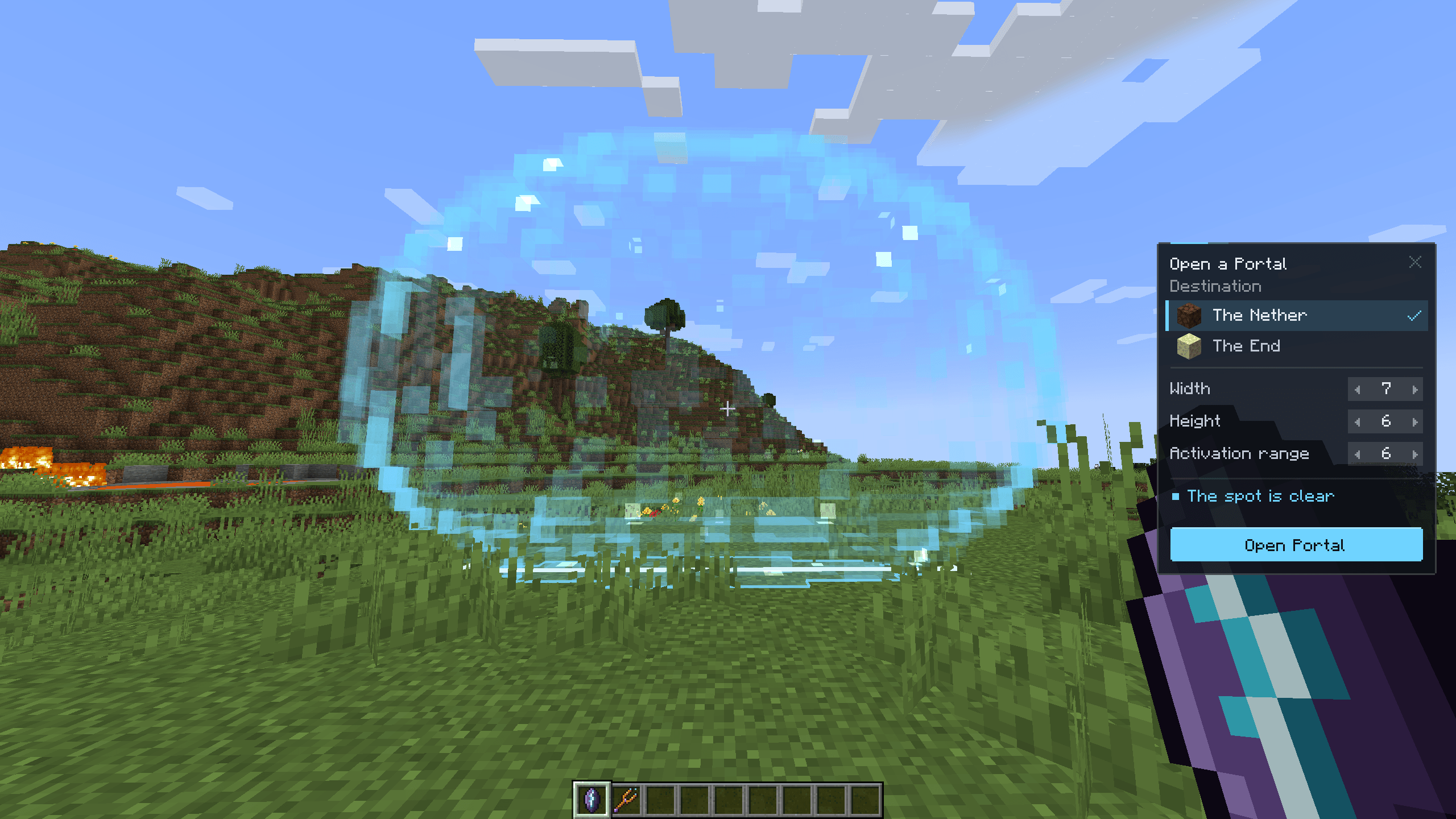
Portal Tuner
Resizes, retargets or removes a portal you placed.
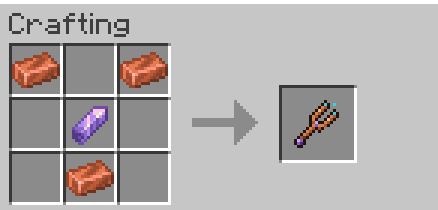
A copper ingot in each top corner, an amethyst shard in the middle, a copper ingot below it.
Right-click near your portal to change it. Removing it gives the anchor back. Other players can't touch your portals.
Both recipes show up in the recipe book once you pick up obsidian, copper or an amethyst shard.
Commands
With cheats on, /frameless place puts a portal to the Nether 6 blocks in front of you (/frameless place minecraft:the_end for the End). Add carve at the end to have both sides dug out for you.
Other commands (they use the nearest portal if you don't give an id):
/frameless listand/frameless info [id]/frameless target <dimension> [id]to change where it leads/frameless rule auto|identity|end|scale <n>|fixed <x> <y> <z> [id]to change where it lands/frameless size <width> <height> [id]and/frameless range <blocks> [id]/frameless remove [id|all]
Before uninstalling, run /frameless remove all if you placed portals with carve. Otherwise the spots dug out for them stay in your world.
Known issues
It's a beta, things will break. What I already know about:
- doesn't work with Sodium, Embeddium, Iris, Oculus or shaders, it needs the vanilla renderer (the game won't start with those installed)
- multiplayer is only tested by automated runs so far, tell me if something goes wrong with friends
- you don't hear sounds or see particles from the other side
- you can't mine or right click through the bubble
Commands and the save format can still change before 1.0.
Found a bug?
Come say it on Discord or leave a comment here. Please include your mod list, a mclo.gs link to your latest.log, what /frameless info says and how to make it happen. Screenshots help a lot.
For modders
There's a small API to place portals to your own dimension and choose where they land. Docs will come later, ask me if you want to try it.
Support
Enjoying Frameless Portals? You can support development on Ko-fi !
License
All rights reserved, but feel free to put it in any modpack.
Frameless Portals Team
