Foxs Anti Afk
- By
Lightweight, Mixen-Free Anti-Afk suite with Node-Aware Auto-Reconnect and Silent Commands.
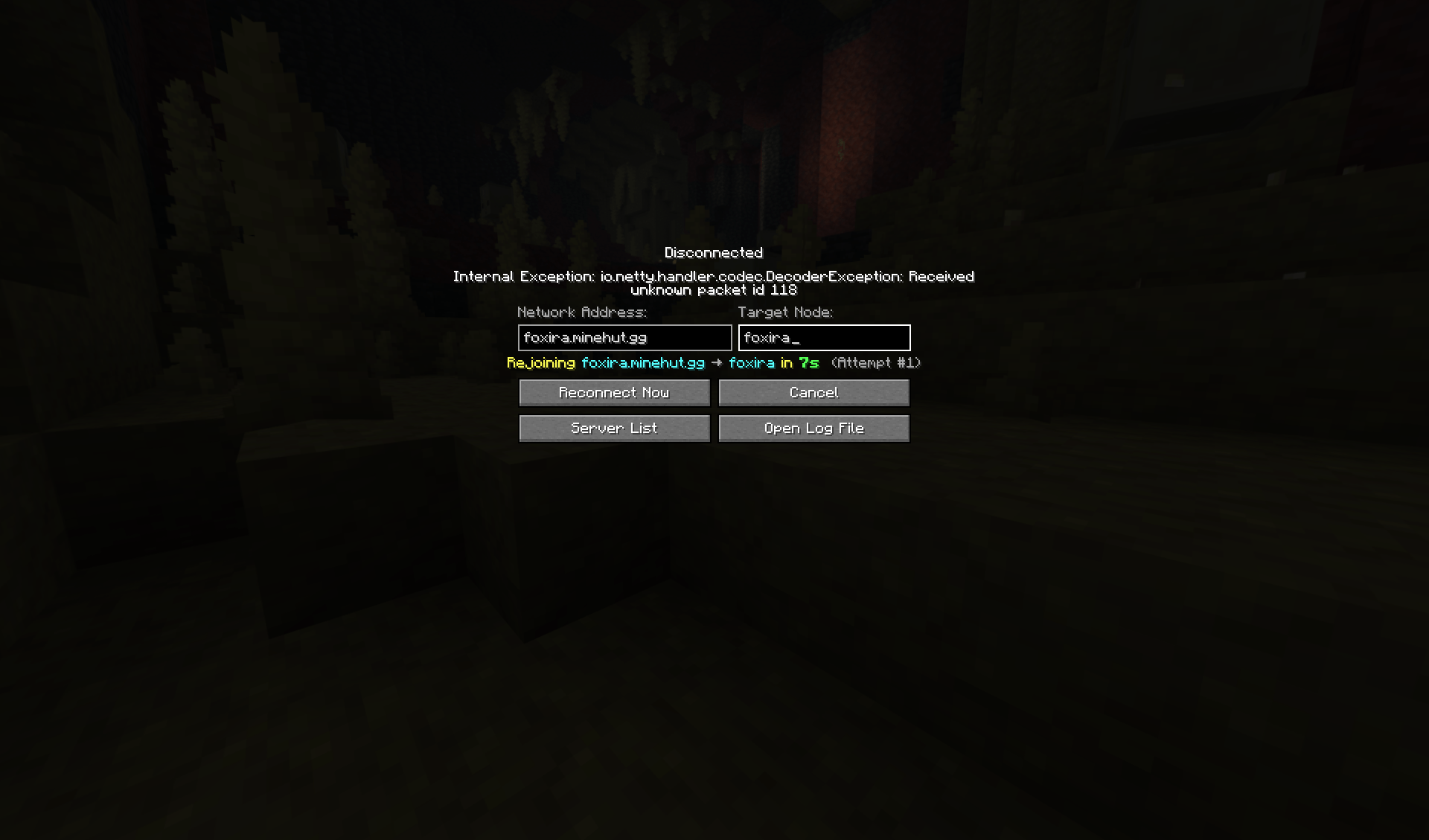
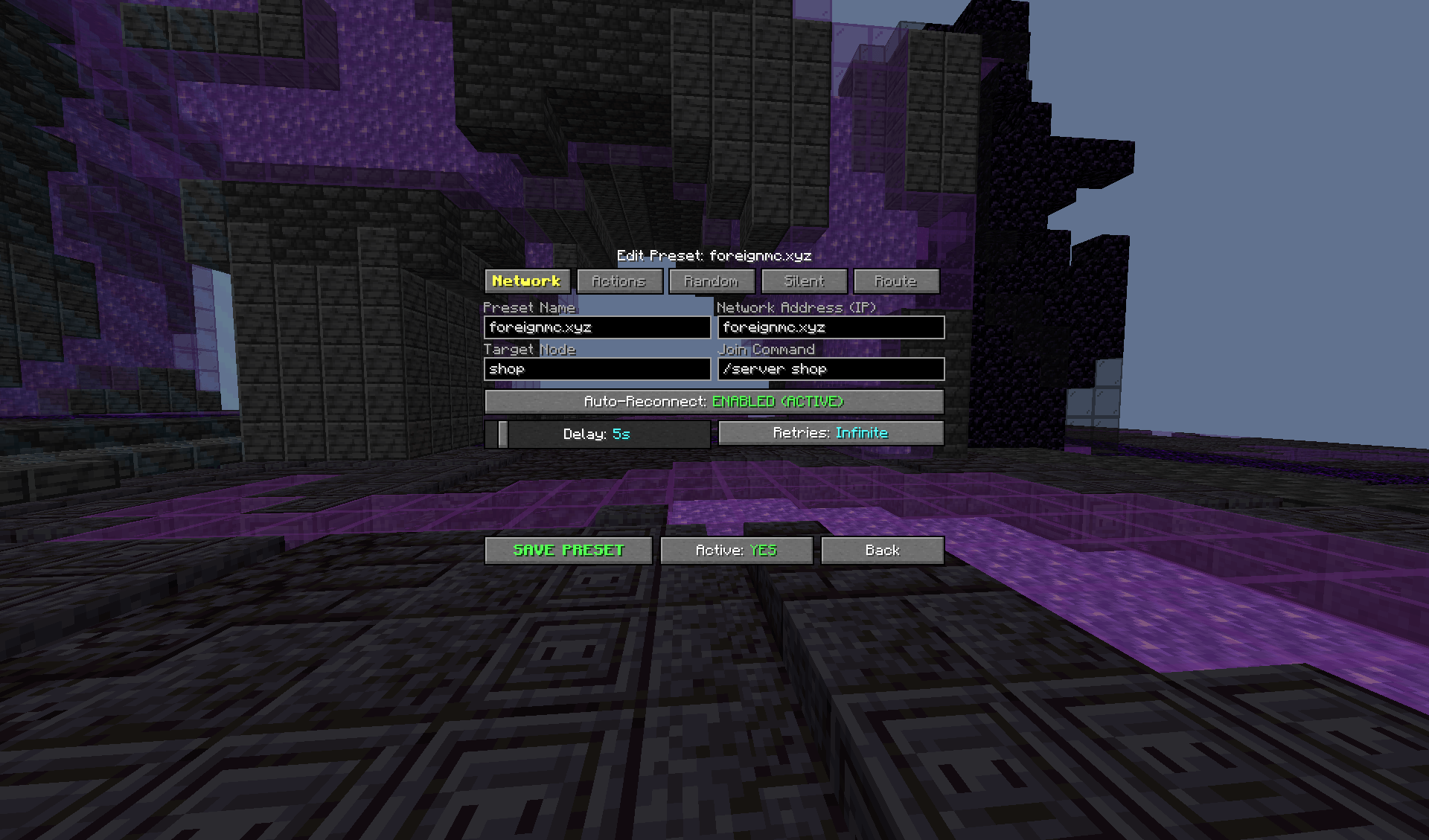
How we rejoin based upon a connection kick.
Description
Fox's Anti-AFK
⚠️WARNING THIS COULD GET YOU BANNED ON SERVERS⚠️
Fox's Anti-AFK is a lightweight, client-side Fabric utility designed to keep your Minecraft character active, automatically recover from connection problems, navigate routes intelligently, and manage different server configurations with ease.
It uses real vanilla Minecraft keybindings and client actions rather than artificial player packets, making the automation behave like normal client input.
Features
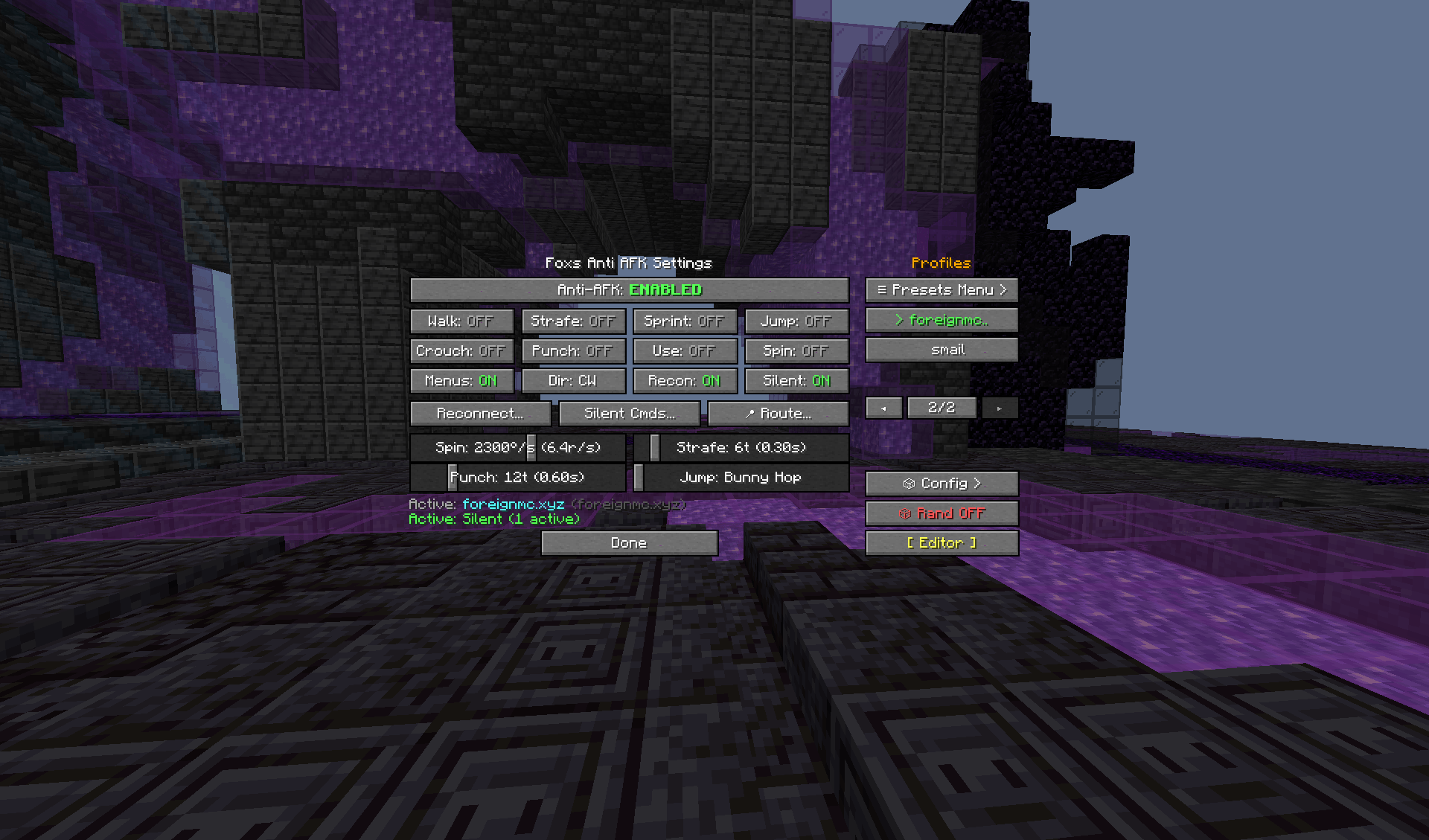
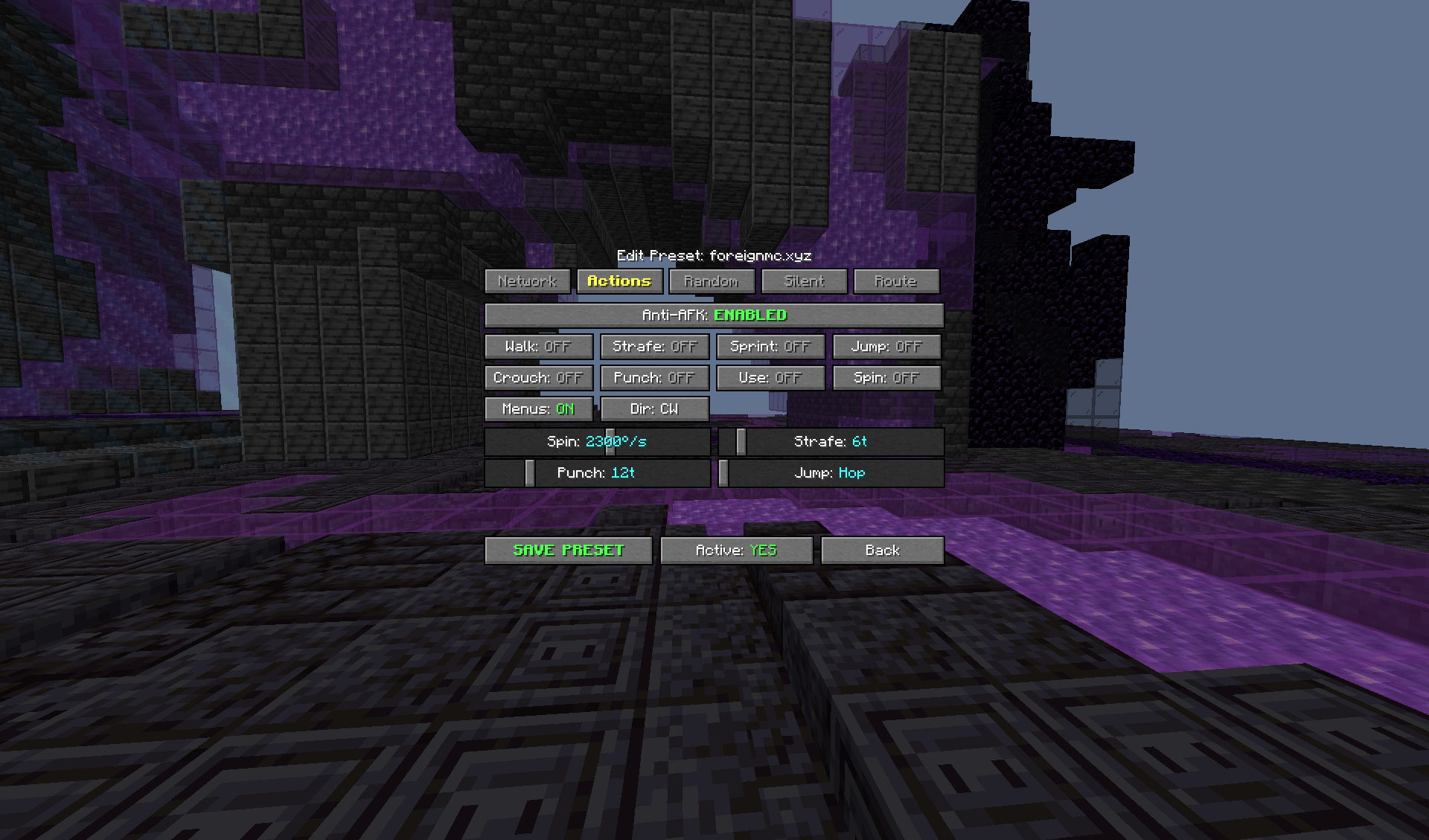
🕹️ Physical Anti-AFK
Simulate real player activity with configurable actions:
-
Walk — Hold forward automatically
-
Strafe — Alternates left and right
-
Sprint — Automatically holds sprint
-
Jump — Continuous bunny hopping or configurable intervals
-
Crouch — Hold sneak
-
Punch — Break blocks and periodically swing
-
Use Item — Hold right click
-
Spin — Smoothly rotate your view clockwise or counter-clockwise
-
In Menus — Continue configured movement/actions while inventories, chat, or other menus are open
All movement and action settings are configurable.
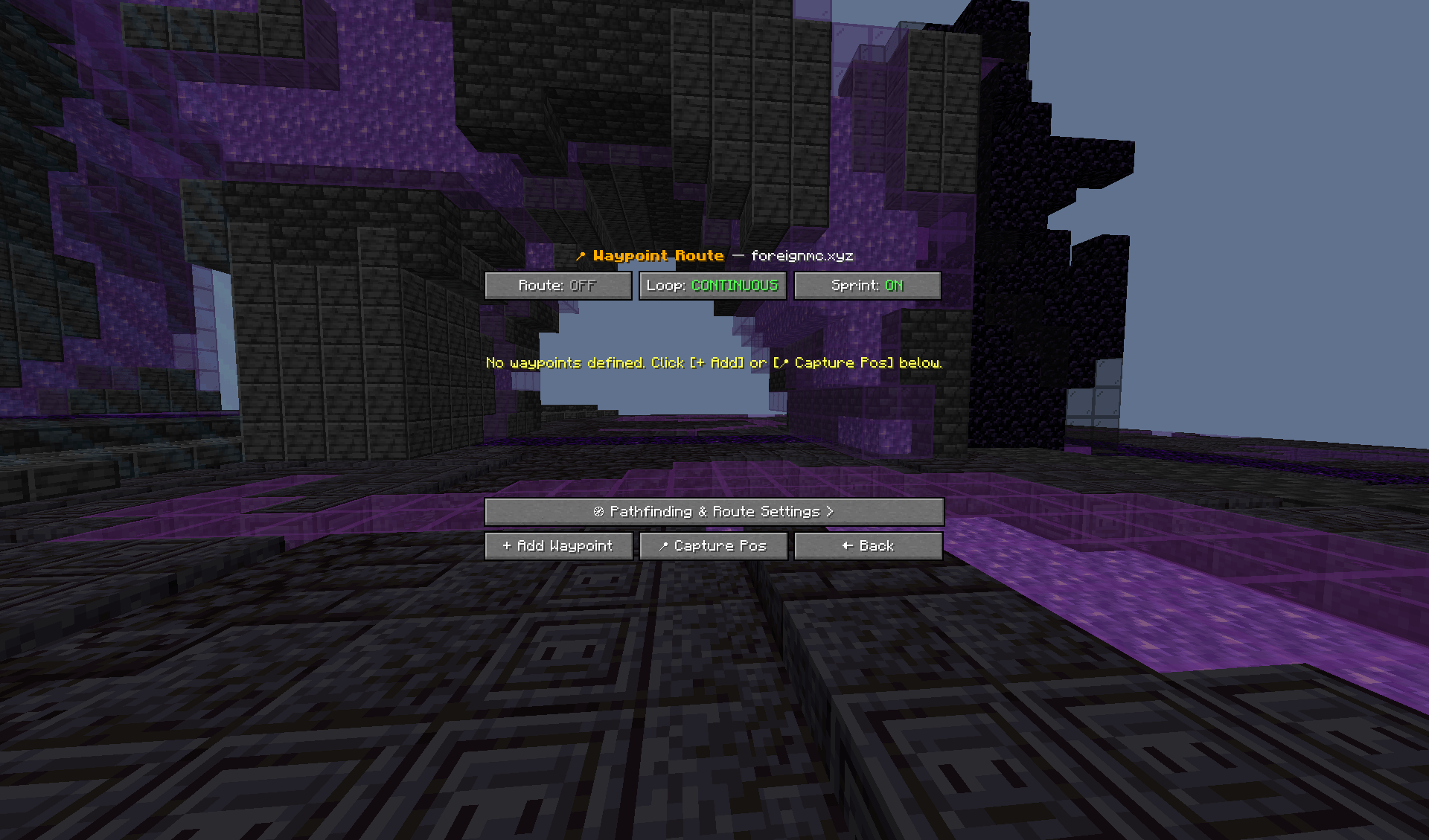
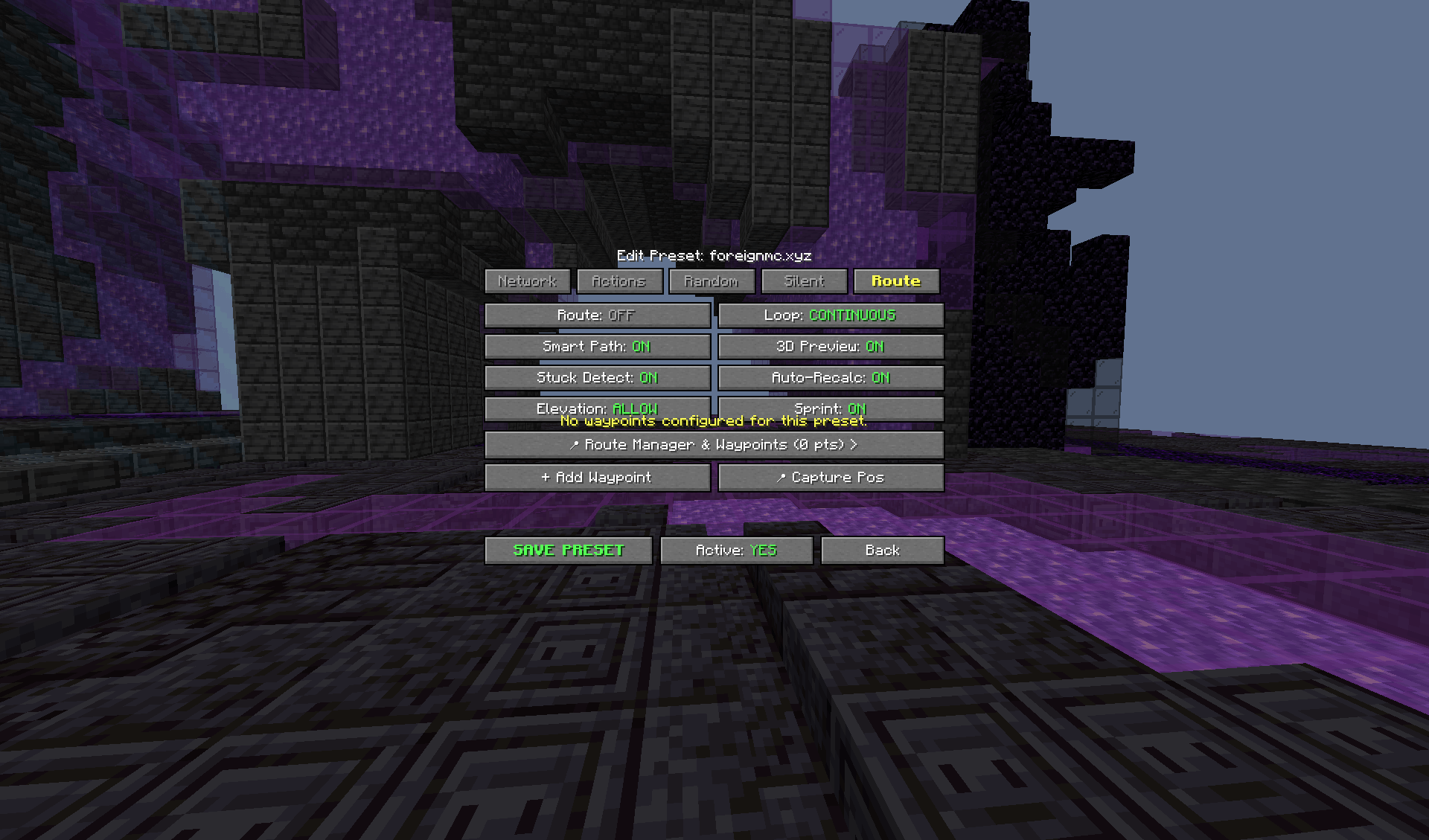
🧭 Smart Route Navigation
Fox's Anti-AFK includes a lightweight Baritone-style route navigation system designed to prevent the player from getting stuck while following a route.
The pathfinder can:
-
Detect walls and obstacles blocking the current route
-
Navigate around blocked areas
-
Handle corners and basic elevation changes
-
Detect when the player is stuck
-
Automatically recalculate the route
-
Choose an alternative path when the current path becomes invalid
-
Detect when the player has stopped making meaningful progress
-
Prevent endlessly walking into the same wall
-
Recalculate when the environment or route changes
-
Safely stop when no valid route can be found
Instead of blindly holding a movement direction, the system continuously checks whether the current route is actually making progress.
🗺️ Live Route Rendering
When smart route navigation is active, Fox's Anti-AFK can render the planned route directly in the Minecraft world.
The visualization shows:
-
Current player position
-
Planned path
-
Route waypoints
-
Direction changes
-
Next movement target
-
Final destination
Example:
PLAYER
  ●
  │
  │
  └────────┐
           │
           │
           └──────────────► DESTINATION
The rendered route automatically updates whenever the pathfinder recalculates.
Route rendering can be enabled or disabled independently.
🧠 Stuck Detection & Path Recalculation
The navigation system monitors the player's movement and route progress.
If the player is detected as stuck:
Blocked
   ↓
Stuck detected
   ↓
Stop current movement
   ↓
Recalculate route
   ↓
Alternative route found
   ↓
Continue navigation
This prevents the common problem of the player continuously running into a wall without recovering.
Pathfinding calculations are throttled and cached so the system does not constantly recalculate every tick.
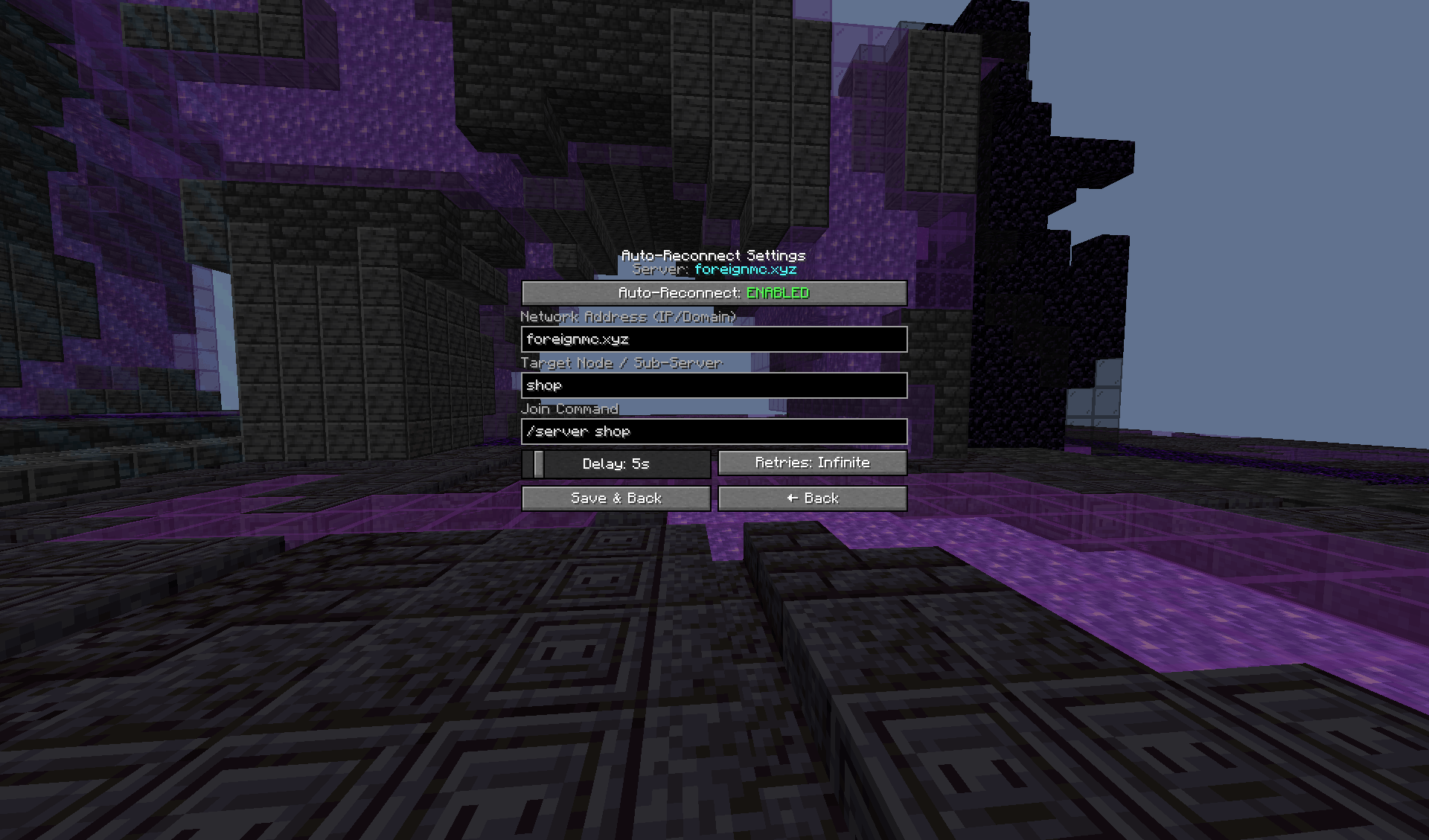
🔄 Universal Auto-Reconnect
Automatically recover from connection problems without requiring manual reconnection.
Handles situations such as:
-
Normal disconnects
-
Connection lost
-
Timeouts // soon
-
Connection refused
-
Connection resets
-
Server unavailable
-
Network errors
-
Unknown Host
-
Proxy/backend disconnects
-
Backend server restarts
The reconnect system uses a controlled retry delay and prevents duplicate reconnect loops or connection spam.
🌐 Node-Aware Reconnect
Designed for networks that use proxies, lobbies, and multiple backend servers.
Network connection ≠ Target server/node
Fox's Anti-AFK can:
-
Reconnect to the configured network
-
Detect whether you are in a lobby or on the target node
-
Route to the configured backend when necessary
-
Wait for the target node to become available
-
Confirm the correct node
-
Resume Anti-AFK once the target server is reached
Supports routing systems such as:
/server <node>
/join <node>
🚀 Server Startup Recovery
For supported server networks, Fox's Anti-AFK can detect when a backend server becomes available after a restart or startup process and continue the reconnect process automatically.
Anti-AFK actions remain paused while waiting in a lobby or recovery state.
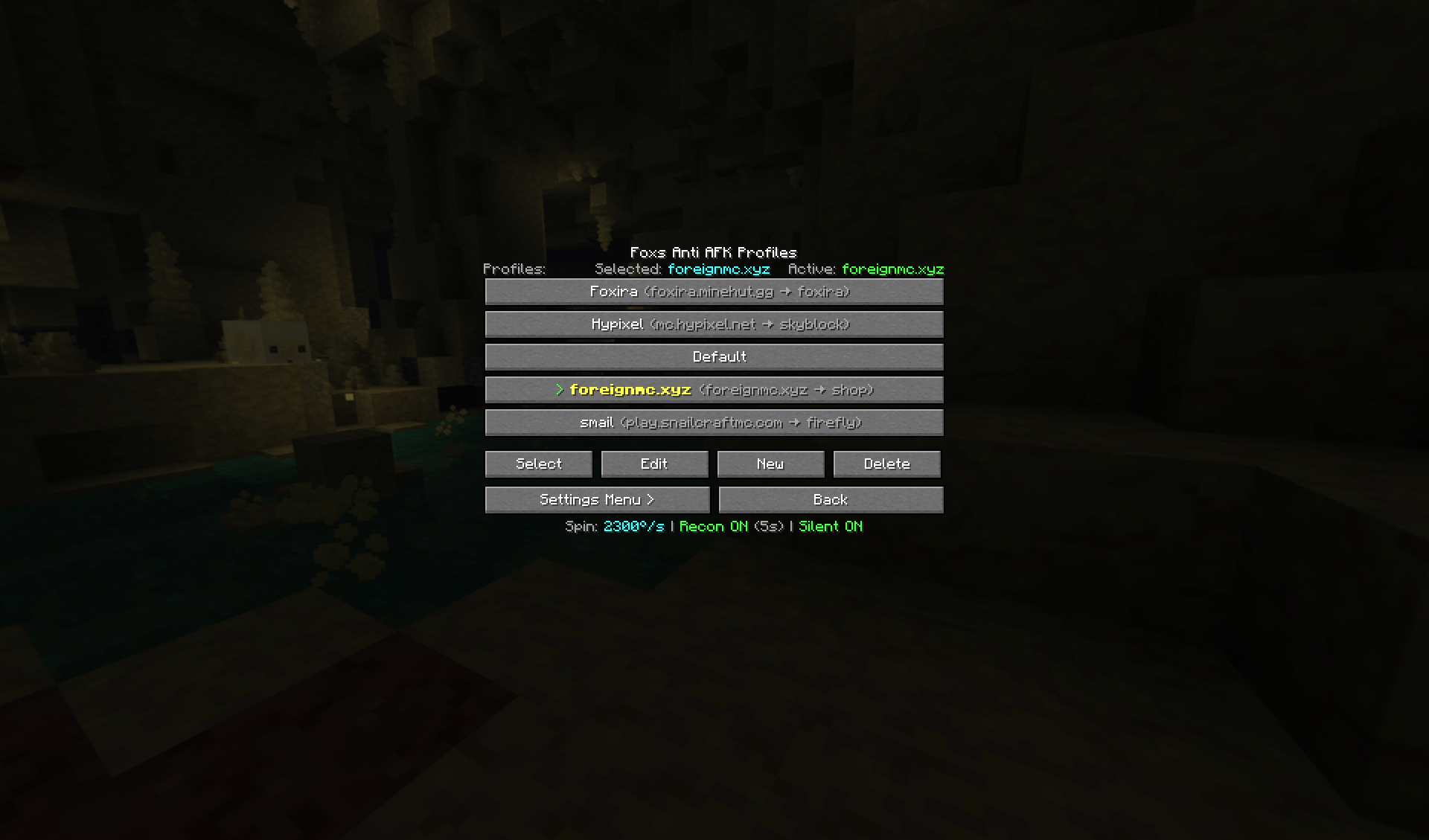
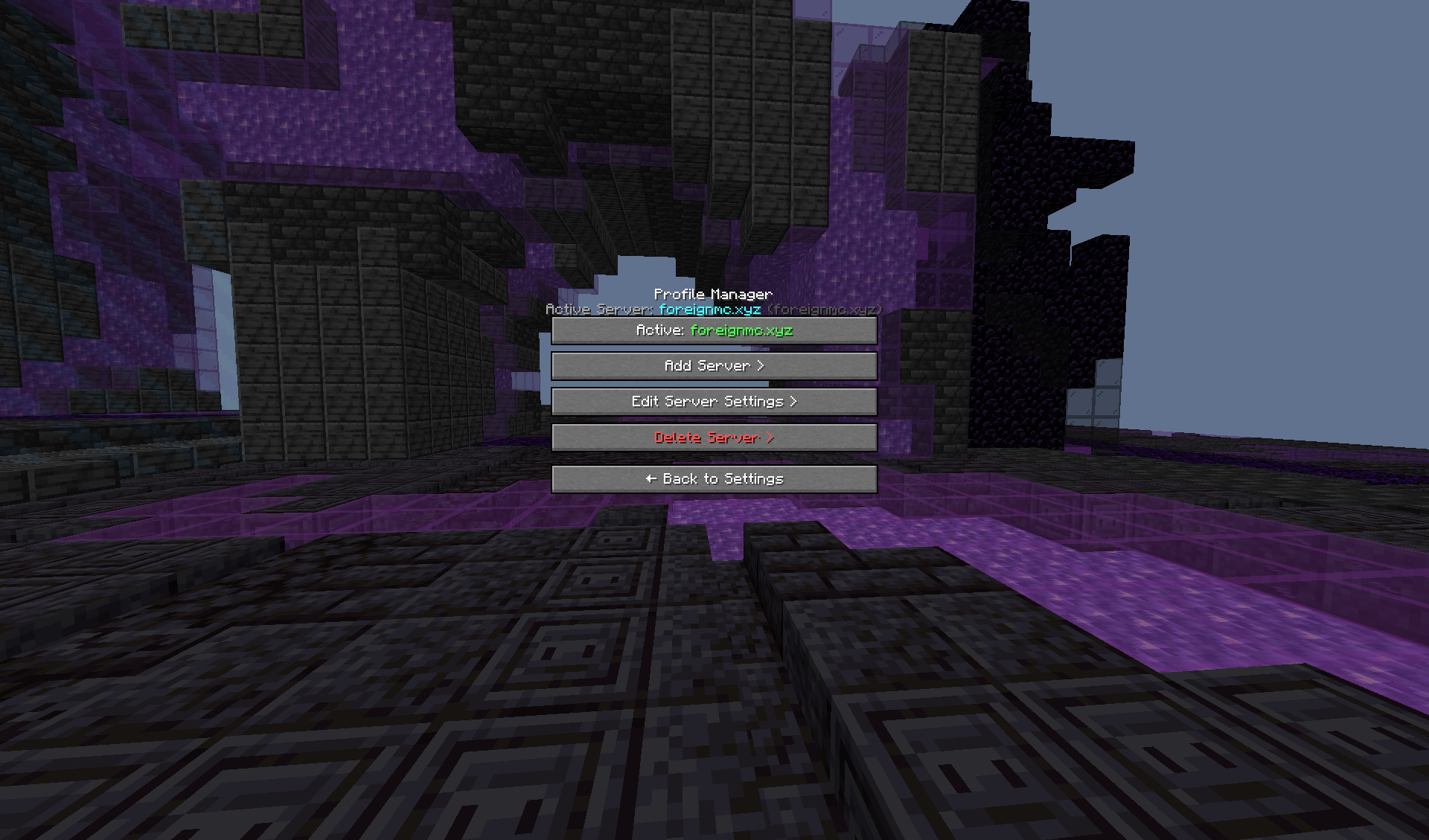
💾 Per-Server Profiles
Create completely separate configurations for different servers.
Each profile can store its own:
-
Network IP
-
Target Node
-
Auto-Reconnect settings
-
Anti-AFK settings
-
Movement/action settings
-
Spin settings
-
Jump, strafe, and punch rates
-
Silent Command slots
-
Silent Command delays
-
Route navigation settings
-
Pathfinding settings
-
Stuck detection settings
-
Route rendering settings
-
Randomization settings
Example:
Foxira
 ├─ IP: foxira.minehut.gg
 ├─ Node: survival
 ├─ Auto-Reconnect: ON
 ├─ Smart Route: ON
 └─ Silent Commands...

Hypixel
 ├─ IP: mc.hypixel.net
 ├─ Node: skyblock
 ├─ Auto-Reconnect: OFF
 ├─ Smart Route: OFF
 └─ Silent Commands...
🗂️ Main Menu Presets
Server profiles can be managed directly from the Minecraft main menu.
You can:
-
View profiles
-
Select a profile
-
Create profiles
-
Edit profiles
-
Delete profiles
-
Configure Auto-Reconnect
-
Configure Anti-AFK
-
Configure Silent Commands
-
Configure Route Navigation
-
Configure Pathfinding
-
Configure Route Rendering
-
Save settings without joining a server
The main-menu profile editor and the in-game U menu use the same persistent configuration data.
Presets are saved configurations and do not independently run Anti-AFK, reconnect, route navigation, or commands.
📋 In-Game Profile Selector
Press U to open the Fox's Anti-AFK menu.
The right sidebar contains your server/config profiles.
Selecting a profile immediately updates the existing menu with that profile's settings, including:
Reconnect Setup
 ├─ Network IP
 ├─ Target Node
 ├─ Auto-Reconnect
 └─ Reconnect Delay

Silent Setup
 ├─ Commands 1-5
 ├─ Enable/Disable
 └─ Individual delays

Anti-AFK
 ├─ Toggles
 └─ Sliders

Route Setup
 ├─ Smart Pathfinding
 ├─ Stuck Detection
 ├─ Auto Recalculate
 ├─ Path Rendering
 └─ Route Settings
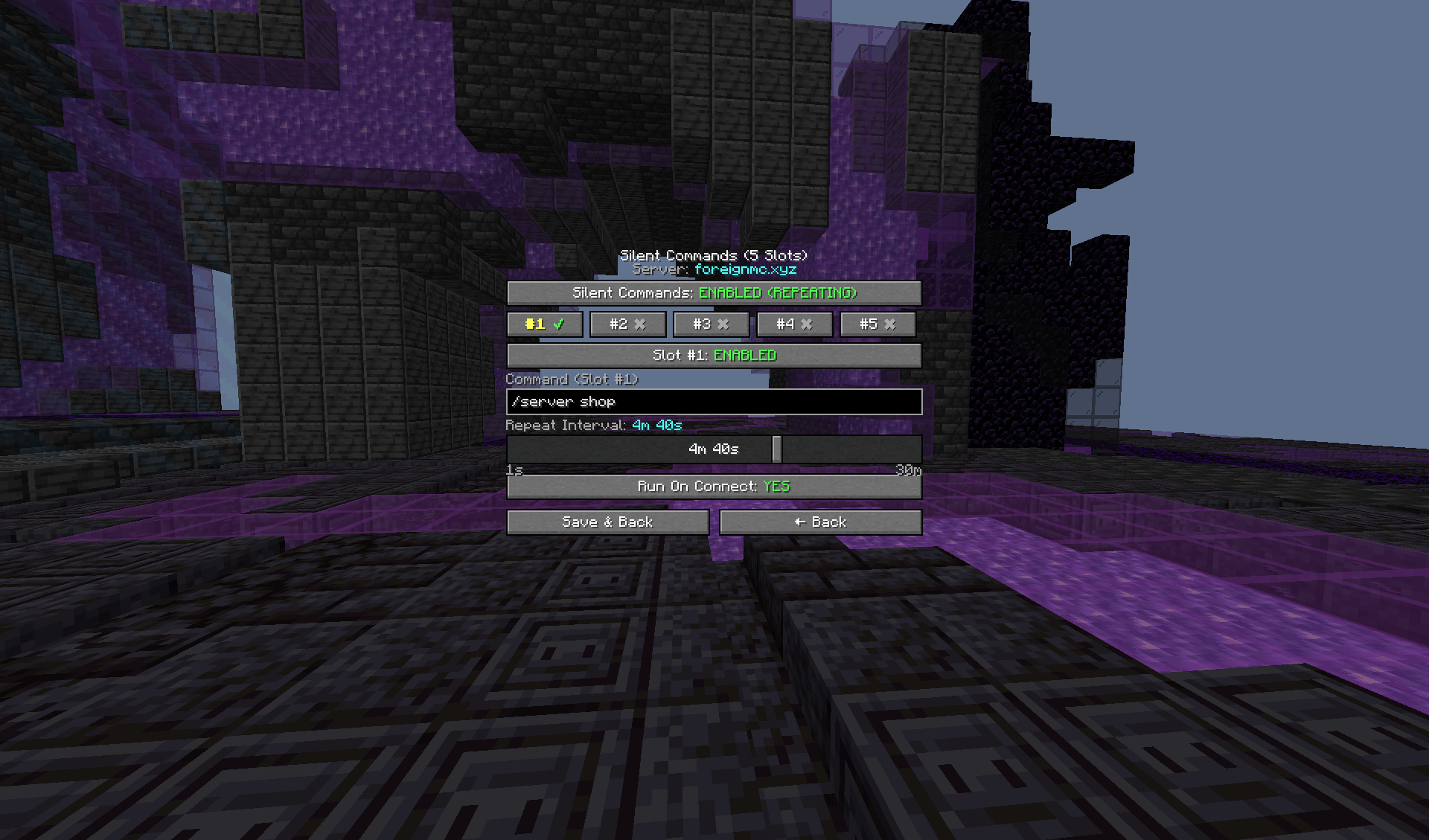
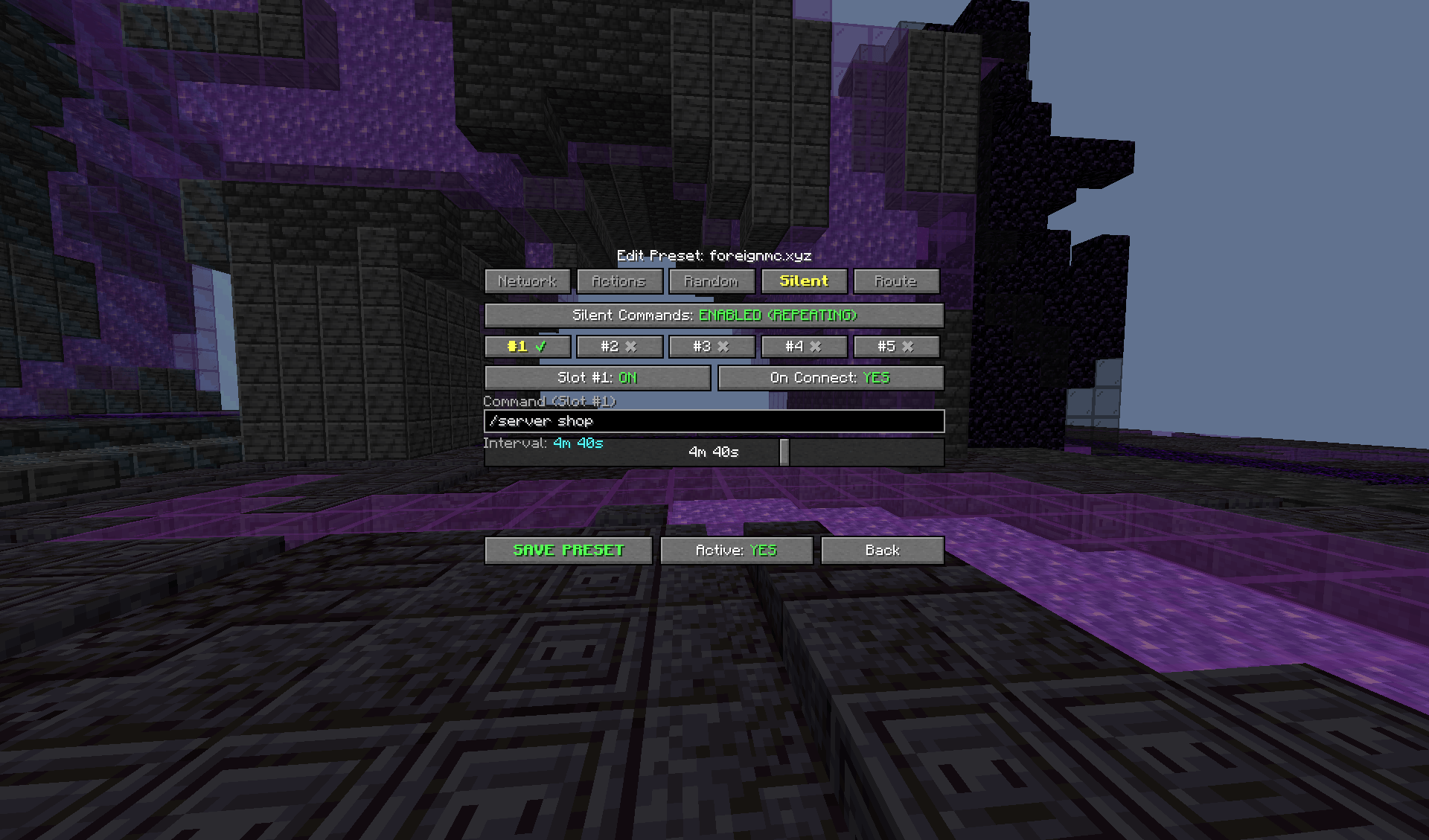
🤫 Repeating Silent Commands
Configure up to 5 independent repeating command slots.
Each slot supports:
-
Enable/disable toggle
-
Custom command with arguments
-
Independent delay
-
Continuous repeating execution
-
Anti-spam protection
Examples:
/server survival
/fix all
/feed
/sell all
/home afk
Each server profile can have its own Silent Command setup.
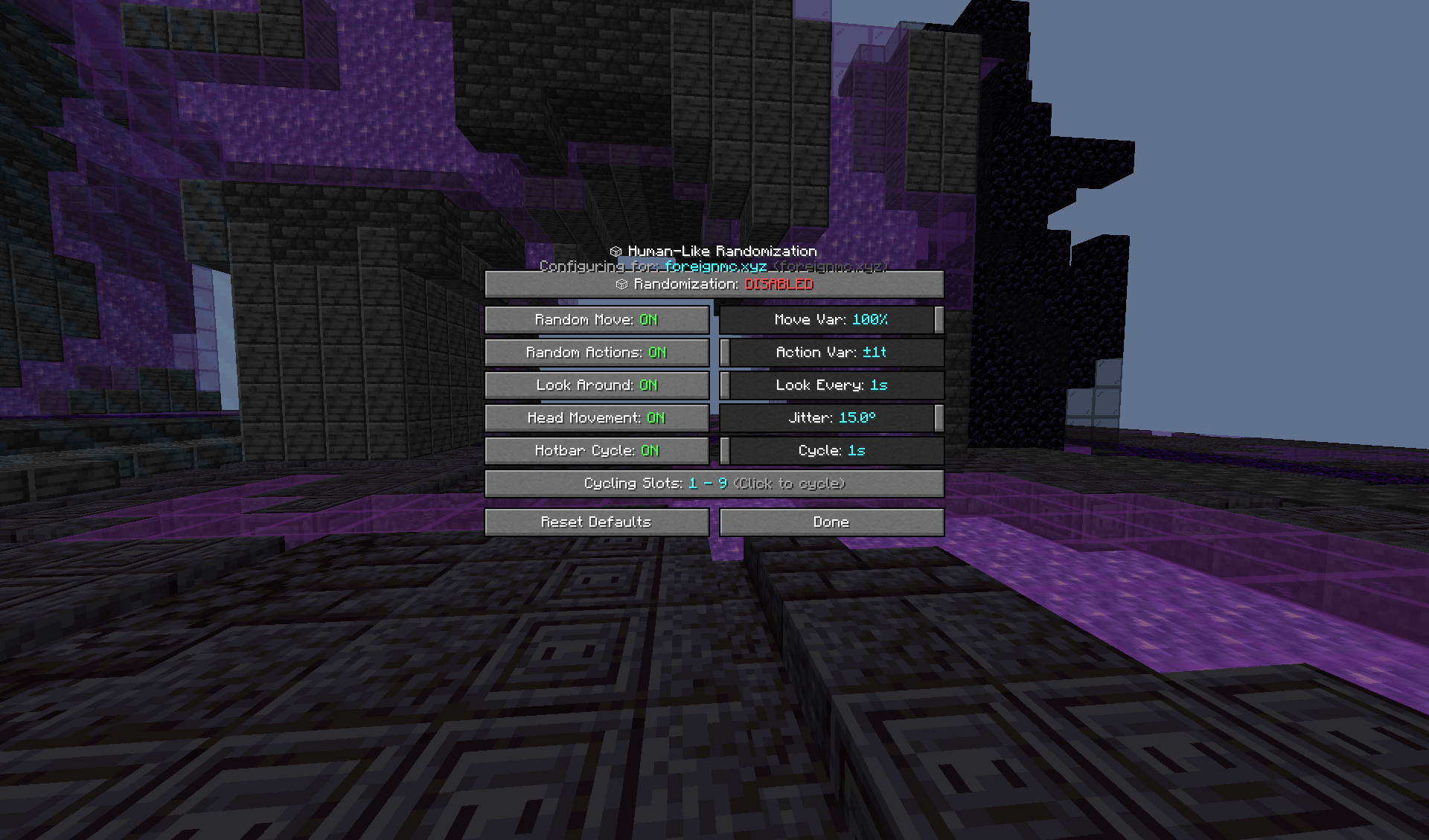
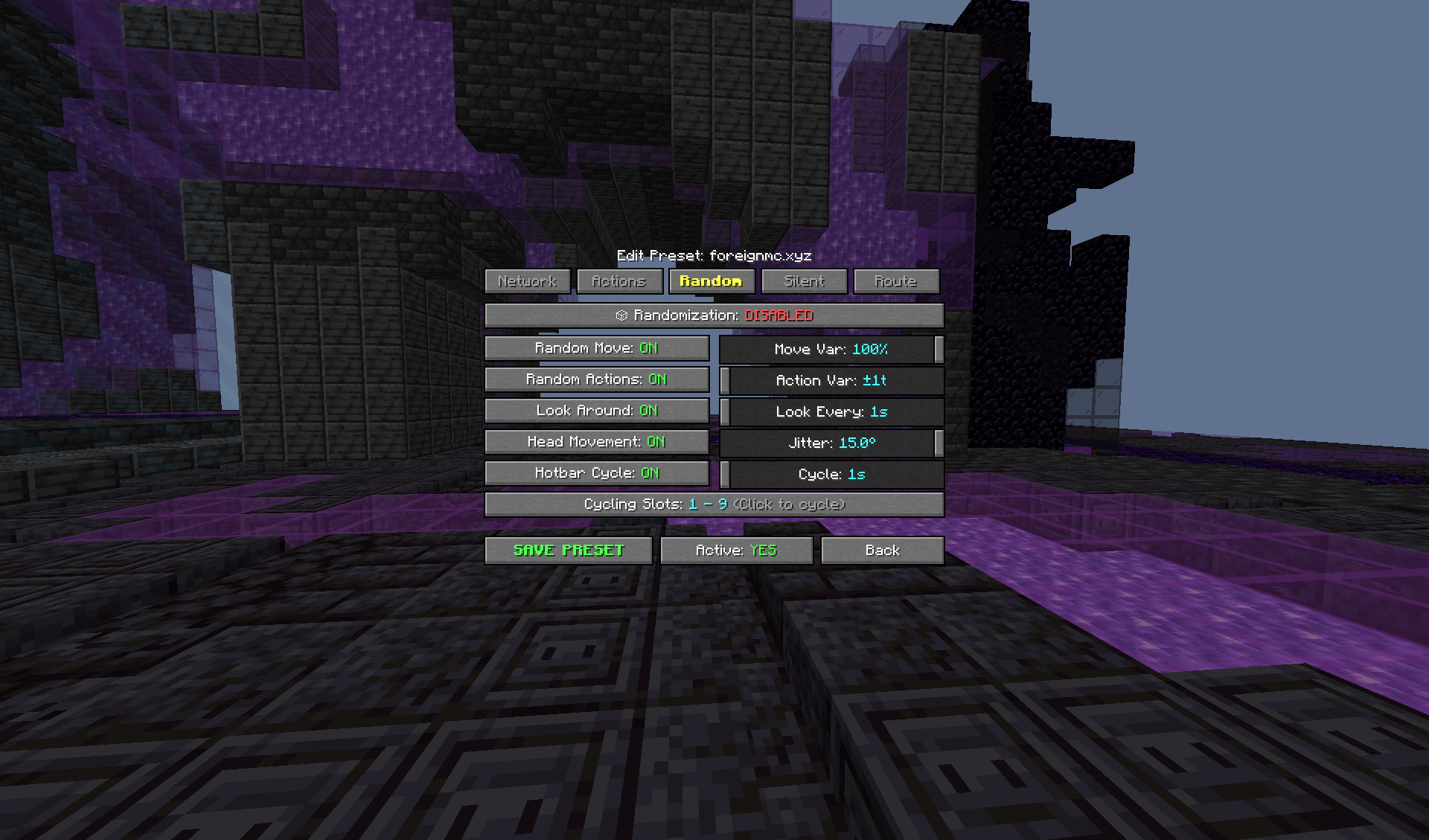
🎲 Randomized Activity
Optional randomization features make Anti-AFK behavior less repetitive.
Supported features include:
-
Randomized Movement — Vary movement durations and directions
-
Randomized Action Intervals — Add configurable variation to action timing
-
Look Around — Periodically rotate the camera naturally
-
Head Movement Patterns — Small configurable pitch/yaw movements
-
Hotbar Cycling — Periodically switch between selected hotbar slots
Randomization settings are stored independently per server profile.
🎛️ Controls
Default controls:
-
J — Toggle Anti-AFK
-
U — Open Fox's Anti-AFK menu
-
- — Open settings
-
Auto-Reconnect — Unbound by default and fully rebindable
Keys are ignored while typing in chat.
⚙️ Configuration
Settings and server profiles are stored persistently in:
.minecraft/config/antiafk.properties
Profile changes are saved and restored automatically.
⚡ Lightweight & Client-Side
Fox's Anti-AFK is designed to remain lightweight and simple.
-
Fabric client-side mod
-
No server-side installation required
-
Uses vanilla client keybindings/actions
-
No artificial player packets
-
No mixins
-
No Cloth Config
-
No Mod Menu dependency
-
Route rendering is client-side
-
Pathfinding calculations are throttled to minimize unnecessary processing
Compatibility
-
Minecraft: 26.1 / 26.1.x / 26.2 / 26.3
-
Fabric Loader: 0.16.0+
-
Java: 25+
-
Fabric API: Key Mapping API + Lifecycle Events API
A lightweight all-in-one solution for physical AFK simulation, intelligent route navigation, pathfinding, server profiles, node-aware reconnection, connection recovery, randomization, and repeating commands.
The Foxs Anti Afk Team