⚠️ Further development of the mod continues in the form of the Foggy Pale Garden resource pack based on Polytone.
A Minecraft mod that adds fog to the Pale Garden biome. But you can customize any kind of fog anywhere you like!
✨ Features
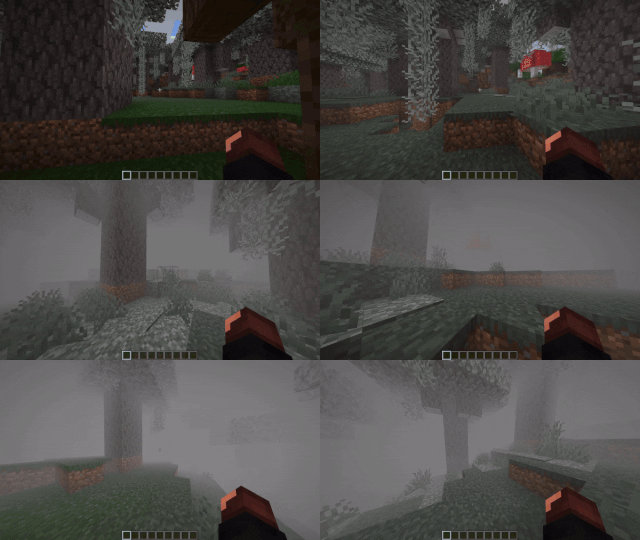
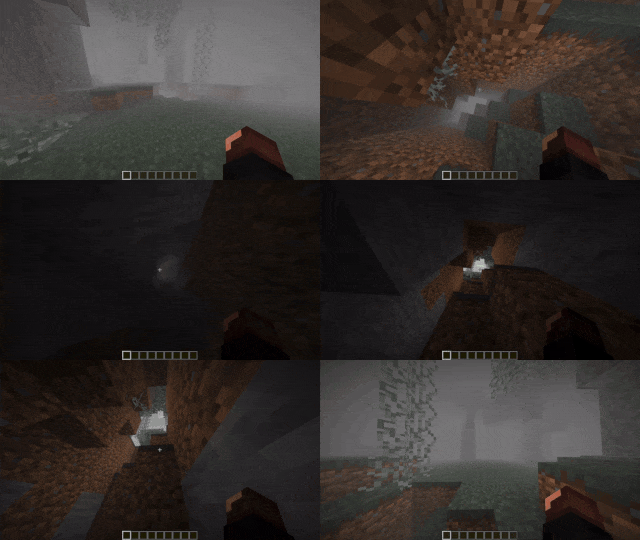
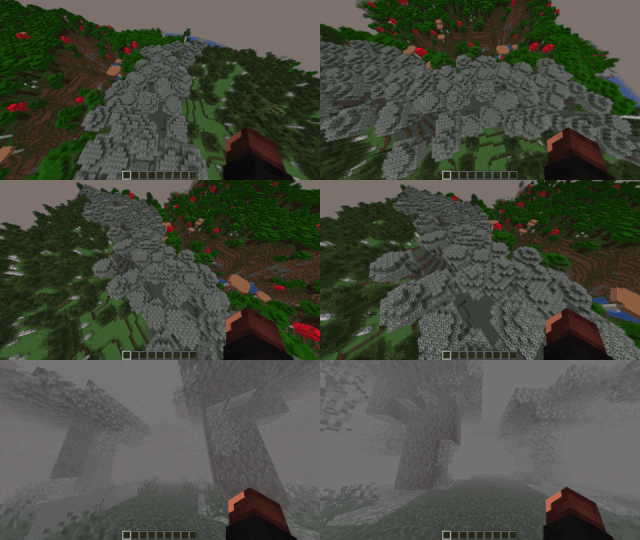
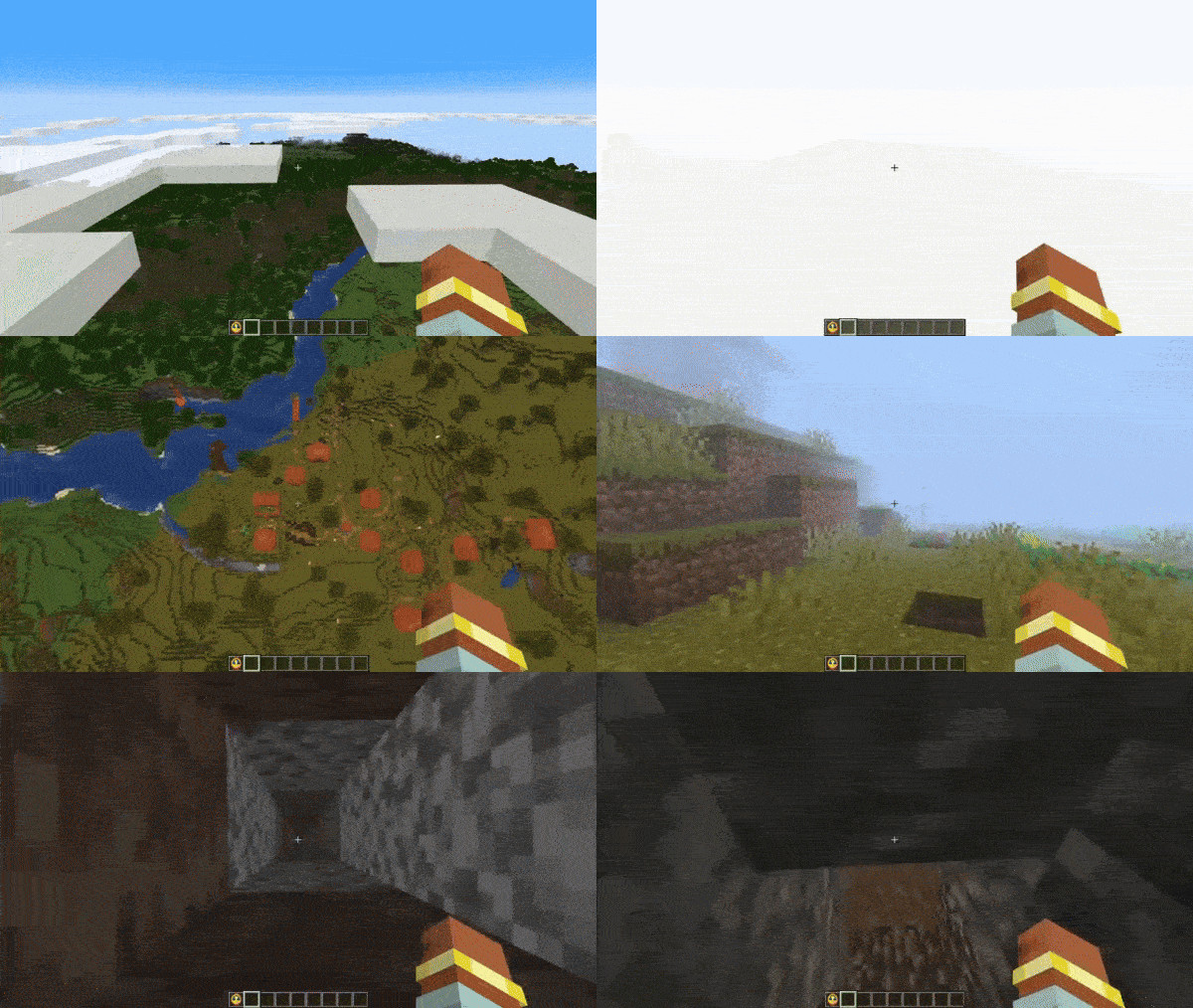
😱 Envelops the Pale Garden in fog
🕳️ The fog does not fill caves beneath the Pale Garden
🪽The fog doesn’t hinder flying over the Pale Garden
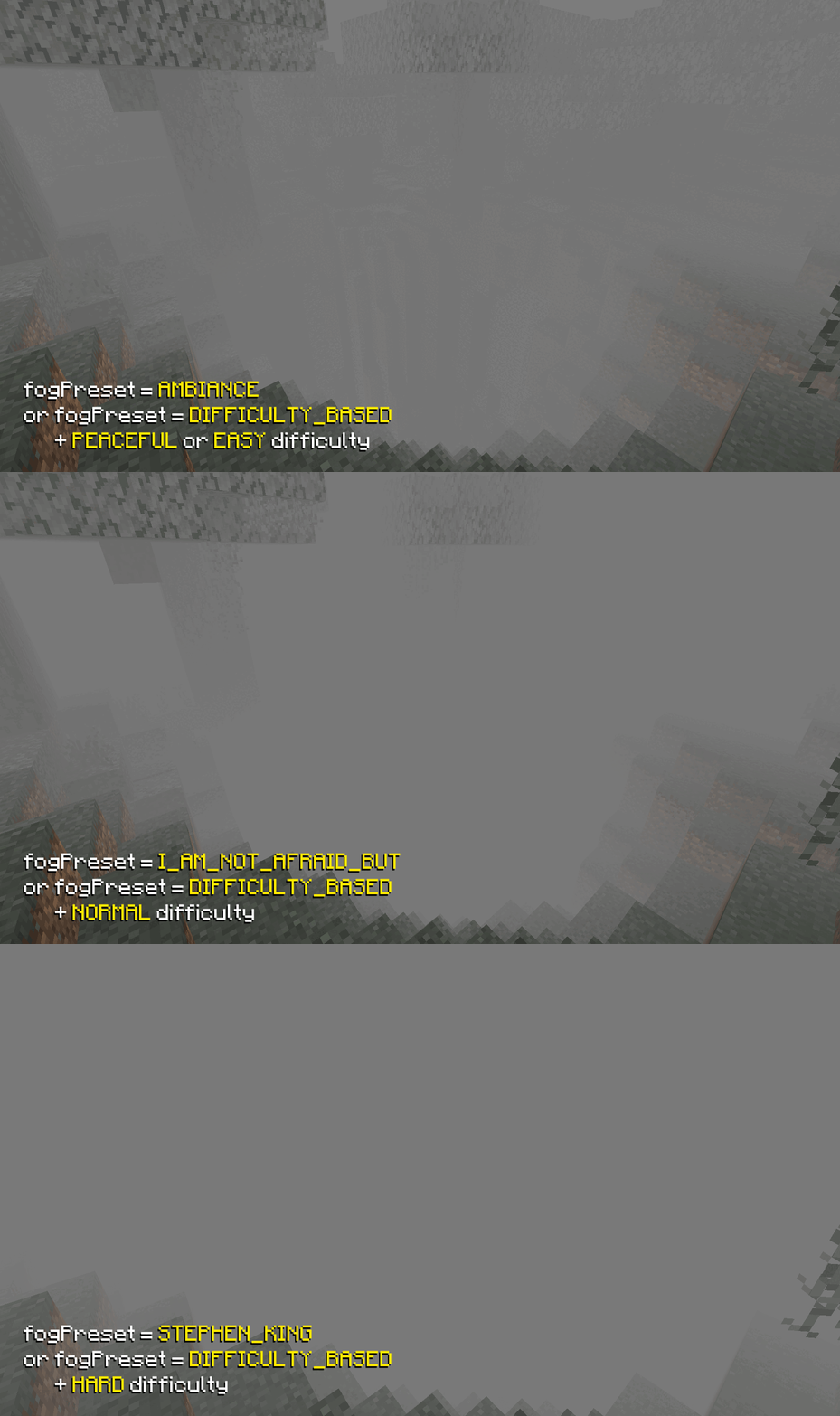
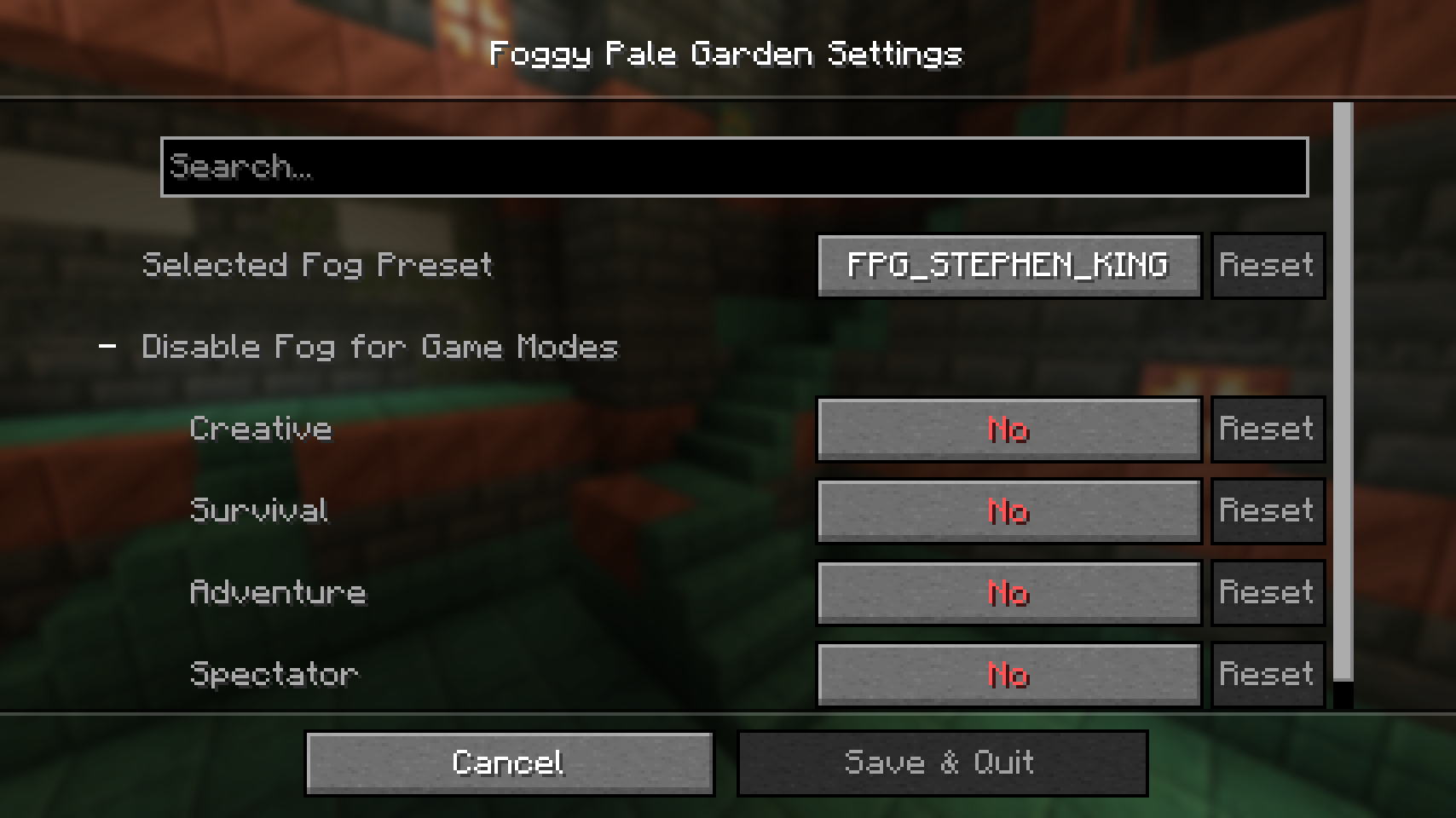
🎨 Fog presets feature allows you to choose from predefined options, create a custom preset, or have the fog adjust based on the game’s difficulty.
📦 Resource Pack Support
You can easily add a fog preset to your resource pack! Just place it at the path
assets/foggypalegarden/preset.json. After that, you can select it as the active fog preset in the mod settings.
- If multiple resource packs containing fog are installed, each of their presets will be available in the settings
- If a preset's
code from the config/foggypalegarden folder matches a code from a resource pack, the preset from the config folder will be renamed by adding _BACKUP to its code
🧗♀️ The conditions for fog formation will allow for creating different types of fog even in the same location
🔧 Create different types of fog based on any set of conditions
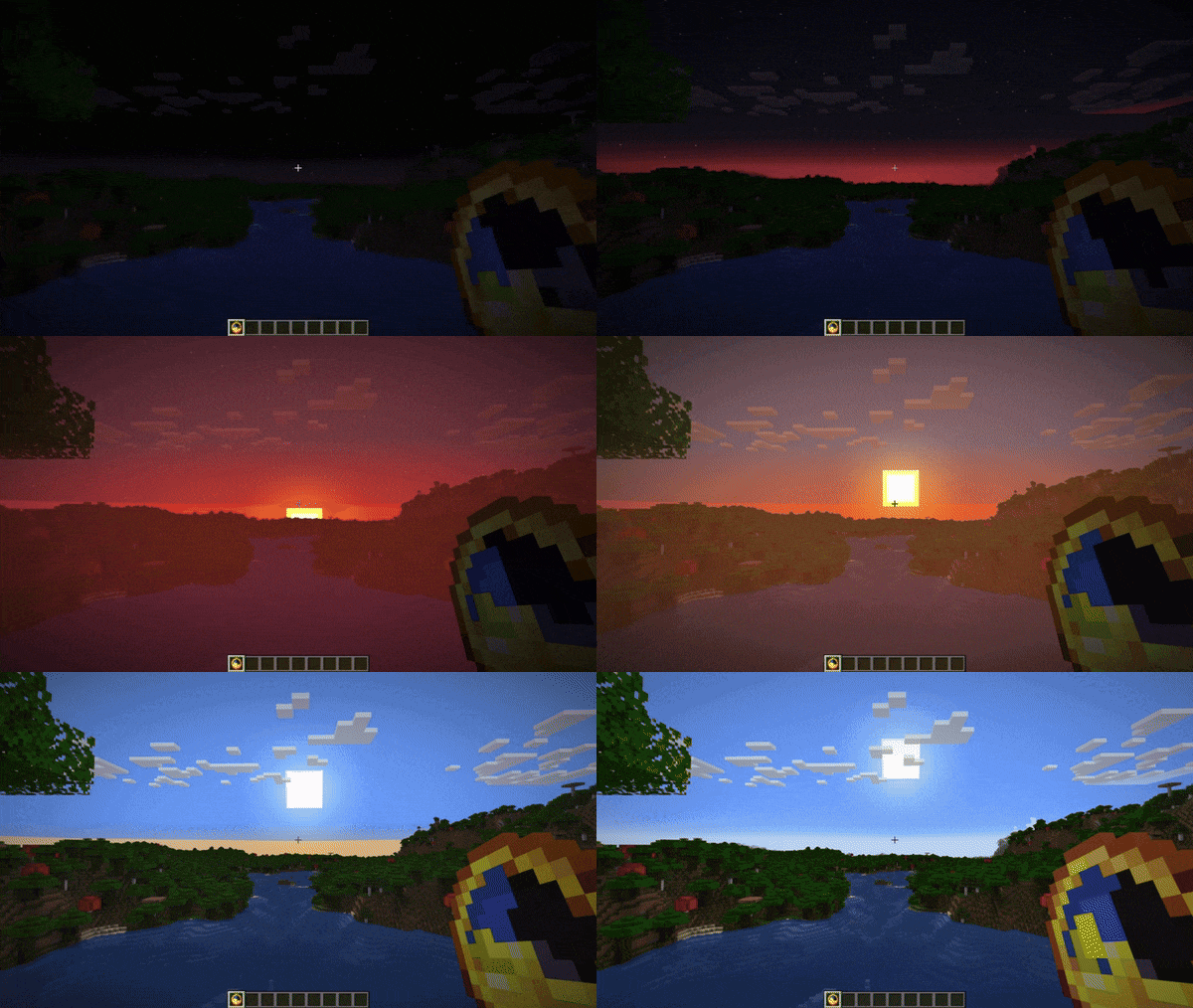
For example, this preset will create pre-dawn fog during clear weather in all biomes.
{
  "code": "PRE_DAWN_FOG",
  "bindings": [
    {
      "condition": {
        "and": [
          { "timeIn": { "start": 22500, "end": 23800 } },
          { "weatherIn": ["CLEAR"] }
        ]
      },
      "startDistance": 0.0,
      "skyLightStartLevel": 4,
      "endDistance": 15.0,
      "surfaceHeightEnd": 15.0,
      "opacity": 50.0,
      "encapsulationSpeed": 16.0,
      "brightness": {
        "mode": "BY_GAME_FOG"
      },
      "color": {
        "mode": "BY_GAME_FOG"
      }
    }
  ],
  "version": 2
}
To apply it, create a file
PRE_DAWN_FOG.json with this content in the
config/foggypalegarden folder and set the value
"preset": "PRE_DAWN_FOG" in
config/foggypalegarden.json.
Read more about the available features in the 🛠️ Configuration section.
👁️ Adjust settings in the visual menu
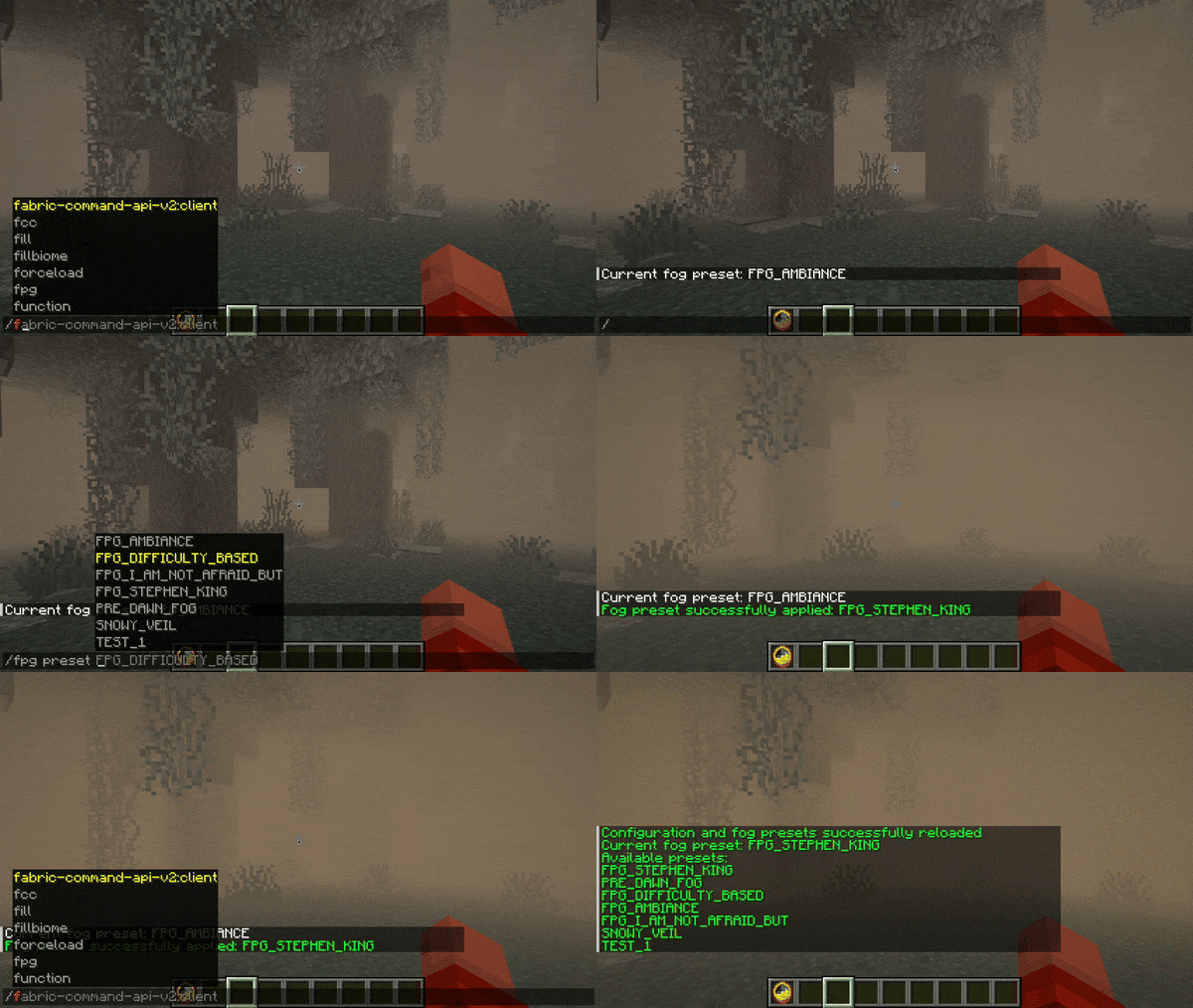
💬 Change settings via chat even if you're not an operator!
Available commands:
/fpg preset will display the name of the current preset/fpg preset FPG_DIFFICULTY_BASED will switch the preset to FPG_DIFFICULTY_BASED (the command itself suggests a list of available presets)/fpg reloadConfig re-reads the mod configuration and available fog preset files from disk
🌎 The mod supports multiple languages
Supported languages:
- 🇸🇦 Arabic
- 🇧🇾 Belarusian
- 🇨🇳 Chinese (Simplified)
- 🇺🇸 English (US)
- 🇫🇷 French
- 🇬🇪 Georgian
- 🇩🇪 German
- 🇮🇹 Italian
- 🇯🇵 Japanese
- 🇰🇿 Kazakh
- 🇰🇷 Korean
- 🇧🇷 Portuguese (Brazil)
- 🇷🇺 Russian
- 🇪🇸 Spanish (Mexico)
- 🇸🇪 Swedish
- 🇺🇦 Ukrainian
You can request a translation into your language or report a translation error on
GitHub.
⛔️ Disable fog for specific game modes
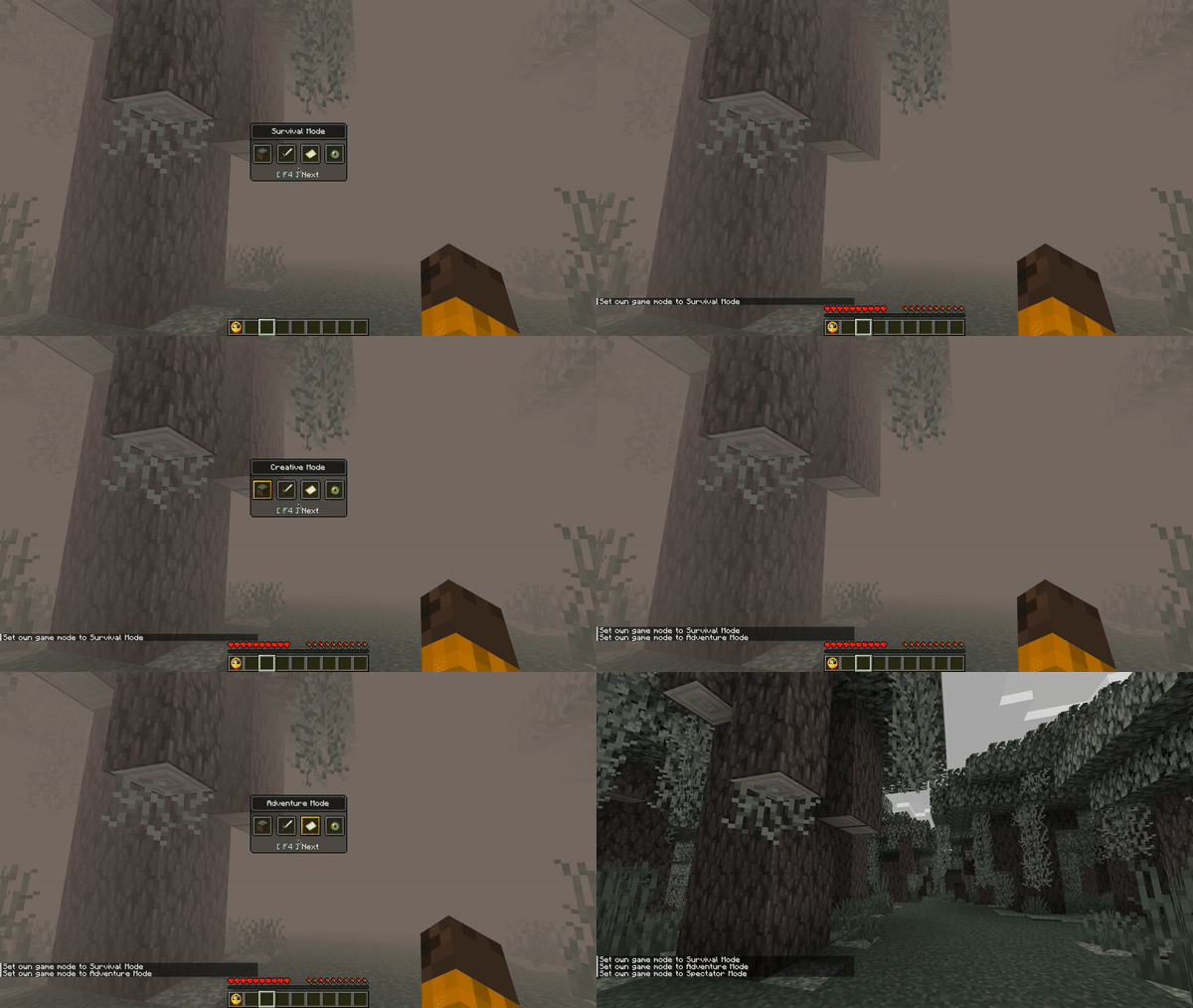
In the config
config/foggypalegarden.json, the value
"noFogGameModes": ["SPECTATOR"] is set.
⏮️ Support for ALL backports of the Pale Garden biome to older game versions
The fog appears in any biomes named
pale_garden.
Tested with mods:
📥 Installation
Install Fabric, Quilt, NeoForge or Forge for your game version
Fabric API installation is required for Fabric and Quilt!
Install Cloth Config to change settings through the mods menu
Place the mod in the mods folder
Beware of the monsters in the fog!
🛠️ Configuration
Fog Parameters
- Distance at which the fog starts
- Distance at which the fog ends
- Fog density
- Fog brightness
- Fog color
- Speed of fog dispersal when entering or leaving it
- Fog shape (available options: SPHERE and CYLINDER)
Fog Conditions
They can be used in any combination thanks to AND, OR, and NOT conditions
- Dimension the player is in
- Biome the player is in
- Biome temperature
- Weather
- Time of day
- World difficulty level
- Sky brightness (allows detecting if the player is in a cave)
- Player's height above the surface
- Player's position on the Y-axis
Full Configuration
Available configuration options
The configuration file is located at
config/foggypalegarden.json and allows you to set one of the available fog presets.
{
    // active fog preset
    "preset": "MY_PRESET",

    // (optional) list of game modes where fog is disabled ("SURVIVAL", "CREATIVE", "ADVENTURE", "SPECTATOR")
    "noFogGameModes": [""],

    // config schema version (do not change this value)
    "version": 3
}
Preset files are located in the
config/foggypalegarden directory. Each file contains the full fog settings for the game.
{

    // preset code (you need to specify this value in config/foggypalegarden.json to apply the preset)
    "code": "MY_PRESET",

    // a set of bindings, each responsible for your configured fog appearance and applied based on specified conditions
    "bindings": [

        {

            // condition under which this binding is applied
            // has a tree-like structure (you can place other conditions inside and, or, not)
            // only one field can be filled at the same time in one condition
            // correct - { "and": [{ "biomeIdIn": ["minecraft:desert"] }, { "difficultyIn": ["HARD"] }] }
            // incorrect - { "biomeIdIn": ["minecraft:desert"], "difficultyIn": ["HARD"] }
            "condition": {

                // (optional) list of dimensions where this binding is applied (for example, "minecraft:overworld")
                // you can use wildcard with asterisk, e.g. "minecraft:*" will include all vanilla game dimensions, excluding mod dimensions
                "dimensionIn": [""],

                // (optional) list of biomes where this binding is applied (for example, "minecraft:desert")
                // you can use wildcard with asterisk, e.g. "minecraft:*" will include all vanilla game biomes, excluding mod biomes
                "biomeIdIn": [""],

                // (optional) biome temperature range where this binding is applied
                "biomeTemperature": {

                  // (optional) minimum temperature (inclusive)
                  "min": 0.0,

                  // (optional) maximum temperature (exclusive)
                  "max": 0.0
                },

                // (optional) list of difficulty levels where this binding is applied ("PEACEFUL", "EASY", "NORMAL", "HARD")
                "difficultyIn": [""],

                // (optional) list of weather conditions where this binding is applied ("CLEAR", "RAIN", "THUNDER")
                "weatherIn": [""],

                // (optional) time range during which this binding is applied (start can be greater than end)
                "timeIn": { "start": 0, "end": 0 },

                // (optional) sky light level [0, 15]
                "skyLightLevel": { "min": 0, "max": 0 },

                // (optional) player's position on the Y-axis
                "height": { "min": 0.0, "max": 0.0 },

                // (optional) player's height above the surface (cannot be negative)
                "surfaceHeight": { "min": 0.0, "max": 0.0 },

                // (optional) group of conditions that must all be met for this binding to be applied
                "and": [{}],
                // (optional) list of conditions where at least one must be met for this binding to be applied
                "or": [{}],

                // (optional) condition that must not be met for this binding to be applied
                "not": {}
            },

            // (optional) distance (in blocks) at which the fog starts (cannot be negative)
            "startDistance": 0.0,

            // (optional) distance (in blocks) at which the fog ends (cannot be negative)
            "endDistance": 0.0,

            // (optional) fog density in percent (0.0, 100.0]
            // this parameter does not work on Minecraft versions prior to snapshot 24w40a
            "opacity": 0.0,

            // (optional) fog spread speed (in blocks per second) when entering or exiting it (cannot be less than or equal to 0)
            "encapsulationSpeed": 0.0,

            // (optional) fog brightness settings
            "brightness": {

                // mode of fog brightness calculation
                // BY_GAME_FOG - brightness is calculated based on in-game fog brightness
                // FIXED - manually set brightness
                "mode": "FIXED",

                // (required for FIXED mode) fog brightness level in percent (0.0, 100.0]
                "fixedBrightness": 0.0,

                // (optional for BY_GAME_FOG mode) brightness adjustment [-1.0, 1.0]
                "adjustment": 0.0
            },

            // (optional) fog color settings
            "color": {

                // mode of fog color calculation
                // BY_GAME_FOG - uses in-game fog color
                // FIXED - manually set fog color
                "mode": "FIXED",

                // (required for FIXED mode) fog color in HEX format (without #)
                "fixedHex": "f0f0f0"
            },

            // (optional) fog shape ("SPHERE", "CYLINDER")
            "shape": "CYLINDER"
        },
        {
          // another binding
        }
    ],

    // preset schema version (do not change this value)
    "version": 3
}
Examples of presets can be found in the
GitHub repository.
💥 Compatibility with Other Mods
If you encounter compatibility issues between Foggy Pale Garden and other mods, please open an issue on GitHub or contact us on Discord.
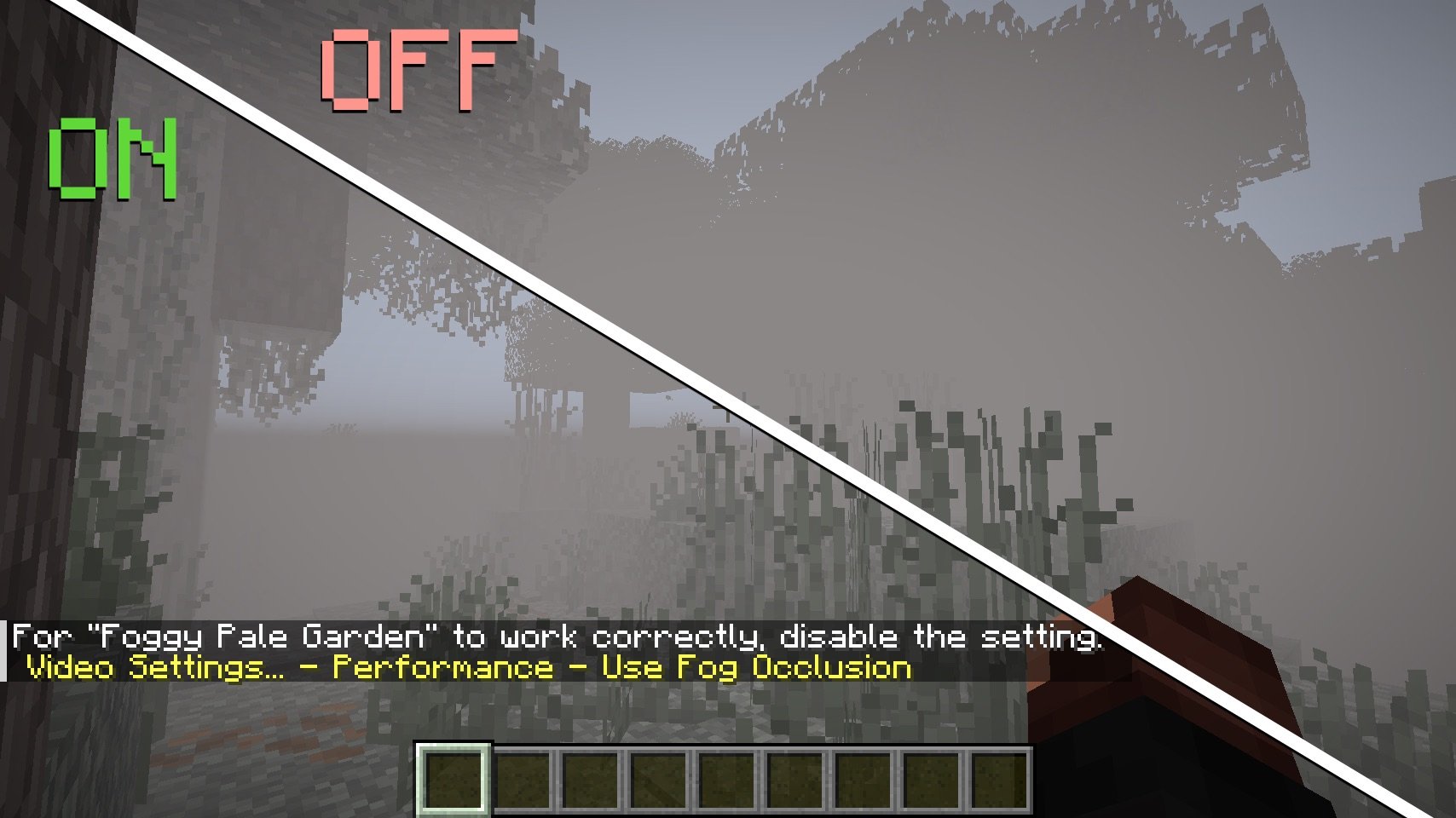
Sodium, Embeddium and Rubidium
You need to disable the Performance - Use Fog Occlusion setting so that blocks behind the fog continue to render and do not appear suddenly when the player approaches.
🚀 Plans
❓ Maybe it will be possible to implement support for Iris Shaders?
🤗 Modpacks
You can use this mod in modpacks without requesting permission.


![Foggy Pale Garden (FPG) [Archived] logo](https://media.forgecdn.net/avatars/thumbnails/1092/168/64/64/638636448136223712.png)