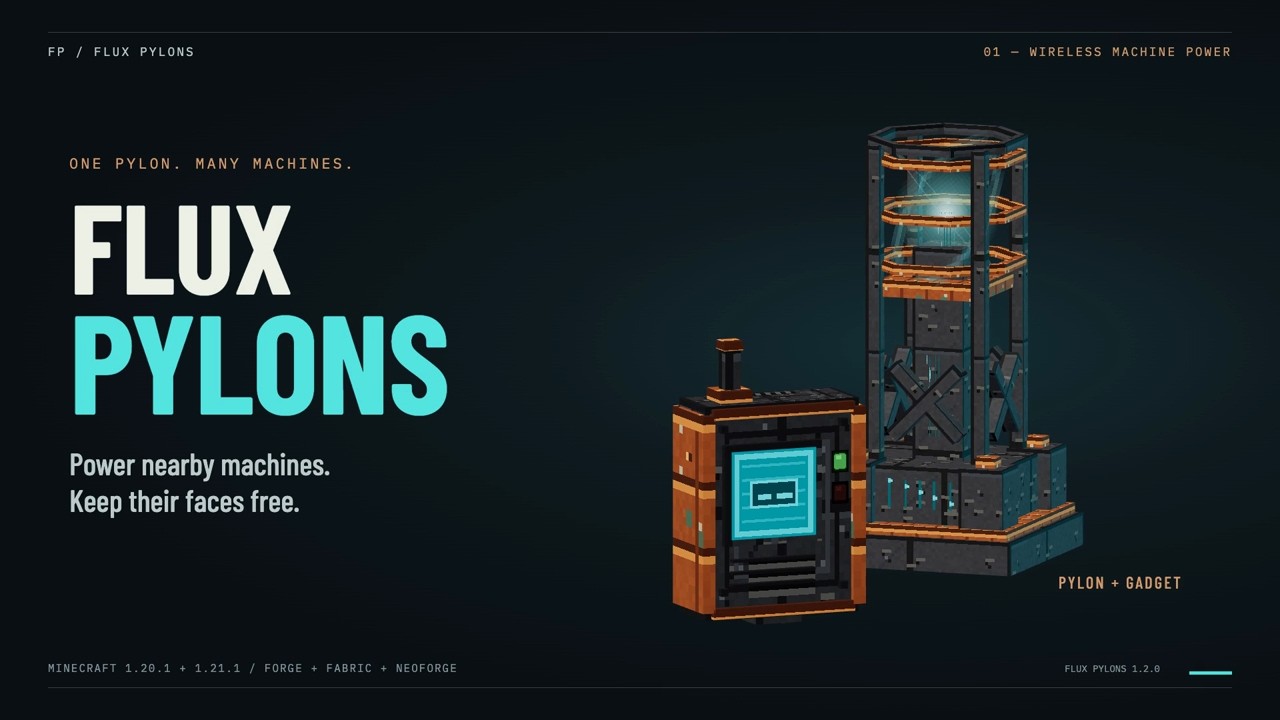
Flux Pylons powers nearby machines wirelessly, leaving their faces free for items, fluids or whatever else your setup needs. One pylon can supply several machines without a cable or receiver block attached to each one.
Feed a pylon from a generator or energy cell, then link nearby machines with the handheld Flux Gadget. Add more pylons to the same network to distribute power around your base. Loaded pylons share their stored energy within one dimension.
Getting started
- Craft and place a Flux Pylon, then feed energy into it.
- Hold a Flux Gadget and sneak-right-click in the air to switch it on.
- Right-click in the air to open the gadget. Create or select a network.
- Right-click a pylon to add it to that network and open its controls.
- Sneak-right-click the pylon to start linking, then right-click a nearby machine.
- To remove a link, sneak-right-click the machine while linking. Right-click the air to leave linking mode.
Machines must have an energy input enabled. The mod transfers and stores energy; you'll need a power source from another mod.
Features and controls
- Choose equal, round-robin or nearest-first delivery.
- Use redstone to enable or pause a pylon's machine outputs.
- Install upgrades for range, machine connections, output and storage.
- Pick a network color and adjust connection beams, particles and the HUD.
With default settings, a pylon reaches 16 blocks, links up to 20 machines, delivers up to 10,000 FE/t and stores 100,000 FE. Four upgrades of each type raise those limits to 32 blocks, 28 links, 30,000 FE/t and 1,600,000 FE. Fabric uses the same values in E and E/t through Team Reborn’s Energy API. Server settings can change these values.
Visuals and in-game help
Hold the active gadget and look at a pylon to see its stored energy, output rate and machine links. The readout tells you when it is transferring, waiting for power or paused by redstone. Machine feedback also identifies full inputs, disabled inputs, unloaded chunks and links outside the pylon's range.
The gadget's network overview shows loaded storage, total output and the last minute of output history. You can inspect distant pylons from the overview, then visit them to change their settings.
Open the in-game guide from the gadget to watch animated lessons, pause, replay or revisit a step.
Compatibility and multiplayer
Available for Minecraft 1.21.1 on NeoForge, Forge and Fabric, and 1.20.1 on Forge and Fabric.
Networks have an owner and a member list. Add members to let friends configure the network. Public visibility and optional passwords control how other players find and join it.
Pylons work in loaded chunks. The mod does not keep chunks loaded, and a link resumes when its machine loads or starts accepting energy again.
Install the mod on both the server and clients. The Fabric build also needs Fabric API and Forge Config API Port.
Modpacks and license
You may include Flux Pylons in modpacks and redistribute unmodified official releases without asking. Keep the license and credit intact and link to an official project page.
Source is available for inspection under the project license. Modified releases, ports and reuse of project code or assets in other distributed products require written permission.
Links and feedback
Player guide · Report a bug · Source · Discord
Playtesters and feedback are welcome. For bug reports, include your Minecraft version, loader, mod version and steps to reproduce the issue.
All my other mods
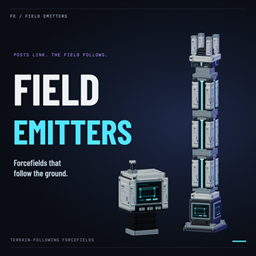
- Field Emitters — Glowing forcefields, filtered doors and smart redstone tripwires.
- QuickStack & Craft — Quick-stack your inventory, favorite slots and craft from nearby storage.
Help me keep making mods
I develop and support these mods for free. If you enjoy them, consider throwing a little support my way. It helps me keep making new mods, adding features, fixing bugs and keeping up with Minecraft updates. Every bit helps, and I really appreciate it.
Buy Me a Coffee · Support me on Patreon
Disclaimers
This is an unofficial Minecraft mod, not affiliated with or endorsed by Mojang or Microsoft. Provided as is, without warranty, to the extent permitted by law. Third-party components retain their own licenses.