Flags That Represent
- By
Every country, region and more can now be represented by flags in Minecraft!
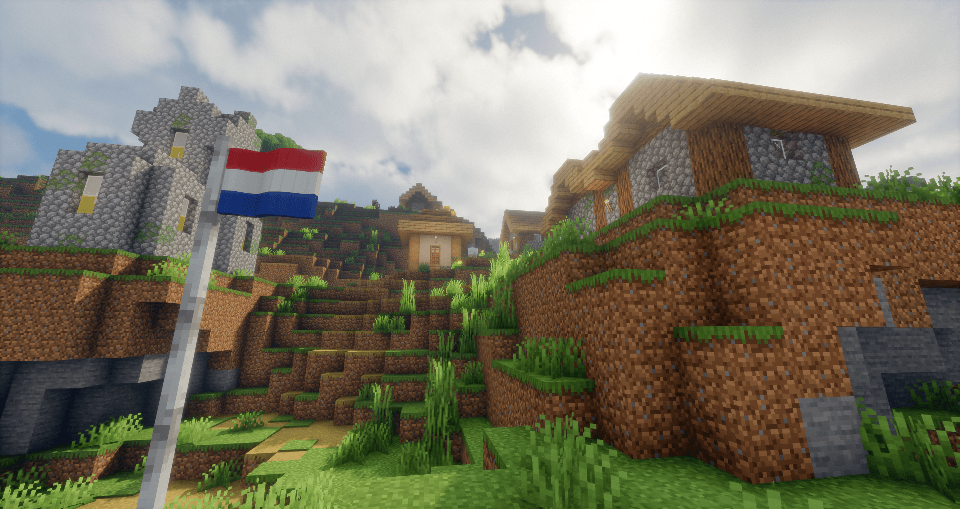
*Bliss Shaders is used in this screenshot
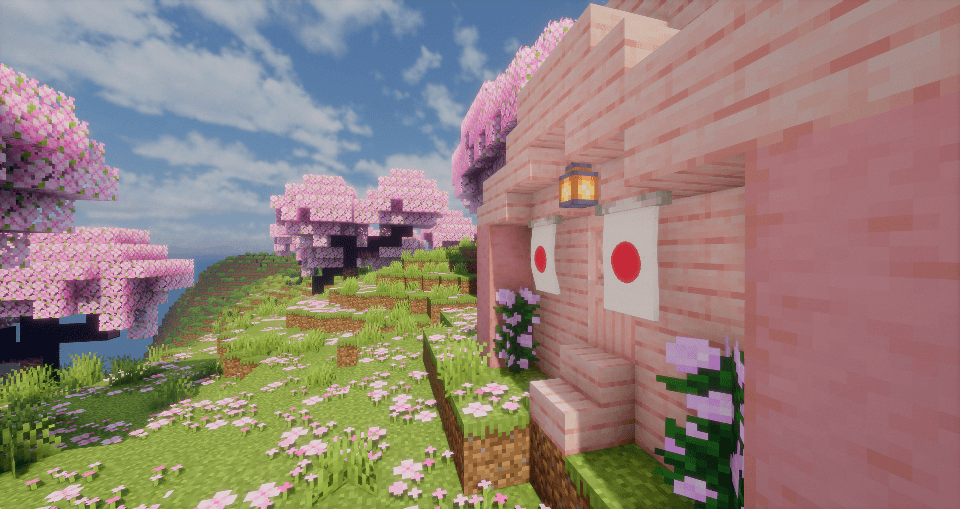
*Bliss Shaders is used in this screenshot
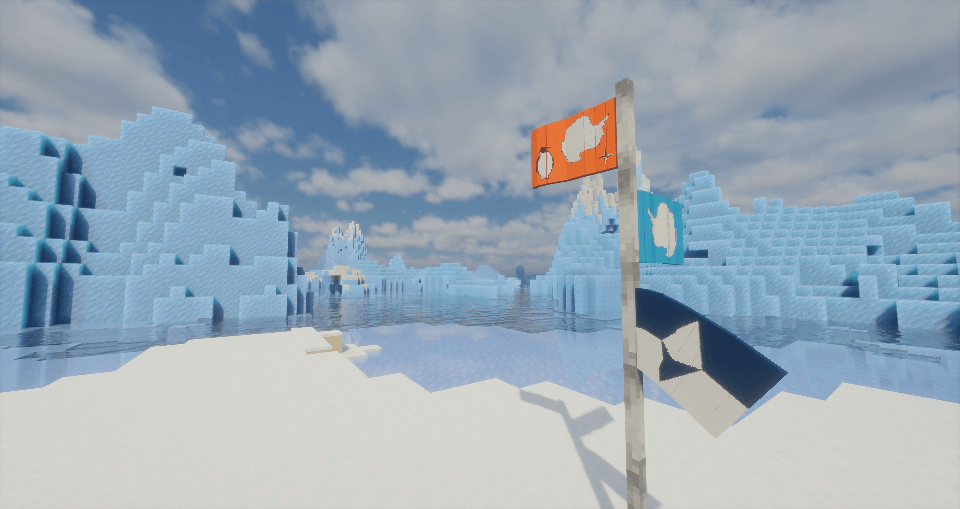
*Bliss Shaders is used in this screenshot
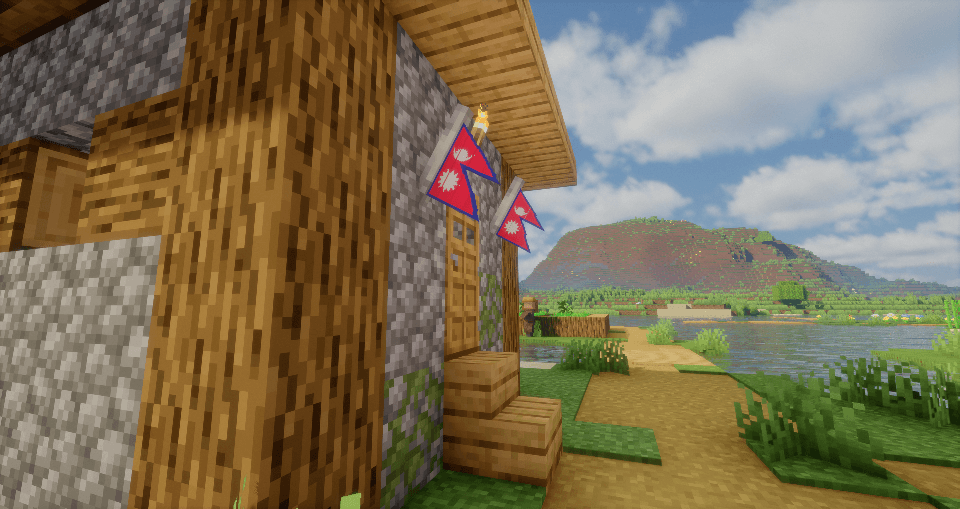
*Bliss Shaders is used in this screenshot
SocialTag | Flags That Represent
Create a server, get 25% off your first month

Description
Flags that represent is a Minecraft mod which adds the flag of every country, territory, state, breakaway region, and more!
This mod features 800+ flags, including (but not limited to) the flags of all 193 UN member states, partially-recognised states, breakaway states, dependencies and territories, subdivisions, regions and states, settlements, historical flags and many more!
The mod also includes miscellaneous flags such as flags of ethnicities, organisations, fictional nations, international maritime signal flags, and others. Flags are fully customisable, using different tools such as the 'Turning Wrench' you can put flags to whatever orientation you want, including the flagpole hanging from the side at a 45 degree angle, or hanging from the top, or even flat on a wall!
Adding to the customisability, users can also create their own flags by modifying the mod's textures, while this can be a bit tricky for one who has never worked with Minecraft's textures, there is a tutorial down below with a template that should help! (Not yet made, will update) Additionally, the item form of these flags have their own custom icons, drawn digitally by me, which are also fully customisable!
Any flag can be requested to be added to the mod (With some exclusions). Also, report any bugs/issues with flags in the comments, I'll fix them as soon as possible!
DISCLAIMER:
The inclusion of the flags used in this mod does not mean I support the country, support any action that the country has committed in the past, present, or future. The inclusion of flags of breakaway territories does not reflect that I hold any recognition for that particular state.
This is just a simple Minecraft mod for representing one's region, thank you :)
How do I get started?
To get started, create any base flag using an iron pole (crafted with two iron ingots in a stick formation) and any piece of wool like this:
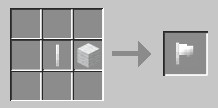
Then use the command "/ftr", from this choose to "set" the flag, then choose between "country", "regions" "historical" and "other".
- "Country" includes UN recognised countries, partially recognised countries, breakaway states, territories and dependencies.
- "Regions" includes first-level administrative divisions, and also "settlements" which include cities, towns and villages.
- "Historical" includes any flag that was used in the past, such as historical nations, subdivisions and regions
- "Other" includes any flag that doesn't fit into any of the above categories, such as organisations, ethnic, fictional, and other miscellaneous flags
From then, choose from the hundreds of flags available!
The majority of flags included in this mod are obtained from Wikipedia, Wikimedia Commons, or CRWFlags (FOTW)!
TO BE ADDED:
This list is in order of when these flags/features will be added (although they are always subject to change!)
The numbers in square brackets [--] represent how many flags from this category are being added. Throughout these updates, other flags may be added too (these are just the major additions)!
- Irish, Northern Irish settlements, and provinces of Ireland [18] (10.2.0)
- Parishes of Jersey and Guernsey [22] (10.2.0)
- Douglas, Isle of Man [1] (10.2.0)
- More historical flags [26] (10.2.0)
- Bermudan Settlements [2] (10.2.0)
- Regions, provinces and municipalities of the Netherlands [63] (10.3.0)
- Provinces and cities of Belgium [24] (10.3.0)
- Cantons and municipalities of Luxembourg [6] (10.3.0)
- Regions and more cities of Czechia [21] (10.4.0)
- Regions and settlements of Greece [15] (10.4.0)
- More settlements of Slovakia [9] (10.4.0)
- Remaining voivodeships, and more cities of Poland [18] (10.4.0)
- Cantons and settlements of Switzerland [45] (11.0.0)
- More cities of Austria [6] (11.0.0)
- Municipalities of Liechtenstein [10] (11.0.0)
- Counties of Ireland [-] (11.1.0)
- Prefectures and Cities of Japan [18] (11.1.0)
- Regions and Cities of Croatia [15] (11.2.0)
- More German Cities [24] (11.2.0)
- Regions and Cities of Latvia [12] (11.2.0)
- More settlements of Lithuania [9] (11.2.0)
- Regions and Cities of Russia [21] (11.3.0)
- Regions and Cities of Ukraine [18] (11.3.0)
- Regions and Cities of Belarus [9] (11.3.0)
- Counties and Cities of Estonia [21] (11.3.0)
- More U.S. Cities [33] (12.0.0)
- Regions and Municipalities of Mexico [15] (12.0.0)
- Municipalities of Puerto Rico [12] (12.0.0)
- Hagåtña, Guam [1] (12.0.0)
- Regions and Cities of Brazil [30] (12.1.0)
- Regions and Cities of Costa Rica [18] (12.1.0)
- Regions and Cities of Panama [15] (12.1.0)
- Regions and Cities of Peru [12] (12.1.0)
- Regions and Cities of Nicaragua [18] (12.2.0)
- Regions and Cities of Colombia [9] (12.2.0)
- Regions and Cities of El Salvador [15] (12.2.0)
- Regions and Cities of Guatemala [-] (12.2.0)
- Regions and Cities of Argentina [33] (12.3.0)
- Regions and Cities of Chile [24] (12.3.0)
- Regions and Cities of Belize [3] (12.3.0)
- Regions and Cities of Honduras [9] (12.3.0)
- Regions and Cities of Venezuela [12] (12.4.0)
- Regions and Cities of Ecuador [-] (12.4.0)
- Regions and Cities of Uruguay [-] (12.4.0)
- Regions and Cities of Paraguay [-] (12.4.0)
- Regions and Cities of Bolivia [-] (12.4.0)
- Regions and Cities of Suriname and Guyana [-] (12.4.0)
- Regions and Cities of Cuba [12] (12.5.0)
- Kingston, Jamaica [1] (12.5.0)
- Regions and Cities of Haiti [-] (12.5.0)
- Regions and Cities of the Dominican Republic [-] (12.5.0)
- Governorates and Cities of Egypt [30] (13.0.0)
- Regions and Cities of Ethiopia [15] (13.0.0)
- Regions and Cities of Somalia [6] (13.0.0)
- Cities of Tanzania [3] (13.0.0)
- Regions and Cities of South Africa [15] (13.1.0)
- Regions and Cities of Kenya [21] (13.1.0)
- Cities of Zambia [3] (13.1.0)
- Cities of Zimbabwe [3] (13.1.0)
- Regions and Cities of Malaysia [21] (14.0.0)
- Regions and Cities of Indonesia [12] (14.0.0)
- More prefectures and cities of Japan [18] (14.0.0)
- More to come!
How do I make my own flag?
Below is a tutorial on how to make your own flag for the mod!
- The first step is to get the flag you want and download the flag template found in the "Gallery" page. Once we have imported the flag into any paint app (I reccommend paint.NET), resize the height to 96, if you have the option, select "Maintain aspect ratio". This will correct the width to the ratio of the flag, if you don't have this option then correct the width to the ratio, (e.g. 2:3 ratio flags have a width of 144), ensure the value of the width is to the nearest multiple of 16 (e.g. if your corrected width results in 154, correct it to nearest 16 which is 160).
- Once you have downsized the flag, import it on to the 384x384 flag template shown below. (If you havent already, download it). Create a new layer and paste your flag, the numbers correlate to where the order of the flag sections. Place the top left corner of your flag on the top left corner of the blue box of [1]. Then select the top corner of the red box to the right of it and drag down, cut the flag and create a new layer. Repeat this, following the numbers until the flag is done.
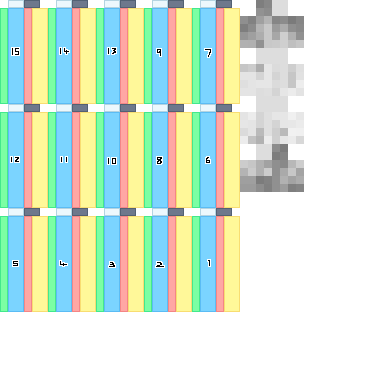
3. Next we will want to create the reverse side of the flag, we will want to do this in columns, so select one column of the flag (e.g. 2, 8 and 9) and copy it. Create a new layer, paste it then flip the layer horizontally. Now line it up with the top left corner of the yellow box.
4. Then fill out the white, black, green and red boxes. The white is the top of the section, black is the bottom, green and red are the sides. So either fill them out with a solid colour used in the flag or detail them.
5. Now import the flags into the mod using a resource pack. Follow any guide that will help you with this, but instead of extracting the Minecraft file, extract the mod file (will be under the mods folder, called flags-that-represent(version).jar) and replace your new flag with any flag you won't be using. And that's it, enjoy your new flag!
This tutorial is a bit bare-bones right now, I will expand on it later


The Flags That Represent Team

![[RHV] Region History Viewer project image](https://media.forgecdn.net/avatars/thumbnails/1945/474/256/256/639207095802798009.png)