


FiroTool
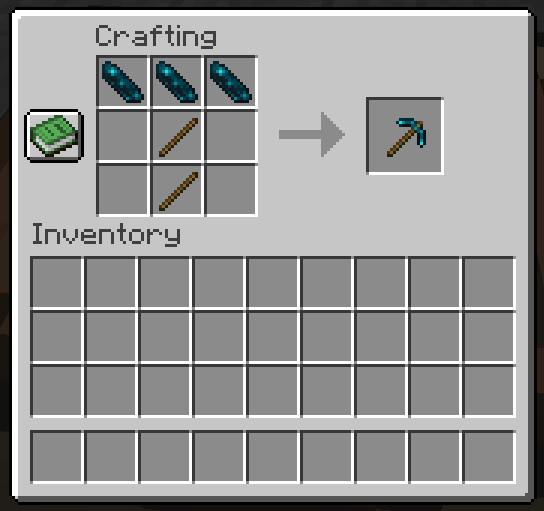
Crafting an Echo Pickaxe
Description
What mod?
Vanilla materials that could be used for tools but are not currently used as tool materials—such as copper, amethyst, and coal—used as tools to create tools with unique capabilities.
Furthermore, in addition to adding new tools, vanilla tools can also be enhanced with special abilities.
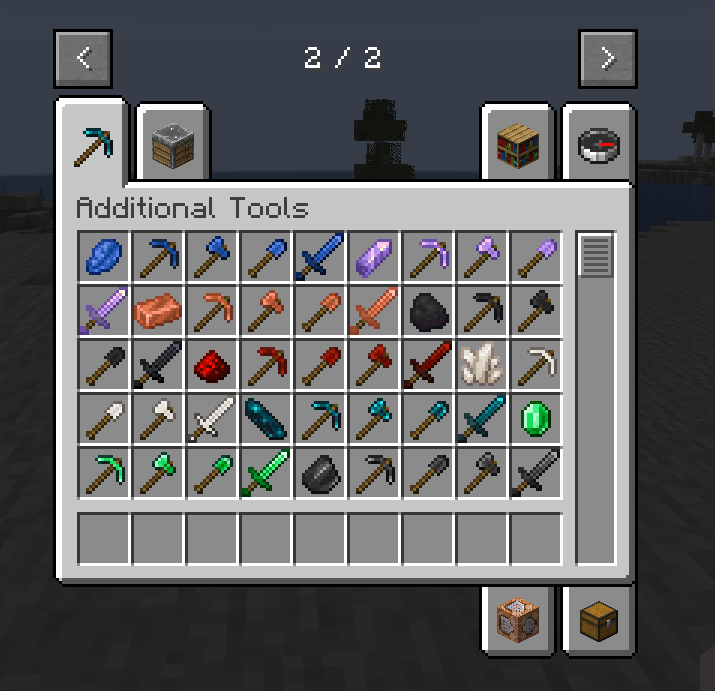
Additional Tools
The following tools using these materials will be added: Emerald, Amethyst, Copper, Coal or Charcoal, Lapis Lazuli, Flint, Quartz, Redstone.
The specific performance of each tool is as follows:
- Lapis Lazuli Tools: With swords, you gain a bit of experience when attacking, and with other tools,
when mining. They also have a slightly faster mining speed. - Amethyst Tools: When used, they make a pleasant sound. They have a fast mining speed but low durability. Swords lose durability faster than other tools, but have very high attack power.
- Copper Tools: As their durability decreases, the tools gradually rust. The more rusted they get, the higher the attack power for swords, and the faster the mining speed for other tools.
- Coal Tools: When using a pickaxe to mine ores, the ores drop in their smelted form. When cutting wood with an axe, charcoal drops along with the logs. When digging sand with a shovel, glass drops. When attacking entities with a sword, it sets them on fire. However, the mining speed is slow.
- Redstone Tools: When mining blocks on top of redstone blocks, you can mine them instantly. With swords, if you attack entities on top of a redstone block, the attack power increases.
- Quartz Tools: These tools have perfect fire resistance. However, their overall performance is low.
- Echo Tools: These tools have overall performance exceeding that of diamond tools. For swords, the area-of-effect damage is very high. When mining blocks with other tools, it converts non-ore blocks around into sculk blocks. These sculk blocks can be instantly broken using this tool.
- Emerald Tools: They can break any block quickly but are very fragile. When sneaking, the tool gains Silk Touch.
- Flint Tools: When mining or attacking entities with this tool, it may cause the blocks around the player to catch fire.
Tool Enhancement
By using the "Enhancement Table" and "Enhancement Template" added by this mod, you can grant abilities to all tools.
(Note: some tools from other mods may not be compatible.)
- Enhancement Table: Right-click the placed table to open a simple enhancement screen.
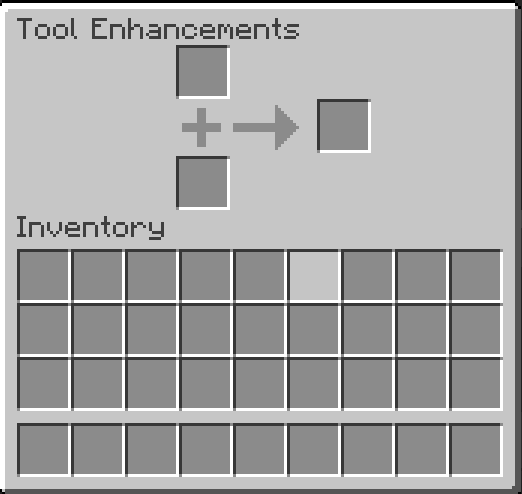
The top-left slot is for tools, and the bottom-left slot is for the Enhancement Template. The slot on the right is the output slot. You can insert a tool into the tool slot and an Enhancement Template into the template slot. The output slot cannot hold any items. Furthermore, you can place up to 64 Enhancement Templates in the template slot, as long as they are the same type. - Enhancement Template: This is required to enhance tools. It can stack up to 64.
You can obtain it by crafting, but it can also be found in loot chests.
To enhance a tool, place the items in both slots, then close the enhancement screen and right-click the enhancement table while sneaking.
This will consume one Enhancement Template and apply the enhancement. You can apply multiple enhancements to a single tool.
You’ll hear an anvil sound when the enhancement is successful. If the enhancement screen reopens instead, it means there was an issue and the enhancement was unsuccessful.
Enhanced tools will have a "+" added to their name. The number of "+" symbols corresponds to the number of enhancements applied to the tool. If you want to enhance the same tool again, you can leave the enhanced tool in the output slot and repeat the enhancement process. If a tool already has an ability, you can enhance it with the same ability again to increase its level.
↓Craft recipes from Enhancement Table
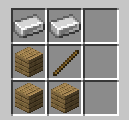
↓Enhancement Table and Enhancement Template

↓Enhancement Screen
Enhancement Template
The effect granted by each template is described in the template's tooltip.
As for the crafting recipes, we can't list them here due to space limitations, so please use a JEI to check.
Alternatively, you can refer to the upcoming YouTube video.
Planned Activities
Support for versions 1.20.2, 1.20.3, and 1.20.4
↓
Support for versions 1.20.5, 1.20.6, and 1.21
↓
Release an introduction video on YouTube (with Japanese and English subtitles)
↓
Continuous updates for future versions...
Important Notice
- The developer is Japanese. The English translation was done through self-study and machine translation, so there may be some awkwardness. If you have any advice regarding my English, please let me know in the comments.
- If you encounter any bugs or issues, please report them in the comments.
- Feel free to check out the source code. If you have any advice after reviewing it, please share it in the comments.
- If you have any other questions, feel free to ask in the comments.
The FiroTool Team
