FindUrBro
- By
EN: See your friends through walls: friends menu, glowing outlines, map-pin markers, pings and parties. TR: Arkadaşlarını duvar arkasından gör: arkadaş menüsü, parlama, harita pinleri, ping ve parti sistemi.
01-duvar-arkasi.png
02-ping-ve-kenar.png
03-pingler.png
04-olum-noktasi.png
05-arkandaki-arkadas.png
Description
FindUrBro
Never lose your friends again. Add each other from an in-game menu, then see your friends through walls with colored outlines, follow them with map-pin markers, ping locations, share death points and team up in parties.
Works with every NeoForge 21.1.x build for Minecraft 1.21.1 (21.1.1 and newer). Install it on both the server and every player. Singleplayer and LAN worlds work out of the box.
Features
Friends menu (default key: O)
A clean, tabbed menu: Friends, Add, Requests, Party and Settings. Search the players on the server, send a friend request, accept or deny incoming requests and pick a color for every friend.
Mutual friendship, fair by design
You only see players who added you back. Nobody can track you without your consent, and server admins control every feature.
See through walls
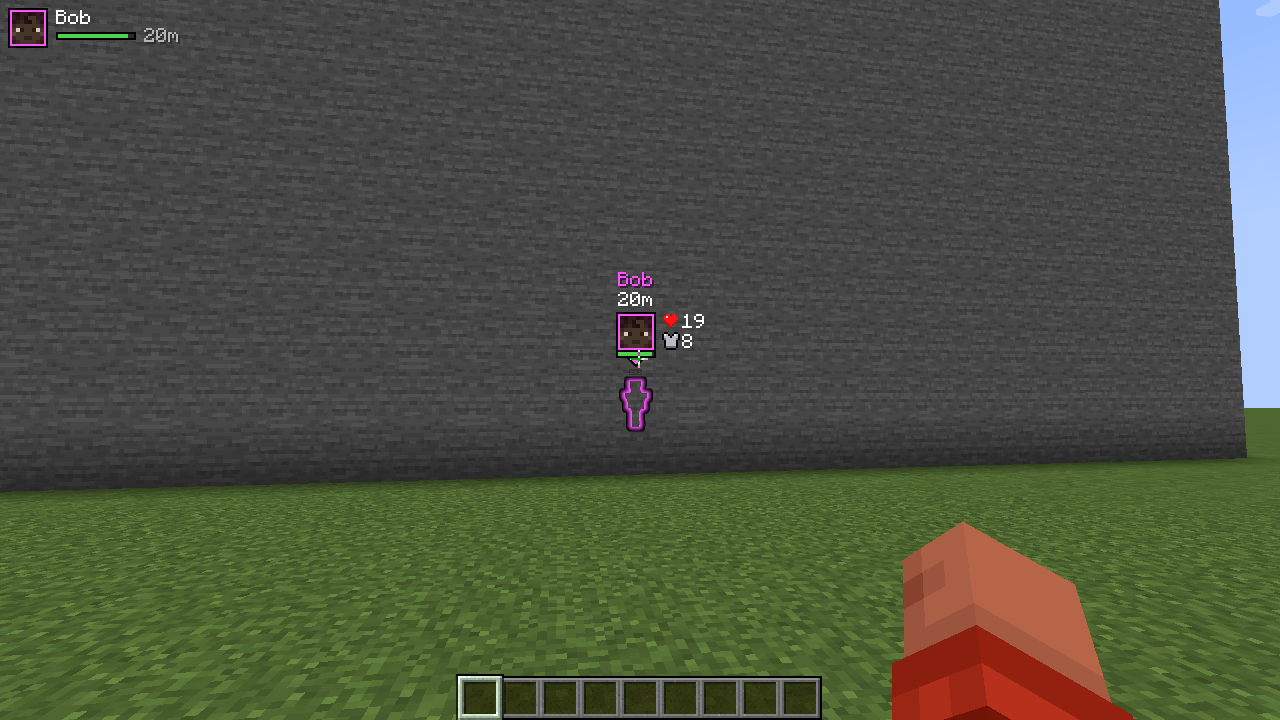
Friends get a colored outline that is visible through blocks, in the color you picked for them.
Map-pin markers
A marker floats above each friend: their head in a colored frame, a health bar and the distance. Aim at a pin to reveal the name with vanilla heart and armor icons. Far-away pins fade slightly for depth.
Long-range tracking
Positions are synced by the server, so you see friends hundreds of blocks away, far outside your render distance. If a friend is in another dimension, the menu tells you where (Nether, End...).
Screen-edge indicators
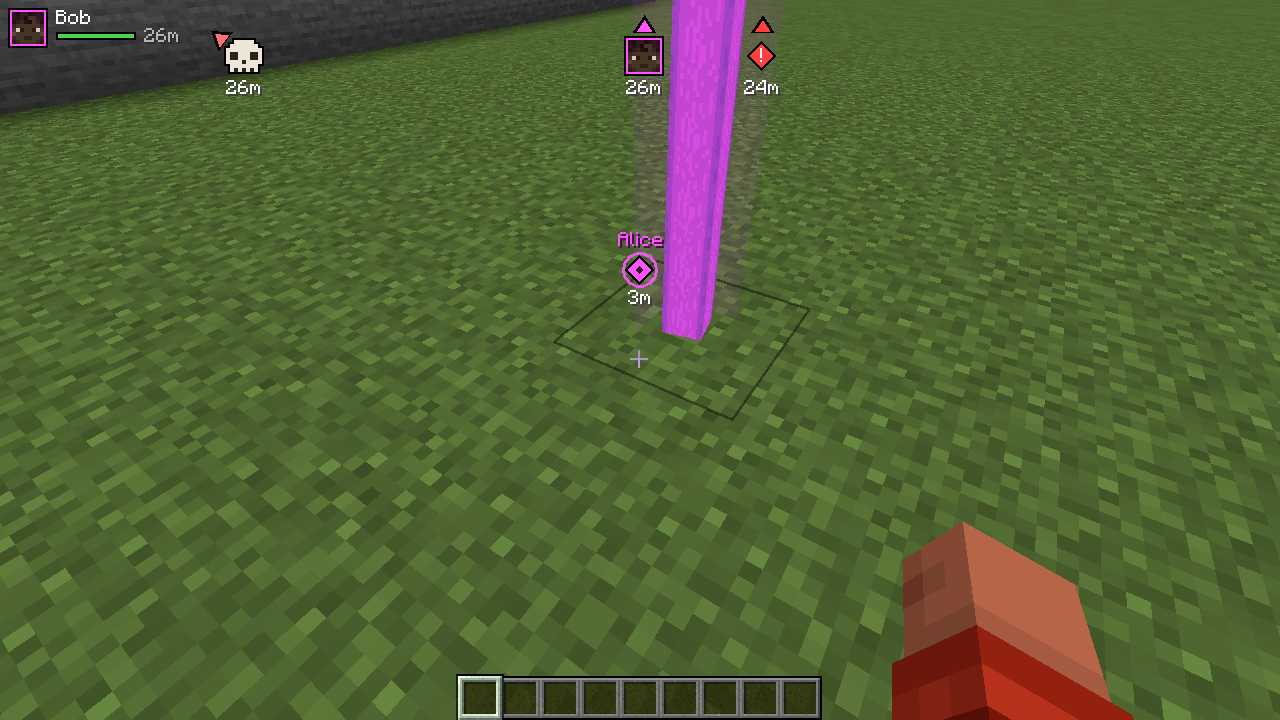
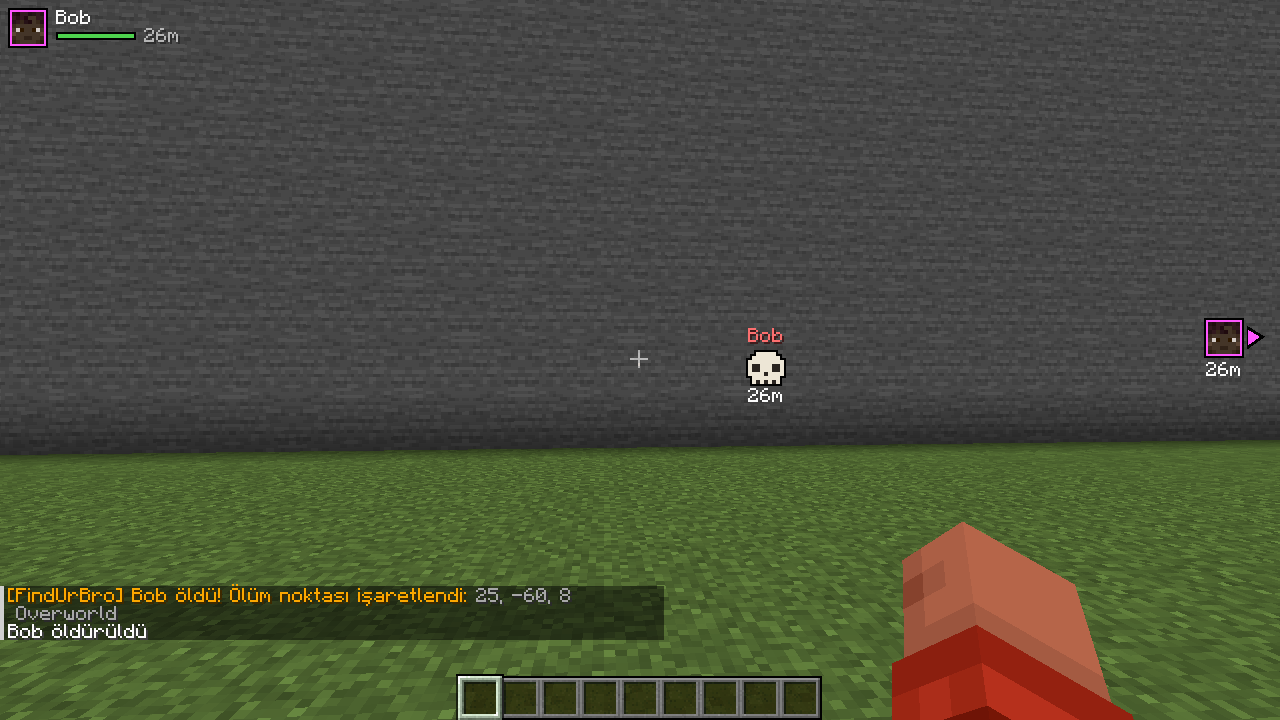
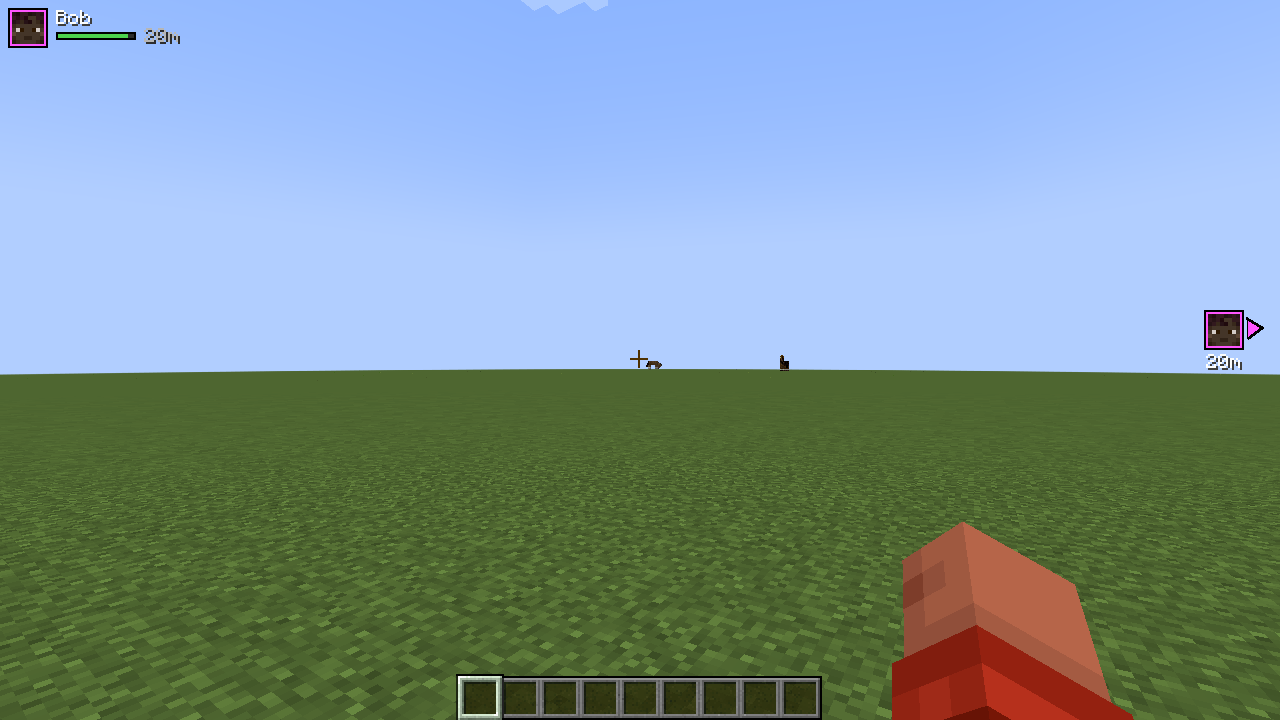
Friends, pings and death points outside your view sit at the edge of the screen with a pointer. Someone behind you shows up on the side you should turn to. Indicators never stack on top of each other or cover the hotbar.
Pings (default key: Z)
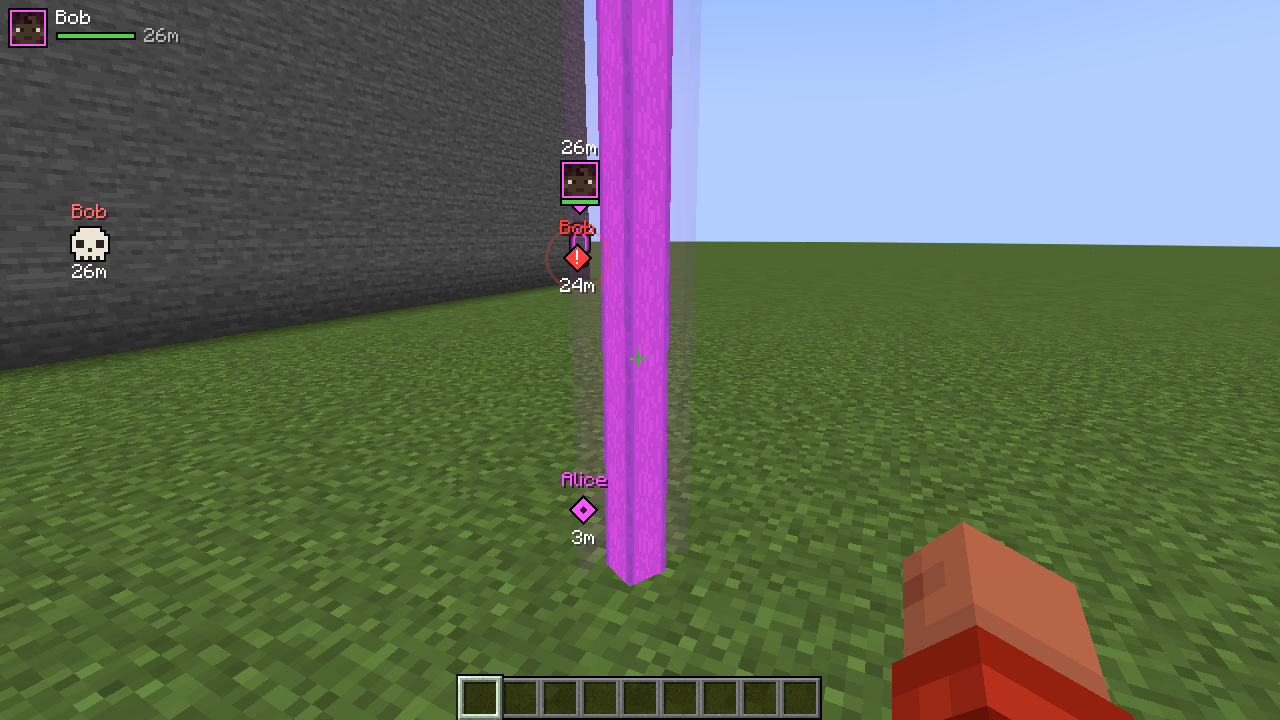
Mark the spot you are looking at: a diamond waypoint with a sonar ring and a light beam for all your friends. Sneak while pinging (or ping a hostile mob) for a red DANGER ping.
Shared death points
When you or a friend dies, the spot is marked with a skull and the coordinates are posted in chat. Your own marker clears itself when you get back to it.
Parties
Create a party and invite players. Party members see each other even if they are not friends. The leader picks the party color.
Hidden mode
Want some privacy? Turn on Hide me and nobody can see you, while you can still see them.
Party frames
Optional MMO-style list in the top-left corner: head, name, health bar and distance of your online friends.
Toggle (default key: H)
Turn all markers on or off with one key.
Languages
English and Turkish.
Keys
All keys can be changed in Options > Controls > Key Binds > FindUrBro.
| Key | Action |
|---|---|
O |
Open / close the friends menu |
H |
Toggle all markers |
Z |
Ping (sneak: danger ping) |
Server config
config/findurbro-server.toml on the server:
| Option | Default | What it does |
|---|---|---|
allowGlow |
true |
Outlines through walls |
allowMarkers |
true |
Map pins, edge indicators, pings and beams |
maxDistance |
0 |
Friends further than this (blocks) are not shared (0 = unlimited) |
shareOtherDimensions |
true |
Show which dimension a friend is in |
updateIntervalTicks |
5 |
How often positions are sent (20 ticks = 1 second) |
allowPings |
true |
Allow pings |
pingCooldownTicks |
20 |
Cooldown between pings |
allowDeathSharing |
true |
Share death points |
maxFriends |
64 |
Friend limit per player |
maxPartySize |
8 |
Party size limit |
Personal display settings are in the Settings tab of the menu, or in Mods > FindUrBro > Config.
FAQ
Do I need it on the server? Yes. The server shares positions only between players who are friends or in the same party. Without the mod on the server, the client side simply does nothing.
Can I join other servers with the mod installed? Yes. On servers without FindUrBro nothing happens. Players without the mod can still join a server that has it, they just can't use these features.
Is this a cheat? No. You only see players who agreed to it (mutual friends or your party), and server admins can disable any feature or limit the distance.
Shaders? With shader mods like Iris the outline may not show. Markers, edge indicators and pings still work.
FindUrBro
Arkadaşlarını bir daha asla kaybetme. Oyun içindeki menüden birbirinizi ekleyin. Sonra arkadaşlarını duvarların arkasından renkli bir çizgiyle görün, harita pinleriyle takip edin, ping atın, ölüm noktalarını paylaşın ve parti kurun.
Minecraft 1.21.1 için tüm NeoForge 21.1.x sürümleriyle çalışır (21.1.1 ve sonrası). Mod hem sunucuda hem de her oyuncuda yüklü olmalı. Tek oyunculu ve LAN dünyalarında doğrudan çalışır.
Özellikler
Arkadaş menüsü (varsayılan tuş: O)
Sekmeli bir menü: Arkadaşlar, Ekle, İstekler, Parti ve Ayarlar. Sunucudaki oyuncuları ara, arkadaşlık isteği gönder, gelen istekleri kabul et ya da reddet, her arkadaşına bir renk seç.
Karşılıklı arkadaşlık
Sadece seni de ekleyen oyuncuları görürsün. Kimse seni izninin olmadan takip edemez, tüm özellikleri sunucu yöneticisi kontrol eder.
Duvar arkasından görme
Arkadaşların, onlar için seçtiğin renkte bir çizgiyle blokların arkasından görünür.
Harita pinleri
Her arkadaşının üstünde bir işaret durur: renkli çerçevede kafası, can barı ve mesafe. Pine nişan alınca isim ile vanilla kalp ve zırh ikonları açılır. Uzaktaki pinler hafifçe solar.
Uzak mesafe takibi
Konumlar sunucu üzerinden gelir. Bu yüzden arkadaşlarını render mesafesinin çok dışında, yüzlerce blok öteden görürsün. Arkadaşın başka bir boyuttaysa menü nerede olduğunu söyler (Nether, End...).
Ekran kenarı göstergeleri
Görüş alanının dışındaki arkadaşlar, pingler ve ölüm noktaları ekran kenarında bir okla gösterilir. Arkandaki biri, dönmen gereken taraftaki kenarda çıkar. Göstergeler üst üste binmez ve hotbar'ı kapatmaz.
Ping (varsayılan tuş: Z)
Baktığın yeri işaretle: tüm arkadaşlarına sonar dalgalı bir elmas işareti ve ışık huzmesi gider. Eğilerek ping atarsan (ya da bir canavara atarsan) kırmızı bir TEHLİKE pingi olur.
Ölüm noktası paylaşımı
Sen ya da bir arkadaşın ölünce yer bir kafatasıyla işaretlenir ve koordinatlar sohbete yazılır. Kendi işaretin, oraya geri dönünce kendiliğinden kalkar.
Parti sistemi
Parti kur ve oyuncu davet et. Parti üyeleri arkadaş olmasalar bile birbirini görür. Parti rengini lider seçer.
Gizli mod
Biraz yalnız mı kalmak istiyorsun? Beni gizle'yi aç, kimse seni göremesin. Sen onları görmeye devam edersin.
Parti çerçeveleri
İstersen sol üst köşede MMO tarzı bir liste çıkar: çevrimiçi arkadaşlarının kafası, ismi, can barı ve mesafesi.
Aç/kapat (varsayılan tuş: H)
Tüm göstergeleri tek tuşla aç ya da kapat.
Diller
Türkçe ve İngilizce.
Tuşlar
Hepsi Seçenekler > Kontroller > Tuş Atamaları > FindUrBro altından değiştirilebilir.
| Tuş | İşlev |
|---|---|
O |
Arkadaş menüsünü aç/kapat |
H |
Göstergeleri aç/kapat |
Z |
Ping at (eğilerek: tehlike pingi) |
Sunucu ayarları
Sunucudaki config/findurbro-server.toml dosyası:
| Ayar | Varsayılan | Ne işe yarar |
|---|---|---|
allowGlow |
true |
Duvar arkası çizgi |
allowMarkers |
true |
Harita pinleri, kenar göstergeleri, ping ve huzmeler |
maxDistance |
0 |
Bu mesafeden (blok) uzaktaki arkadaşlar paylaşılmaz (0 = sınırsız) |
shareOtherDimensions |
true |
Arkadaşın hangi boyutta olduğunu göster |
updateIntervalTicks |
5 |
Konum gönderme sıklığı (20 tick = 1 saniye) |
allowPings |
true |
Pinglere izin ver |
pingCooldownTicks |
20 |
İki ping arası bekleme süresi |
allowDeathSharing |
true |
Ölüm noktası paylaşımı |
maxFriends |
64 |
Oyuncu başına arkadaş sınırı |
maxPartySize |
8 |
Parti büyüklüğü sınırı |
Kişisel görünüm ayarları menünün Ayarlar sekmesinde ya da Modlar > FindUrBro > Config altında.
Sık sorulanlar
Sunucuda da olması gerekiyor mu? Evet. Konumları sadece arkadaş olan ya da aynı partideki oyuncular arasında sunucu paylaşır. Sunucuda mod yoksa oyuncu tarafı hiçbir şey yapmaz.
Mod yüklüyken başka sunuculara girebilir miyim? Evet. FindUrBro olmayan sunucularda hiçbir şey olmaz. Modu olmayan oyuncular da modlu sunucuya girebilir, sadece bu özellikleri kullanamazlar.
Hile mi bu? Hayır. Sadece buna izin veren oyuncuları görürsün (karşılıklı arkadaşlar ya da partin). Sunucu yöneticisi her özelliği kapatabilir ya da mesafe sınırı koyabilir.
Shader'larla çalışıyor mu? Iris gibi shader modlarında çizgi görünmeyebilir. Pinler, kenar göstergeleri ve pingler yine çalışır.
FindUrBro Team