Find Nerby Items
- By
A Minecraft 1.12.2 Forge mod that displays all items from nearby containers in a searchable GUI and highlights their locations when clicked.
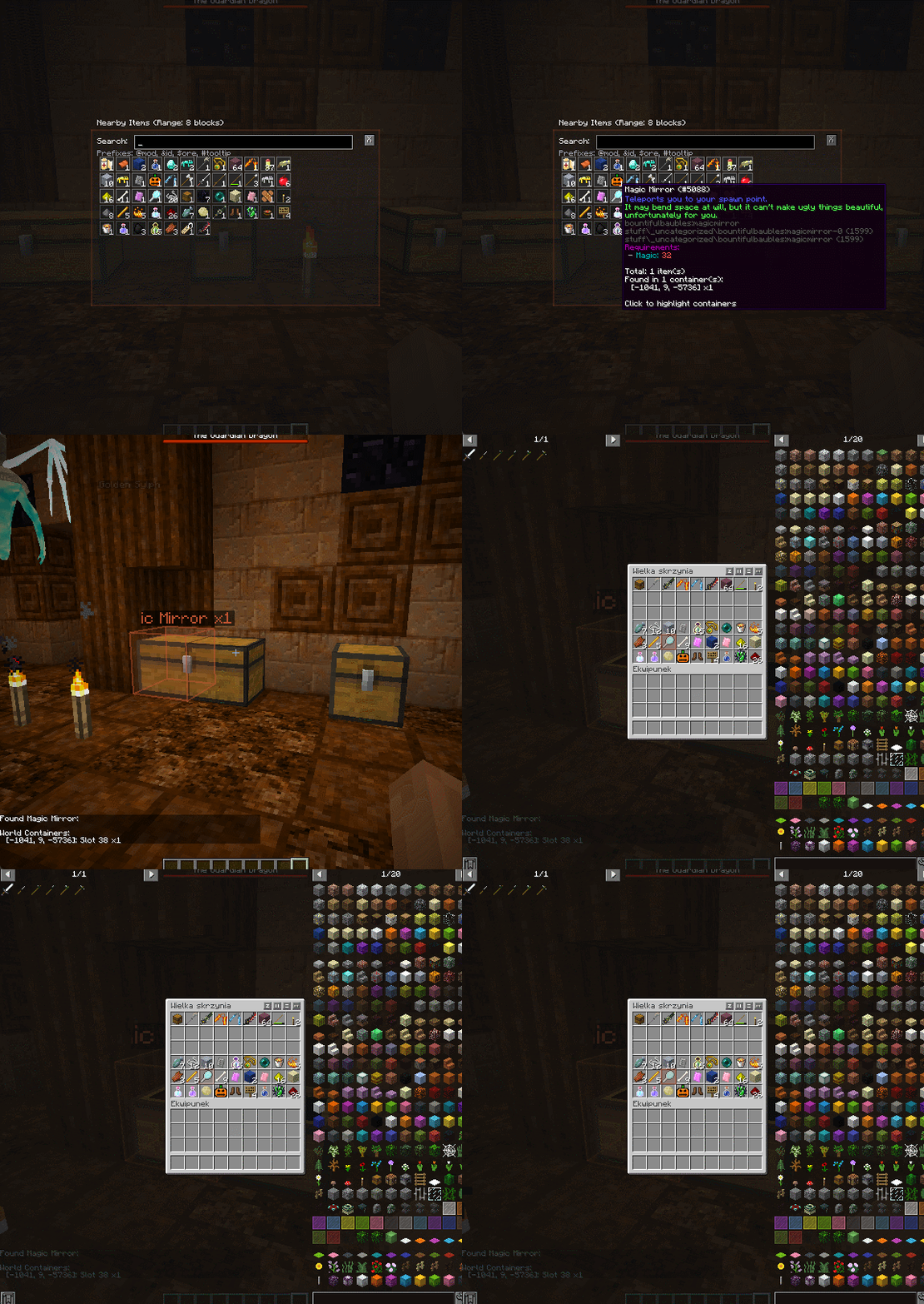
GIF 28.10.2025 22-10-04.gif
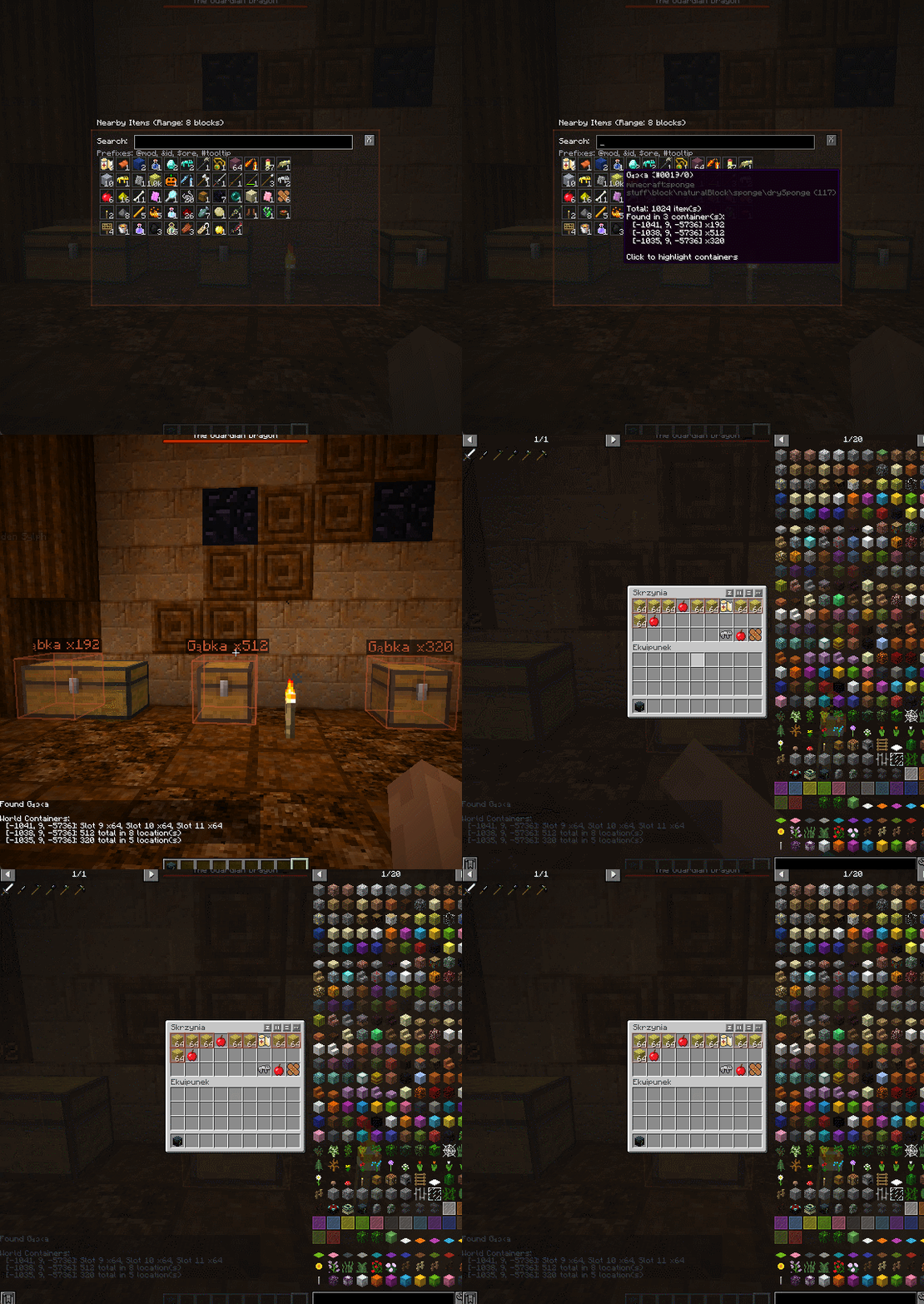
GIF 28.10.2025 22-14-12.gif
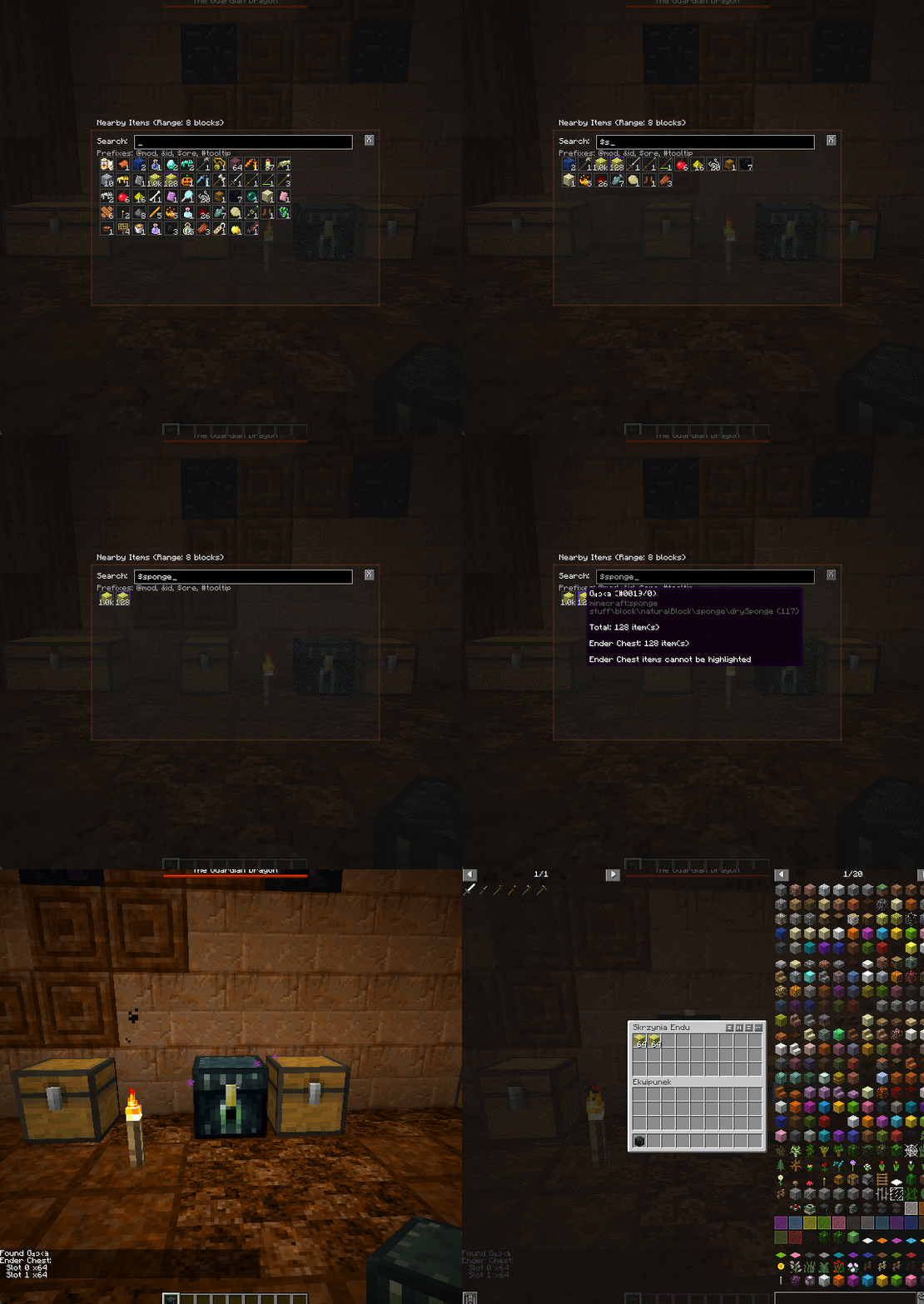
GIF 28.10.2025 22-16-41.gif
Zrzut ekranu 2025-10-28 222008.png
Zrzut ekranu 2025-10-28 222216.png
Description
● Find Nearby Items
A Minecraft utility mod that helps you locate items in nearby containers quickly and efficiently.
Features
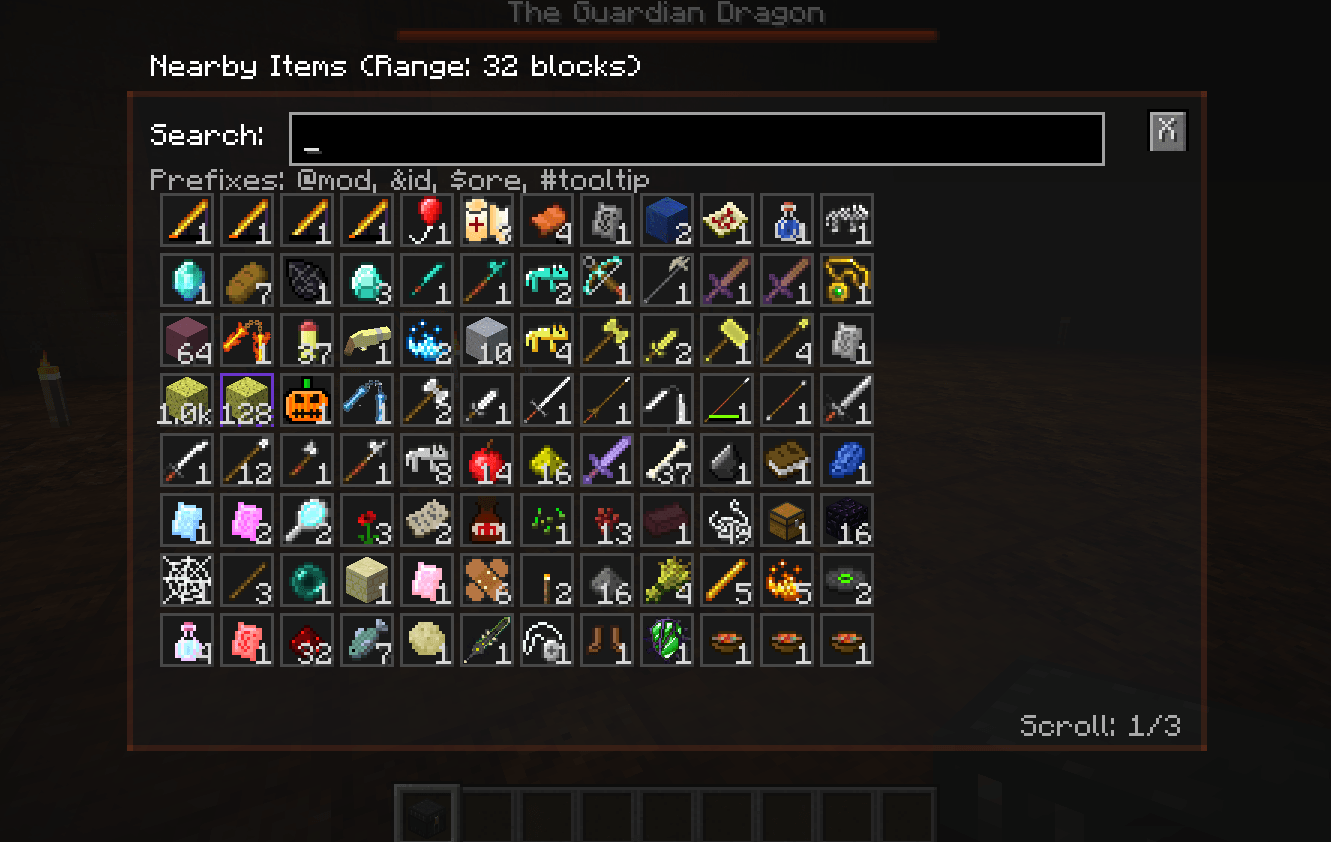
- Container Scanning: Automatically scans all containers (chests, furnaces, hoppers, etc.) within a configurable range (default: 8 blocks)
- Intuitive GUI: Press H to open a clean interface displaying all unique items found with total quantities
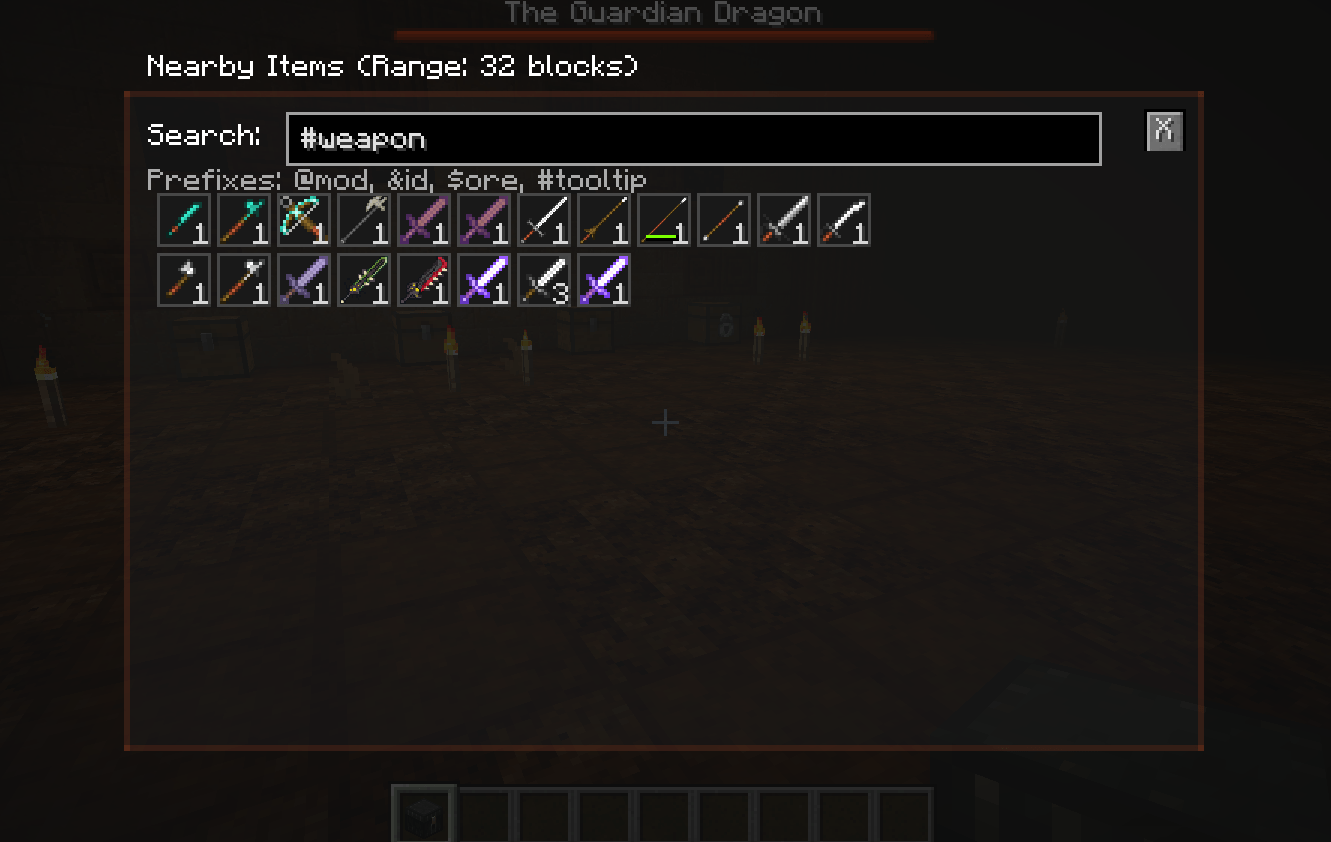
- Advanced Search System:
- Display name search: Type any text to filter by item name (e.g., "iron")
- @ prefix: Search by mod name (e.g., "@minecraft", "@thermal")
- & prefix: Search by registry ID (e.g., "&minecraft:iron_pickaxe")
- $ prefix: Search by ore dictionary (e.g., "$ingotIron", "$logWood")
- # prefix: Search in tooltip text (e.g., "#enchanted", "#durability")
- Nested Container Support:
- Scans items inside shulker boxes (all 17 colors)
- Supports items nested up to 5 levels deep (e.g., shulker inside shulker)
- Compatible with backpack mods via NBT detection
- Shows full nested paths (e.g., "Slot 5 (Shulker Box) → Slot 12")
- Ender Chest Tracking:
- Separate display for items in your Ender Chest
- Visual indicator with purple border
- Nested items in Ender Chest also tracked
- Smart Container Highlighting:
- Click any item to highlight all containers containing it
- Cyan glow effect with floating labels showing item name and count
- Slot-level highlighting for precision
- Double chest normalization (prevents duplicate highlights)
- Detailed Tooltips:
- Full vanilla item tooltips (enchantments, durability, lore, etc.)
- Total item counts across all locations
- Container coordinates and quantities
- Nested location details with full paths
- Large Number Formatting: Displays counts with K (thousand), M (million), B (billion) suffixes for readability
- Scroll Support: Mouse wheel scrolling for viewing large inventories
- Multiplayer Compatible: Full support for dedicated servers (requires installation on both client and server)
- Configurable:
- Scan range: 1-64 blocks (default: 8)
- Highlight duration: 1-300 seconds (default: 10)
- Custom highlight color: RGB + alpha transparency
- GUI background transparency
- Debug mode for troubleshooting
Configuration
Access configuration through Mods menu → Find Nearby Items → Config button, or edit config/findnearbyitems.cfg
Usage
1. Press H (or your configured keybind) to open the container finder
2. Use search prefixes (@, &, $, #) to filter items precisely
3. Click any item to highlight its locations in-world
4. Navigate to highlighted containers with ease
Requirements
- Minecraft 1.12.2
- Minecraft Forge 14.23.5.2860 or later
WORK WITH RLCRAFT
Find Nerby Items Team