files SOULBOUND bridge
A Mod that can bridge together *almost* any mod with Soulbound through Data Packs!
A Bridge is a way of bringing two things together, and so I introduce to you, file's soulbound bridge!
This mod allows you to create your own armor tiers, weapon tiers, and dialogue for any block through the means of data packs!
This mod is mostly intended to be used by modpack developers to create a more connected world!
If your interested in how to form a data pack, look below. If you want to see some examples, scroll all the way down!
1. Data Pack
Below is the structure of your data pack:
your_datapack/
├─ pack.mcmeta
└─ data/
   ├─ bridge/
   │  └─ files_soulbound_bridge/
   │     ├─ weapon_tiers/
   │     ├─ armor_dr/
   │     └─ inspect_blocks/
   └─ turnbattle/
      └─ tags/
         └─ items/
            └─ weapons.json
2. Armor Tiers
Armor tier files go here:
data/bridge/files_soulbound_bridge/armor_dr/
An Example:
data/bridge/files_soulbound_bridge/armor_dr/diamond_tier.json
The mod contains Leather, Chainmill, Iron, Diamond, Netherite Armor tiers. For each tier there should a file for it containing the armor that you want to fall under that tier.
Below is an example
{
  "items": [
    "aether:zanite_chestplate"
  ],
  "tier": "diamond",
  "damage_reduction": 25
}
This file is basically telling your game that the Zanite Chestplate falls under the Diamond Armor tier instead of the default Leather Tier. If the tier was changed to any of the other tiers, the Zanite Chestplate would fall under that tier instead.
If you want to have more armor fall under the diamond tier, make sure it stays in the singular file, below is an example of what that would look like
{
  "items": [
    "aether:zanite_chestplate",
    "coolaether:cool_helmet",
    "evilaether:evil_leggings"
  ],
  "tier": "diamond",
  "damage_reduction": 25
}
Currently, the Damage Reduction isn't working as planned, so you can go ahead and forget about that for now as it doesnt do anything.
3. Weapon Tiers
Weapon tier files go here:
data/bridge/files_soulbound_bridge/weapon_tiers/
An example:
data/bridge/files_soulbound_bridge/weapon_tiers/diamond_tier.json
Tiers vary slightly from armor, the weapon tiers are wood, iron, diamond, and netherite. Weapons follow the same rule as armor:
{
  "items": [
    "aether:skyroot_sword"
  ],
  "tier": "diamond"
}
Every weapon needs to be added to Soulbound's weapon tag here:
data/turnbattle/tags/items/weapons.json
Below this is an example of what it should look like.
{
  "replace": false,
  "values": [
    "aether:skyroot_sword"
  ]
}
4. Custom Dialogue
Custom dialogue will go here:
data/bridge/files_soulbound_bridge/inspect_blocks/
An Example:
data/bridge/files_soulbound_bridge/inspect_blocks/skyroot_log.json
Below this is an example of how you should structure dialogue:
{
  "blocks": [
    "aether:skyroot_log"
  ],
  "speaker": "",
  "lines": [
    "* Staring into the log you come to a realization",
    "* It looks like a grave, but with snow...",
    "* you should probably go before things take a weird route."
  ]
}
You can assign a speaker to dialogue, aswell as have as many lines as you want with whatever you want.
Examples Below
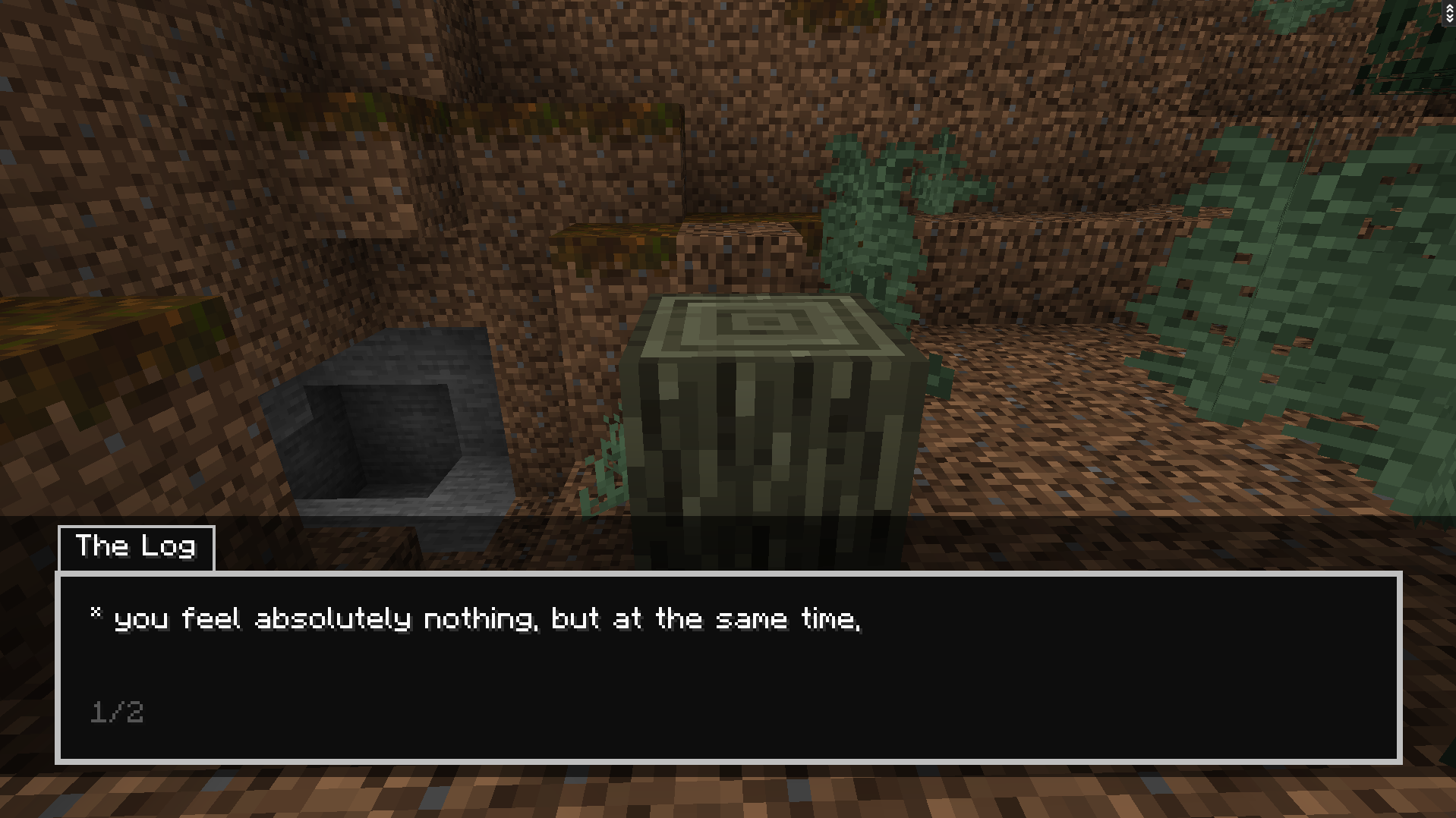 You can select a speaker, have multiple lines, and write whatever you want!
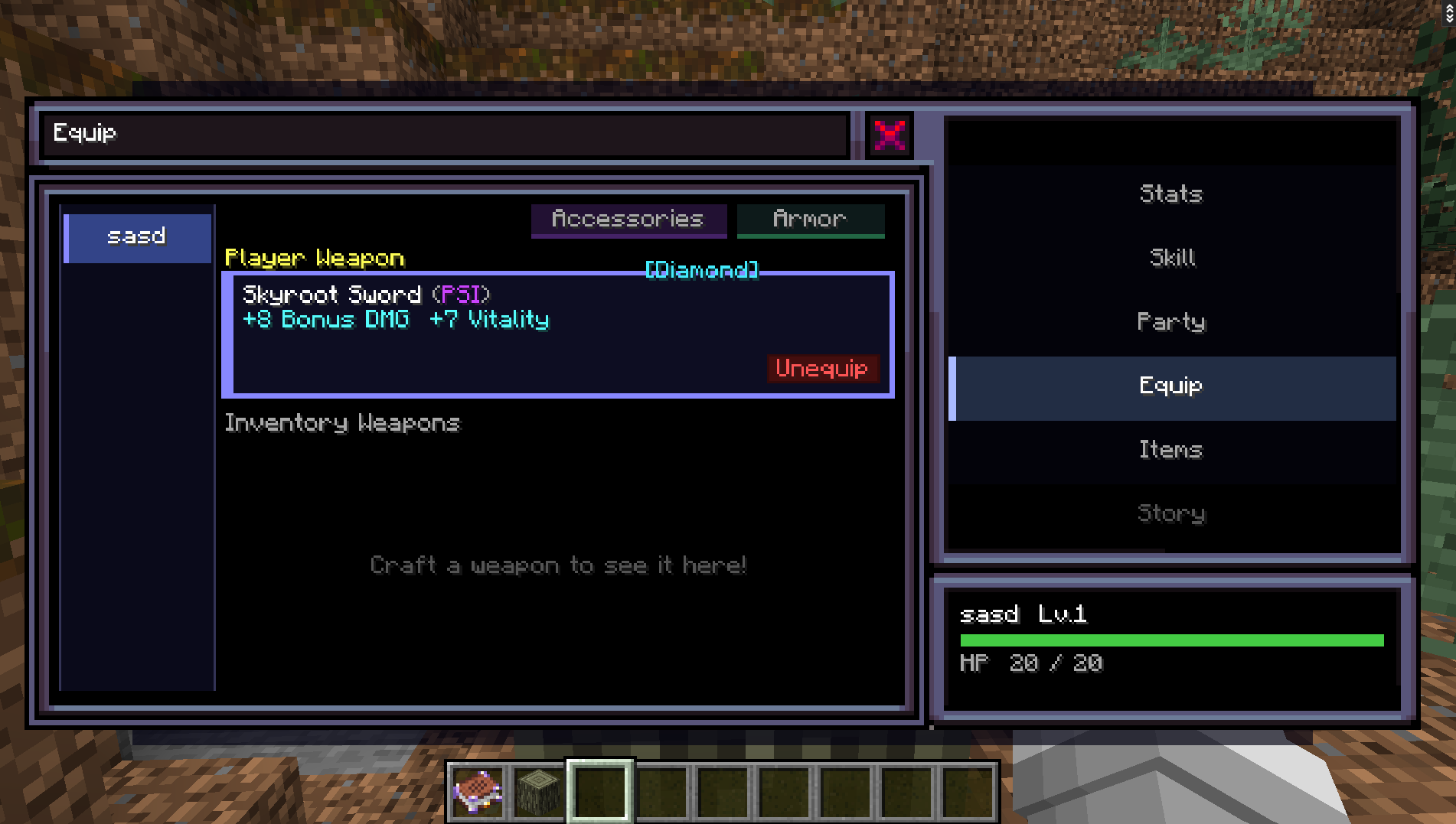 You can set the weapon to any tier!
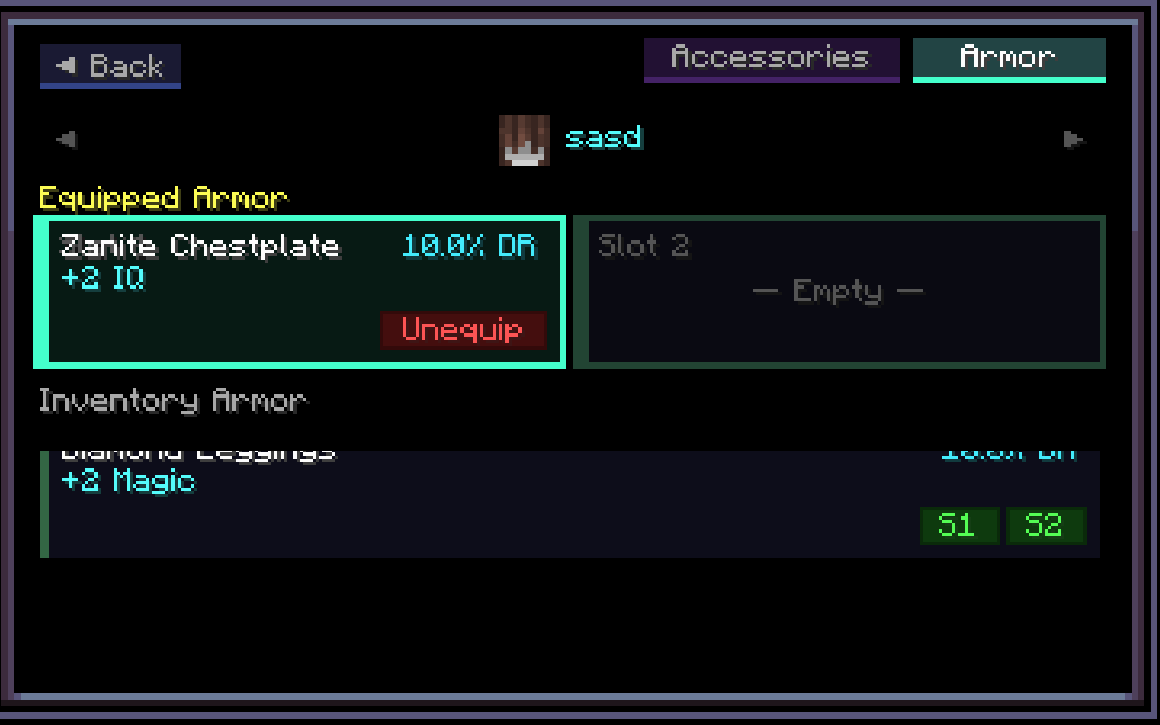 You can set the armor to any tier!
Content showcased comes from the Aether mod.
Credits to Soulbounds developer for the mod, Pixel.
The files SOULBOUND bridge Team