Farm Shop + GUI
- By
A lightweight farming shop system using a custom chest GUI to buy and sell crops, seeds, and farming utilities with emeralds.
Shop
Shop Cost
Description
🌾 FARM SHOP GUI
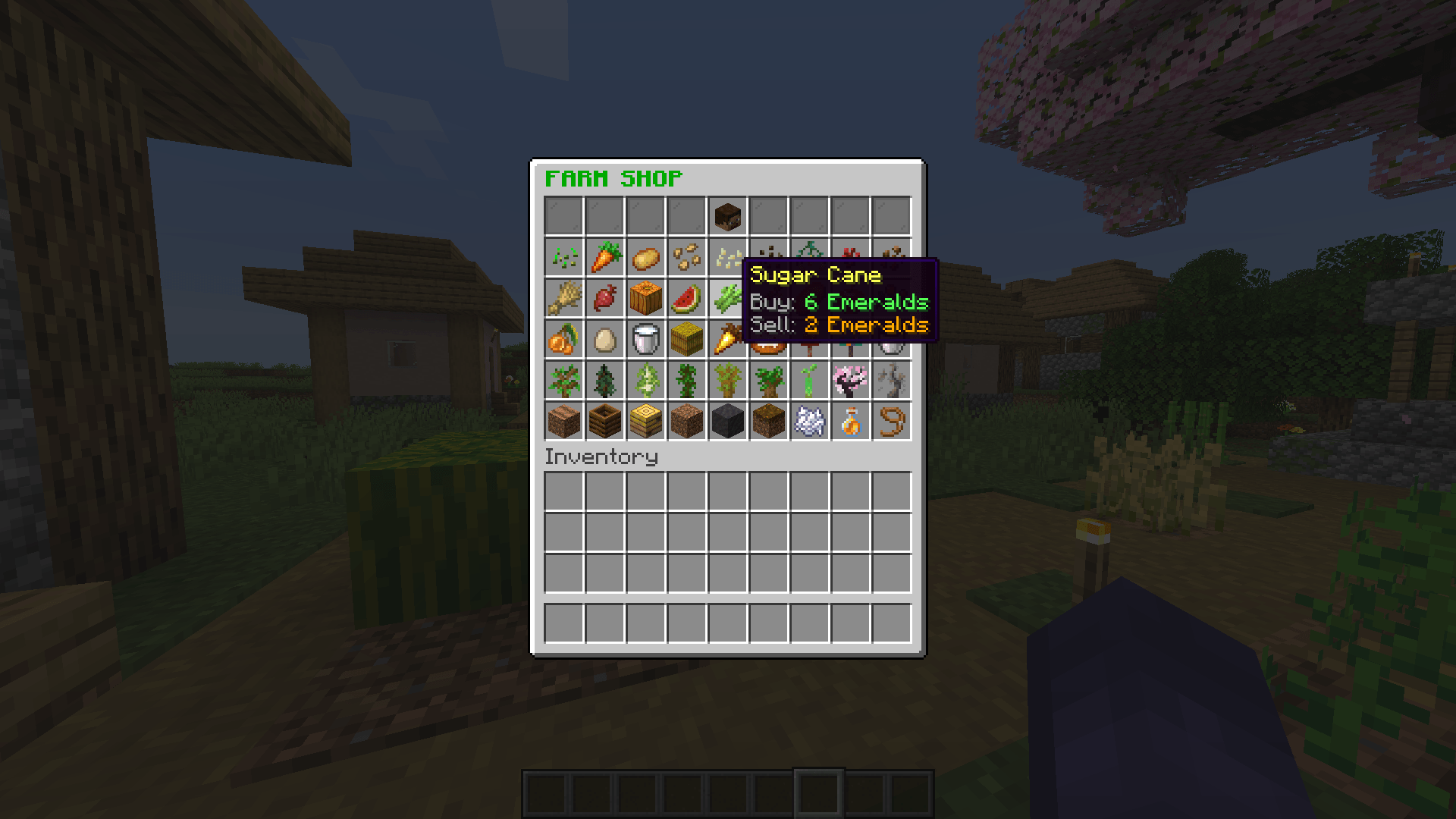
FARM SHOP GUI is a lightweight, fully functional chest GUI shop system for Minecraft built using Scarpet. Designed for survival servers, farming worlds, and multiplayer SMPs, it provides players with an intuitive interface to buy and sell crops, seeds, and agriculture supplies directly using emeralds.
🔥 Key Features
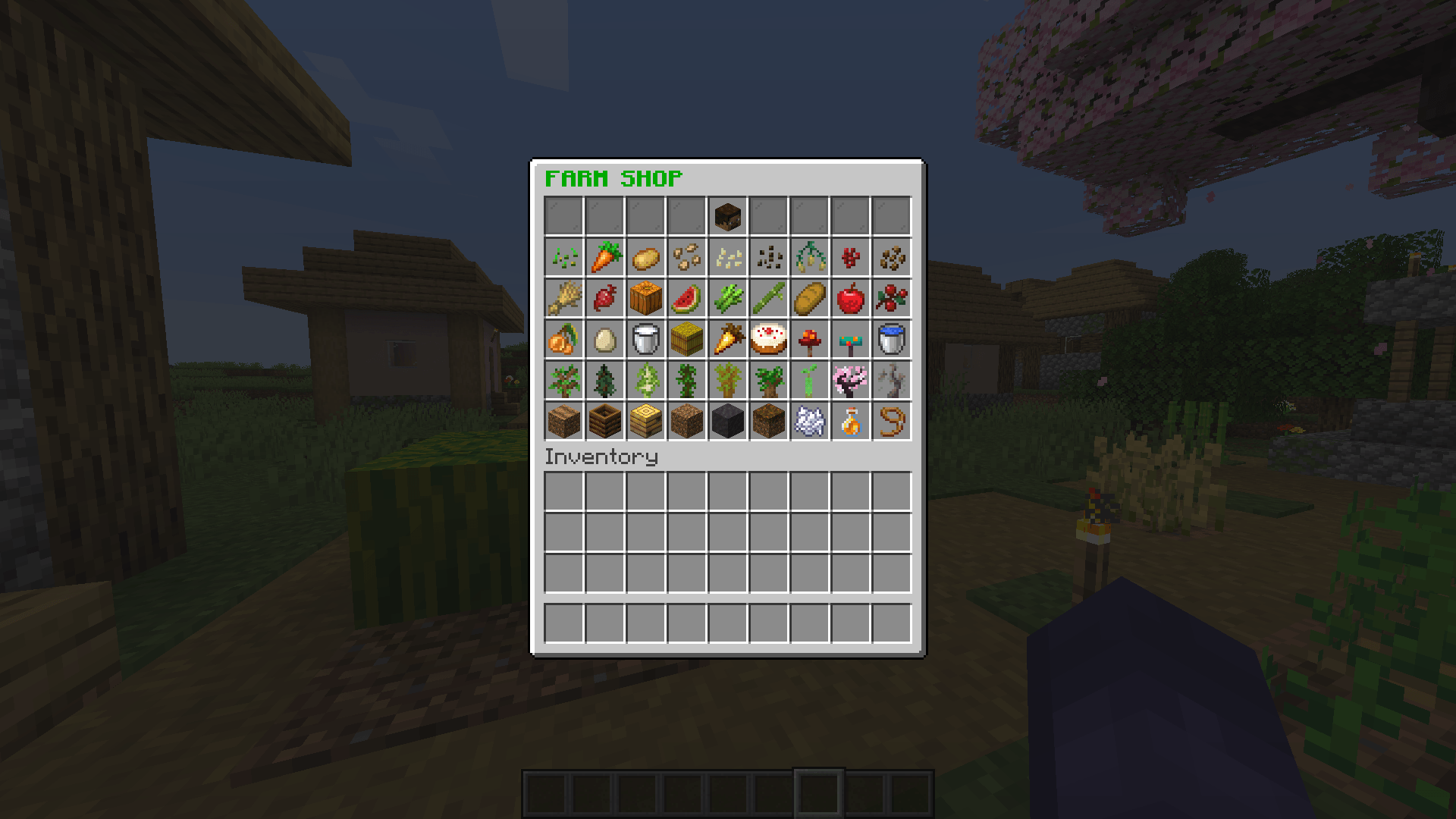
- 📜 Interactive Chest GUI: Opens a clean 54-slot chest interface with custom item names, detailed price lore, and themed visual slot fillers.
- 🪙 Balanced Economy System: Integrated emerald economy supporting both buying and instant selling of items:
- Buying: Left-click any catalog item to purchase using emeralds from your inventory.
- Selling: Right-click catalog items to sell harvested goods back for emeralds.
- 🌽 Extensive Farming Catalog: Pre-configured catalog featuring 24 distinct items spanning multiple farming tiers:
- Seeds & Crops: Seeds, Wheat, Potatoes, Carrots, Beetroots, Pumpkin, Melon, Nether Wart.
- Farm Goods & Food: Bread, Golden Carrots, Cakes, Honey/Milk Buckets, Berries, Hay Bales.
- Utilities & Blocks: Farmland, Water Buckets, Composters, Bee Nests, Soil Blocks.
- 🔊 Audio Feedback: Custom sound cues for opening shops, purchasing items, selling goods, or failed transactions.
🛠️ How to Use
- Type
/shopin-game to open the Farm Shop GUI. - Left-Click an item slot to buy 1x item with emeralds.
- Right-Click an item slot to sell 1x item for emeralds.
📌 Requirements
- Carpet Mod: Required to execute the
.scscript.
The Farm Shop + GUI Team