


Fancy Lanterns
- By
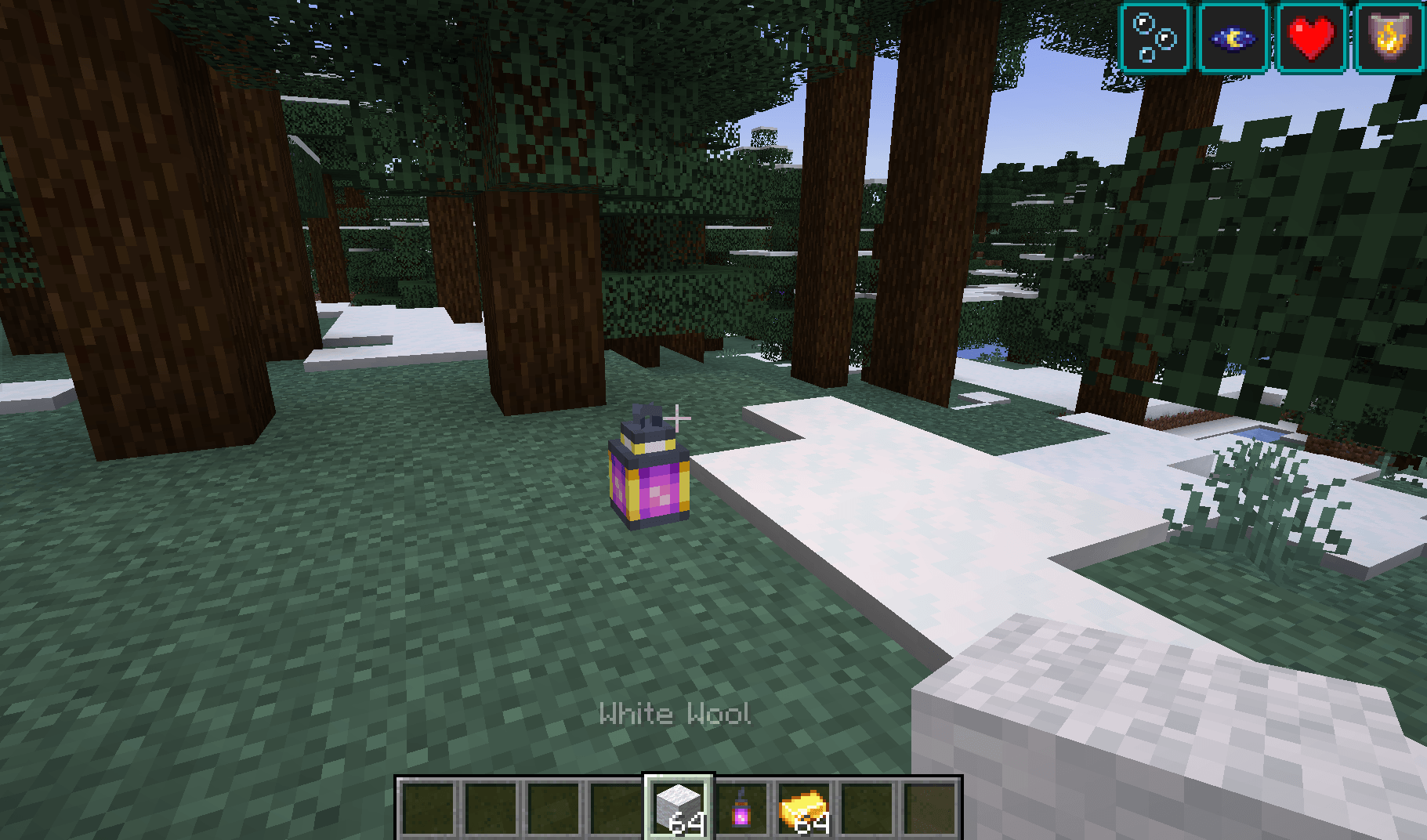
Turn ordinary lanterns into powerful mini-beacons that grant helpful status effects to nearby players.
7f28f23b68bbad001b7da31cae7a6f17bfc8a81e.png
164beb8451af6cdac761e1458f9b0d91bda7a3f3.png
ff6525c2aaa8c62266a463015f65b68bce3ac662.png
d3c6b22157fa0c89520c7dd9a9ed9aa40024c94c.png
3c72111a604577e2dee4321cee27adc2862799b6.png
Description
Fancy Lanterns
Turn ordinary lanterns into powerful mini-beacons that grant helpful status effects to nearby players.
Getting Started
Craft a Murky Lantern using:
- 1 Lantern
- 1 Water Bucket

Place the Murky Lantern, then right-click it with the matching item to relight it:
| Lantern | Relight Item |
|---|---|
| Healthy Lantern | Golden Apple |
| Strengthy Lantern | Iron Sword |
| Absorby Lantern | Gold Block |
| Speedy Lantern | Iron Boots |
| Jumpy Lantern | Rabbit Hide |
| Nighty Lantern | Soul Torch |
| Lucky Lantern | Rabbit Foot |
| Hasty Lantern | Iron Pickaxe |
| Saturaty Lantern | Apple |
| Fiery Lantern | Flint and Steel |
| Breathy Lantern | Nautilus Shell |

Lantern Tiers
Each effect lantern has four tiers. Higher tiers provide a larger effect radius and stronger effects.
- Tier 1: 2-block radius
- Tier 2: 4-block radius
- Tier 3: 8-block radius
- Tier 4: 16-block radius and permanent operation
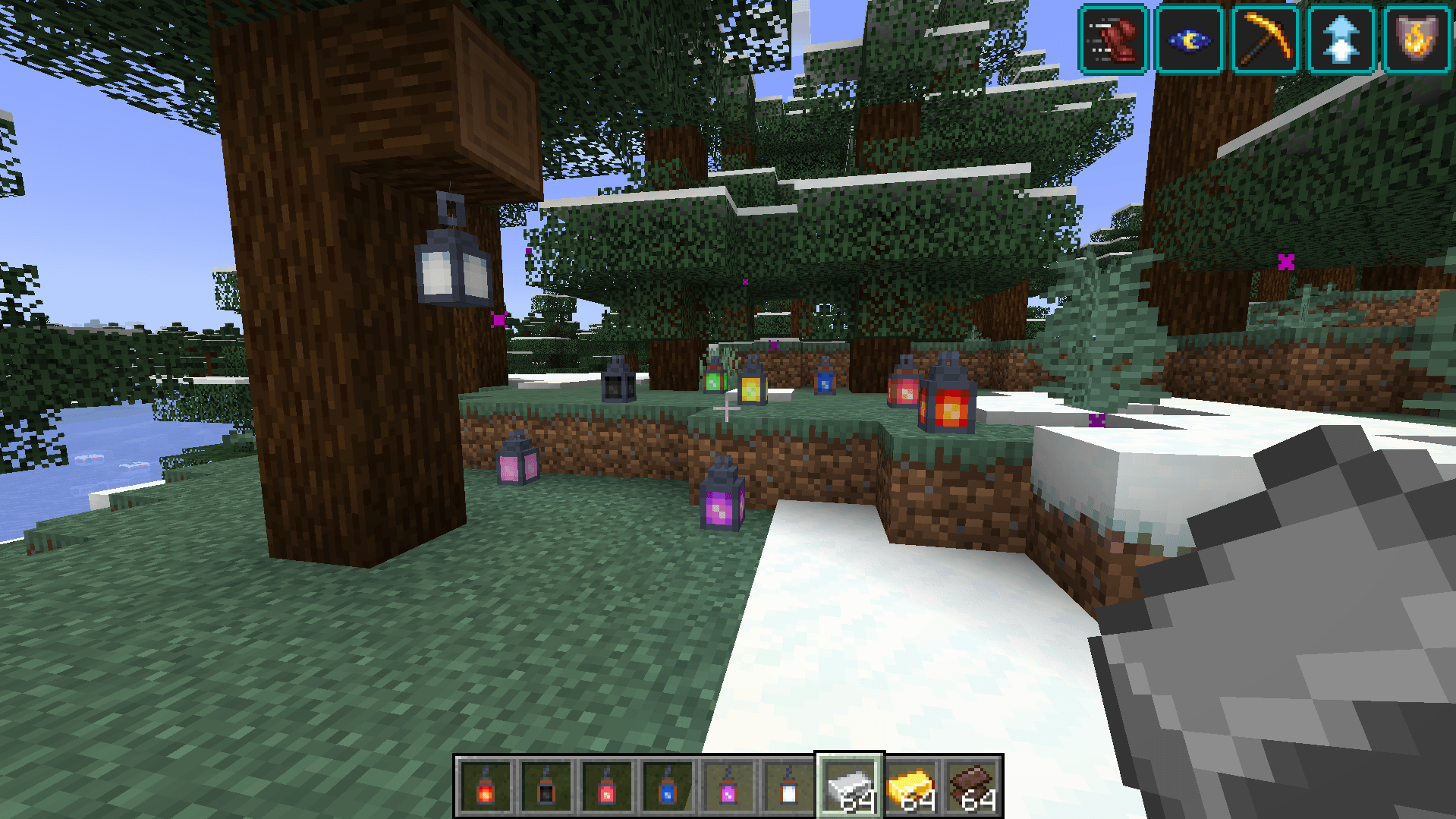
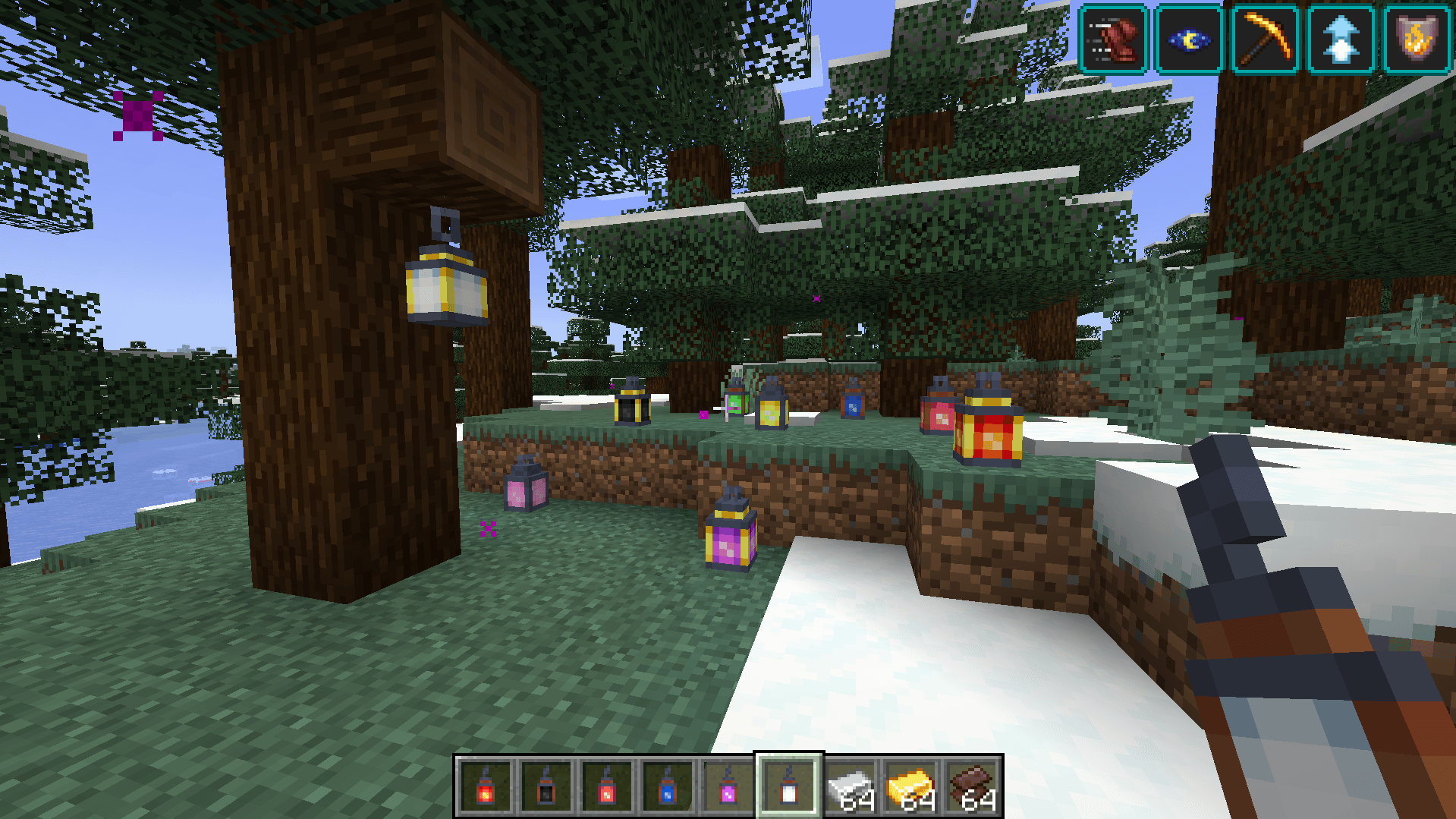
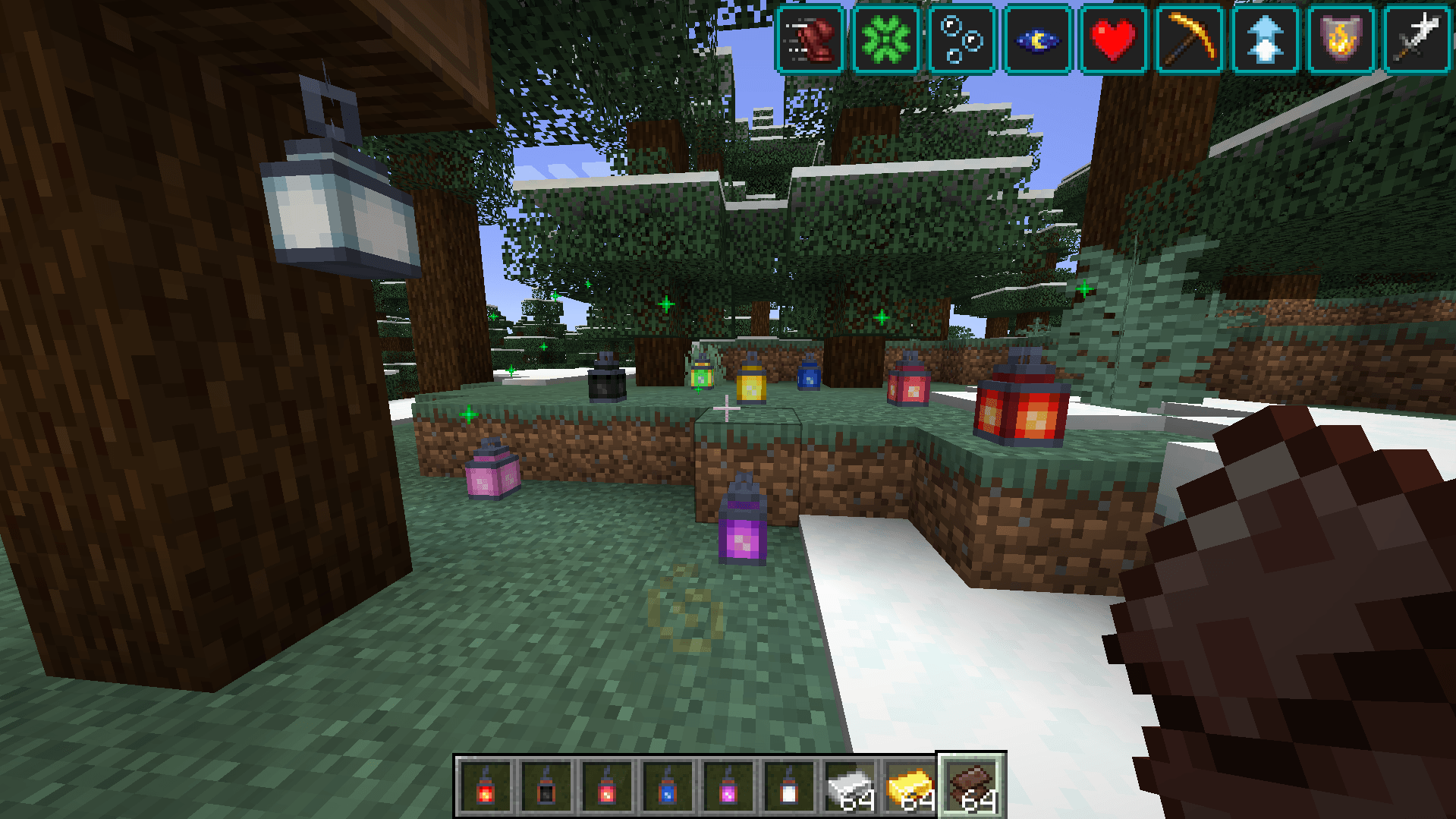
Upgrade a placed lantern by right-clicking it with the required material:
- Tier 1 → Tier 2: Iron Ingot
- Tier 2 → Tier 3: Gold Ingot
- Tier 3 → Tier 4: Netherite scrap
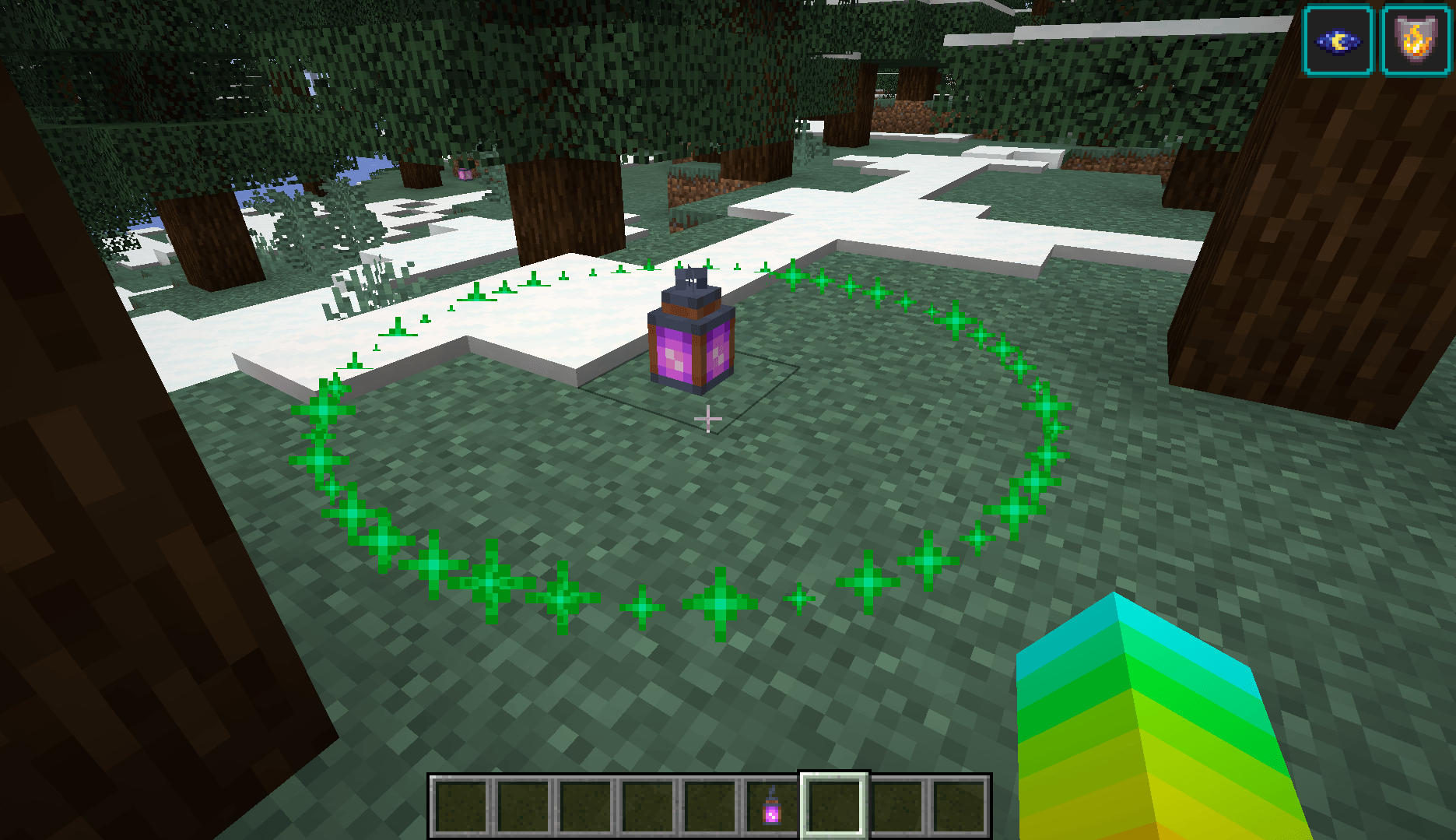
Sneak-right-click a lantern with an empty hand to preview its effect radius.

Fizzling and Relighting
Tiers 1–3 have limited uses. Once their uses run out, they fizzle into a Murky Lantern.

Relight the lantern with its matching item to restore its effect. The lantern keeps its tier when it fizzles.
Tier 4 lanterns are permanent and do not fizzle out.
Muting Lanterns
Right-click a placed lantern with any wool to mute it.
- One wool is consumed.
- Particles and sounds are disabled.
- The status effect continues by default.

Also included JEI support and custom config file for modifying range, duration… All relight materials can be changed in the resources/data files (including upgrade materials).
The Fancy Lanterns Team

![Useless Things [Fabric] project image](https://media.forgecdn.net/avatars/thumbnails/540/72/256/256/637865011845064696.png)