


Family Tree
- By
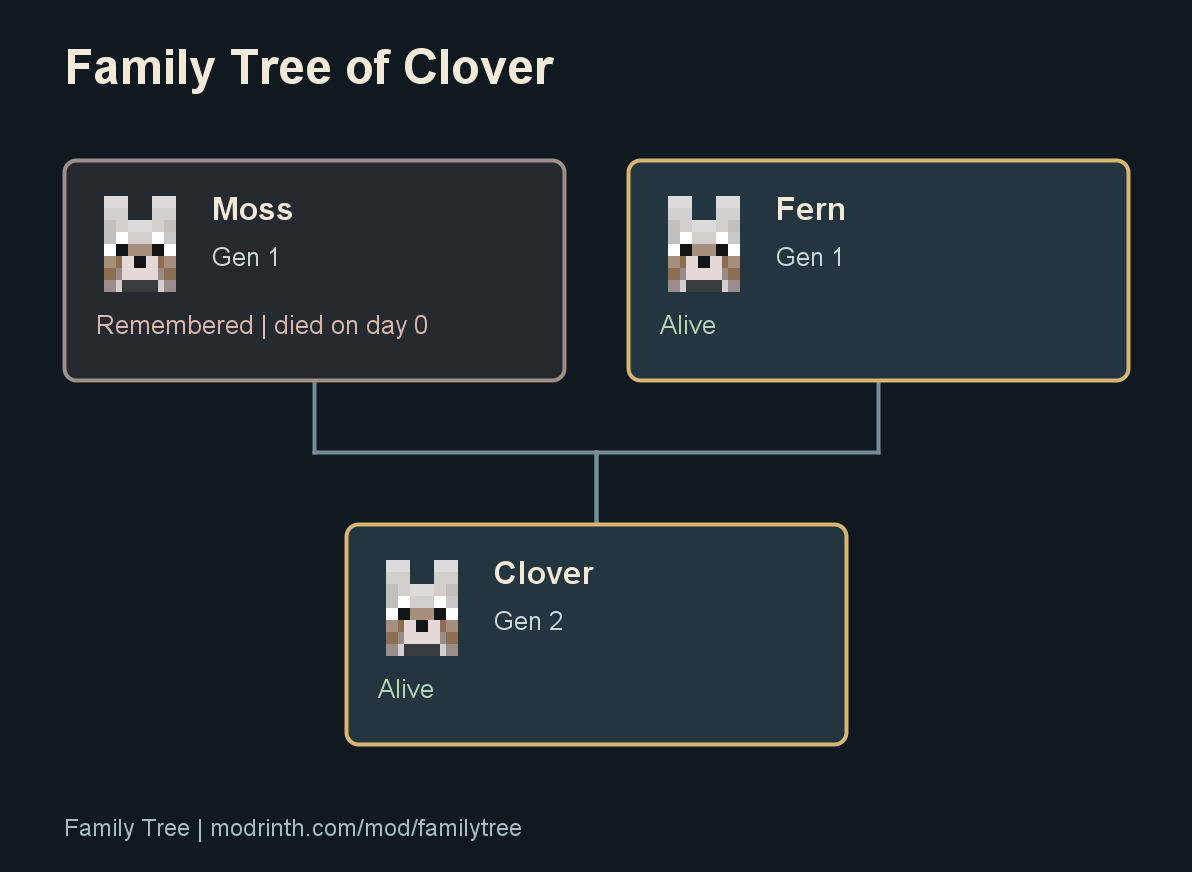
Actual PNG export from an automated scene with vanilla wolves and breeding. The child retains both parents and their death history.
Description
Keep your first wolf in the family tree after it's gone
Family Tree records your Minecraft pets, their parents, and their descendants. Keep deceased pets in the family, find a missing pet's last known location, and export a tree as a PNG.
Install the matching file in singleplayer and press H. On a server, install Family Tree on the server for tracking and on your client for the screens. Use the same mod version on both sides. Fabric builds also need Fabric API and Fabric Loader 0.19.3 or newer.

Moss stays in Clover's tree after his death. This export comes from the automated vanilla-wolf scene below.

A 20-second automated scene in Minecraft 26.2. Vanilla feeding and AI breeding produce the actual puppy; Family Tree records the parents and keeps the deceased parent.
Start with the pets already in your world
Visit your pets or choose Find existing pets to check loaded tamed animals. Older parents are unknown because Minecraft does not retain them. Open a pet, select it, and choose Add parents to record a family you remember. Breed pets while the mod is installed to record new children's parents automatically.
The tracker covers tamed wolves, cats, parrots, horses, donkeys, mules, and llamas. Parrots have individual records and cannot breed in vanilla Minecraft. Horse and donkey parents can link to a mule.
Browse, find, and share
Search by pet name or species, filter living or deceased pets, and open one pet's tree or a whole species. Cat and wolf portraits match their coat variants. Tree names leave the animal's name tag unchanged. Use Refresh to load births and edits that happened while the screen was open.
Locate pet reports coordinates and dimension in chat. Unloaded pets show their last recorded location and day. The mod does not load chunks or teleport pets.
Export family tree saves a PNG under screenshots/familytree/. Choose Open folder to find it. Export includes the displayed family beyond the screen edges. Hidden branches stay hidden. A focused tree shows up to six generations in either direction; the species view includes its recorded families. Exports omit player names and coordinates, and nothing uploads automatically.
Choose the matching file
| Minecraft | Fabric | NeoForge | Java |
|---|---|---|---|
| 1.21.1 | Fabric API for 1.21.1 | 21.1.252 or newer within 21.1 | 21 or newer |
| 26.1.1 | Fabric API for 26.1.1 | No build | 25 or newer |
| 26.1.2 | Fabric API for 26.1.2 | No build | 25 or newer |
| 26.2 | Fabric API for 26.2 | 26.2.0.88 or newer within 26.2 | 25 or newer |
| 26.3 | Fabric API for 26.3 | 26.3.0.37-beta or newer within 26.3, beta build | 25 or newer |
NeoForge builds do not need Fabric API. Players without Family Tree can join a server running it, but need the matching client mod to open the screens.

Permissions and existing history
Owners and operators can edit and locate their pets. The server can allow everyone to browse all families through viewPolicy=EVERYONE_ALL in config/familytree-server.properties. Public browsing does not reveal other players' pet coordinates or grant editing access.
The linking stick remains available. Rename a stick to familytree, right-click two parents and a child, then confirm in chat. Links require distinct pets and cannot create ancestry loops.
Commands correct ages and birth days, inspect records, and manage history. Name-based edits reject duplicate names and offer UUID choices. Operator pruning writes a backup first. See the command guide.
Version 1.1.0 preserves existing history. Update clients and servers together because the snapshot protocol changed. Back up your world before changing Minecraft versions. A 1.21.1 jar does not make a newer world safe to downgrade.
The 26.3 client checks passed with Vulkan. This test laptop's Intel OpenGL driver crashed before entering a world. See the validation notes for tested environments.
Release notes. Report a bug. Source. MIT licensed.
The Family Tree Team
