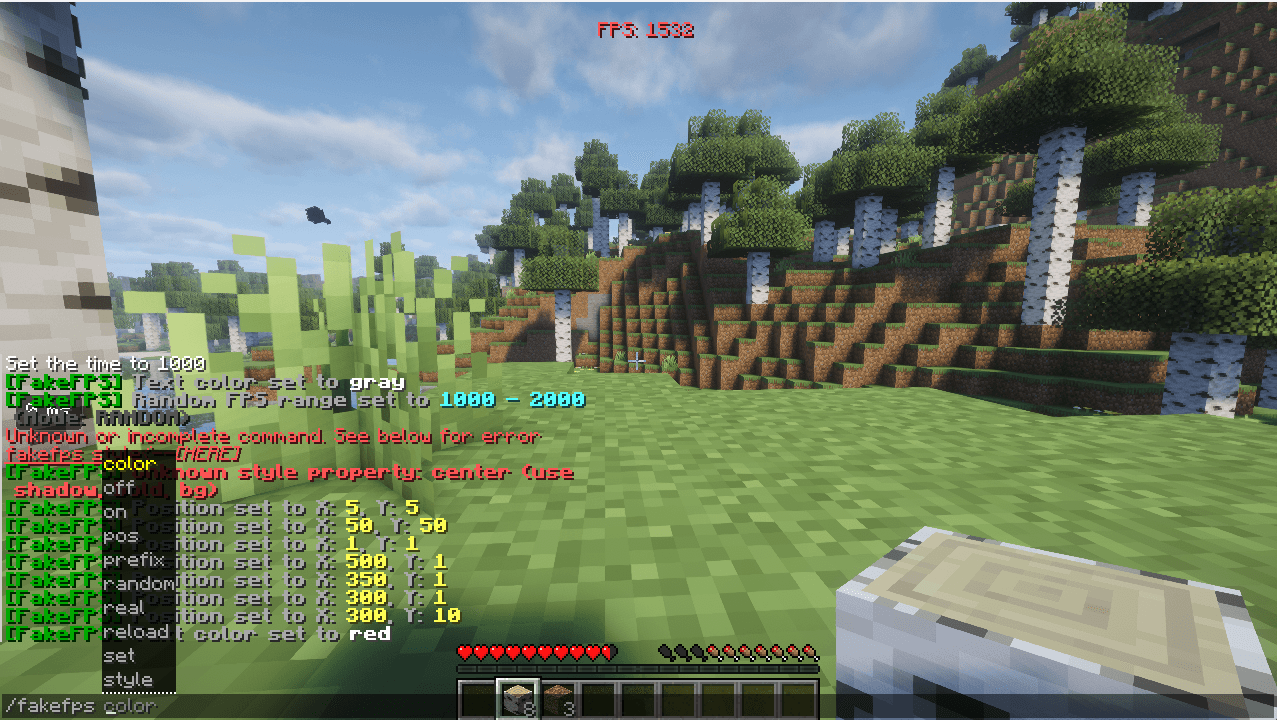
⚡ Fake FPS — Customizable HUD FPS Counter
Want to flex 1000+ FPS in screenshots and videos?
Fake FPS is an ultra-lightweight, client-side Minecraft mod that displays a completely customizable, authentic-looking FPS counter directly on your HUD!
[!IMPORTANT]
Performance Note: This mod does NOT increase your actual FPS, nor does it decrease your performance. It is a purely visual HUD overlay that changes only the number displayed on your screen, with zero impact on game rendering, FPS, or tick rates.
🧩 Required Dependencies
To use this mod, ensure you have the following installed:
| Requirement | Required Version | Link |
| Required Mod | Fabric API | Download Fabric API on Modrinth |
(No other third-party libraries required! Fully standalone and self-contained.)
⚡ Real Performance Impact: None!
-
Does it increase FPS?
No. This mod does not alter Minecraft's rendering pipeline, shaders, or engine. It will not boost your genuine hardware performance.
-
Does it decrease FPS or cause lag?
No. The mod executes in O(1) constant time during standard HUD drawing. It creates no background threads, performs no heavy computations, and uses cached text rendering handles. Your real FPS and ping will remain 100% unaffected.
✨ Features
🕹️ In-Game Commands
All commands are 100% client-side and can be run in singleplayer or on any multiplayer server!
| Command | Description | Example |
|---|---|---|
| /fakefps | View current settings & clickable quick commands | /fakefps |
| /fakefps on | Enable the FPS counter | /fakefps on |
| /fakefps off | Disable the counter | /fakefps off |
| /fakefps toggle | Quick toggle on or off | /fakefps toggle |
| /fakefps set <number> | Set a fixed FPS value | /fakefps set 1200 |
| /fakefps random <min> <max> | Set smooth random range | /fakefps random 800 1440 |
| /fakefps real | Display your actual game FPS | /fakefps real |
| /fakefps color <color> | Change text color (name or hex) | /fakefps color rainbow |
| /fakefps pos <x> <y> | Set screen position offsets | /fakefps pos 10 10 |
| /fakefps prefix <text> | Change prefix label | /fakefps prefix FPS: |
| /fakefps style shadow <true\|false> | Toggle text drop-shadow | /fakefps style shadow true |
| /fakefps style bold <true\|false> | Toggle bold text | /fakefps style bold true |
| /fakefps style bg <true\|false> | Toggle background box | /fakefps style bg true |
| /fakefps reload | Reload config from file | /fakefps reload |