Fake FPS
- By
🚀 Our feature allows you to easily set up custom FPS for an optimized gaming experience
Display Fake FPS! 🚀
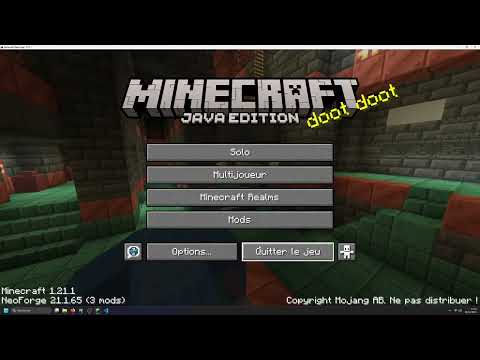
This client-side mod allows you to display a fake and customizable FPS counter at the top of your Minecraft screen! Ideal for fun, videos, or simply to prank your friends into believing you have 1000 FPS! 😉
⚙️ How does it work?
The "Fake FPS Mod" is a purely client-side mod, meaning it only needs to be installed on your Minecraft game, not on the server. Here's how it works:
- 📝 Configuration: When you launch the game for the first time with the mod, a configuration file named
fake_fps.jsonis created in theconfig/oas_work/folder. - 📖 Reading the configuration file: The mod reads this
fake_fps.jsonfile to determine:- ⏱️
fps_min: The minimum value of fake FPS to be displayed (by default, this value needs to be configured in thefake_fps.jsonfile). - 🚀
fps_mx: The maximum value of fake FPS to be displayed (by default, this value needs to be configured in thefake_fps.jsonfile). - ✅
activated: If the value istrue, the display of fake FPS is activated. Iffalse, it is deactivated (by default, to be configured in thefake_fps.jsonfile).
- ⏱️
- 🎲 Random Generation: The mod then generates a random FPS value every second, between the
fps_minandfps_mxvalues you have configured. - 📊 Display: This fake FPS value is displayed in the top left corner of your screen in-game.
🎮 How to use it?
- 🛠️ Configuration (recommended):
- 📂 Locate the configuration file: After launching Minecraft with the mod at least once, go to the
config/oas_work/folder in your Minecraft directory. Open thefake_fps.jsonfile with a text editor. - ✏️ Modify the settings:
"fps_min": ... ,: Replace...with the minimum value of fake FPS you want to display."fps_mx": ... ,: Replace...with the maximum value of fake FPS you want to display. Make surefps_mxis greater thanfps_min."activated": ...: Replace...withtrueto activate the display of fake FPS, orfalseto deactivate it.
- 💾 Save the
fake_fps.jsonfile. - 🔄 Restart your Minecraft game for the changes to take effect.
- 📂 Locate the configuration file: After launching Minecraft with the mod at least once, go to the
📌 Important Points:
- 💻 Client-Side ONLY: This mod is client-side only. It should not be installed on the server.
- ⚙️ Customizable Configuration: You can easily adjust the range of fake FPS displayed via the
fake_fps.jsonfile. - 📍 Configuration File: The
fake_fps.jsonfile is located in theconfig/oas_work/folder of your Minecraft installation. - ⚠️ Purely Visual: This mod does not modify your real FPS in any way. It just displays a fake value for the display.
Fake FPS Team


Owner