


Faiby’s Custom HUD
- By

A customizable client-side HUD with color themes, adjustable scaling, redesigned status bars, and configurable information displays.
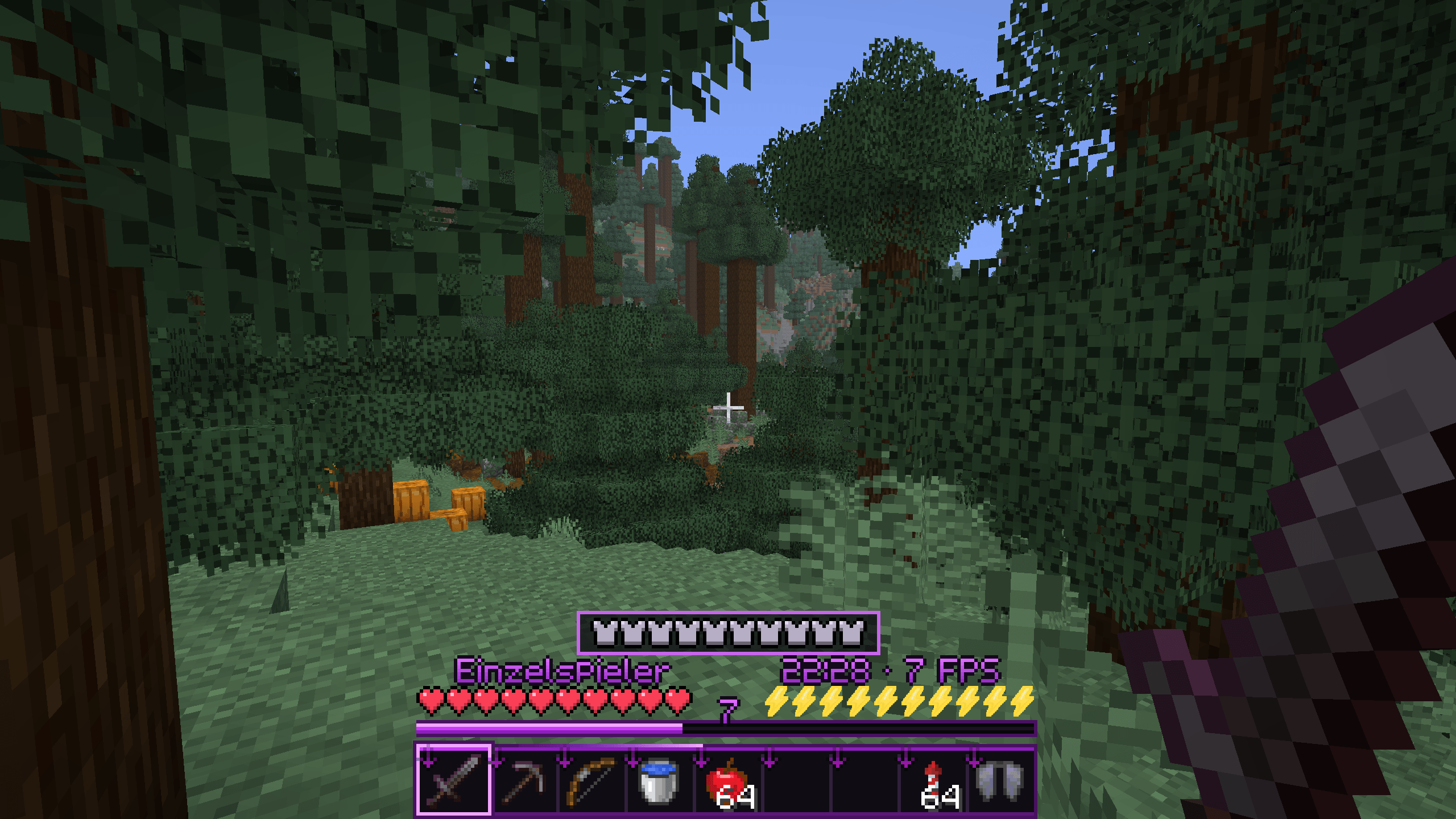
The complete HUD in Survival mode, featuring the violet hotbar, vanilla-style hearts, centered armor bar, lightning-bolt hunger icons, XP display, and configurable date, time, and FPS fields.
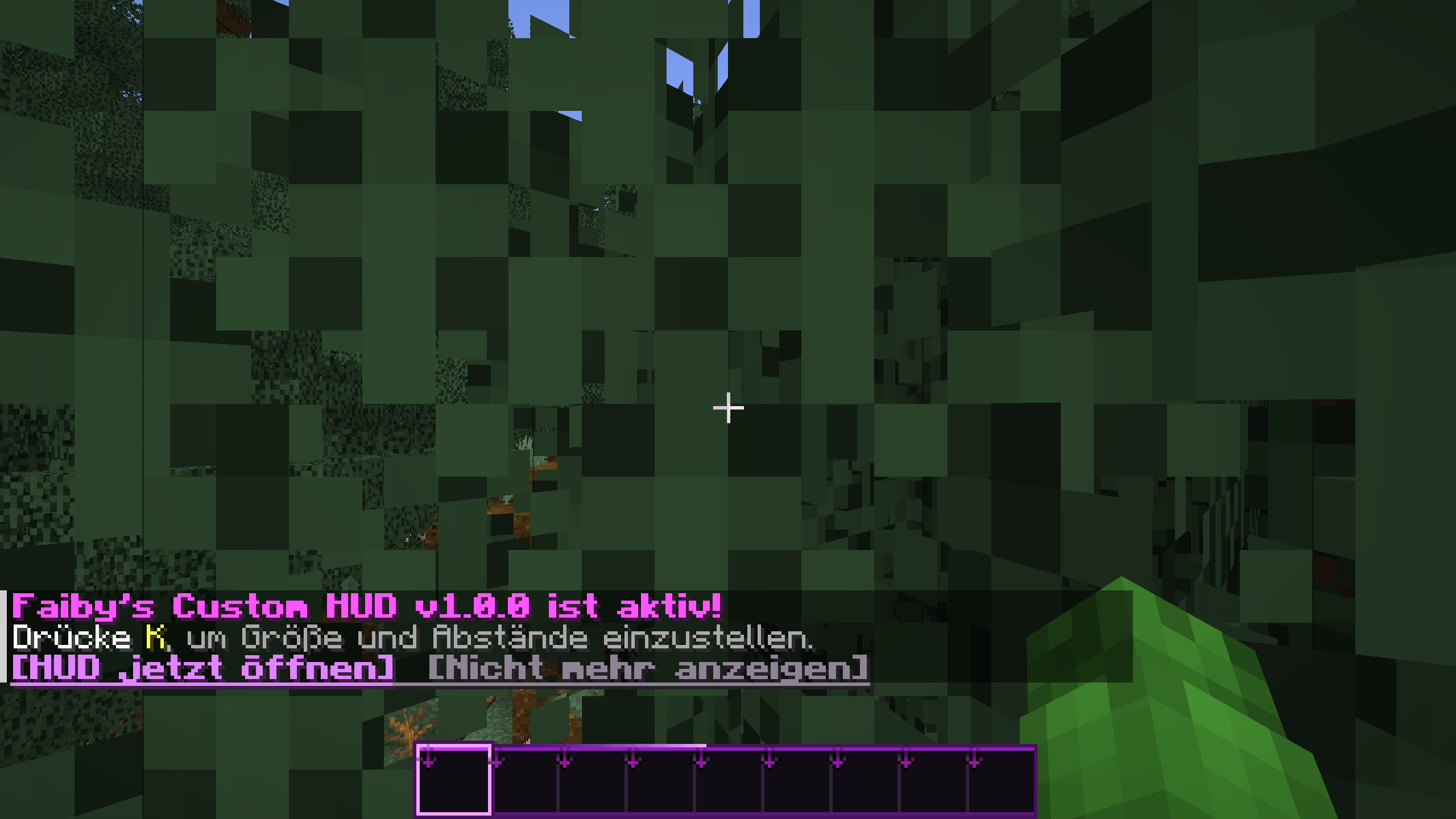
The violet hotbar and local chat hint in Minecraft. Press K or click “HUD jetzt öffnen” to access the HUD settings.
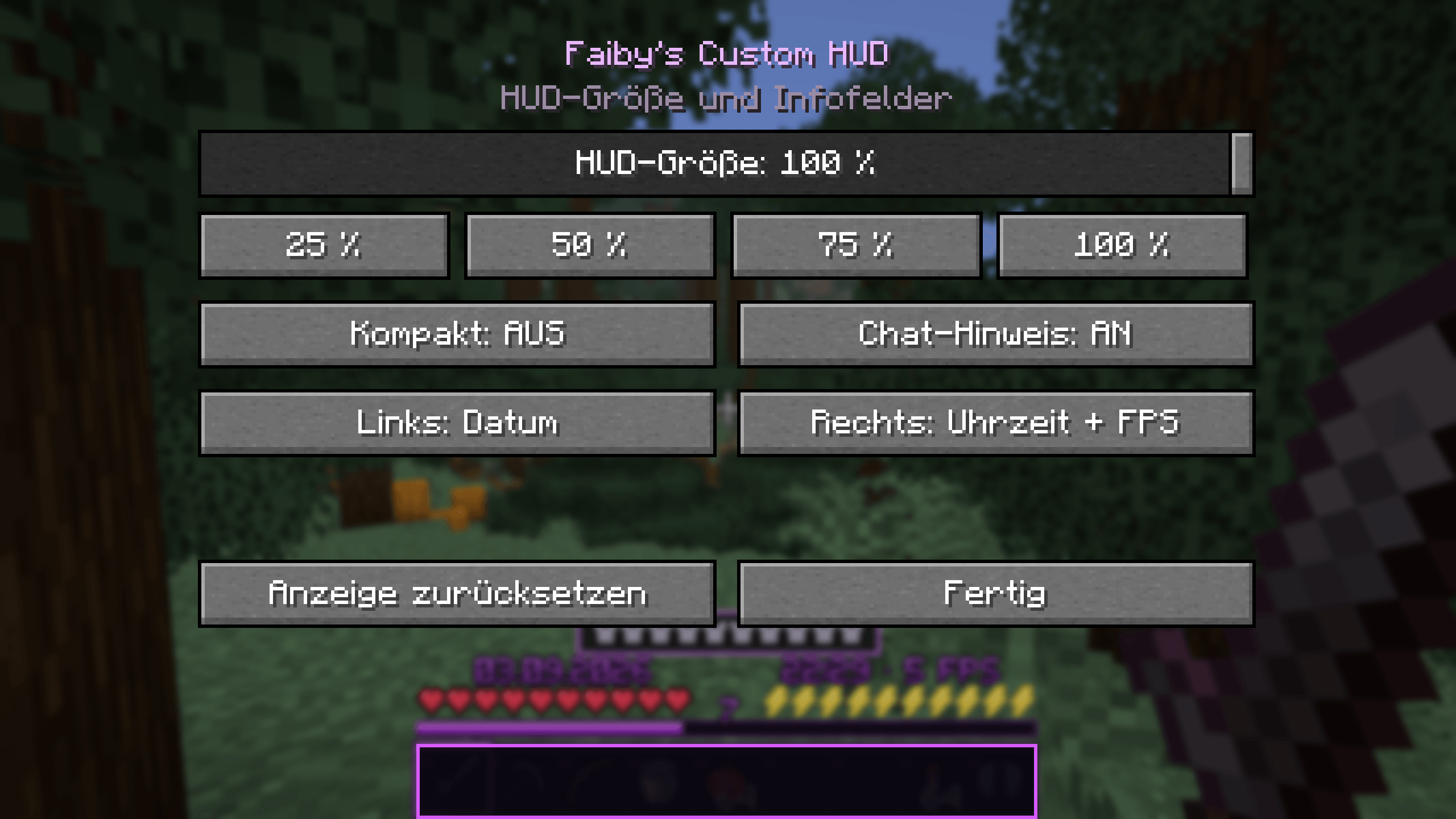
Customize HUD scaling from 1% to 100%, choose quick size presets, toggle compact mode and the join hint, and configure the left and right info fields. Open this menu by pressing K.
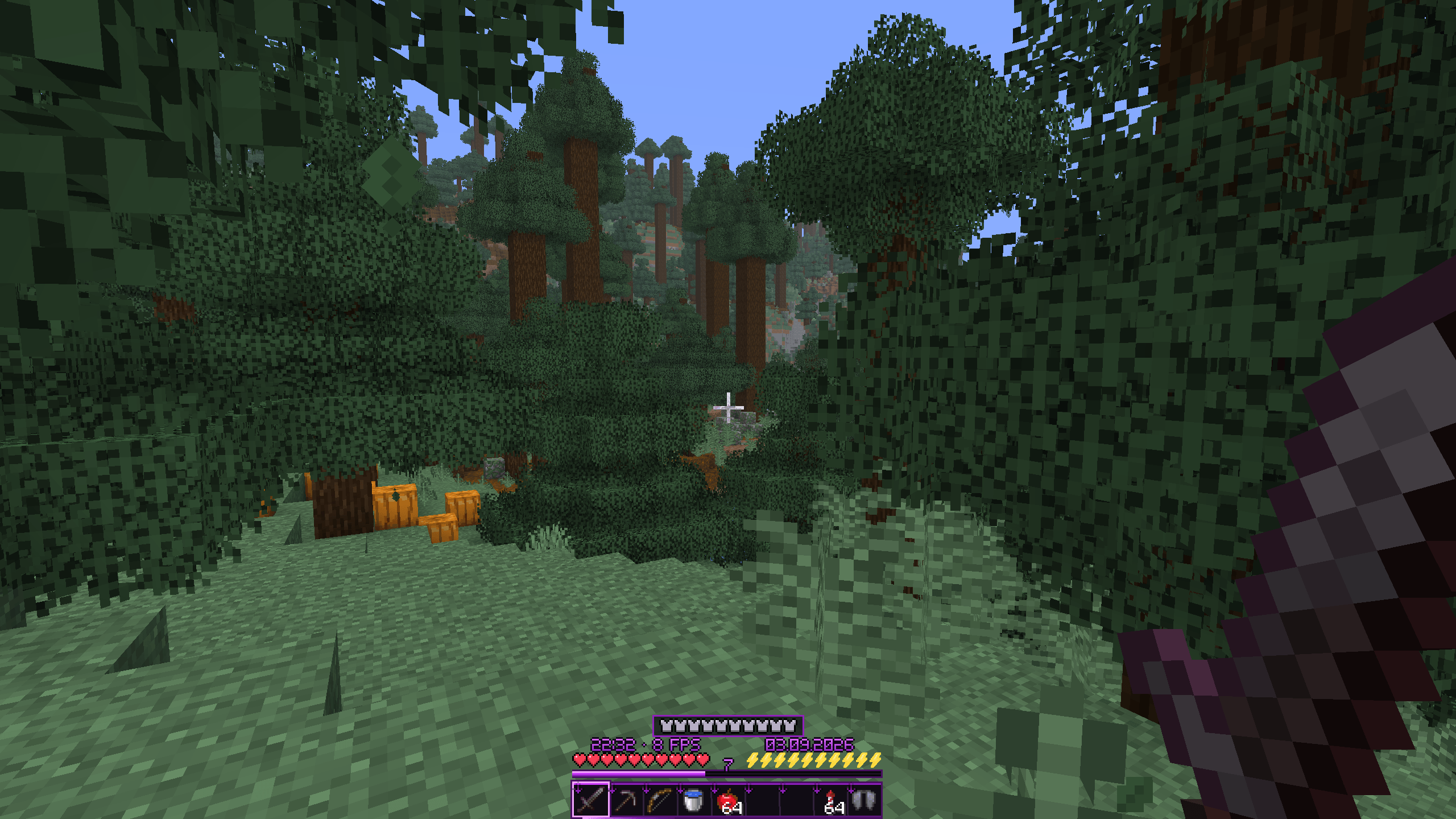
The HUD at 50% scale, keeping the hotbar, health, hunger, armor, XP, and info fields visible while leaving more room for the game world.