
Eymistaken's HUD
- By
Curse Maven Snippet
What's new
The settings screen has been rebuilt. It is now drawn by the mod itself rather than by Cloth Config, which is no longer a dependency, and it holds the preset, share code and per-server config tools that were previously only in the HUD Editor's right-click menu.
Full documentation for every feature below lives on the website:
A settings screen built for the HUD
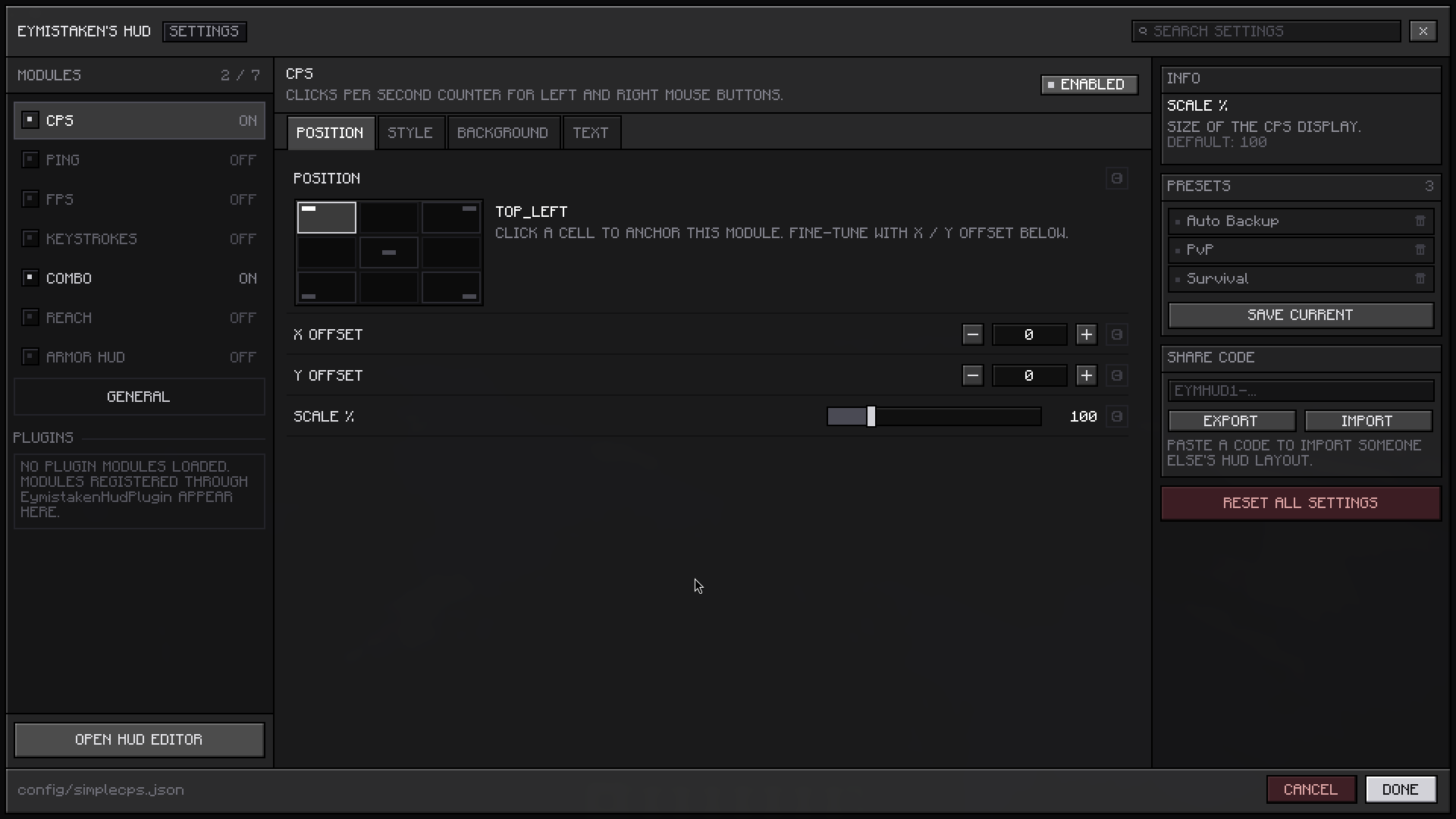
Open it from Mod Menu, or from inside the HUD Editor. Modules are listed down the left with their on/off state, each one's settings are grouped into tabs, and a search box across the top filters every setting in the mod at once.
Anchoring a module is now a three-by-three grid you click rather than a dropdown you cycle. Sliders drag, number fields accept typed values, and hovering any setting shows what it does and what its default is in the panel on the right. Every setting has a reset arrow that appears once you have changed it.
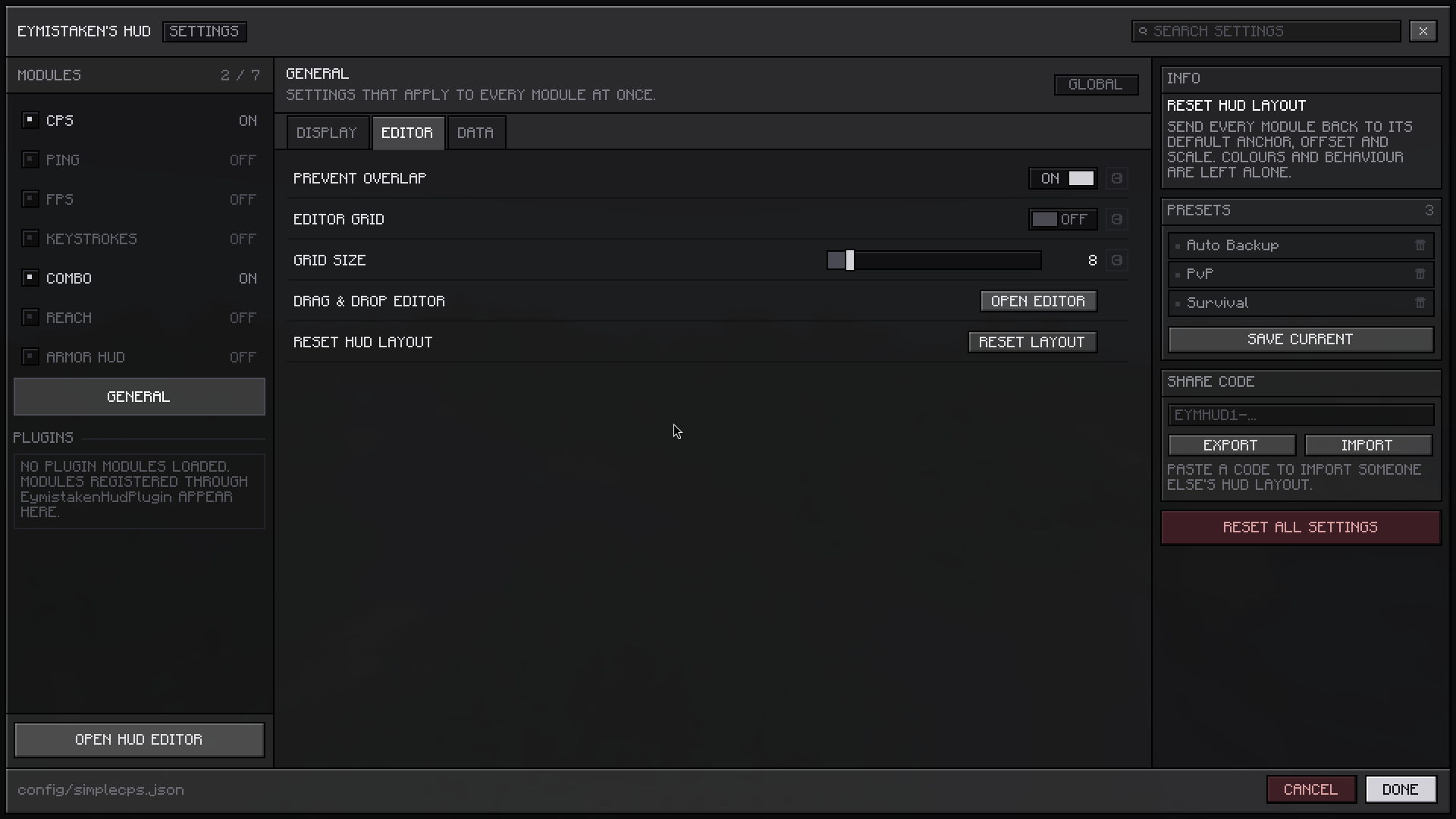
Presets, share codes and Reset All Settings sit in that same right-hand panel, so building a layout and saving it no longer means moving between two different screens.
Changes are saved as you make them; the Cancel button discards everything done since the screen was opened, after a confirmation. The screen stays the same physical size at any Minecraft GUI Scale, and General → Display → Menu Scale adjusts that size if you want it larger or smaller.
Picking colours
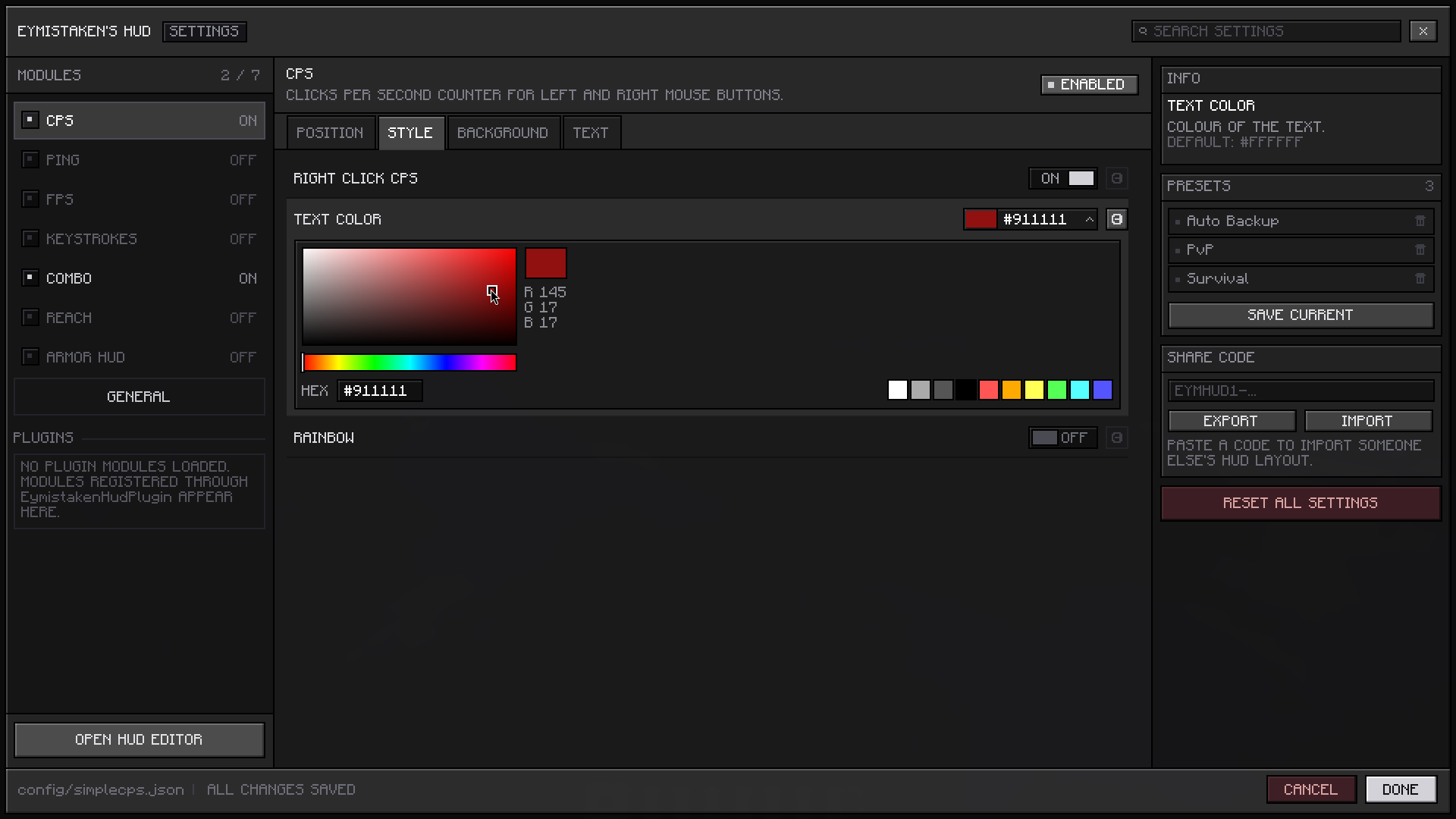
Colour settings open a picker directly in the row: a saturation and brightness square with a hue bar under it, a live preview with the red, green and blue values beside it, and the ten quick-pick colours below.
The hex field is click-to-copy — left-click copies the code to your clipboard and confirms it, right-click puts the cursor in the field so you can type or paste one.
Reaching settings from the editor
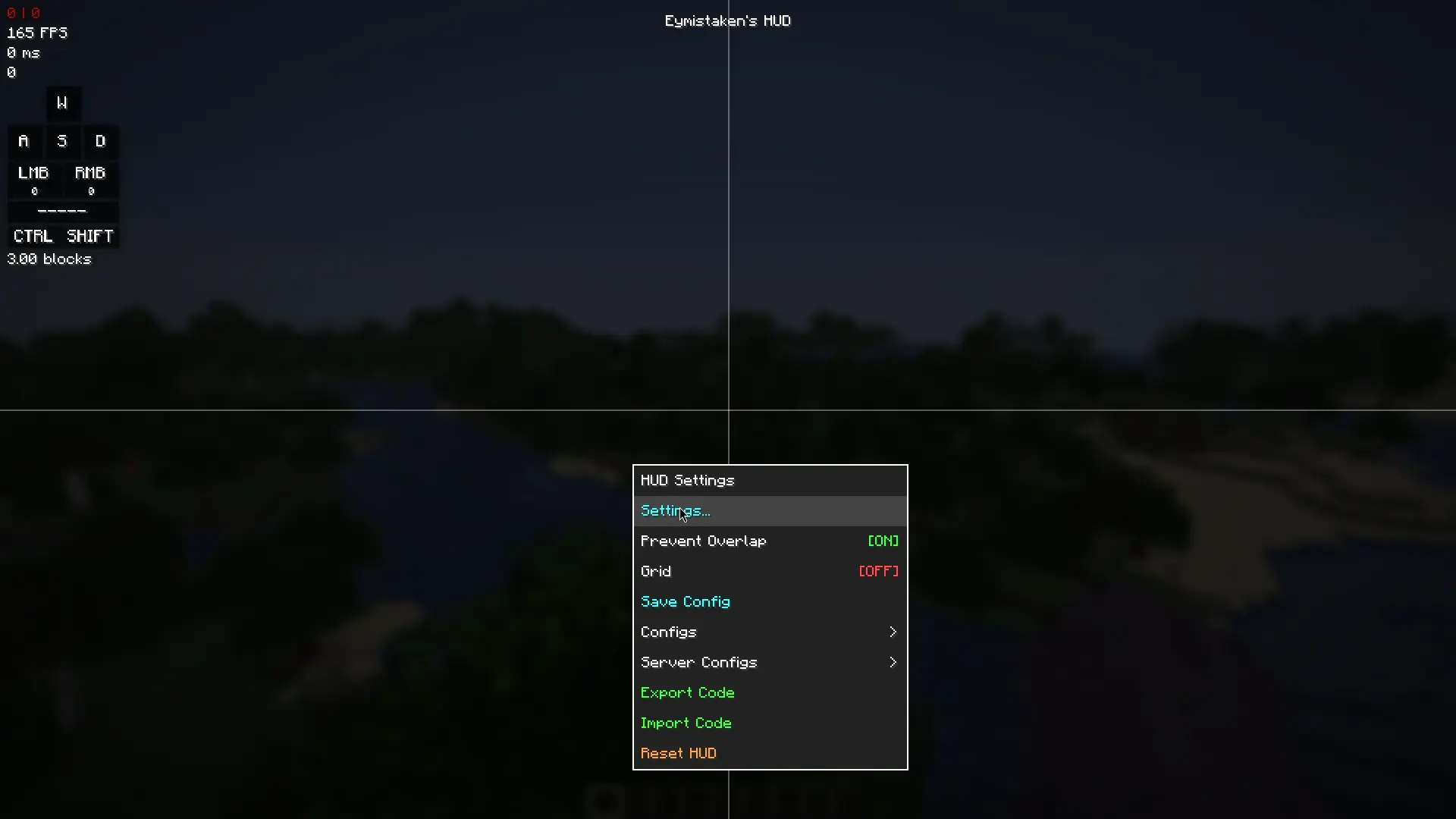
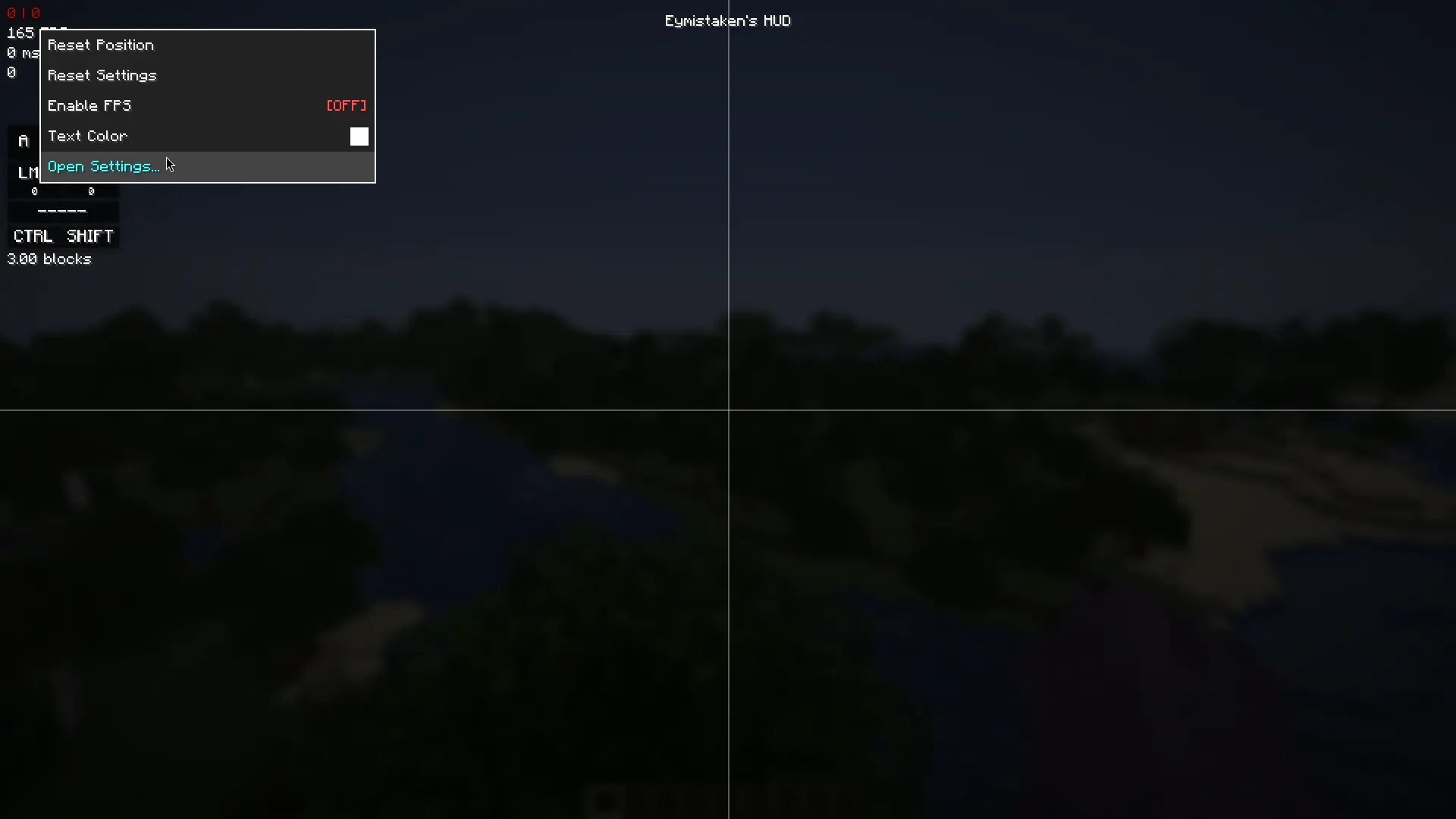
Right-clicking a module in the HUD Editor now offers Open Settings at the bottom of its menu, which goes straight to that module's page. Right-clicking empty space has a Settings entry that opens the screen itself.
Settings that were not reachable before
Prevent Overlap and a Reset HUD Layout action are now in General → Editor alongside the grid options, rather than only in the editor's right-click menu. Key Effect for Keystrokes, which chooses between the squish and ripple press animations, has moved out of the Keystrokes Designer. Combo gained Continue On Target Switch, which decides whether your combo survives when you start hitting something else.
Fixes
Resetting a setting now restores the value the mod actually ships with. The old screen listed a handful of defaults that did not match the real ones — CPS and Ping in particular would reset to the wrong anchor and offset.
For developers
Modules can now separate the settings they show in the editor's right-click menu from the ones they show on their settings screen page.
getContextMenuSettings() is unchanged and still drives the right-click menu, but everything it returns is now also listed on your module's own page in the settings screen. That page is generated for you: it appears in the sidebar under Plugins, and its position tab is built from the editor setters your module already implements. Anything that belongs in the full screen and nowhere else goes in the new getSettingsScreenSettings(), which defaults to an empty list — existing plugins keep working with no changes.
This mod has no additional files