Extra Slots
- By
Wear a Curios belt for up to 18 extra inventory slots, no backpack needed.
More inventory, without a backpack.
Wear a Utility Belt in your Curios belt slot and you get extra inventory slots that belong to you, not to an item. Open them with the belt button in your inventory. Take the belt off and everything moves back into your inventory; whatever doesn't fit drops at your feet, reserved for you for 5 seconds.
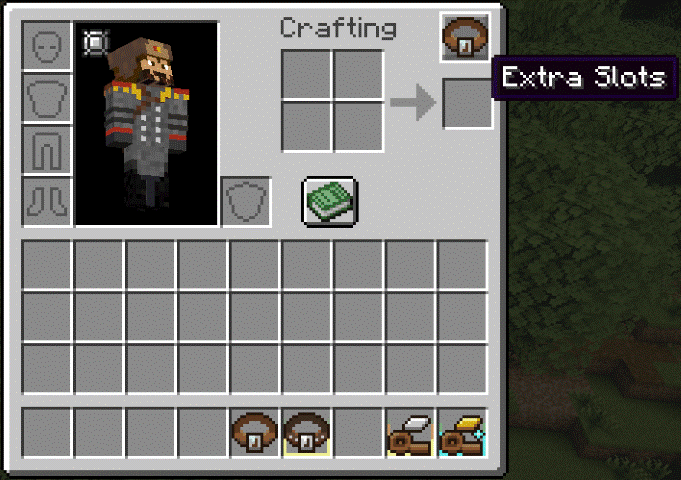
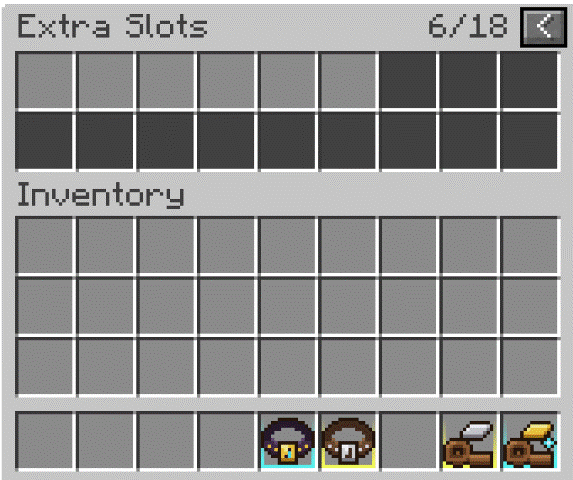
Belts
| Belt | Extra slots |
|---|---|
| Utility Belt | 6 |
| Reinforced Utility Belt | 12 |
| Gilded Utility Belt | 18 |
Upgrade without taking the belt off
Right-click a Reinforcement Kit or Gilding Kit while wearing your belt, or right-click the kit onto a belt in any inventory. Your items stay where they are; nothing spills. (You can also craft the next belt from the previous one with the same materials, but you'll need to take it off first.)
Recipes
Utility Belt
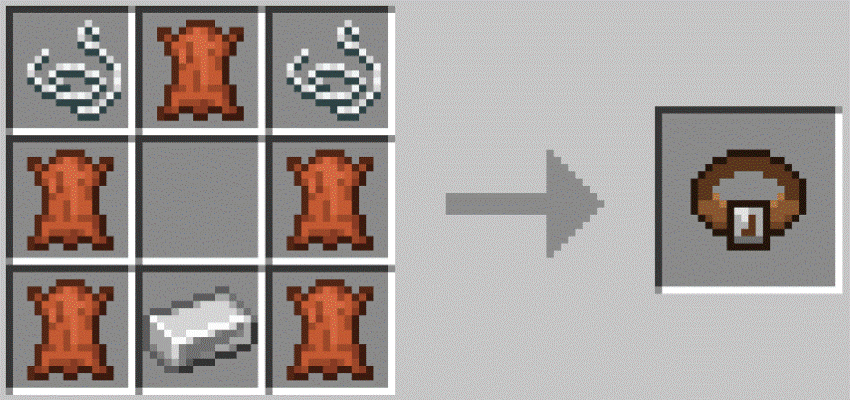
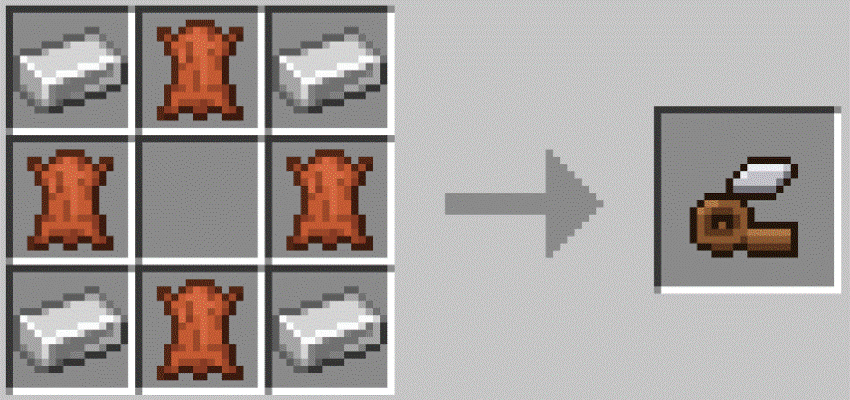
Reinforcement Kit (Utility Belt to Reinforced)
Gilding Kit (Reinforced to Gilded)
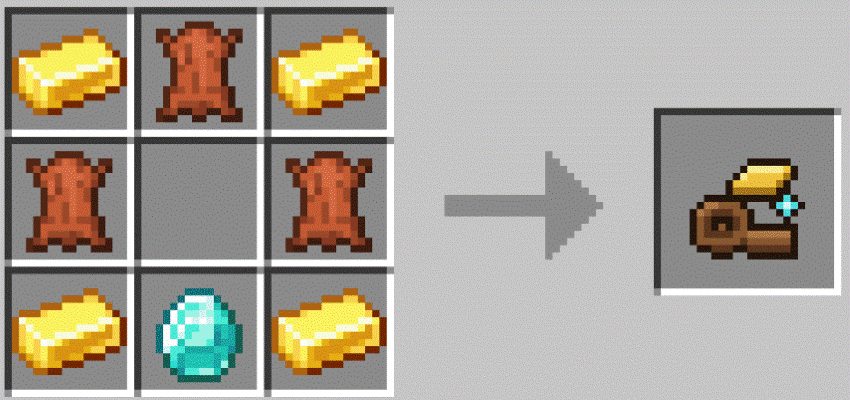
Recipes use common item tags, so leather and ingots from other mods work too. Recipes show up in the recipe book as you progress.
Features
- Pickups go into your extra slots only once your main inventory is full.
- Death drops work with grave and corpse mods, and respect keepInventory and Curse of Vanishing.
- Contents are stored on the player, so losing or swapping a belt never deletes items.
- Optional "Open Extra Slots" keybind, unbound by default to avoid conflicts in big packs (Controls > Inventory).
- Works on dedicated servers. Operators can check a player's slots with
/extraslots info [player].
For pack makers
- Capacity is a regular attribute,
extraslots:extra_inventory_slots(up to 18). Grant it from any item, mod or datapack; sources stack. - Recipes are plain JSON and easy to override with a datapack or KubeJS.
Requirements
- Minecraft 1.21.1, NeoForge
- Curios API 9.5.1 or newer
- Install on both client and server.
Modpacks
Free to use in any modpack. MIT licensed.
Extra Slots Team