Excel on a Stick
- By
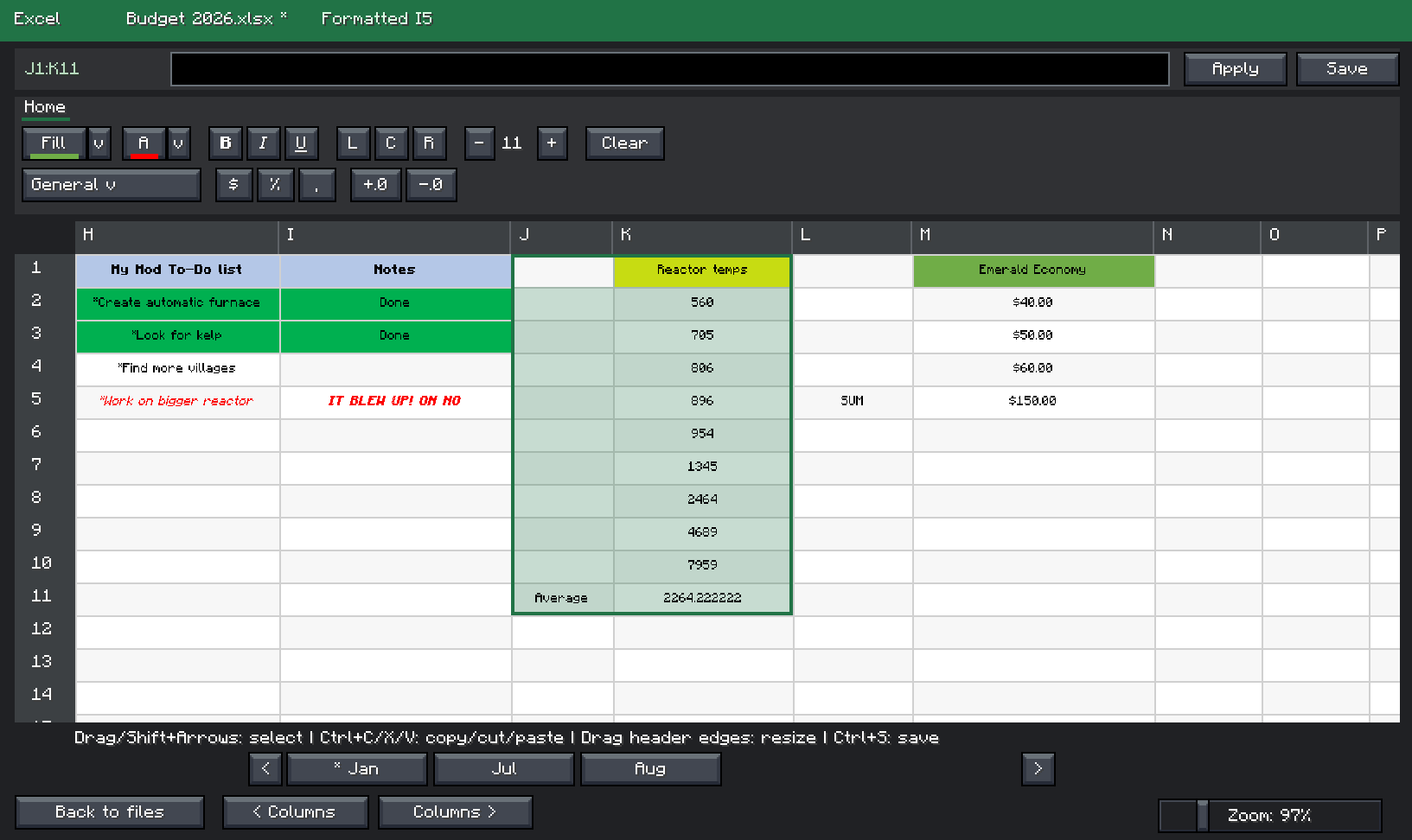

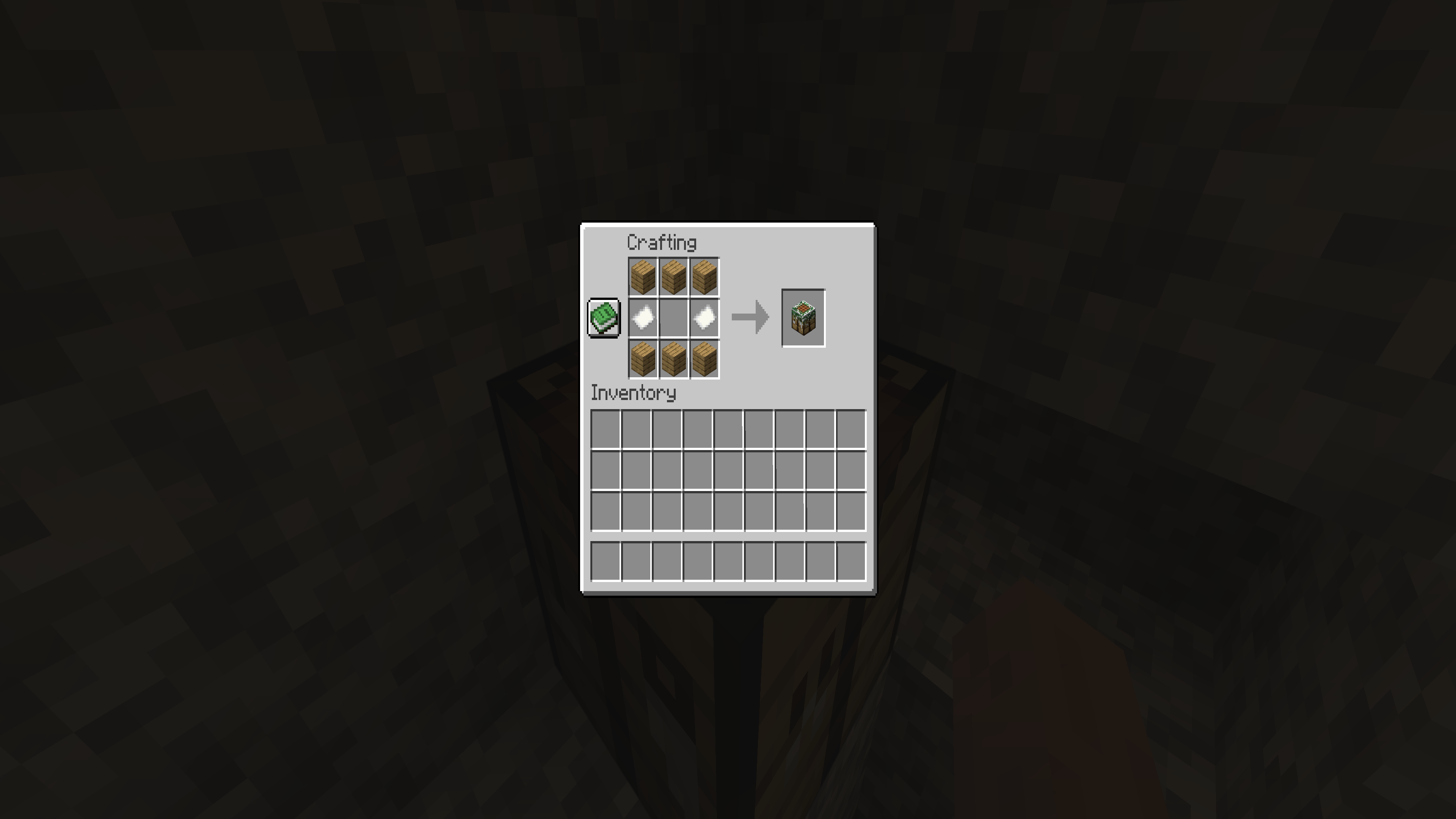
2026-10-12_13.48.08_4K.png
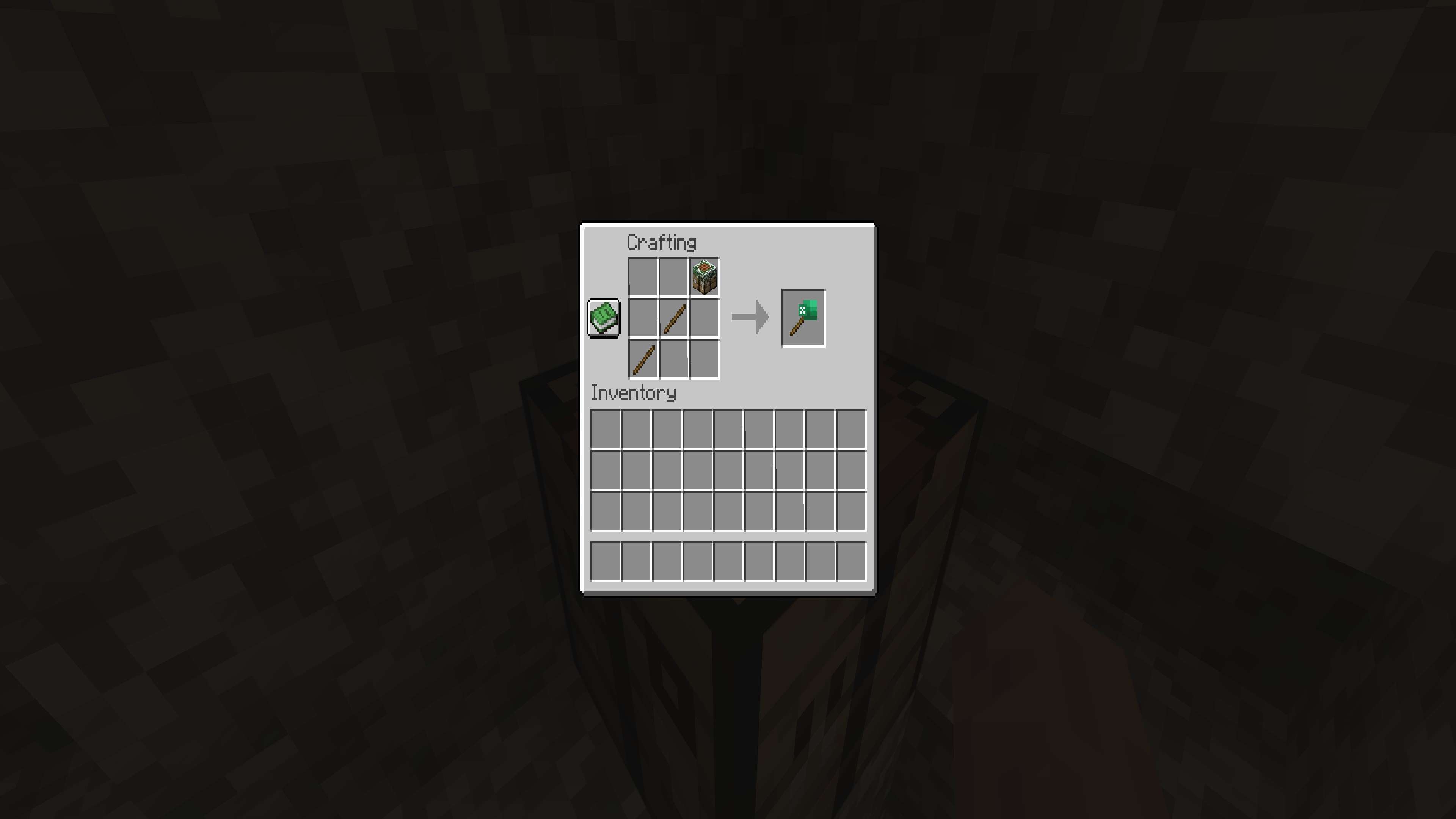
2026-10-12_13.47.20_4K.png
Description
Excel on a Stick can import your Excel files into an in-game GUI. It is fully interactive, with formula support, number formatting, editable columns/rows, copy/paste/cut, selecting multiple cells, and more!
Enjoy a Minecraft experience with Excel built into the game.
Usage
1. Install this mod with a compatible mod loader, Fabric or NeoForge.
2. Once installed, launch the game and craft your Excel on a Stick!
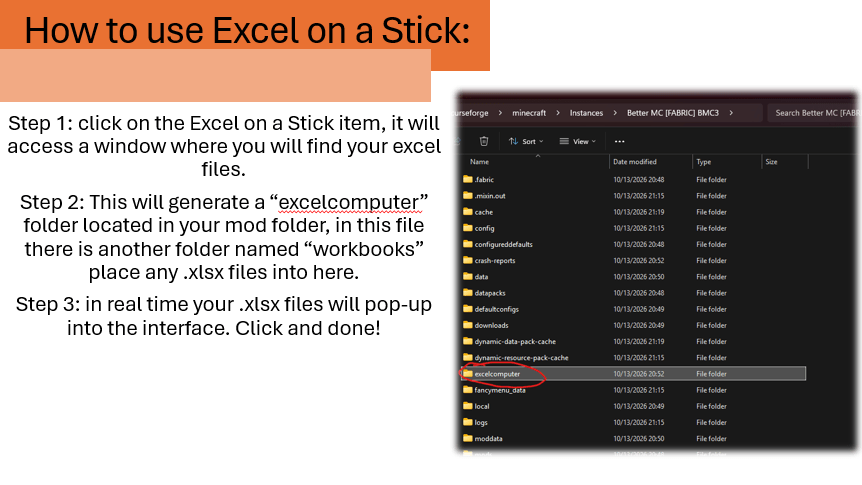
3. Right-click on your Excel on a Stick; an empty UI will pop up. This will generate your "excel computer" folder located in your mod directory.
4. Drag and drop your .xlsx file into your workbooks folder located in the newly generated "excel computer" folder.
Roadmap updates
- .csv compatibility (1.0.5 update)
- Adding table filters (1.0.5 update)
- Reorganizing UI (1.0.6 update)
- Adding tabs and drawing ability (1.0.7 update)
- Creating the ability to create sheets and files in-game (TBD)
- Adding formula tab (1.0.7/1.0.8 update)
Feedback
Open to any feedback and features the community needs; leave a comment or message me on Discord.
Excel on a Stick Team