


EveryEasyInventory
- By
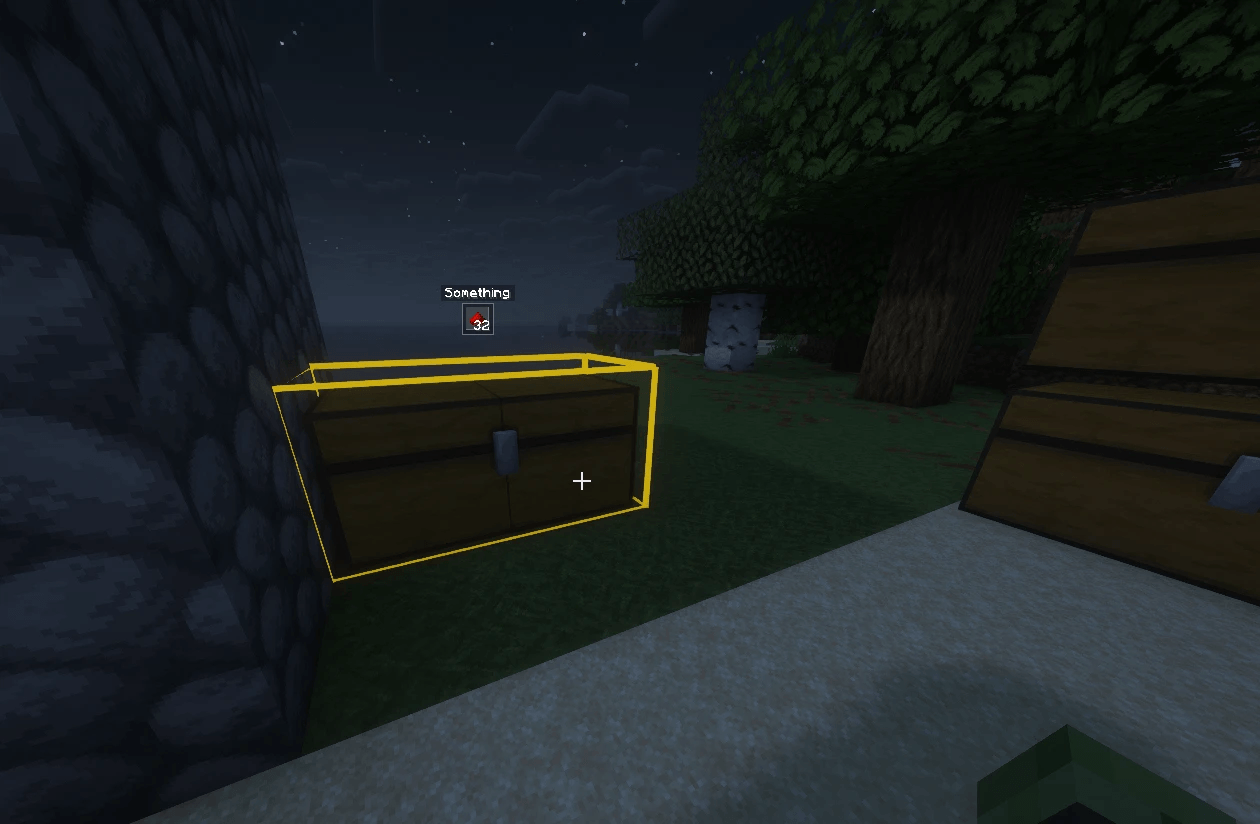
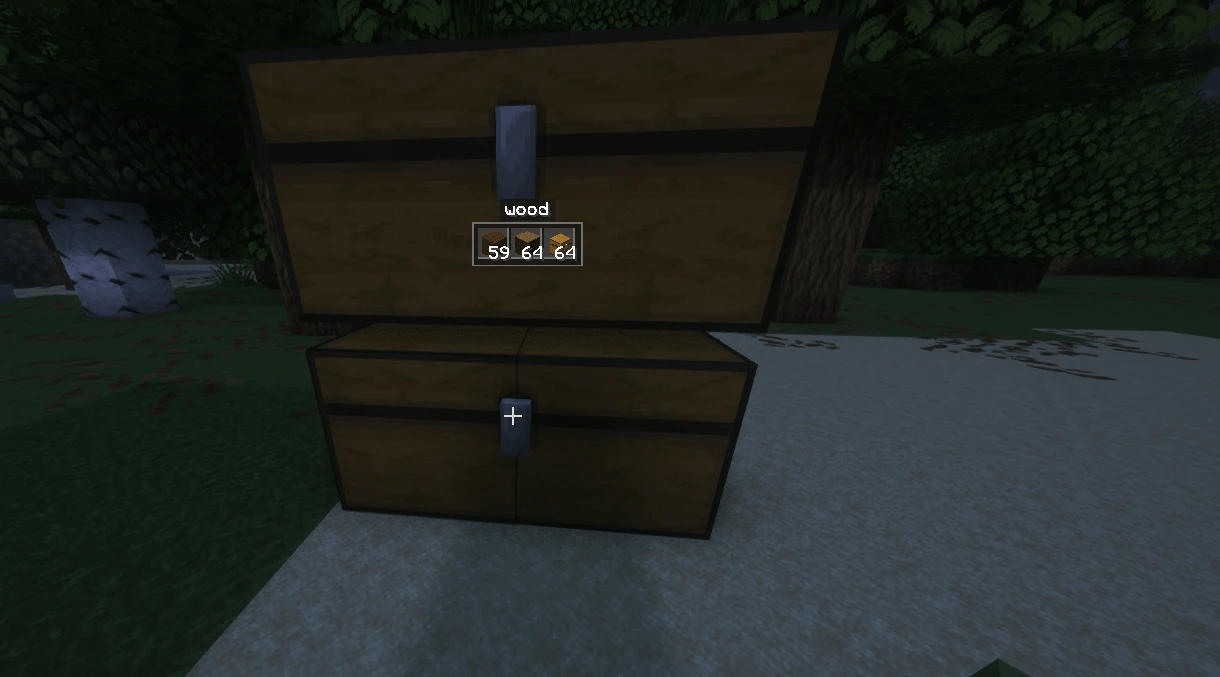
2_hologramme_nom_et_contenu.png
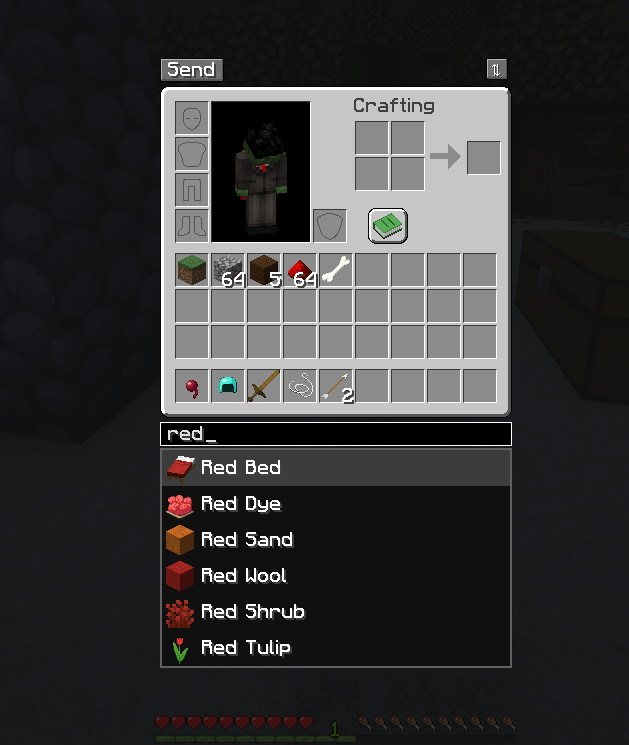
3_recherche_autocompletion.png
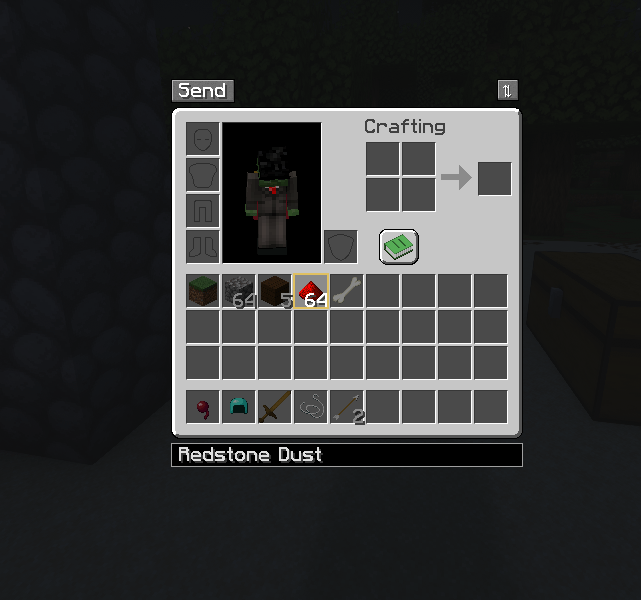
4_recherche_dans_inventaire.png
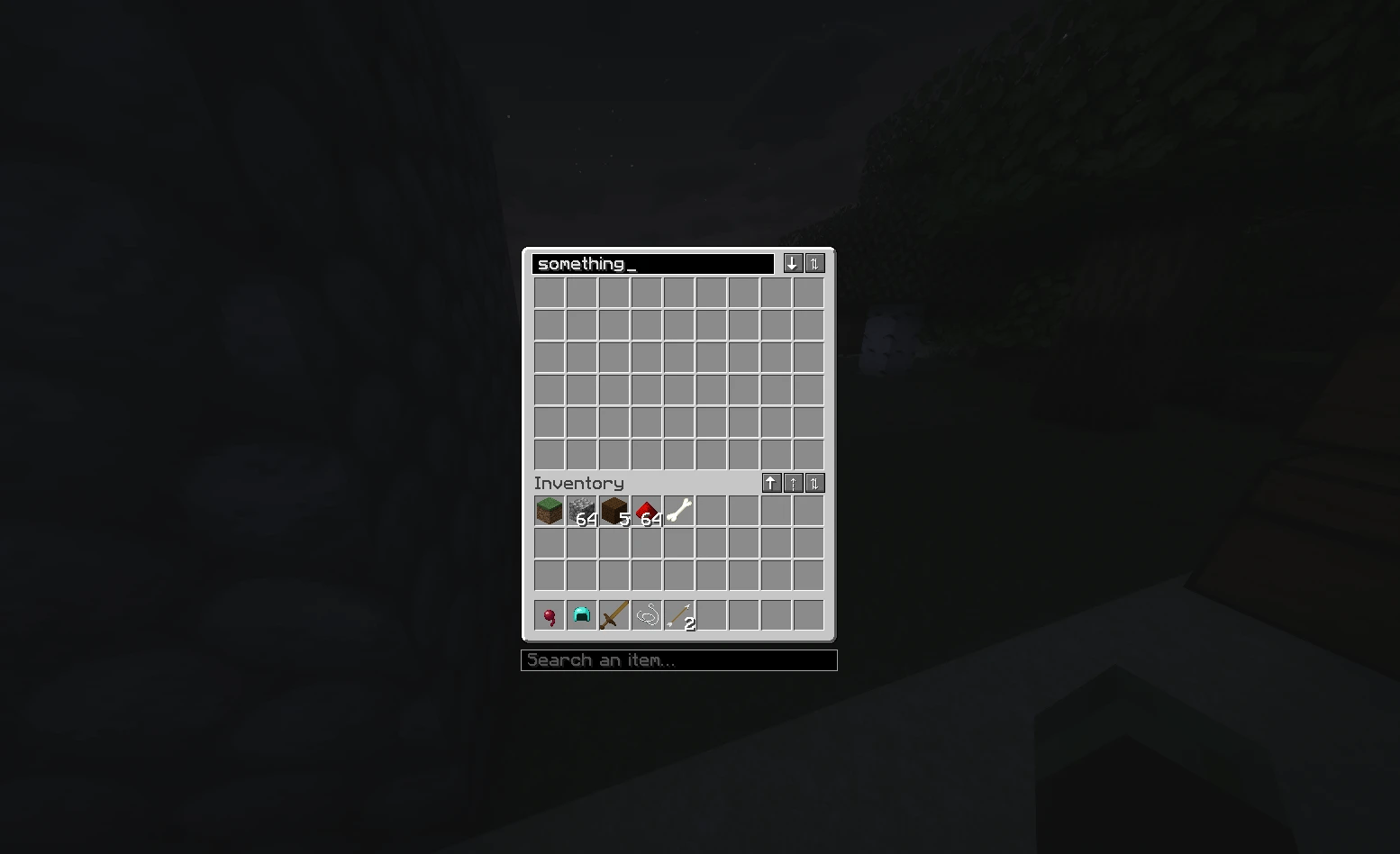
5_renommage_coffre.png
Description
Sort, move, find and label your items without opening every chest.
EveryEasyInventoryMod brings the classic inventory tweaks together with a few new tools for big storage rooms.
Inventory and chests
- Sort with one button (⇅) or the R key, over the inventory or the chest.
- Take all / deposit all / deposit only what the chest already has (↓ ↑ ⇡).
- Shift + drag to move every stack you pass over, Ctrl + Shift + click to move every item of the same type, scroll to move items one by one.
- Lock slots with Alt + click: sorting and deposits leave them alone.
- Hand refill: when the stack in your hand runs out or your tool breaks, a matching stack takes its place.
Send to nearby chests
One click on Send in your inventory puts your items into the chests, barrels and shulker boxes within 5 blocks that already contain them, topping up existing stacks first. Your hotbar and locked slots stay put.
Content hologram
Look at a chest, barrel or shulker box from up to 3 blocks away: a small hologram shows each item type it holds with its total. Variants are grouped (every copper oxidation and wax state, any durability or enchantment).
Item search
Type in the search bar below your inventory, pick an item from the suggestions, and:
- matching slots are framed in your inventory and in the open chest;
- every visible container within 10 blocks that holds it gets a gold outline, even when the item is inside a shulker box stored in that chest.
Rename containers
Click the title of a chest, barrel or shulker box screen to rename it. It is the vanilla name (like an anvil), kept when the block is broken, and it shows above the content hologram.
Server friendly
- Install on both sides for every feature. On a server without the mod, the in-screen tools still work.
- Built for servers with many chests: searches and holograms only read loaded containers near the players using them, a few times per second at most, and send packets only when something changes.
- Every action checks that the player may open the container (spawn protection, claim mods, locked containers).
Available for Fabric (requires Fabric API) and NeoForge, Minecraft 26.3.
1.4.0
- New Fill button: tops up your partial stacks (hotbar included) from nearby containers. Locked and empty slots are left alone. Same radius as Send.
- Send and Fill are now small icon buttons: an arrow going into or out of a chest.
- Storage blocks from other mods are recognized automatically, through the standard inventory, the Fabric Transfer API or NeoForge capabilities: 9 slots or more, or high-capacity slots like crates, machines excluded. They work with Send, Fill, the hologram and search; chest-like screens also get the buttons, sorting and the search bar, and renaming when the block supports a vanilla name. Tested with Assorted Storage on Fabric.
- Locks from other mods are respected when the mod refuses to give items out of a locked block: Send, Fill, the hologram and search then skip it. Tested with Assorted Storage's locks on Fabric.
- Servers can add or exclude blocks with
extraContainersandexcludedContainersin config/everyeasyinventorymod-server.json (mod:blockormod:*).
EveryEasyInventory Team
