Entity Dialogue
- By
Turn Minecraft NPCs into real conversation partners: branching dialogue, an in-game dialogue tree editor, dice-based TRPG checks, character sheets, per-NPC memory, and optional AI roleplay. Fully bilingual (English / Chinese).
75069f66b66bd8b81277f69979426403.png
2026-08-06_20.53.41.png
2026-08-06_20.53.48.png
2026-08-06_20.53.49.png
2026-08-06_20.54.30.png
Description
# Entity Dialogue
Turn any Minecraft entity into a conversation partner — and run tabletop-style adventures with an AI dungeon master.
**Single-player first.** The mod adds no custom network packets (everything runs on the integrated server). The optional AI features make HTTPS requests to the endpoint *you* configure.
## Features
### Three dialogue modes
- **Boxed (visual-novel style)** — full-screen frame with portraits, typewriter text, choice buttons and timed cutscenes.
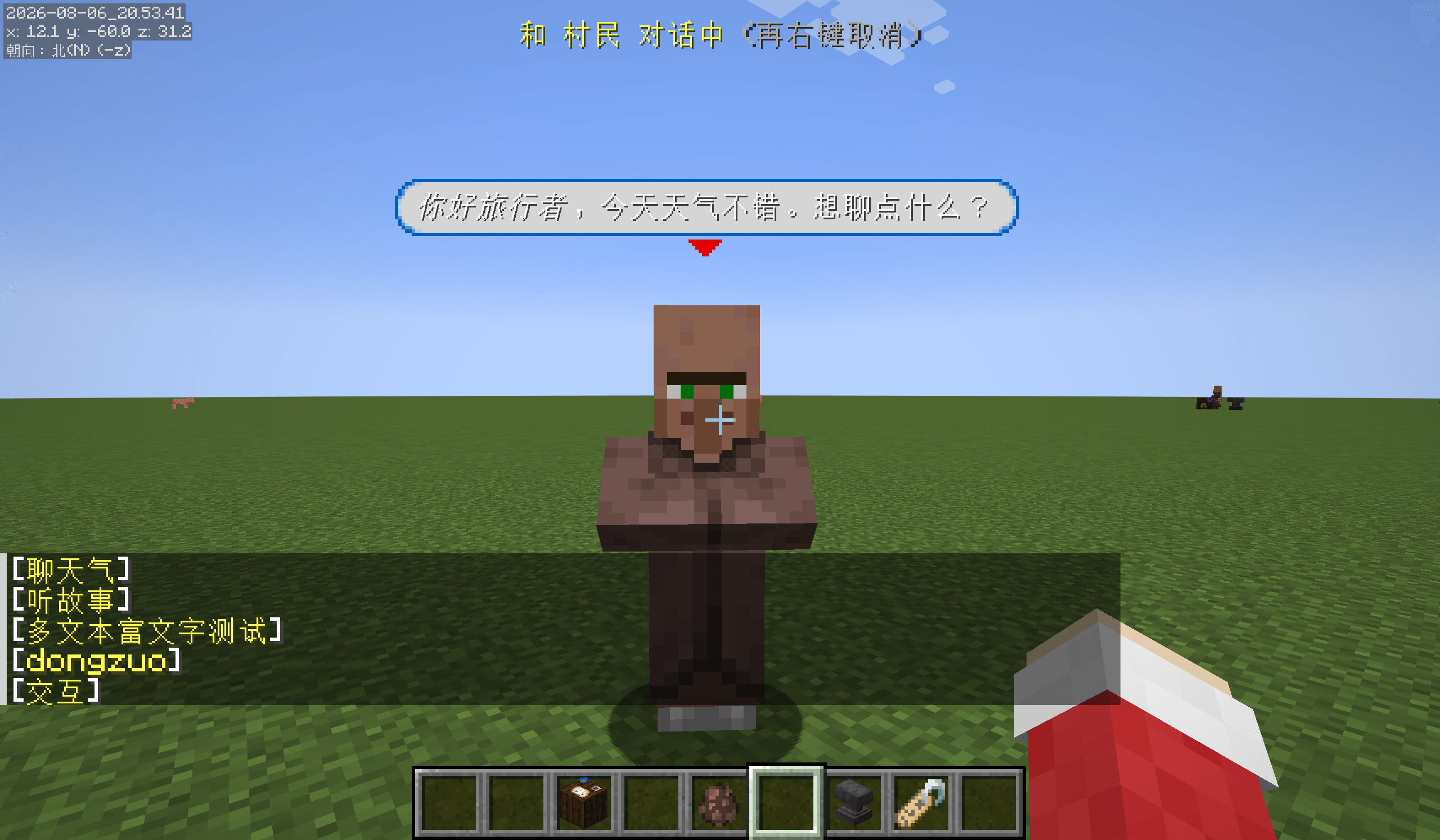
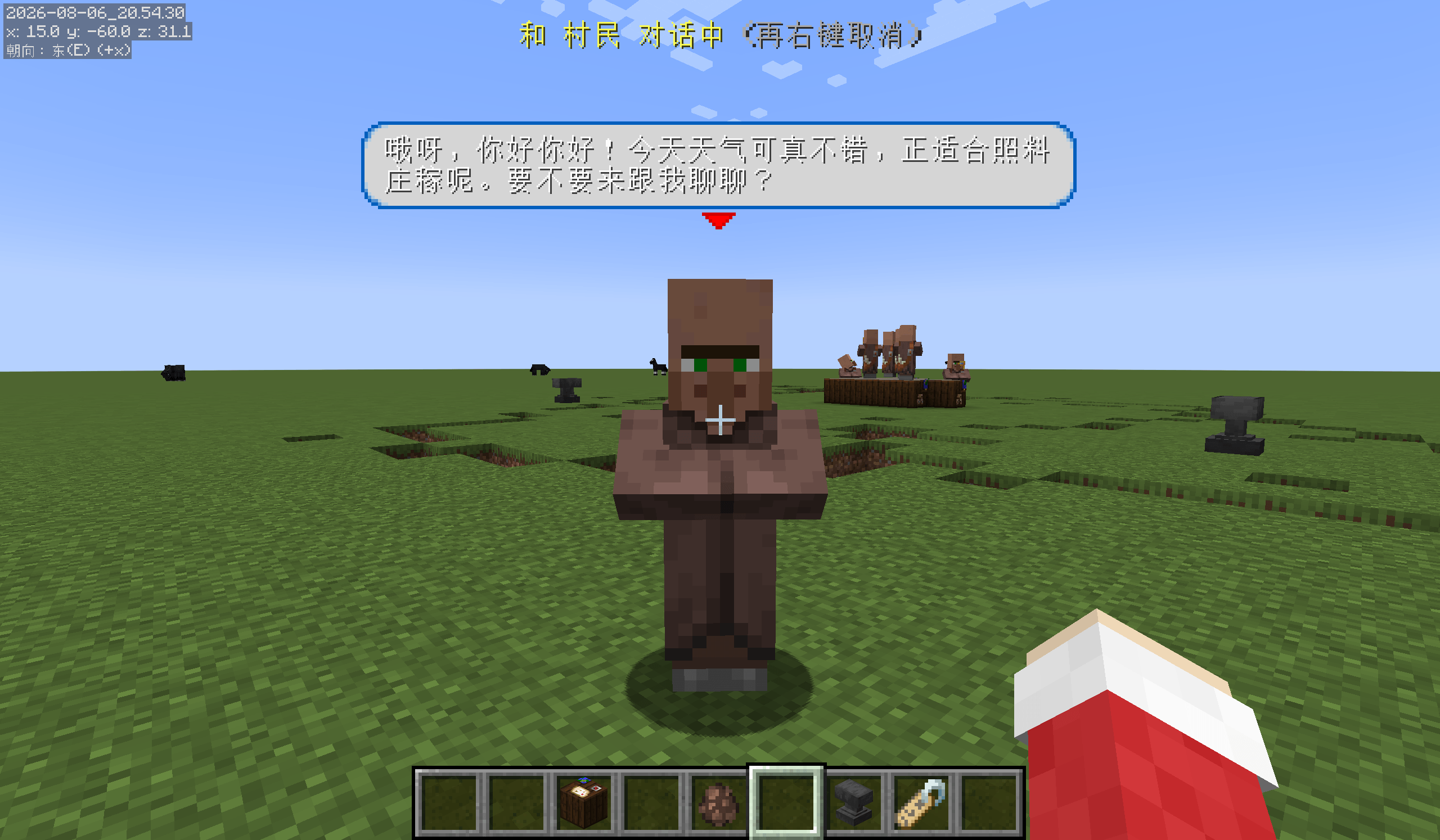
- **Frameless story** — speech bubbles above the NPC, with options clickable in chat.
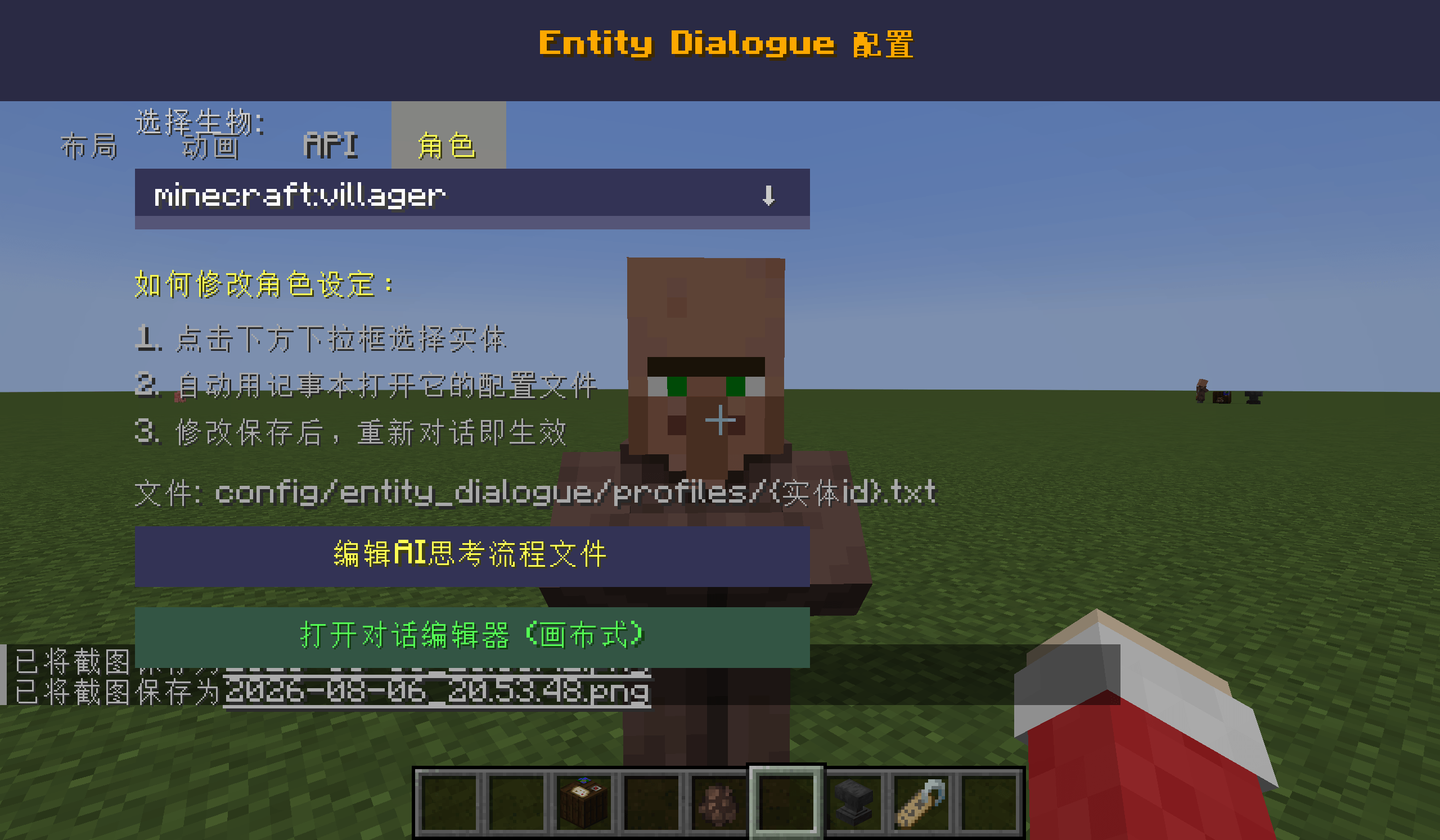
- **Frameless AI** — right-click an NPC and just type. The NPC answers in a bubble and can act: turn, walk, jump, trade, emote with portrait animations, play sounds, spawn particles, change the weather and more.
### In-game dialogue tree editor
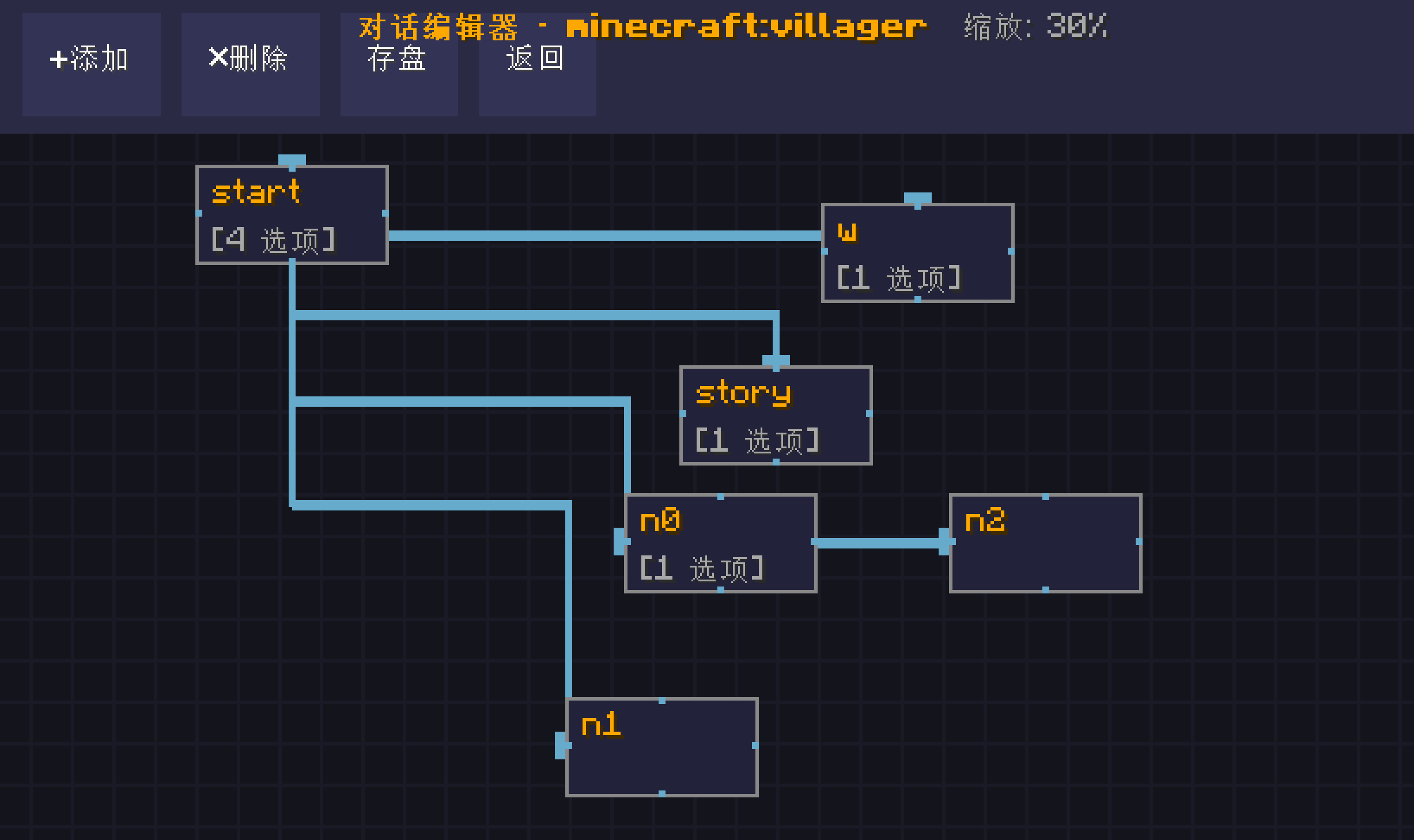
Build branching conversations on a canvas — nodes are topics, options connect them. Each entity's tree is stored as a small JSON file you can edit or share by hand.
### Tabletop / TRPG toolkit
- **Physical dice**: d4, d6, d8, d10 — rolling is animated. Larger dice are rolled as combinations of the dice you actually own (d100 = two d10, d20 = d6 + d10).
- **Expression engine**: `1d3`, `2d10+5`, `d100<=65`, `SC 1/1d3` and similar.
- **Judgement loop**: the DM (or a scenario) asks for a check, you roll the dice, the result is resolved automatically and the DM keeps narrating. You never have to type your numbers back in.
- **Character cards**: eight stats, HP/SAN, a skill list, background and portrait. Skill values are the target numbers used by checks.
- **Memory & affinity**: every NPC remembers each player separately, with affinity ranging from hostile to close, plus periodic AI summaries. You can review it all in the history book.
- **History book**: past conversations grouped by NPC, with timestamps.
- **Scenarios**: adventures stored as data files — locations, examinable objects, pre-written success and failure text for checks, NPCs, global rules and endings. One sample scenario is bundled.
- **Progress**: scenario state is saved with your world and restored when you log back in or re-summon the DM.
### Scenes and structures
- **Scene commands** (usable by you or by the AI): weather, time of day, ambience sounds, particles, spawning entities, placing blocks, lighting, and placing or rotating structures.
- **Low-precision procedural scenes**: forest, ruins, altar, camp.
- **Structure import in four formats**: vanilla `.nbt`, Sponge `.schematic`, WorldEdit `.schem`, Litematica `.litematic`. Drop files into the config folder — the mod creates it with samples on first launch.
### The Dungeon Master
Craft a **DM Summoner** (four cobblestone, in your 2×2 inventory grid) and right-click it: an allay-styled Dungeon Master appears, and every player within 32 blocks receives a character card, a history book and a dice manual. Re-summoning moves the DM and re-issues the items — the DM's memory persists.
## AI features (optional)
AI roleplay uses an **OpenAI-compatible chat completion endpoint** (tested with DeepSeek). It is **disabled by default**; you provide your own endpoint, model name and API key in the in-game config screen. Without it, everything except AI roleplay still works offline. An editable "thinking process" prompt file lets you change how the AI behaves, and an optional echo setting displays the commands the AI issues so you can see what it is doing.
## Requirements
- Minecraft **1.21.1** with **NeoForge 21.1.244** (or a newer 21.1.x)
- Optional: an OpenAI-compatible API key if you want the AI features
## Notes
- Designed for **single-player**; dedicated-server use is not tested.
- Modpack-friendly.
## Language
- **Fully bilingual: English and Simplified Chinese.** The whole interface, every command message, the AI prompts and the bundled example content follow your game's language setting — switch it in Options and everything follows, including the language the AI replies in.
## Disclosures
- **AI-generated or assisted content** — this mod's code was written with the help of AI coding tools. The system design, testing, debugging and iteration were done by the author. The mod also contains optional functionality that relies on generative AI (see "AI features" above).
- Third-party format support (Sponge schematic / WorldEdit / Litematica) was implemented from public **format specifications**. No code from GPL/LGPL projects was copied; an MIT-licensed `litemapy` fixture is included as a sample data file only.
## License
All Rights Reserved.
# Entity Dialogue
把 Minecraft 里的任何实体变成能聊天的对象,并用 AI 主持人跑一场桌面风格的冒险。
**单机优先。** 模组不新增任何网络包(一切在集成服务器上运行);可选的 AI 功能只会请求**你自己配置**的接口地址。
## 主要功能
- **三种对话模式**:VN 式大框(立绘/打字机/选项/过场)、无框气泡(聊天栏点选项)、无框 AI(右键选中后直接打字,NPC 会回话并做出动作)
- **游戏内对话树编辑器**:画布上拖拽连线做分支,每个实体一棵树,存成可分享的 JSON 文件
- **跑团工具箱**:实体骰子 d4/d6/d8/d10(大骰子自动按组合掷,d100=2×d10、d20=d6+d10)、掷骰表达式、判定自动结算并让 DM 接着讲故事、角色卡(八属性/HP/SAN/技能)、记忆与好感度、历史记录本
- **剧本系统**:地点、可调查物件、判定条目的成功/失败文本、NPC、全局规则、结局;内置一部样例剧本;进度随世界存档并自动恢复
- **场景与建筑**:天气/时间/音效/粒子/生成实体/放置方块/光照/放置与旋转建筑;低精度场景生成(森林/废墟/祭坛/营地);支持导入 **4 种建筑格式**(`.nbt` / Sponge `.schematic` / WorldEdit `.schem` / Litematica `.litematic`)
- **主持人**:4 圆石合成召唤器 → 右键召唤悦灵外观的 DM,32 格内玩家自动获得角色卡、历史记录本与骰子手册
## AI 功能(可选)
使用 **OpenAI 兼容接口**(已验证 DeepSeek)。**默认关闭**,需要你在游戏内配置自己的接口地址、模型名与 API Key。不开 AI,其余功能全部可离线使用。
## 环境要求
Minecraft **1.21.1** + **NeoForge 21.1.244**(或更新的 21.1.x)
## 说明
- 面向**单机**设计,专用服务器未测试
- **完整中英双语**:界面、命令回执、AI 提示词、内置剧本与报错信息都跟随游戏语言(选项 → 语言)自动切换,AI 回复也会用对应语言