Entity Blockifier
- By
Converts some entities into blocks to improve server and rendering performance
Screenshot-1.jpg
Description
Entity Blockifier
Minecraft Version: 1.21.1 | Mod Loader: NeoForge
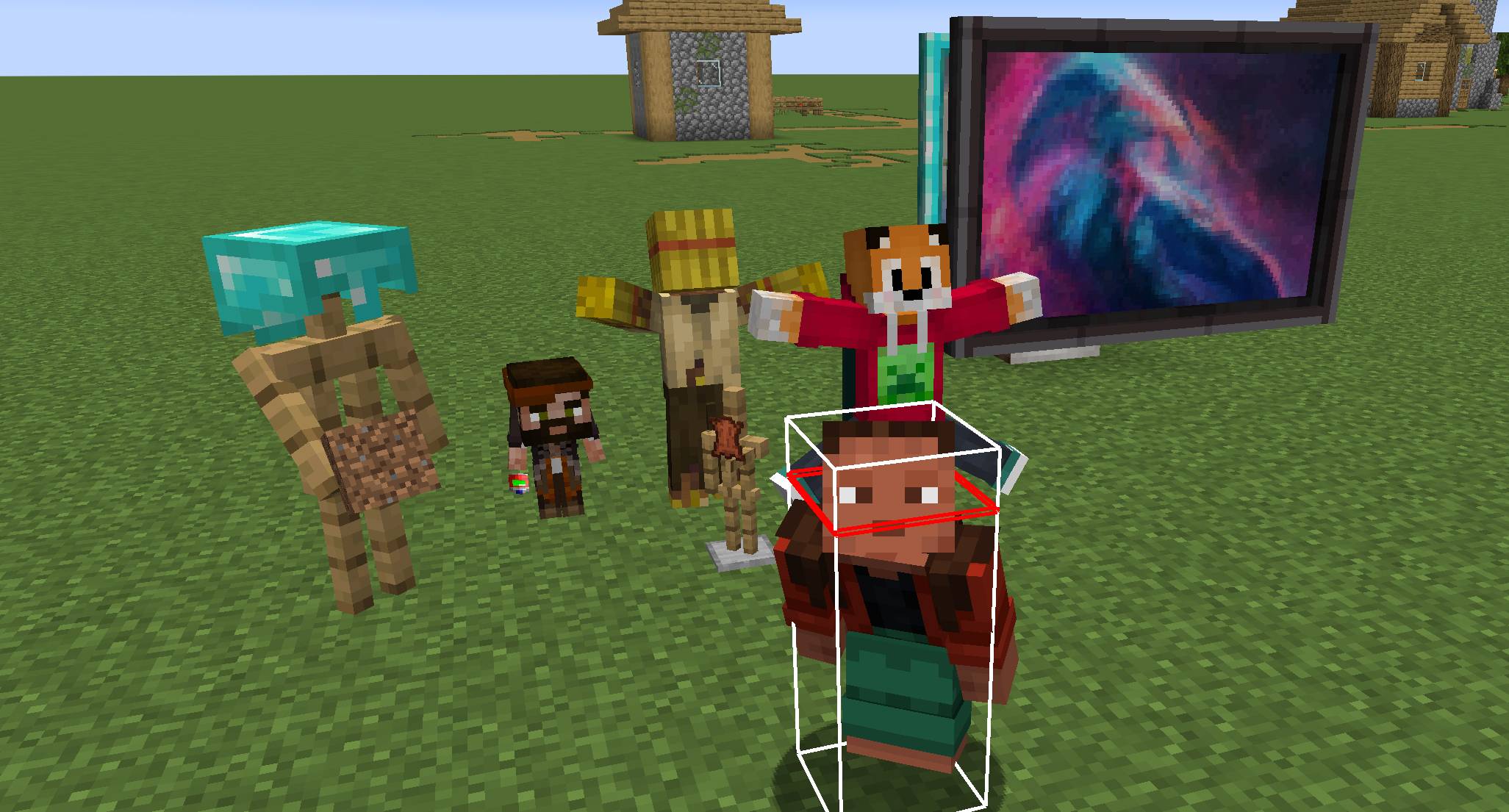
Converts decorative entities (vanilla armor stands and entities from other mods) into blocks.
Why does this mod exist?
Decorative entities (armor stands, graffiti, statues, ...) are ticked, tracked and synced by the server like any other entity, even though they never move. Large builds full of them can cost a lot of performance on both the server and the client.
This mod exists for two reasons:
- To make these decorations more performant for the server and client by converting them from entities to blocks.
- To make them able to be attached to Create Mod contraptions.
Entity Blockifier has no required dependencies. Armor stands are always supported, and support for each mod below switches on automatically when that mod is installed, and stays out of the way when it isn't.
This mod is the successor to Immersive Painting Blocks. Worlds made with Immersive Painting Blocks can be loaded with Entity Blockifier (in place of it) and their converted graffiti is kept.
Armor Stands (Vanilla)
Converts Armor Stands into blocks. Pose, arms, base plate, size, scale, invisibility, gravity, name, armour and held items are all kept exactly as they were. This includes armor stands edited with mods like Armor Poser, which only change these vanilla settings.
Ideal for invisible armor stands used to hold an item in place as decoration.
- Craft the Armor Stand Converter from an Armor Stand + a Slime Ball, or an Armor Stand + Super Glue (Create).
- Use it on an armor stand to convert it.
- Sneak + use it on a converted armor stand to turn it back into a normal, editable armor stand.
- Breaking a converted armor stand drops the armor stand item plus everything it was wearing or holding.
The block is placed in an empty block near the armor stand (its own block if possible), so armor stands sunk into floors, walls or furniture can still be converted. Marker armor stands have no hitbox, so they can only be converted with /blockifier convert.
Supported Mods
Immersive Paintings
Converts Paintings, Glowing Paintings, Graffiti and Glowing Graffiti into blocks.
Paintings
- Craft the Painting Converter from a Painting + a Slime Ball, or a Painting + Super Glue (Create).
- Use it on a painting or glowing painting to convert it. Frames and materials are kept exactly as they were.
- Sneak + use it on a converted painting to turn it back into a normal, editable painting.
- Breaking a converted painting drops the painting / glowing painting item.
Graffiti
- Craft the Graffiti Converter from Graffiti + a Slime Ball, or Graffiti + Super Glue (Create).
- Use it on graffiti to convert it.
- Use it on a converted graffiti block to make it "thicker". Thickness adds depth to the graffiti, and for glowing graffiti, the thicker the block the more light it emits.
- Sneak + use it on a converted graffiti block to turn it back into normal, editable graffiti (thickness is lost).
- Breaking a converted graffiti block drops the graffiti / glowing graffiti item.
Straw Statues
Converts Straw Statues into blocks. Skin, pose, scale, model parts, armour and held items are all kept exactly as they were.
- Craft the Statue Converter from a Straw Statue + a Slime Ball, or a Straw Statue + Super Glue (Create).
- Use it on a statue to convert it.
- Sneak + use it on a converted statue to turn it back into a normal, editable statue.
- Breaking a converted statue drops the statue item plus everything it was wearing or holding.
Commands
All commands need operator permission (level 2) and work relative to where they are run from.
| Command | Description |
|---|---|
/blockifier convert <distance> |
Converts every supported entity within distance blocks. |
/blockifier revert <distance> |
Turns every converted block within distance blocks back into its entity. |
/blockifier thickness <thickness> <distance> |
Sets the thickness of every converted graffiti block nearby. (Immersive Paintings only) |
/blockifier stats <distance> |
Shows a breakdown of nearby entities and block entities on the sidebar. |
Config
The distance that converted blocks render from the player can be configured in the Client Config.
The default is 256 blocks and can be increased to 512 and decreased to 16. Decreasing will improve clientside FPS performance. Increasing will reduce clientside FPS performance.
Development
Each supported mod has its own module under com.entityblockifier.compat, and is only ever touched from ModCompat behind a ModList.isLoaded check, so its classes are never loaded when the mod is missing.
To add support for another mod:
- Add a compat package with an
init()that registers its blocks/items and anEntityConverterwithConverterRegistry. - Call it from
ModCompat.init()behind anisLoadedcheck (and fromModCompatClientfor any renderers). - Add it as an
optionaldependency inneoforge.mods.toml, and ascompileOnly/localRuntimeinbuild.gradle. - Gate any recipes that use its items with a
neoforge:mod_loadedcondition.
For static entities (statues, armor stands, paintings, item frames, ...), a snapshot block can usually be used instead of writing a custom block and renderer: register one with SnapshotBlocks.registerBlock(...) and a SnapshotConverter for the entity type ids. The entity's full NBT is stored in the block, rendered on the client by the entity's own renderer, and restored exactly on sneak + use.
The Entity Blockifier Team


Owner