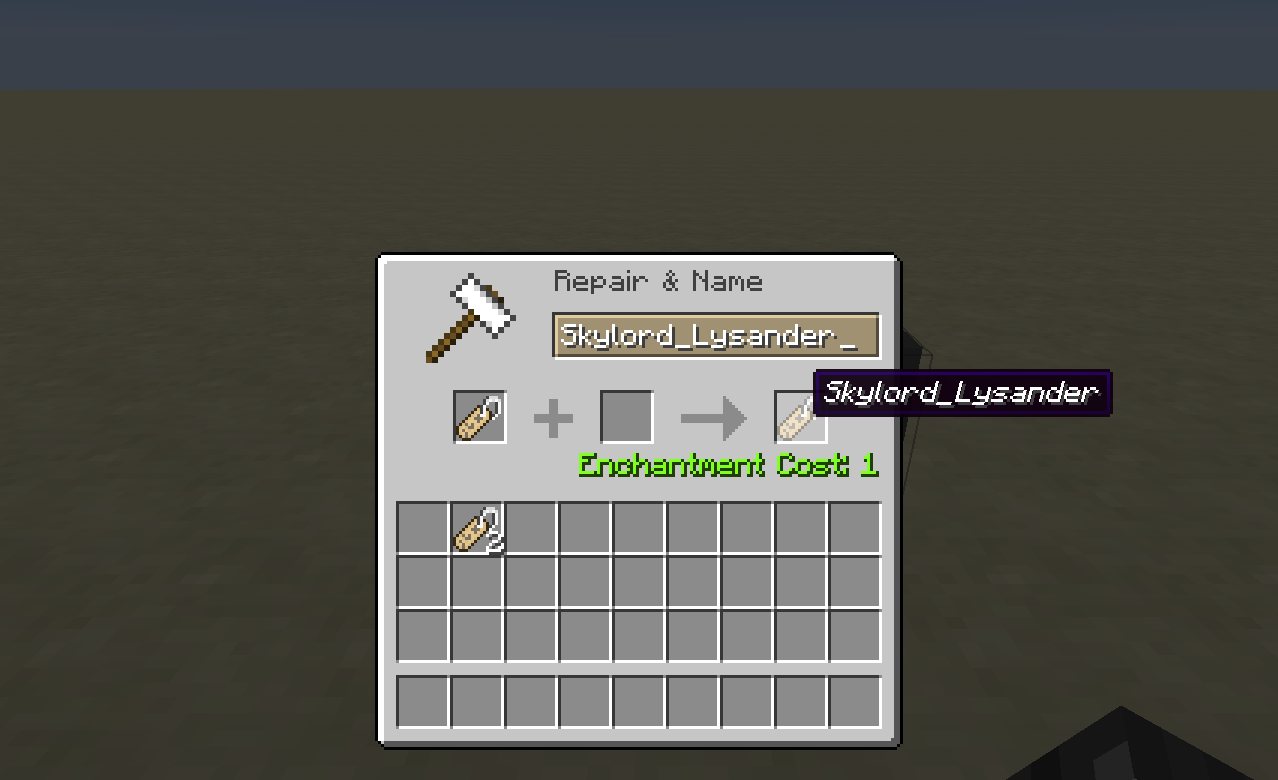
Showing the player naming a Name Tag so that it can be equipped and displayed.
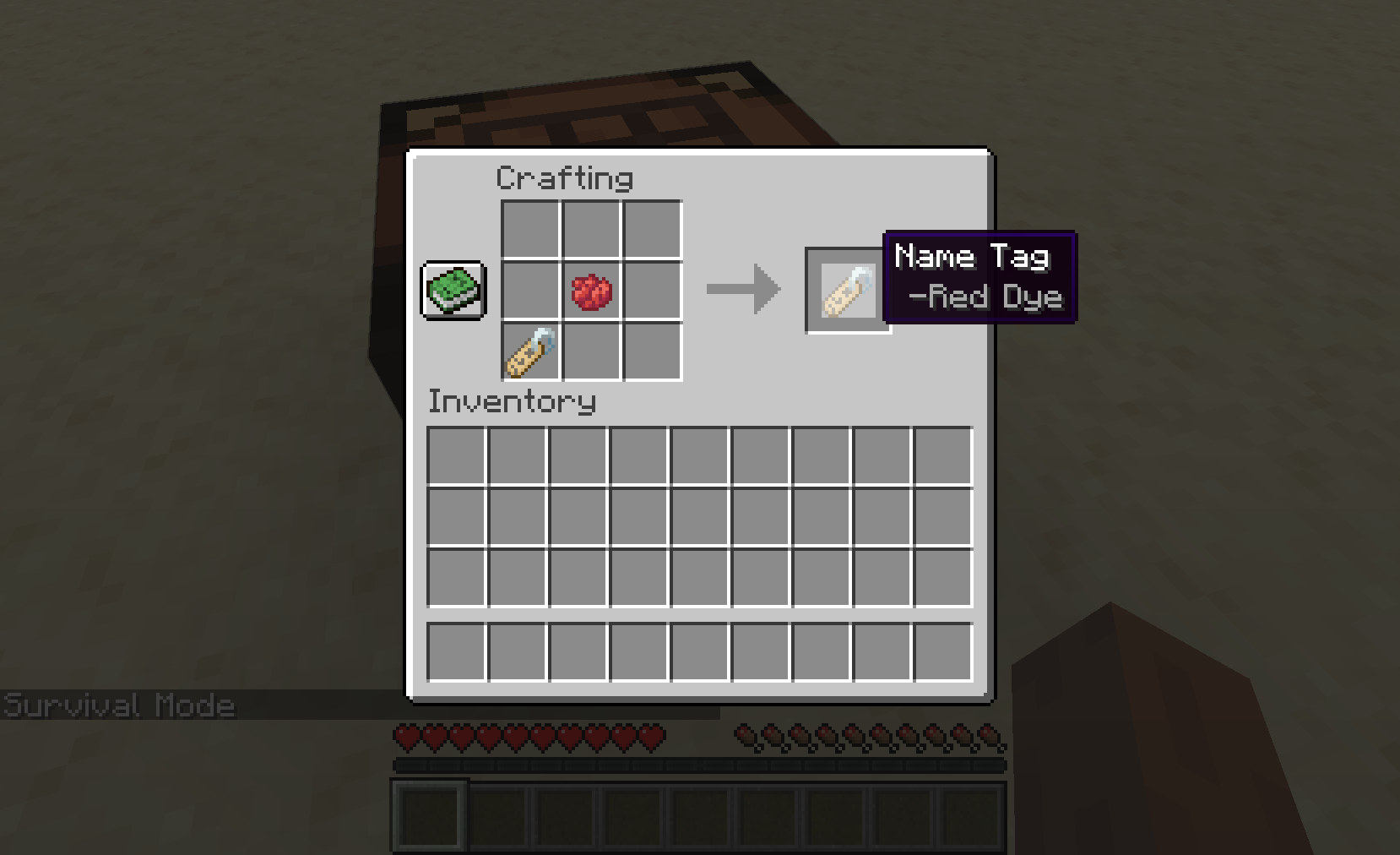
Showing how to get a coloured Name Tag from mod v1.1.0 on.
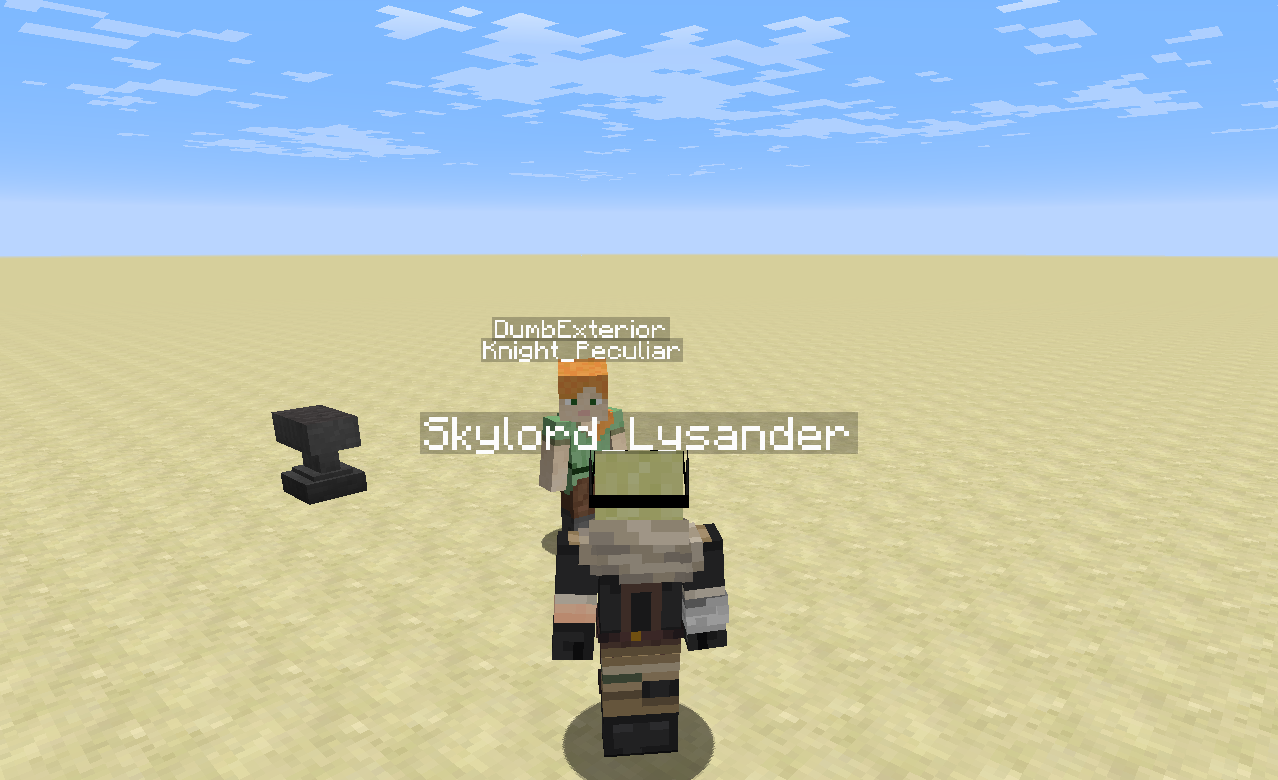
Showing the Name Tag text being displayed above the player.
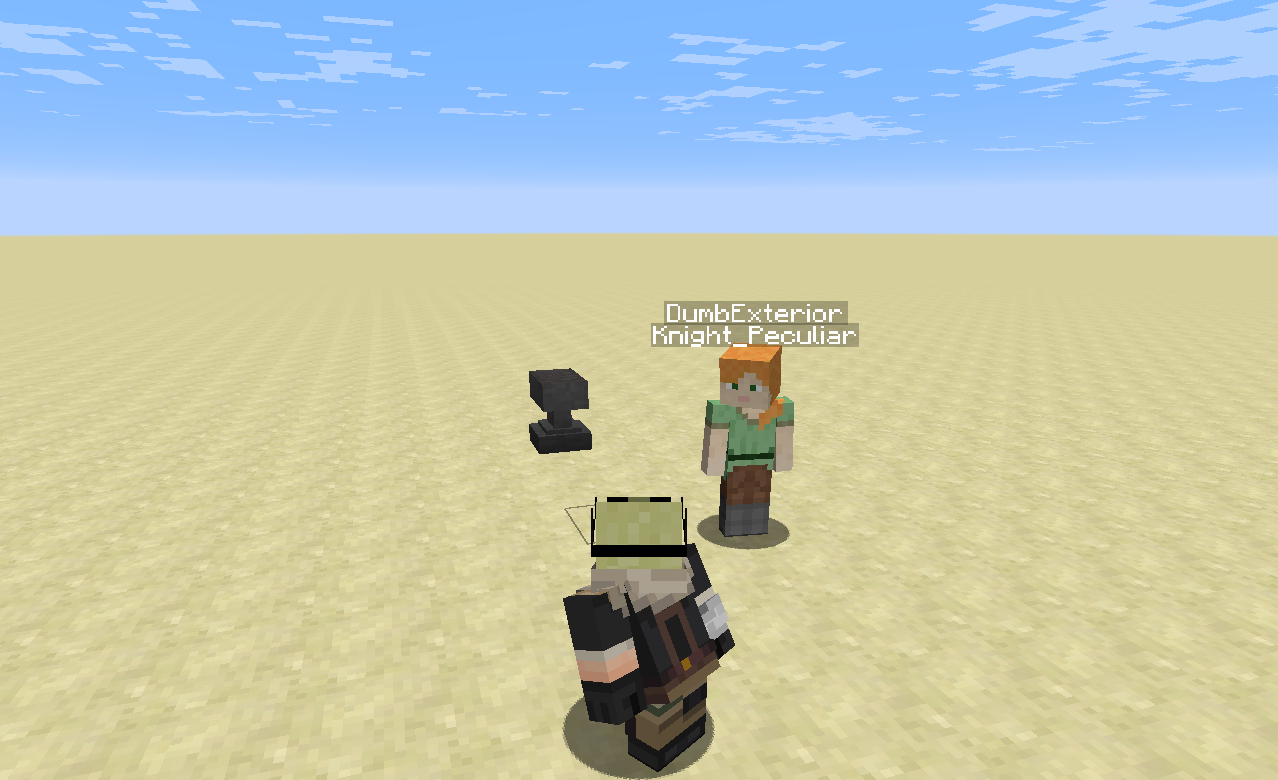
Showing the Name Tag text disappear when sneaking.
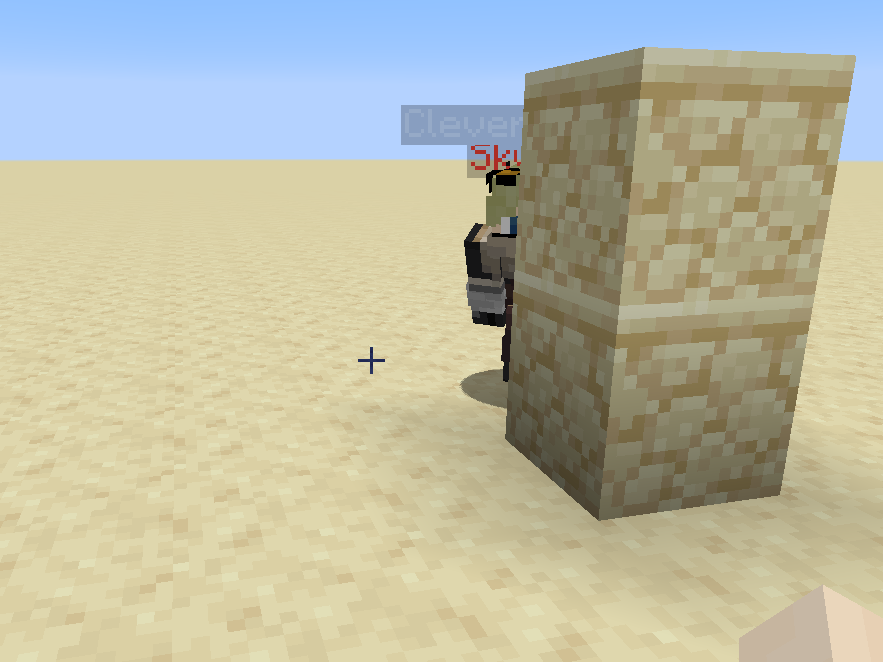
Showing that being behind a block while crouching does hide the Name Tag, just like the username. Being invisible also hides it.
![[Deprecated: Use a crafting table] Using a dye to add a custom colour to the the name tag (1.15.2+) only works when using the Name Tag on a player.](https://media.forgecdn.net/attachments/281/651/3.PNG)
[Deprecated: Use a crafting table] Using a dye to add a custom colour to the the name tag (1.15.2+) only works when using the Name Tag on a player.
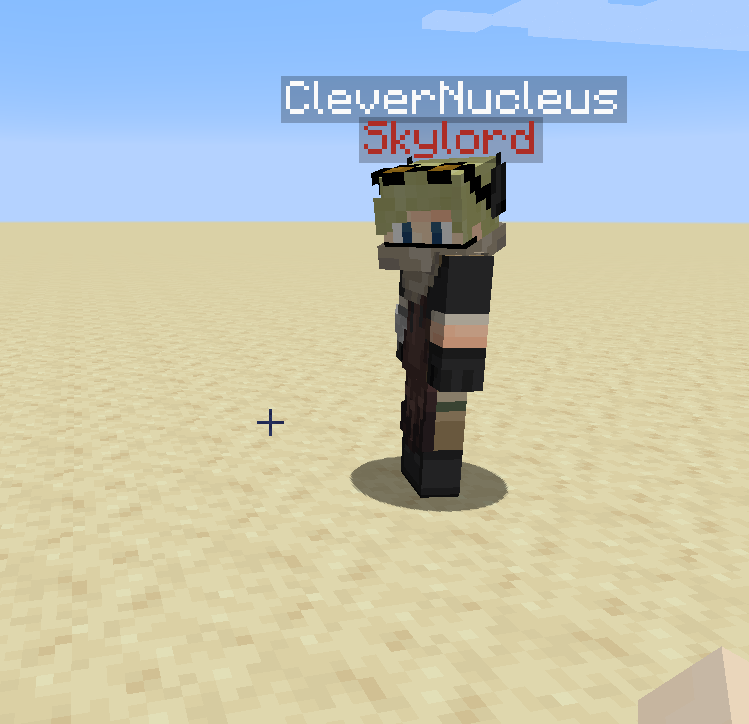
Showing a player with a Name Tag that has the colour red (1.15.2+).
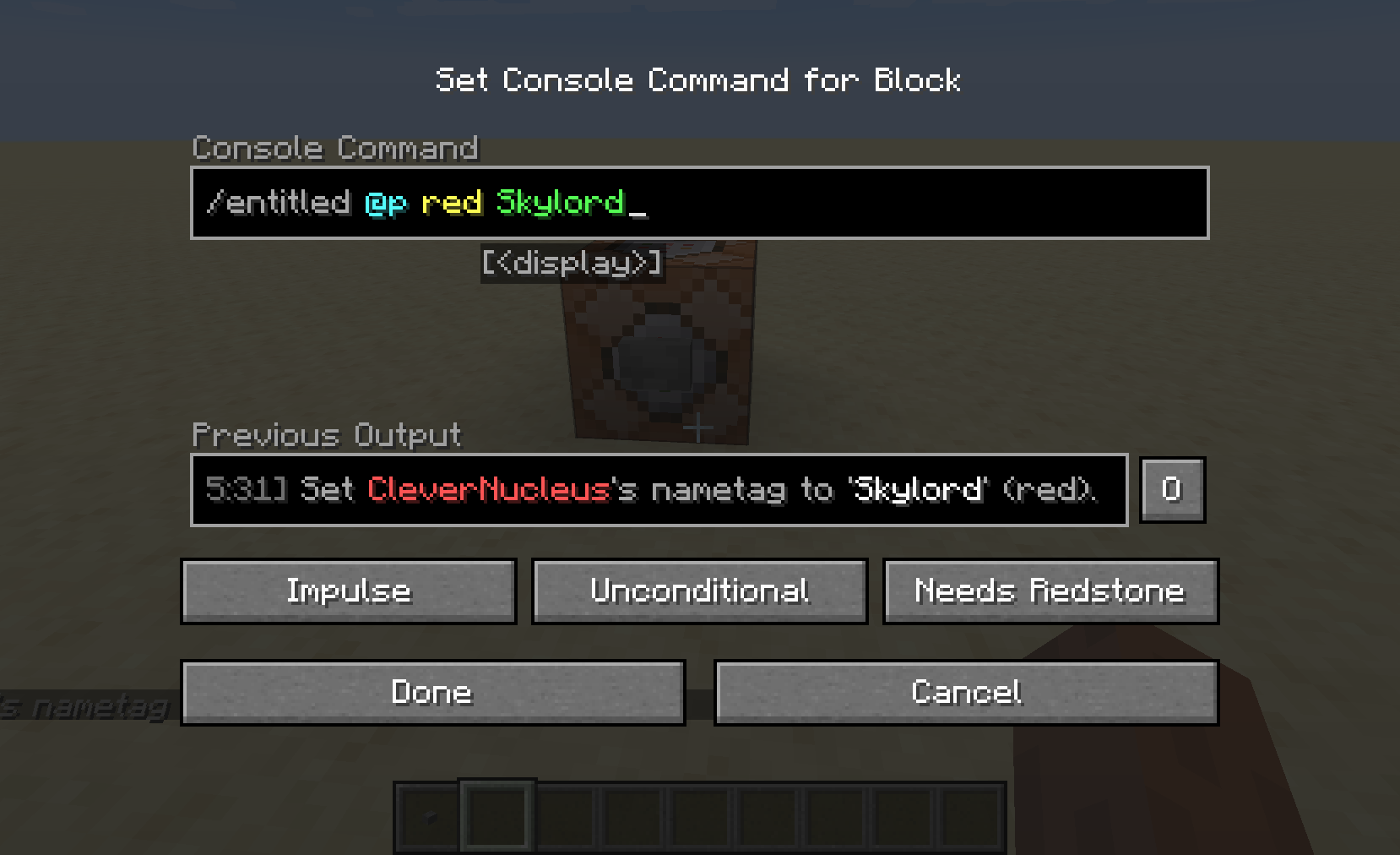
Showing the usage of a command in a command block.
Description
Description
This mod lets you sneak-rightclick a name tag item and equip the name tag as a title for yourself. For server admins, commands are now also available to edit player's title information.
Example
Here's a much appreciated video on the mod (anvil use is outdated in the latest releases).
How to use
Sneak-rightclick a Name Tag to equip it. When the Name Tag is equipped you will have the Name Tag text displayed above your head but just below your multiplayer username. To unequip the Name Tag, just sneak-rightclick with another Name Tag. Note, only named Name Tags can be equipped, but sneak-rightclicking an unnamed Name Tag will still unequip the one you have on.
By default the Name Tag text displayed is white, but this can be coloured any of the 16 dye colours in Minecraft. Simply combine a dye item and name tag item together in a crafting table.
By holding Shift over a Name Tag, a tooltip will appear telling you what colour it has.
Commands
- /entitled <player> clear Clears the target player's title.
- /entitled <player> lock Locks the target player's ability to equip/unequip name tags (the target player will no longer be able to modify their title until they are unlocked), cannot lock a player with a permission level of two or more (i.e. if they are in creative/opped).
- /entitled <player> unlock Unlocks the target player's ability to equip/unequip name tags (the target player will again be able to modify their title); by default player's are unlocked.
- /entitled <player> <color> If the target player has a title equipped, changes the colour of that title (to one of the 16 dye colours).
- /entitled <player> <color> <title> Sets the target player's title (regardless of if they have one already equipped or not) to the command's <title> argument with the colour from the command's <color> argument.
-Note that only player's with a permission level of two or greater are able to use these commands.
Example usage:
1). /entitled CleverNucleus red Skylord
2). /entitled CleverNucleus lock
The player CleverNucleus now has a title displaying 'Skylord' in red, and cannot unequip this title until an admin uses /entitled CleverNucleus unlock.
Notes
- This works in multiplayer.
- Other players cannot sneak-rightclick another player to equip the Name Tag on them.
- When sneaking or invisible, the Name Tag text is hidden.
- The display text is placed just low enough so that it does not clash with other "overhead" items - such as Neat by Vazkii.
- The colouring feature is not implemented for mod version 1.0.1. Please always use the latest versions available for 1.12, 1.15 and 1.16.
- Very lightweight and minimal networking: this IS required on both the server and client.
Mod versions developed on recommended versions of forge.
Feel free to use this however you you please (that includes modpacks).
The Entitled Team


Owner