

EnhancedAnvil
- By
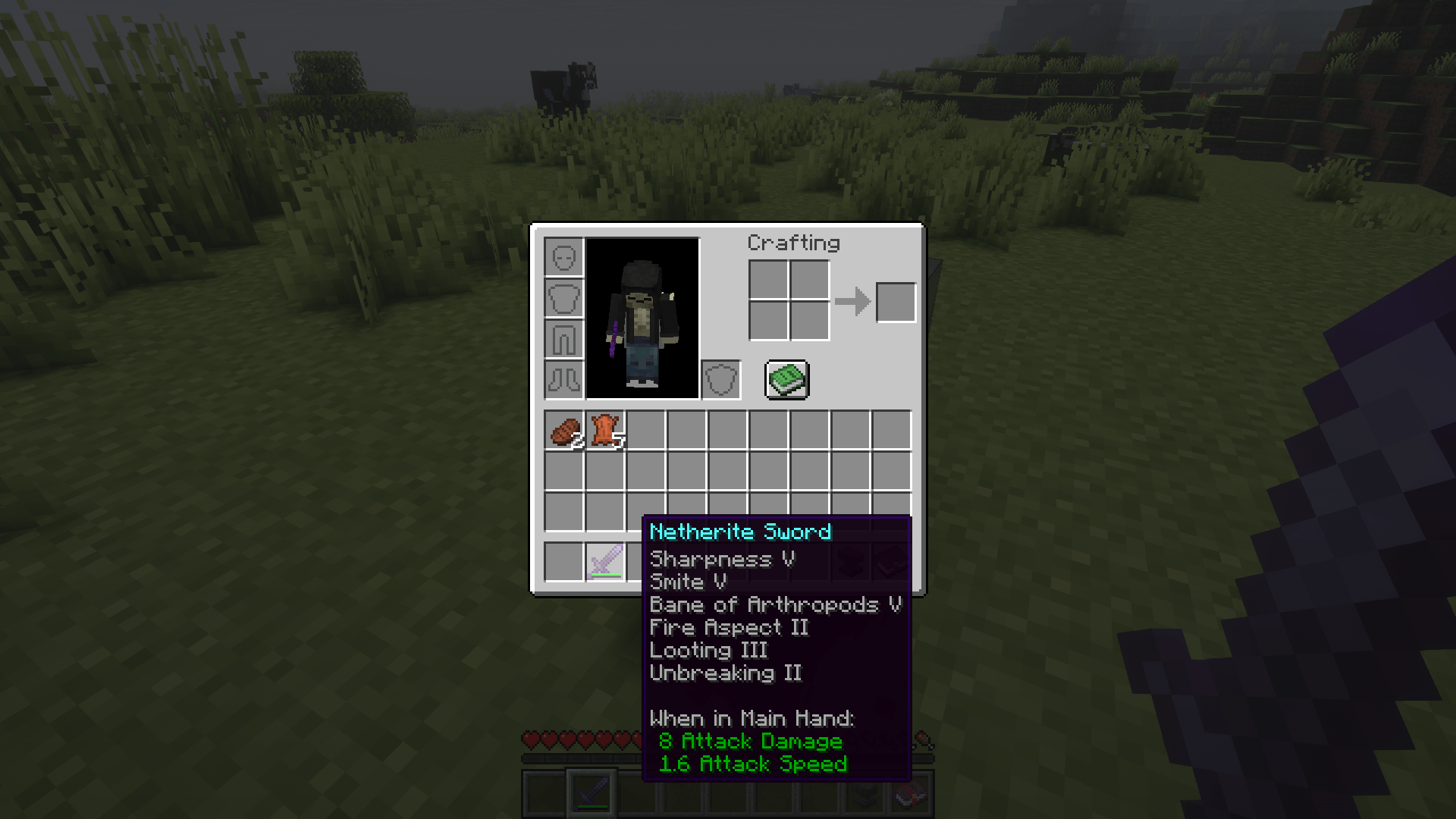
Break vanilla enchantment limits with Enhanced Anvil! Combine incompatible enchantments and disenchant gear over obsidian, extracting enchants into books, splitting enchanted books, and clearing prior-work costs.
94205539-2a5c-4098-bc00-e0c39eb8fbd3.png
2026-09-18_16.26.33.png
2026-09-18_16.25.57.png
Description
# Enhanced Anvil

Enhanced Anvil is a NeoForge mod for Minecraft 1.21.1 that removes the normal
enchantment compatibility restrictions from anvil operations. It also adds an
obsidian-based disenchantment system that lets you extract enchantments from
items and split multi-enchantment books.

## Supported Versions

- Current Minecraft version: **1.21.1**
- Mod loader: **NeoForge**
- Recommended Java version: **Java 21**
- Current mod version: **1.0.3**

Additional Minecraft versions may be supported in future releases. Version
support will be added separately when the mod is updated and tested for that
Minecraft version. Always download the file that matches your Minecraft and
NeoForge version.

## Main Features

### Unlimited Enchantment Combinations

Enhanced Anvil allows enchantments that are normally incompatible in vanilla
Minecraft to be combined.

Examples:

- Mending and Infinity on the same bow
- Silk Touch and Fortune on the same tool
- Multiple protection enchantments on the same armor piece
- Other combinations that vanilla Minecraft normally rejects

Enchantment levels still respect the maximum level defined by each enchantment.
For example, combining two level-IV enchantments will not normally create a
level-V enchantment unless the enchantment itself supports that level.

### Enhanced Anvil Interface

Use the Enhanced Anvil block like a normal anvil:

1. Place the item you want to modify in the **left slot**.
2. Place an enchanted item or enchanted book in the **right slot**.
3. Check the resulting item and the displayed XP cost.
4. Take the output from the result slot.

The Enhanced Anvil can combine enchantments without applying vanilla
compatibility restrictions. Normal anvil operations such as repairing and
renaming remain supported.

### Progressive XP Costs

The XP cost is calculated from the resulting enchantments rather than using a
fixed price for every operation. As more enchantments are present on the
resulting item, the displayed XP cost increases accordingly.

The Enhanced Anvil also avoids the normal accumulated prior-work penalty for
these custom enchantment combinations. The cost is kept below Minecraft's
40-level `Too Expensive` display threshold so the actual XP cost remains visible
in the anvil interface.

## Disenchantment System

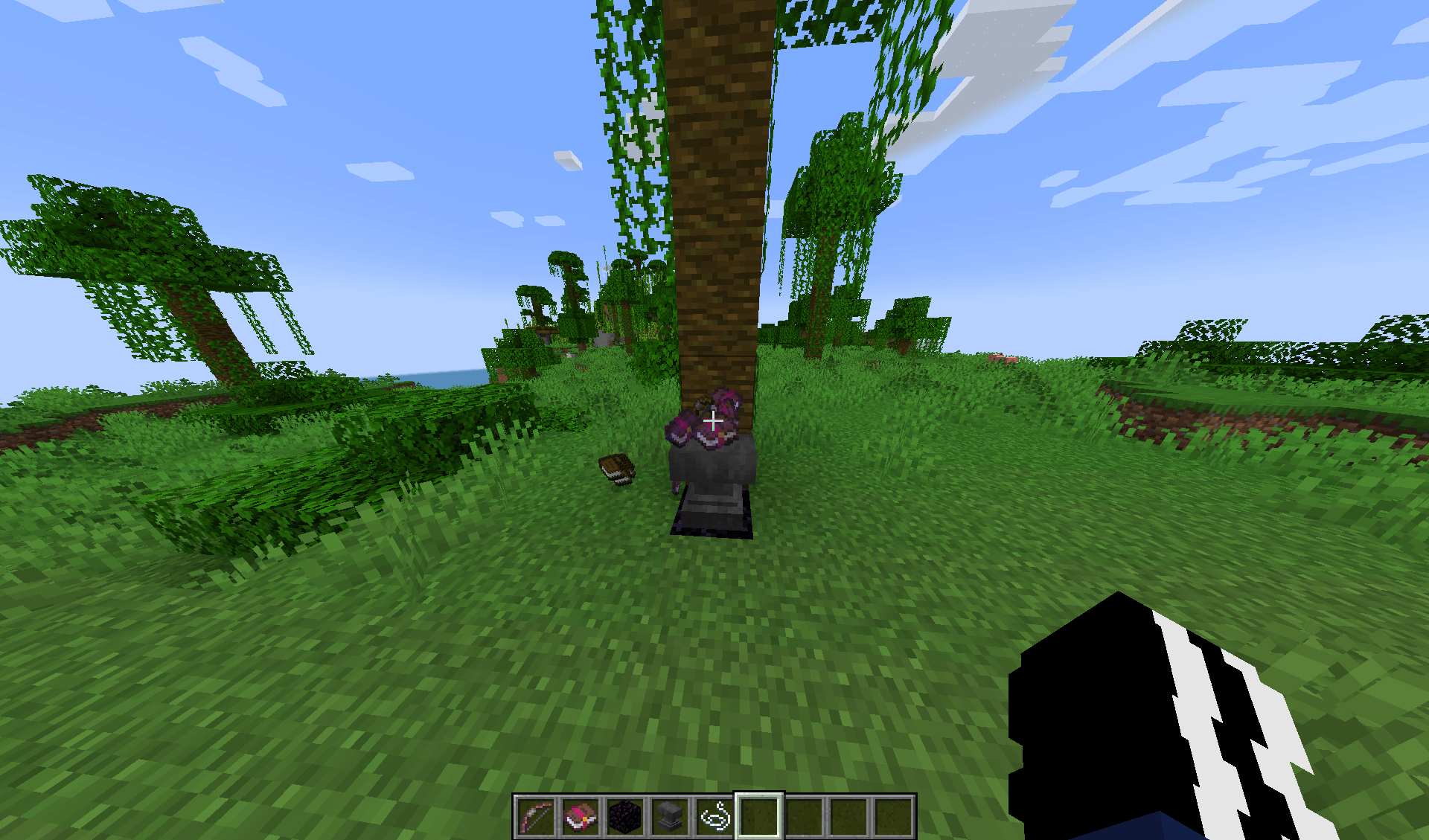
The disenchantment feature extracts enchantments from dropped items and turns
them into enchanted books.

### Required Setup

You must use **Obsidian** or **Crying Obsidian** as the base block.

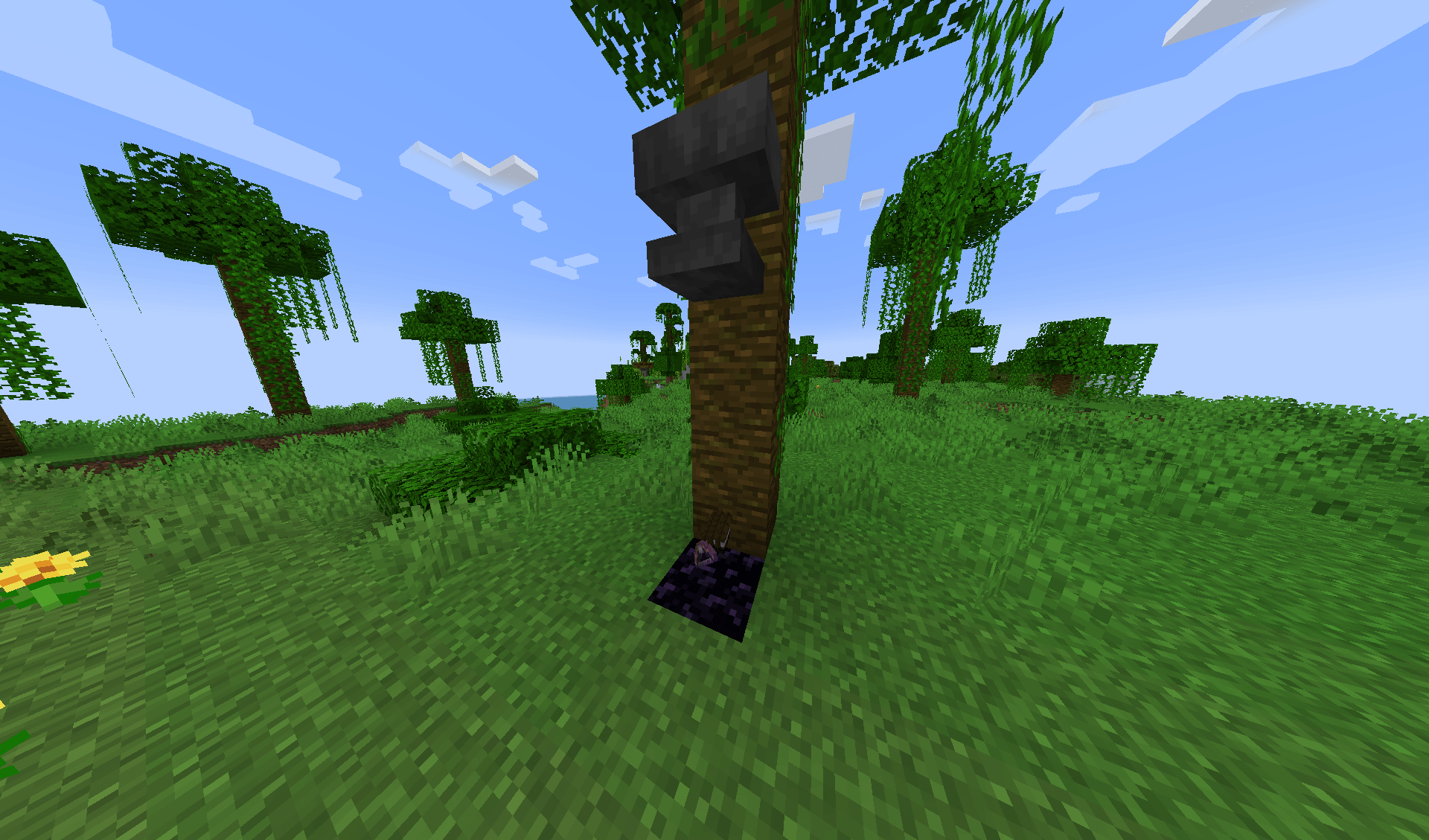
Build the setup as follows:

1. Place one block of **Obsidian** or **Crying Obsidian**.
2. Drop the enchanted tool, weapon, armor, or enchanted book directly above
   the obsidian.
3. Drop the required number of **plain Books** nearby.
4. Drop an anvil so that it lands directly above the obsidian.
5. Wait for the anvil to land and the output items to appear.

The anvil must land over the obsidian or crying obsidian. If it lands beside
the base block, the disenchantment operation will not start.

### Plain Book Requirements

Plain books are used as the extraction material:

- Removing one enchantment from an item consumes **one plain Book**.
- Removing three enchantments consumes **three plain Books**.
- Splitting a multi-enchantment book consumes **two plain Books**.
- If there are not enough plain books, the operation does not process the
  missing enchantments.

A plain book means the normal unenchanted `Book` item. Enchanted Books do not
count as extraction material.

### Enchanted Items to Books

When an enchanted tool, weapon, or armor item is processed:

1. One enchantment is removed from the item.
2. One enchanted book containing that enchantment is created.
3. One plain book is consumed.
4. The remaining enchantments stay on the returned item.
5. The item's prior-work/repair cost is cleared.

This continues until all enchantments have been removed or the available plain
books have been consumed.

The original item is returned as an unenchanted or partially enchanted item,
depending on how many books were available.

### Curse-First Removal

Curse enchantments are removed first. After curses are removed, the remaining
enchantments are processed in a stable order.

This means Curse of Binding and Curse of Vanishing are extracted before normal
enchantments when enough plain books are available.

### Splitting Enchanted Books

Multi-enchantment books can be split into separate single-enchantment books.

Example:

- A book containing Efficiency, Unbreaking, and Mending becomes:
  - One Efficiency enchanted book
  - One Unbreaking enchanted book
  - One Mending enchanted book

Splitting requires two plain books. The original multi-enchantment book is
removed after the split.

Single-enchantment books are left unchanged and are not split.

### Batch Processing

Item stacks can be processed in batches. Each item in the stack is handled
individually, and each removed enchantment requires its own plain book.

The number of items processed depends on:

- The number of items in the dropped stack
- The number of enchantments on each item
- The number of plain books available
- Normal server entity and item-stack limits

### Output Drops

Generated items are dropped slightly outward from the landing position with a
small amount of movement. This helps prevent multiple output items from
overlapping in the same location.

## Complete Usage Examples

### Example 1: Remove Enchantments from a Tool

1. Place obsidian on the ground.
2. Drop an enchanted pickaxe above the obsidian.
3. Drop three plain books nearby if the pickaxe has three enchantments.
4. Drop an anvil so it lands above the obsidian.
5. Collect the returned pickaxe and the generated enchanted books.

### Example 2: Extract One Enchantment

1. Place obsidian.
2. Drop an item with one enchantment above it.
3. Drop one plain book.
4. Drop an anvil onto the setup.
5. The item becomes unenchanted and one enchanted book is produced.

### Example 3: Split an Enchanted Book

1. Place crying obsidian.
2. Drop a book containing multiple enchantments.
3. Drop two plain books.
4. Drop an anvil directly onto the crying obsidian.
5. The original book is replaced by separate single-enchantment books.

### Example 4: Combine Incompatible Enchantments

1. Open the Enhanced Anvil.
2. Put a bow in the left slot.
3. Put a Mending book or enchanted item in the right slot.
4. Add Infinity through another anvil operation.
5. Take the resulting bow with both enchantments.

## Important Notes

- The disenchantment feature requires a falling anvil; placing an anvil normally
  does not activate it.
- The anvil must land above Obsidian or Crying Obsidian.
- Items must be dropped as item entities, not kept in the player's inventory.
- Plain books must be dropped near the item before the anvil lands.
- A single-enchantment book is intentionally left unchanged.
- Removing enchantments does not create duplicate items for free; one item from
  the input stack is processed per available operation.
- The Enhanced Anvil changes vanilla progression and compatibility rules, so
  very powerful equipment is possible.

## Troubleshooting

### Nothing Happens When the Anvil Lands

Check all the following:

1. The base block is Obsidian or Crying Obsidian.
2. The anvil lands directly above that block.
3. The enchanted item is dropped as an item entity.
4. Enough plain Books are nearby.
5. The item actually contains enchantments.
6. The server is running the updated Enhanced Anvil JAR.

### Only Some Enchantments Are Removed

Each removed enchantment consumes one plain book. Add more plain books and
repeat the operation for the remaining enchantments.

### The Anvil Still Shows Too Expensive

Make sure the installed mod is the current version and that the old JAR was
removed from the `mods` folder. The current release is:

```text
enhancedanvil-1.0.3.jar
```

## Installation

1. Install Minecraft 1.21.1.
2. Install a compatible NeoForge 1.21.1 profile.
3. Install Java 21 or newer.
4. Copy `enhancedanvil-1.0.3.jar` into the Minecraft `mods` folder.
5. Start Minecraft with the NeoForge profile.
6. Confirm that Enhanced Anvil appears in the loaded-mod list.

## Compatibility

Enhanced Anvil is currently designed for NeoForge and Minecraft 1.21.1. Future
releases may support additional Minecraft versions. It may not work correctly
on another Minecraft version or with another mod loader unless a compatible
release or port is provided.

Because this mod changes enchantment compatibility and anvil progression, it
is recommended to test it before adding it to an existing survival world or
server.

Join Discord: https://discord.gg/kRwvkgymTp
Youtube Channel: https://youtube.com/channel/UCxejjtax27M84_6_uQngpGg
The EnhancedAnvil Team
