Enhanced Chat +
- By
Enhanced Chat + — A complete Minecraft chat overhaul with a sleek modern panel, player head avatars, 40+ emojis, whisper detection, /me support, and full customization.
Capture d'écran 2026-03-16 053013.png
Capture d'écran 2026-03-16 053036.png
Capture d'écran 2026-03-16 053115.png
Capture d'écran 2026-03-16 053159.png
Description
Enhanced Chat +
A complete chat overhaul for Minecraft 1.21.4 (Fabric) — beautiful, functional, and fully customizable.
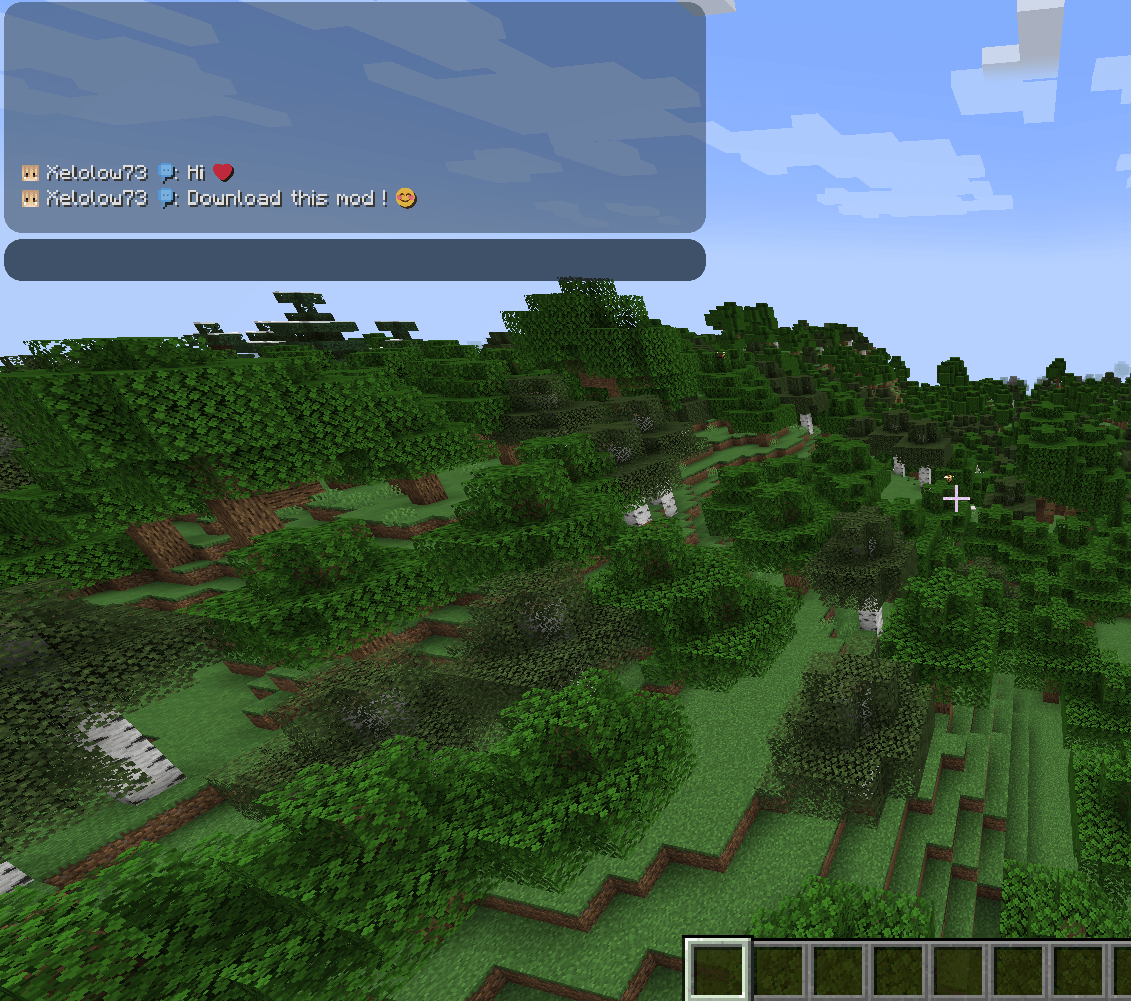
Enhanced Chat + replaces Minecraft's default chat with a sleek, modern panel featuring smooth anti-aliased rounded corners, player skin heads, emoji support, private message detection, and much more.
Features
Redesigned Chat Panel
- Fully custom chat panel with smooth anti-aliased rounded corners using PNG textures — no pixelated edges
- Messages fade in (200ms), stay visible for 10 seconds, then smoothly fade out (2 seconds) — including player heads
- Auto-hide when no new messages arrive; reappears instantly on new messages
- Supports up to 100 messages in history with mouse wheel scrolling
- Text automatically wraps to fit the panel width
Player Heads & Interaction
- Displays the player's skin head next to their first message line
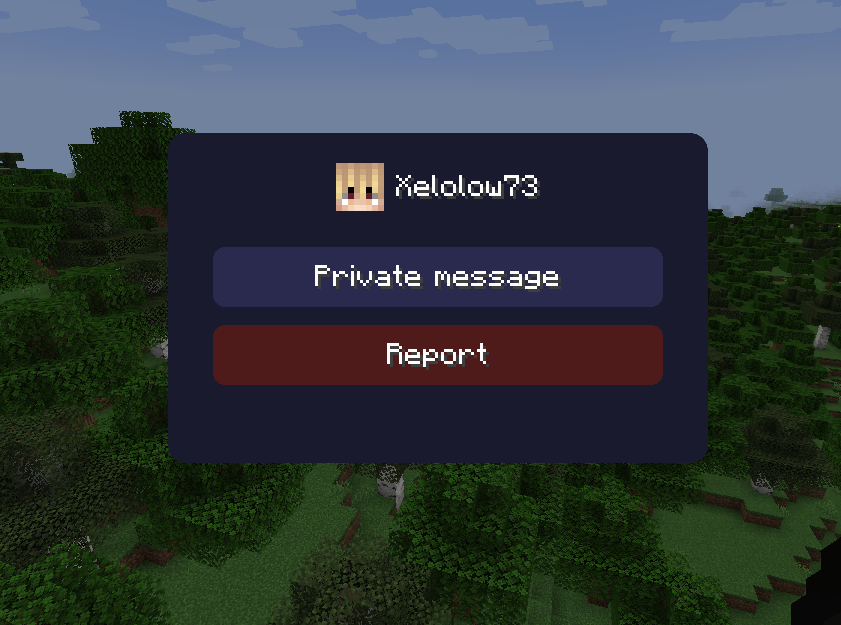
- Click on any player name in chat to open a quick action menu:
- Send a private message (
/msg) - Report the player (
/report)
- Send a private message (
- The action menu displays the player's skin and name
Emoji System
- Type text emoticons and they get replaced with custom emoji characters
- 40+ emoji codes supported:
- Faces:
:):D:(xD^^:P:Oand more - Symbols:
:heart::star::fire::diamond::skull: - Actions:
:thumbsup::clap::wave::muscle: - Objects:
:sword::shield::music::flower: - And many more!
- Faces:
- Toggle emojis on/off in settings
- Uses a custom emoji font for clean rendering
Private Message Detection (Whispers)
- Automatically detects
/msgwhisper messages and displays them in purple with a [MP] tag - Works with multiple formats:
- Vanilla English:
"You whisper to Player: msg"/"Player whispers to you: msg" - Vanilla French:
"Vous chuchotez à Player : msg"/"Player vous chuchote : msg" - Server formats:
[Player -> You],From Player:,To Player:
- Vanilla English:
/me Emote Support
/meaction messages are displayed in orange with the classic* PlayerName actionformat- Clearly distinct from regular chat messages
Fully Customizable
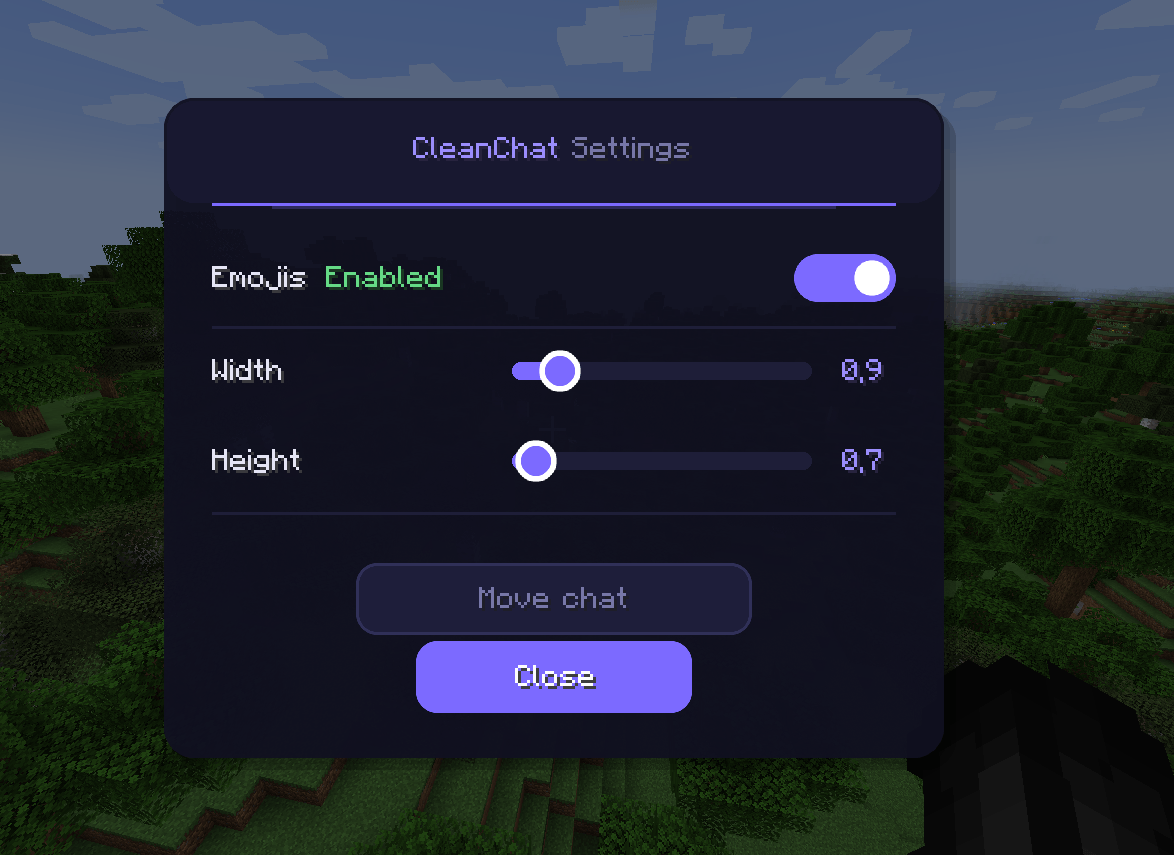
- Press G (configurable) to open the settings screen:
- Resize the chat panel (width & height sliders, 0.5x to 3.0x)
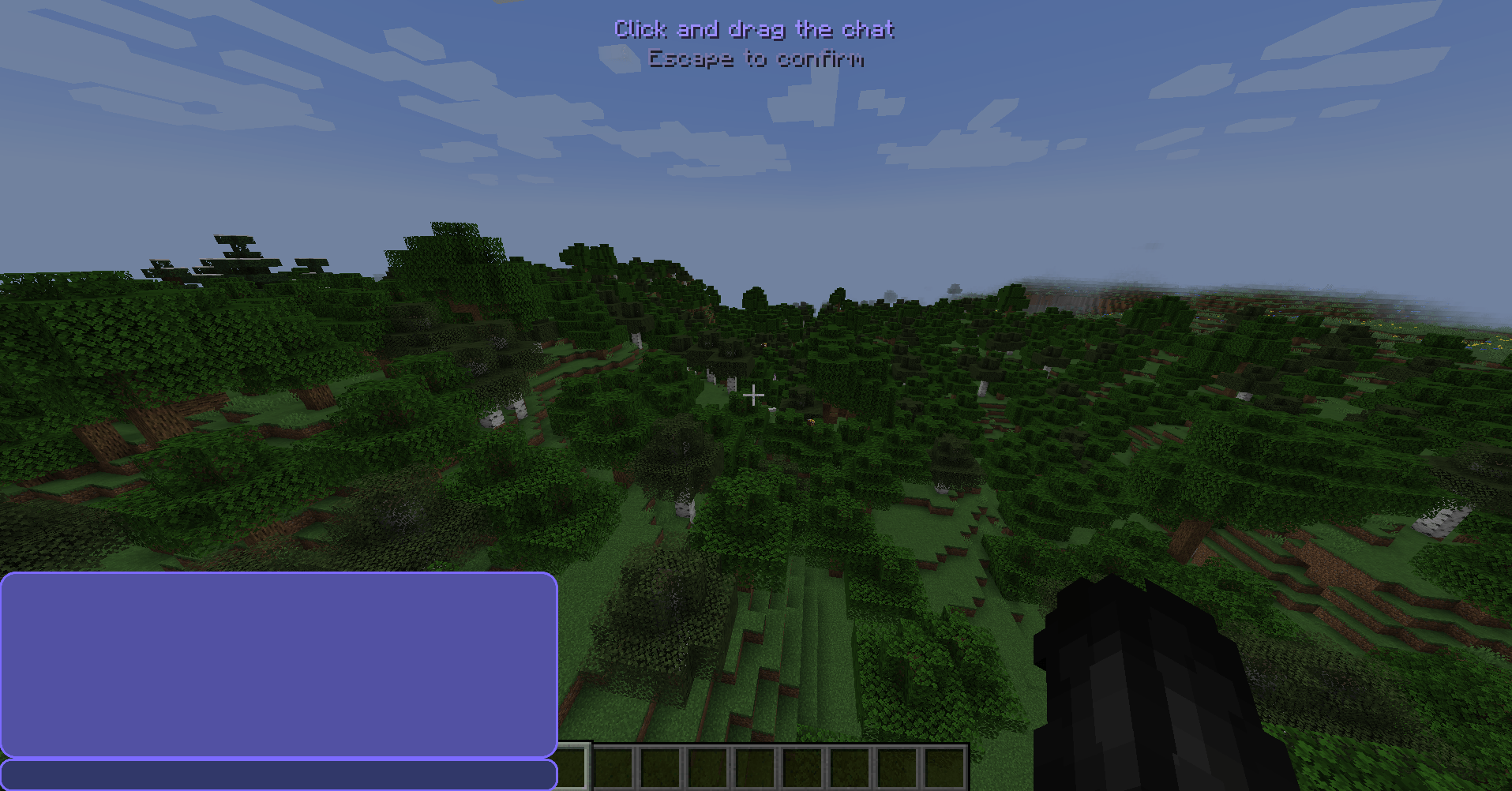
- Move the chat panel anywhere on screen via drag-and-drop
- Toggle emojis on or off
- Beautiful dark-themed settings UI with smooth rounded buttons, sliders, and toggles
- All settings are saved automatically between sessions
Multi-Language Support
The entire mod interface is translated based on your Minecraft language setting:
- English
- French (Français)
- Spanish (Español)
- German (Deutsch)
- Russian (Русский)
Visual Quality
- Anti-aliased PNG-based rounded corners on all UI elements (chat panel, input bar, settings, buttons)
- Smooth circle textures for slider thumbs and toggle switches (64x64 resolution)
- Text shadows for readability
- Hover effects on all interactive elements
- Color-coded messages: regular (light gray), system (light purple), whispers (purple), emotes (orange)
- Custom styled input bar that matches the chat panel aesthetic
Requirements
- Minecraft 1.21.4
- Fabric Loader ≥ 0.16.0
- Fabric API
- Java 21
Default Keybind
| Key | Action |
|---|---|
| G | Open settings |
Enhanced Chat + is a client-side mod. It does not require server installation.
Enhanced Chat + Team