


EnchantLens
- By
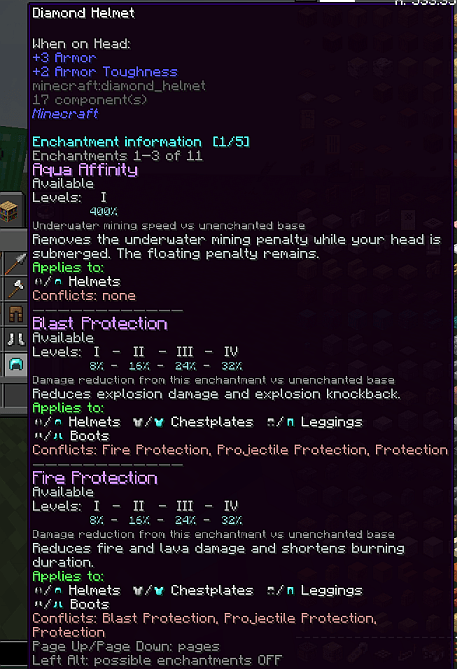
Armor piece long form.png
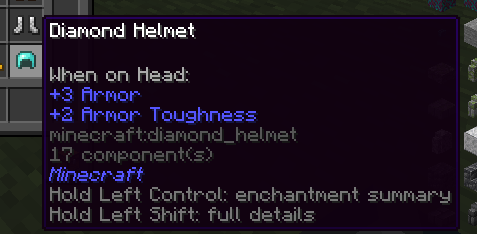
Armor piece.png
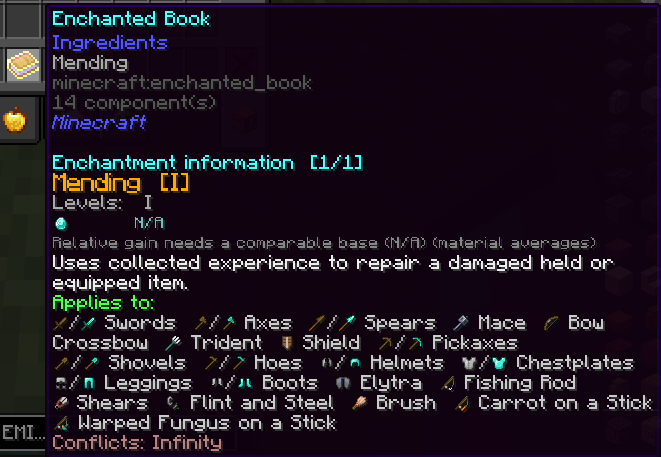
Enchanted book.png
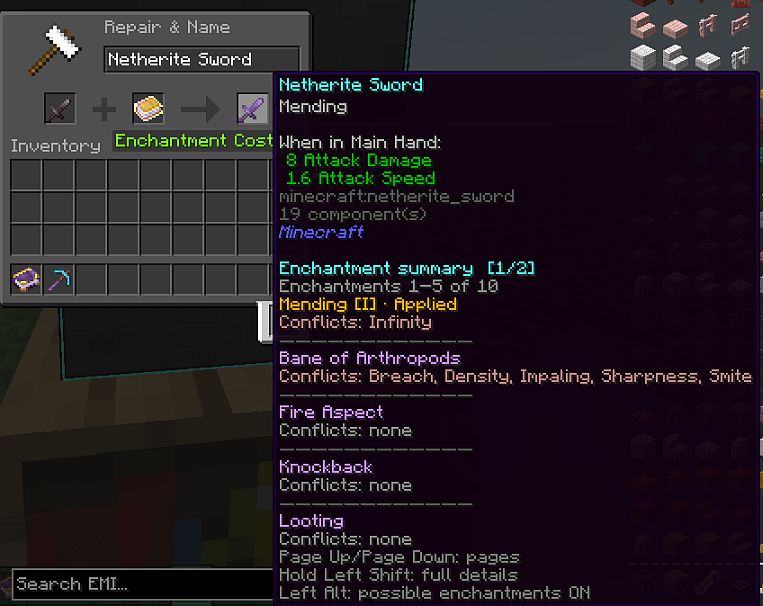
Enchanting item with a book long form.png
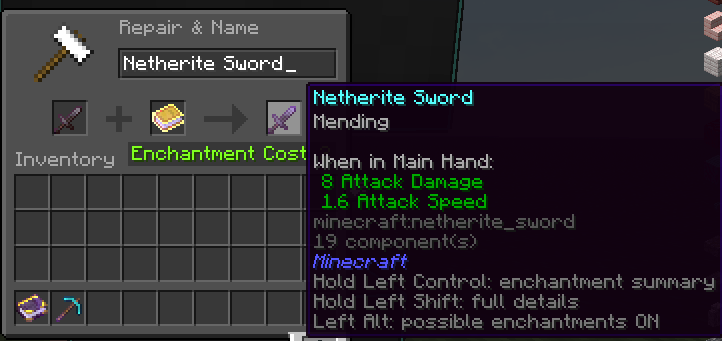
Enchanting item with a book short form.png
Description
# EnchantLens — see every enchantment before you spend your lapis
EnchantLens is a lightweight, **100% client-side** Fabric mod that adds a clear,
readable information layer over Minecraft's enchanting system. Place an item in an
enchanting table — or inspect an enchanted book, an armor piece or a librarian trade —
and EnchantLens shows you exactly which enchantments are possible, at which levels,
and what each of them does, rendered in-game with vanilla-style item icons.
No wikis, no guesswork, no leaving your world.
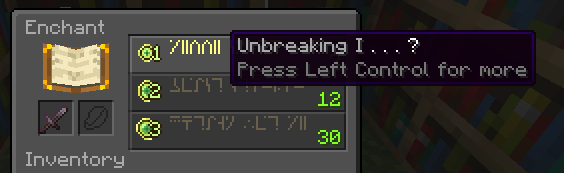
*The enchanting table with EnchantLens active.*
## ✦ Possible enchantments, at a glance
Toggle the overlay (default: **Alt**) to see every enchantment the item can receive,
straight from the game's own data — accurate for your Minecraft version.
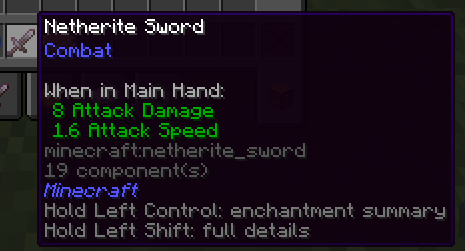
*An unenchanted item and its possible enchantments.*
## ✦ Short form & long form
Need a quick list? Use the **short form**. Want levels, conflicts and full
descriptions? The **long form** gives you everything, paginated with **PageUp / PageDown**.
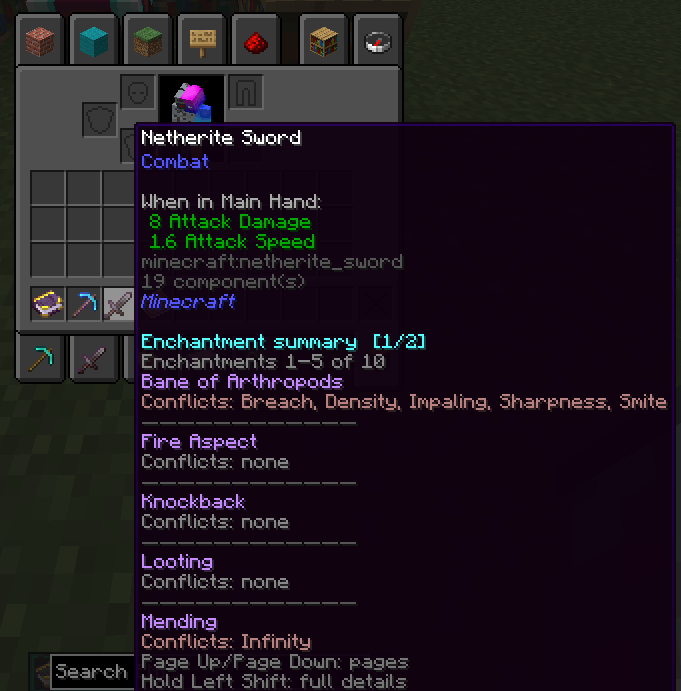
*Short form — the compact summary.*
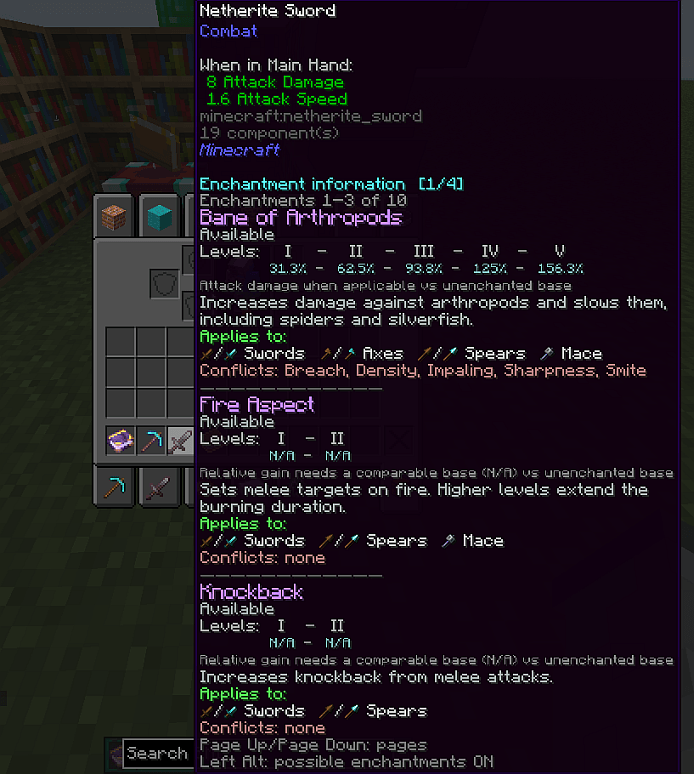
*Long form — the complete, paginated report.*
## ✦ Hold-to-inspect details
Hold **Ctrl** over the enchanting table or an item stack for full details on a single
item; hold **Shift** to inspect multiple stacks at once.
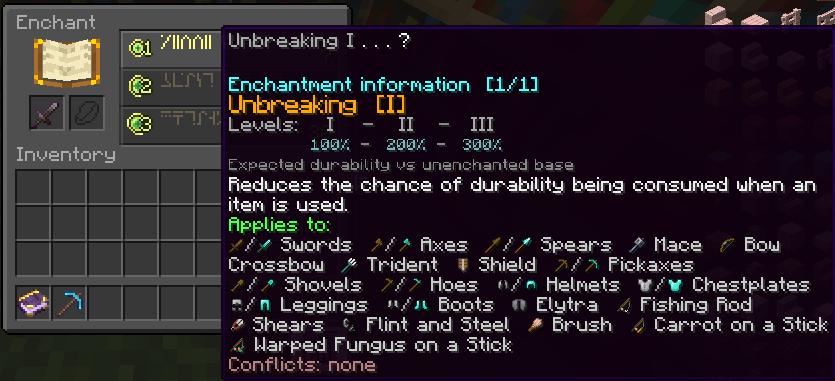
*Holding Ctrl at the enchanting table — single-item details.*
## ✦ Enchanted books & book planning
Inspect any enchanted book on its own, or preview exactly what a book will contribute
when combined with an item — in short or long form.
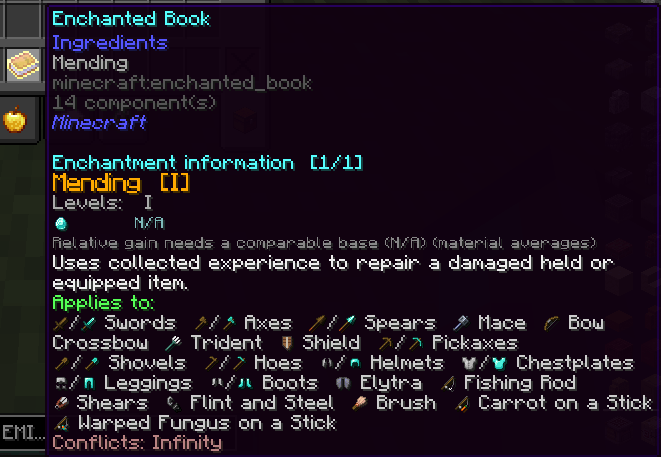
*An enchanted book, fully decoded.*
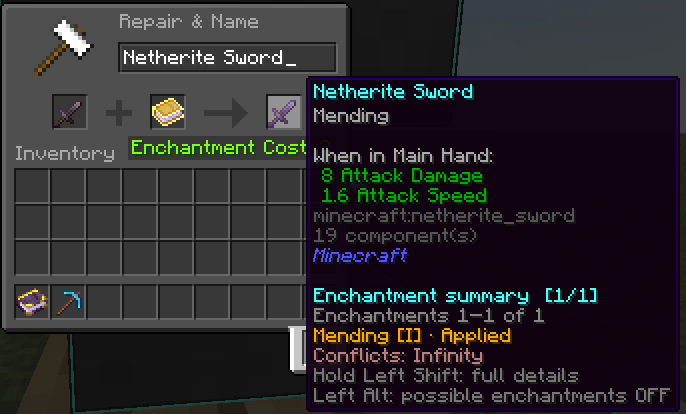
*Combining a book with an item — what you'll get.*
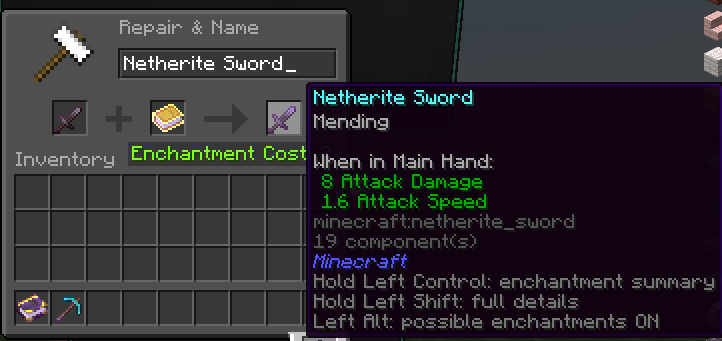
*Book + item, short form.*
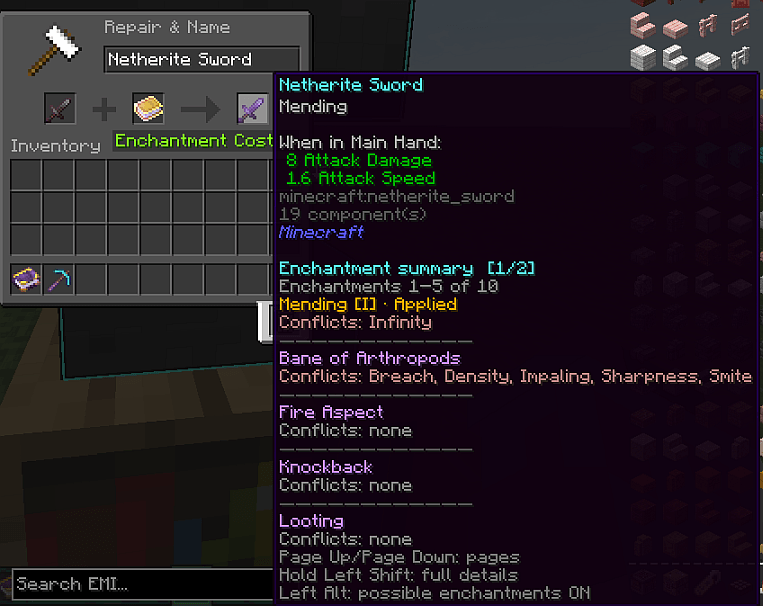
*Book + item, long form.*
## ✦ Villager trade insight
Librarian offers are covered too: check exactly which enchantment (and level) you are
buying before you spend your emeralds.
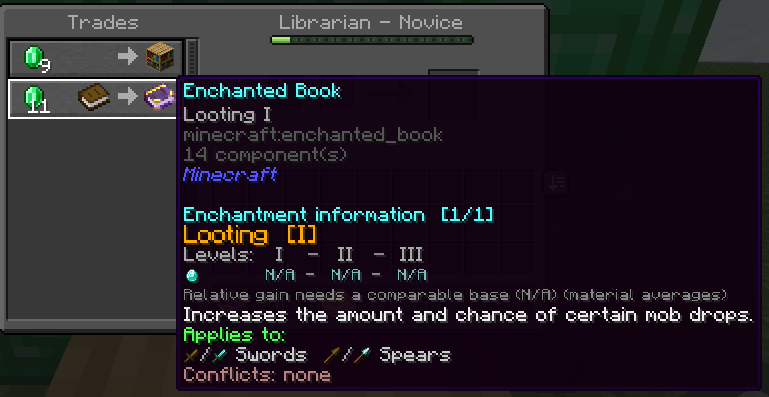
*A librarian trade inspected with EnchantLens.*
## ✦ Every enchantable item type
Swords, pickaxes, rods, armor… each item type gets its correct, version-accurate
enchantment pool.
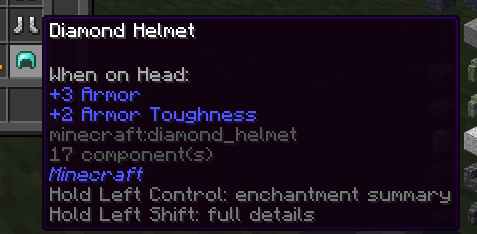
*An armor piece and its possible enchantments.*
## ✦ Vanilla-look & feel
Icons and text are drawn with custom in-game fonts built from real item textures, so
the overlay looks like part of Minecraft instead of a bolted-on HUD.
## ⌨ Controls (defaults)
| Key | Action |
|---|---|
| **Alt** | Toggle the possible-enchantments overlay |
| **Ctrl** (hold) | Full details — single item / table summary |
| **Shift** (hold) | Details for multiple items at once |
| **PageUp / PageDown** | Navigate pages |
Every binding can be changed in **Options → Key Binds**, and the mod itself is
configured in **Mod Menu → EnchantLens → Configure** (page size — 0 = maximum, shared
key binds and more). Changes apply when saved.
## ⚙ Requirements & compatibility
- **Loader:** Fabric Loader + Fabric API
- **Config screen:** Cloth Config (**Mod Menu** recommended to open it)
- **Side:** client-only — works on vanilla servers, Realms and modded servers with no server-side install
- **Versions:** 1.18.2 up to 26.2 — see the Files tab for the exact list per release
## ❓ FAQ
**Does it work on multiplayer?** Yes. EnchantLens is purely client-side; just drop it in your client's `mods` folder.
**Does it change enchanting mechanics?** No. It only displays information the game already contains — nothing is added, removed or rerolled.
**Is it safe to add/remove at any time?** Yes, it touches no world data.
EnchantLens Team
