EMI Folders
- By
Adds named, expandable folders with customizable icons and colors to EMI favorites.
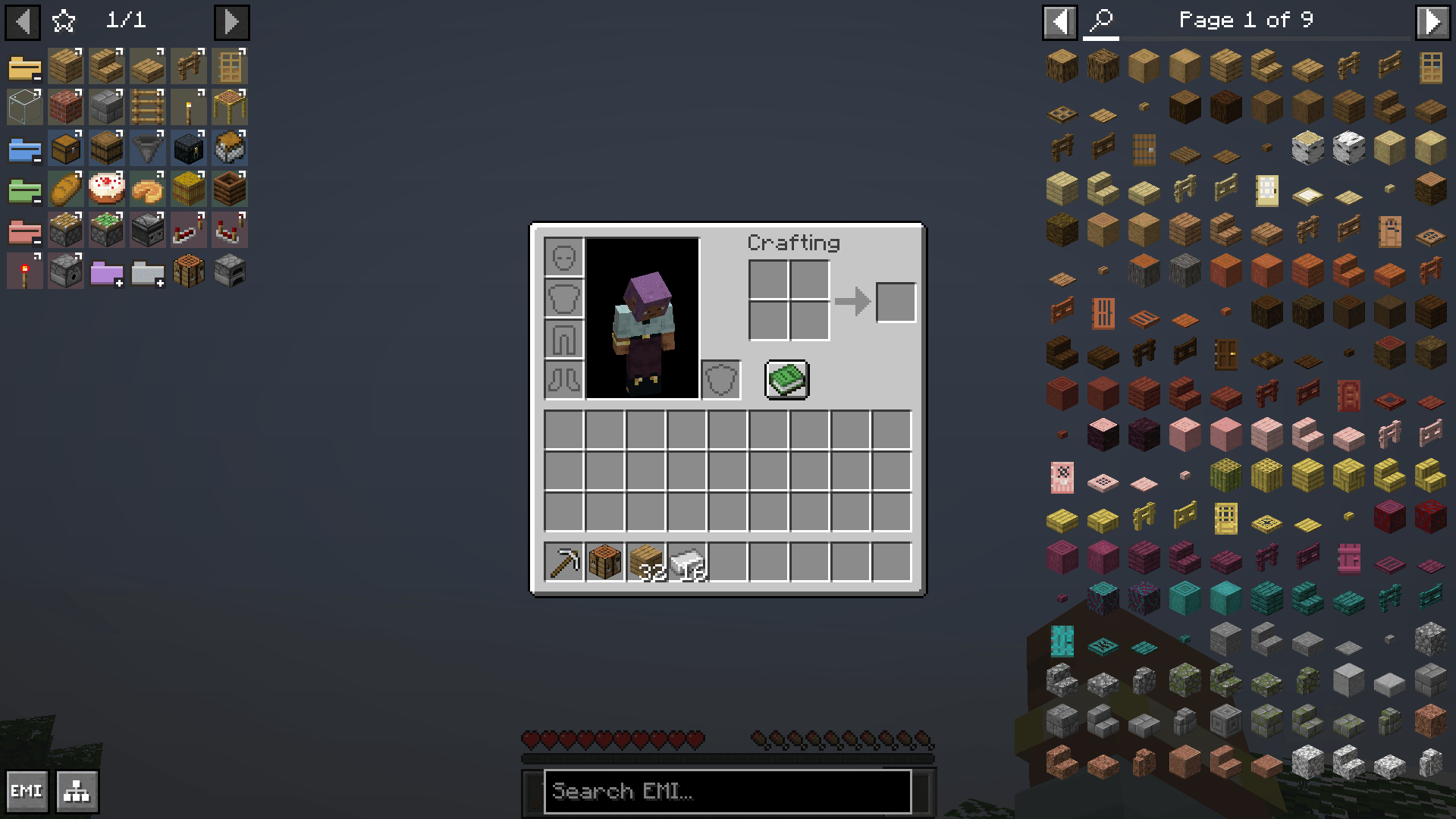
02-folders-expanded.png
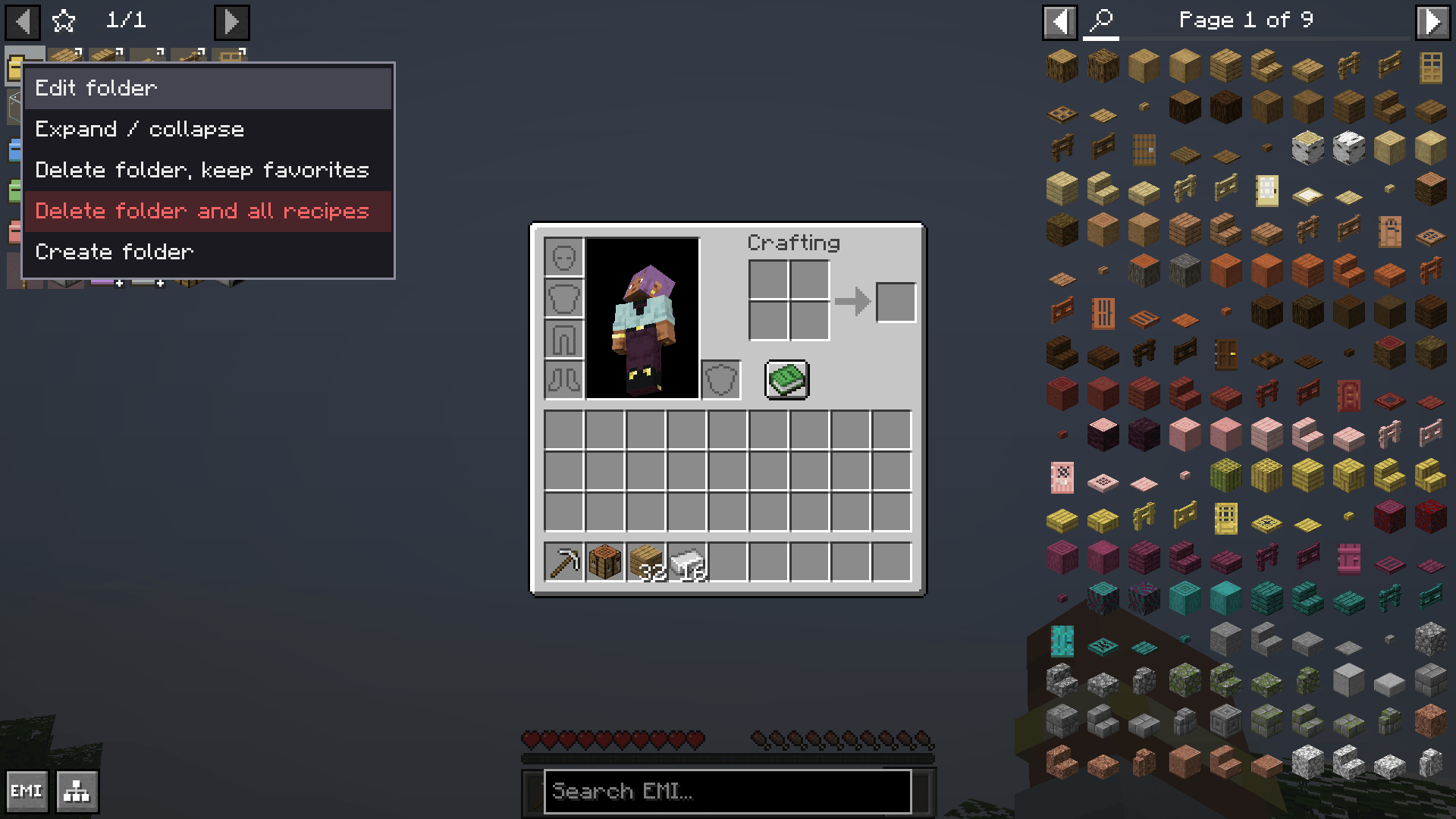
03-folder-context-menu.png
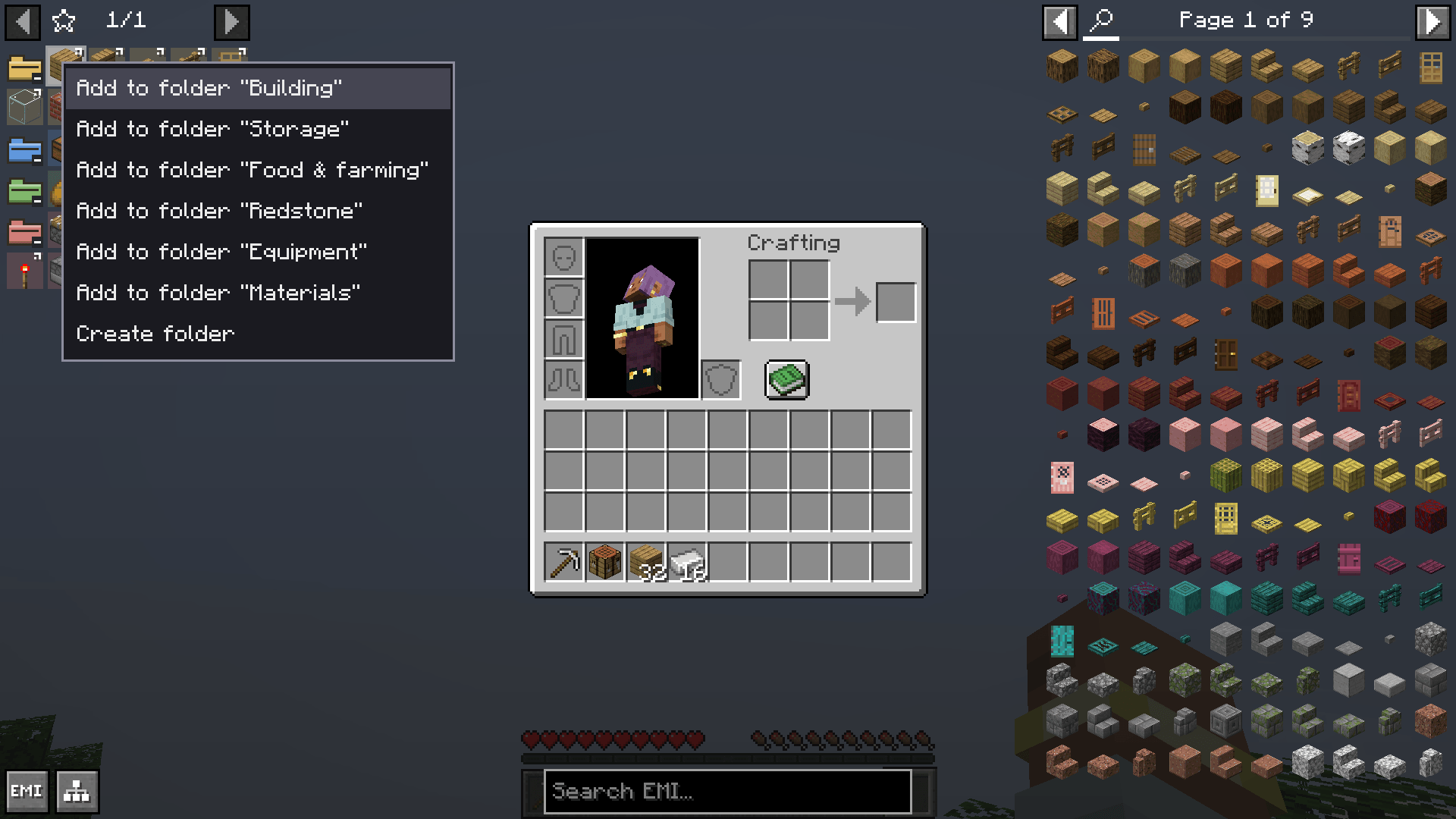
06-add-to-folder-menu.png
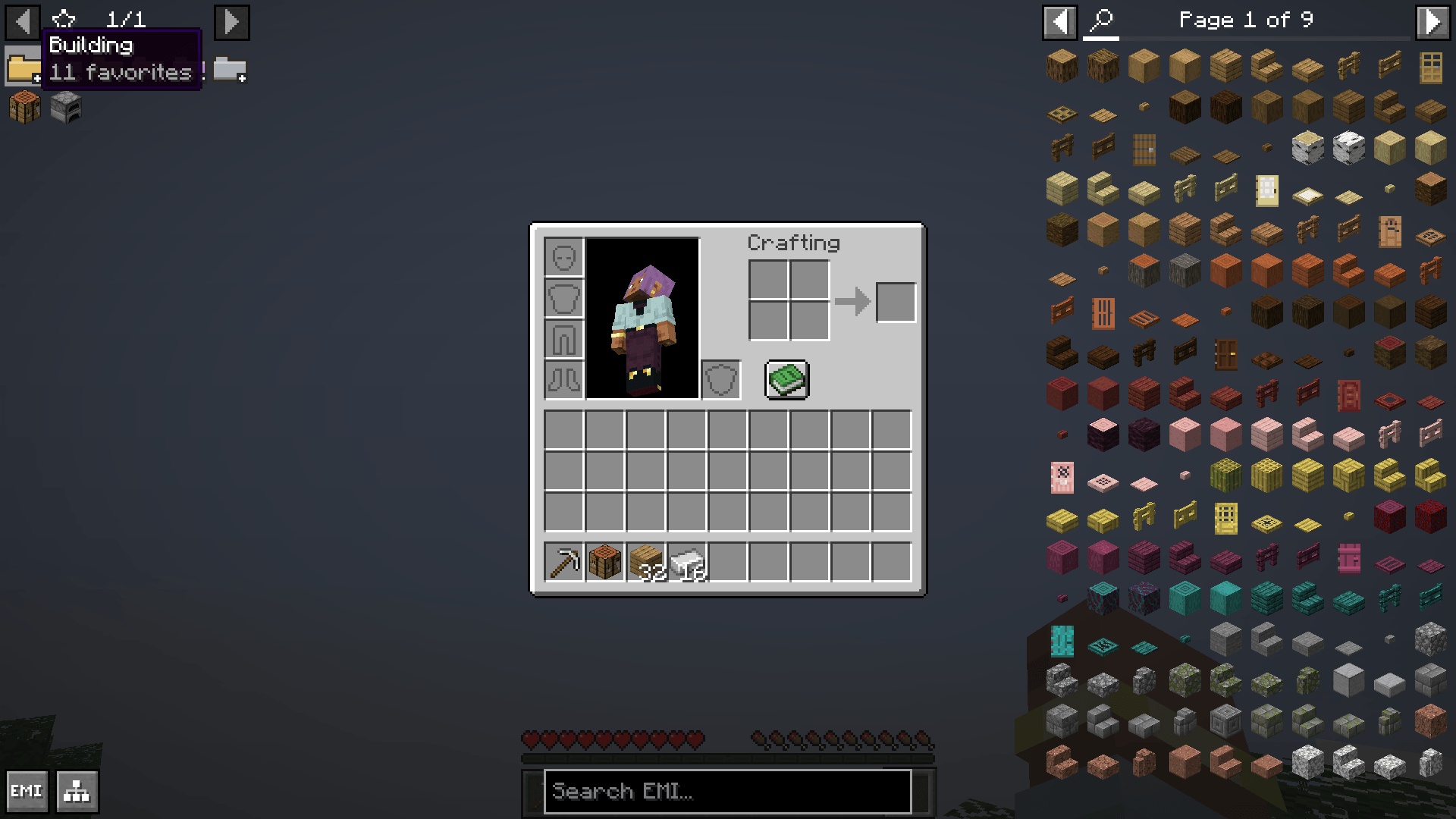
01-folders-collapsed.png
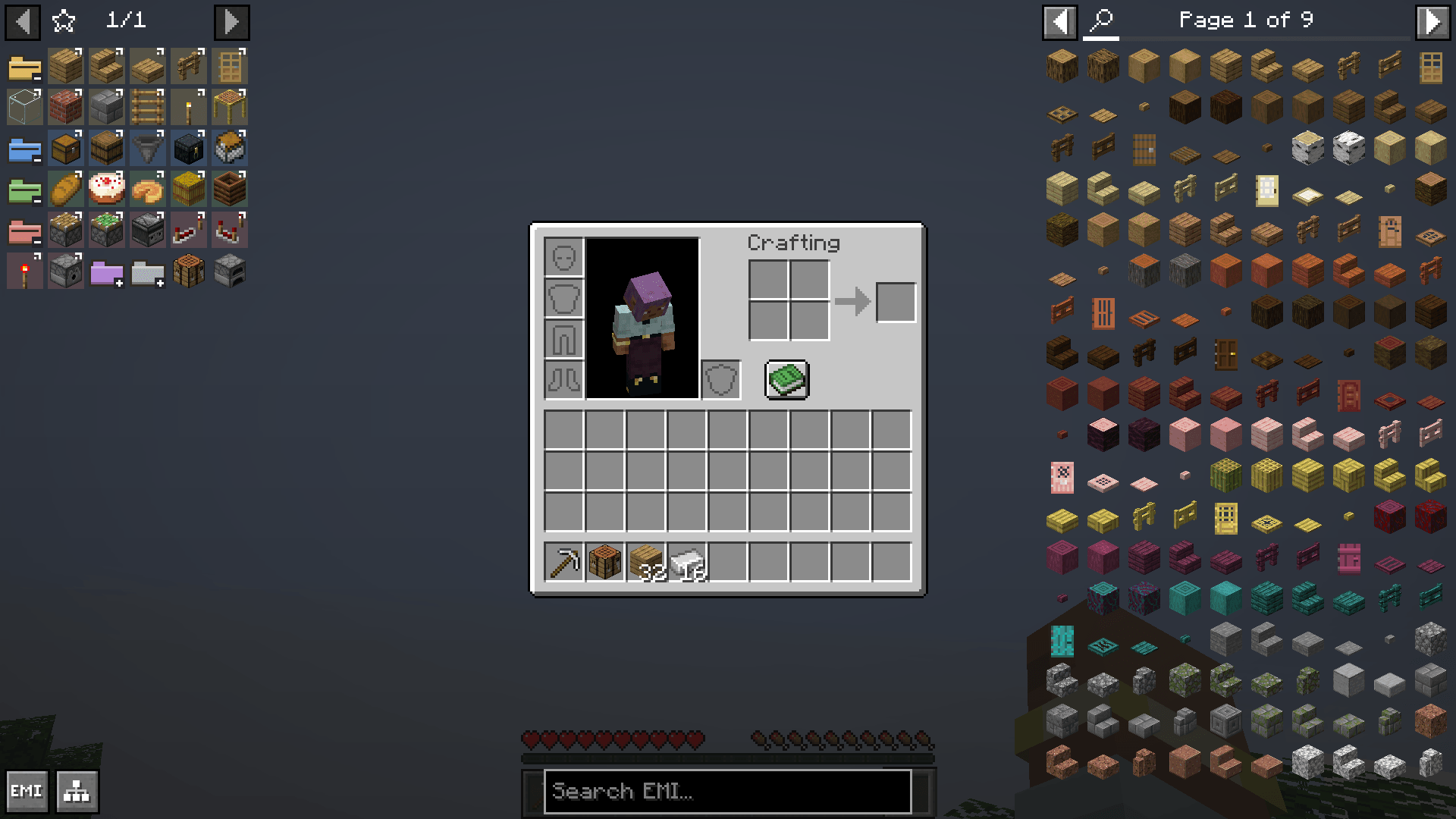
02-folders-expanded.png
Description
Features
- Named folders integrated into EMI's existing favorites grid.
- Six colored folder icons, or an item icon from Minecraft or an installed mod.
- Expand and collapse folders with one click.
- Drag recipes into folders and reorder folders and their contents.
- Add a recipe or item through a context menu.
- A translucent background for grouped recipes, with six color presets and a custom HEX color.
- Folder tooltips showing the name and number of saved favorites.
- Delete a folder while keeping its favorites, or delete it with its saved recipes after confirmation.
- Names, icons, colors, contents, order and expanded state persist between sessions.
Controls
Create a folder - Right-click an empty cell in the left favorites panel, then choose "Create folder".
Expand or collapse - Left-click the folder.
Edit its name, icon or background color - Right-click the folder, then choose "Edit folder".
Add through a menu - Hold "Left Alt" and right-click an item or saved recipe in an EMI sidebar, then select "Add to folder ...".
Add by dragging - Drag an item or saved recipe onto the center of the folder.
Reorder - Drag a folder or saved recipe to the desired insertion position.
Remove a folder, keep its contents - Right-click the folder and choose "Delete folder, keep favorites".
Remove a folder and its contents - Choose the red "Delete folder and all recipes" entry and confirm with "Delete all". This removes bookmarks, not Minecraft's recipes.
Requirements
EMI 1.1.24+1.20.1 for Forge
EMI Folders Team