Effortless World
create and copy and paste structures in the same style of effortless building, you can make libraries and save your copies, you can also move or cut blocks.
Screenshot 2026-07-28 190253.png
Screenshot 2026-07-28 190642.png
Screenshot 2026-07-28 190709.png
Screenshot 2026-07-28 190532.png
Screenshot 2026-07-28 190036.png
Description
🌍 Effortless World
Master your world with selection-based, instantaneous building!
Are you tired of manually placing thousands of blocks or tearing down mountains block-by-block? Effortless World is the ultimate building and modification tool for Minecraft, inspired by the legendary Effortless Building mod but rebuilt for bigger operations with a massive suite of new features.
With a sleek visual bounding-box system, stunning ghost-block previews, and a powerful UI, you can select massive areas using "Anchors" to Copy, Cut, Move, Fill, or Destroy entire structures instantly. Whether you're building a mega-base in Survival or sculpting terrain in Creative, Effortless World makes it, well... effortless.
📖 Quick Start Guide & Tutorial
Using Effortless World is intuitive once you learn the basics. The mod heavily relies on a 2-point "Anchor" selection system.
Toggle the Mod: Press [M] to activate the mod. When ON, your normal Left/Right clicks are intercepted for building. A HUD will appear to guide you.
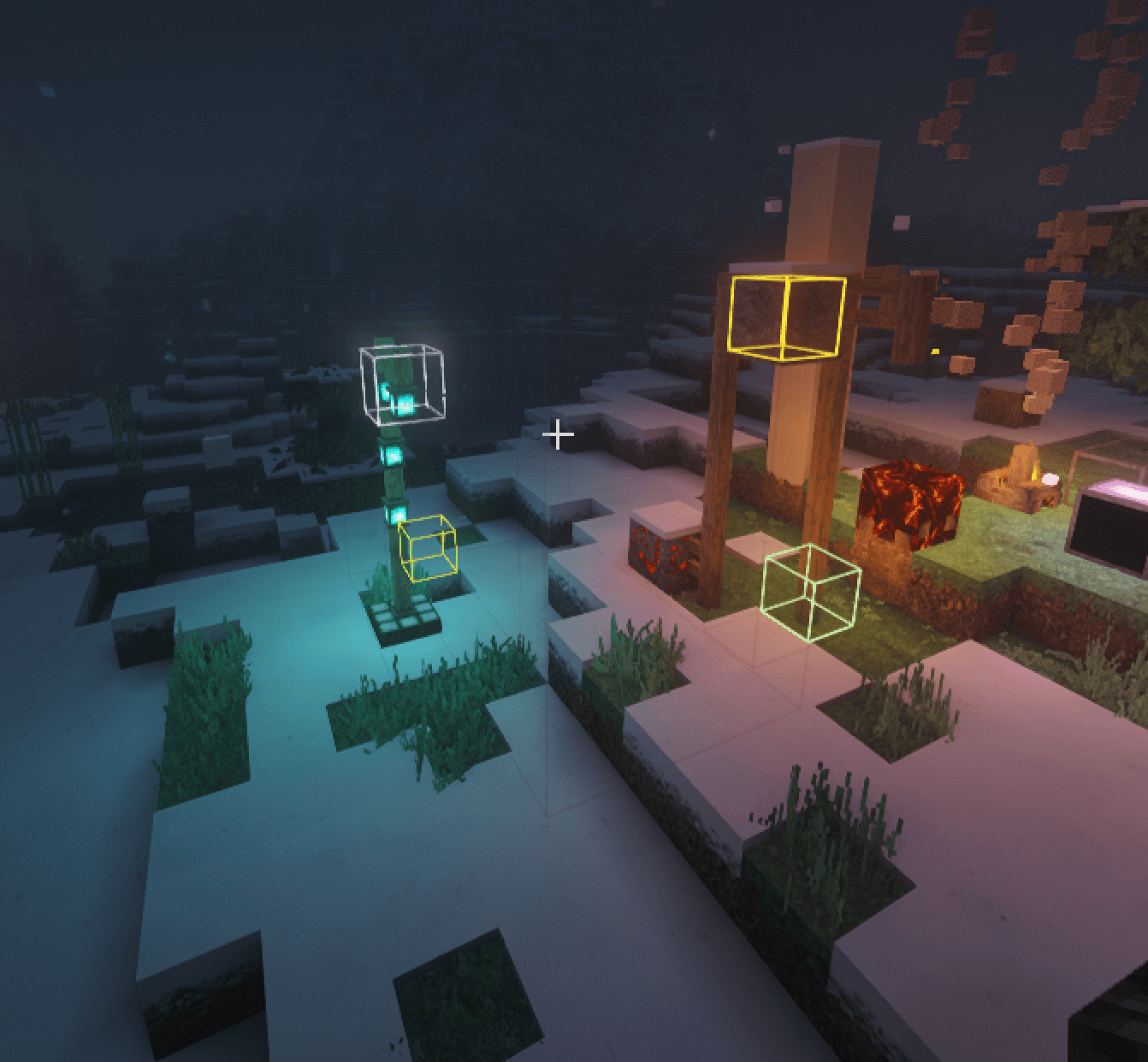
Select an Area: Look at a block and Right-Click to place Anchor A (Start). Right-click another block to place Anchor B (End). A beautiful colored bounding box will highlight your selection.
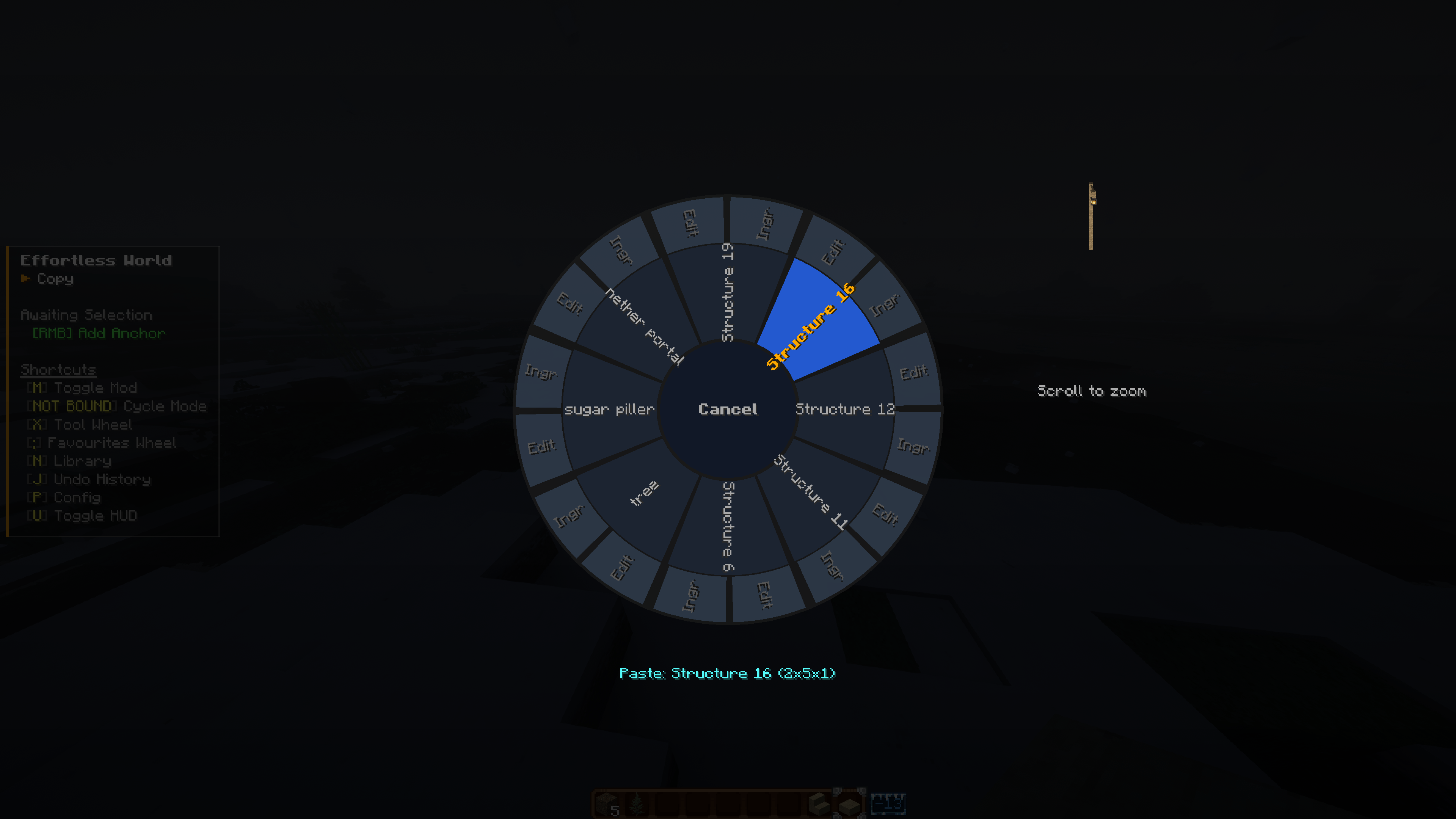
Choose a Mode: Hold [V] to open the radial Tool Wheel. Select an operation like "Fill", "Destroy", or "Copy".
Confirm Operation: Once your anchors are set and your mode is chosen, simply Left-Click to execute the build!
Oops! Made a Mistake?: Press [Ctrl + Z] to instantly Undo your last massive operation, or [Backspace] to undo a misplaced Anchor.
✨ Core Features
Effortless World is packed with advanced systems designed to make large-scale building feel incredibly smooth and responsive.
🛠️ 9 Powerful Build Modes
- Copy: Clones your selection into your Structure Library for later use.
- Cut & Move: Cuts the selected blocks and instantly attaches them to your crosshair as Ghost Blocks. Move them and Left-Click to place for free!
- Fill (Keep / Replace): Instantly fill a massive area with the block in your hand. Choose to overwrite existing blocks or only fill the air.
- Destroy & Explosion: Instantly vaporize selected blocks, or use Explosion mode to blow up a spherical radius around a single anchor.
- Anchor Sets: Save the exact 3D shape of your anchors and stamp them down anywhere. Perfect for repeating complex, non-cubic selections!
🖱️ Advanced Controls & Modifiers
You don't even need to move to make massive selections. Use your Scroll Wheel to dynamically expand your bounding box!
- Scroll Wheel: Look at a face of your selection box and scroll to push or pull Anchor B in that direction.
- Modifier Keys: Hold Shift while scrolling to expand in massive chunks (8 blocks at a time). Hold Ctrl to reverse the scroll direction.
- Paste Modifiers: When pasting a structure, use the Scroll Wheel to rotate it dynamically. Hold Ctrl + Left-Click to snap the paste origin inside the block you are looking at instead of adjacent to it.
📚 Structure Library & 3D Editor (Key: K)
Every structure you copy is saved to your personal library. But it doesn't stop there.
- 3D Structure Editor: Click "Edit" on any saved structure to open a fully 3D workspace. Rotate the camera, pick blocks, replace hovered blocks, or use Shift + Click to add blocks to faces. You can edit your blueprints before you even paste them!
- Favorites Wheel (Key: C): Star your favorite structures in the library and access them instantly via the Favorites radial wheel.
- Ingredients Screen: Planning a massive survival build? Check the Ingredients tab to see exactly what you need. Click "Fetch Nearby Chests" to automatically pull the required items from chests in an 8-block radius (Configurable)!
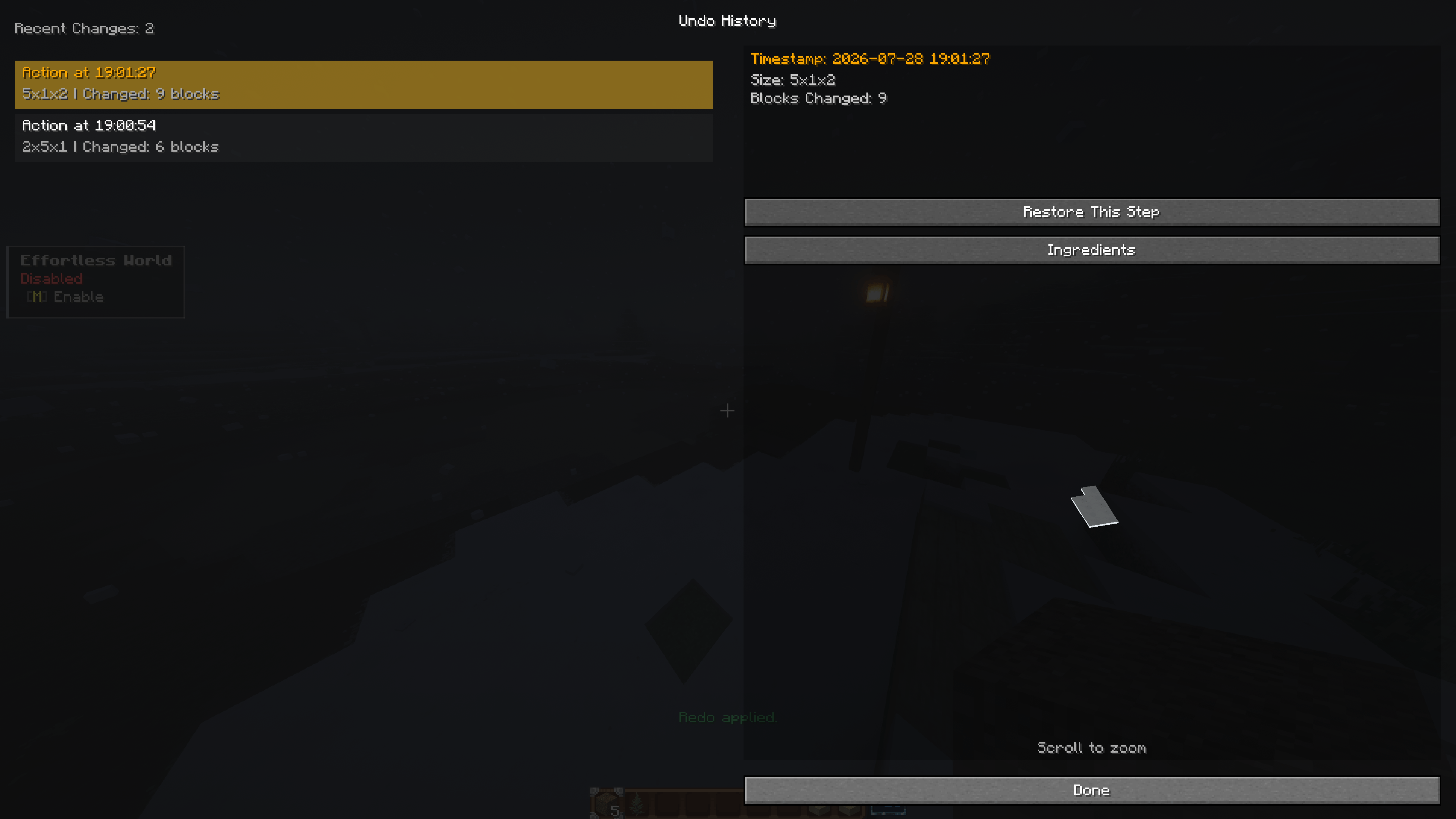
⏪ Ultimate Undo History (Key: J)
Never fear griefing your own world again. The mod features a highly advanced undo/redo stack.
- Timeline View: Open the History menu to see a timeline of every operation you've performed.
- 3D Preview: Select a history step to view a spinning 3D preview of exactly what blocks were changed in that specific operation.
- Targeted Restore: Don't want to undo everything? Select a specific step from 10 minutes ago and click "Restore This Step" to revert only that change!
⚙️ Extensive Personal Customization (Key: P)
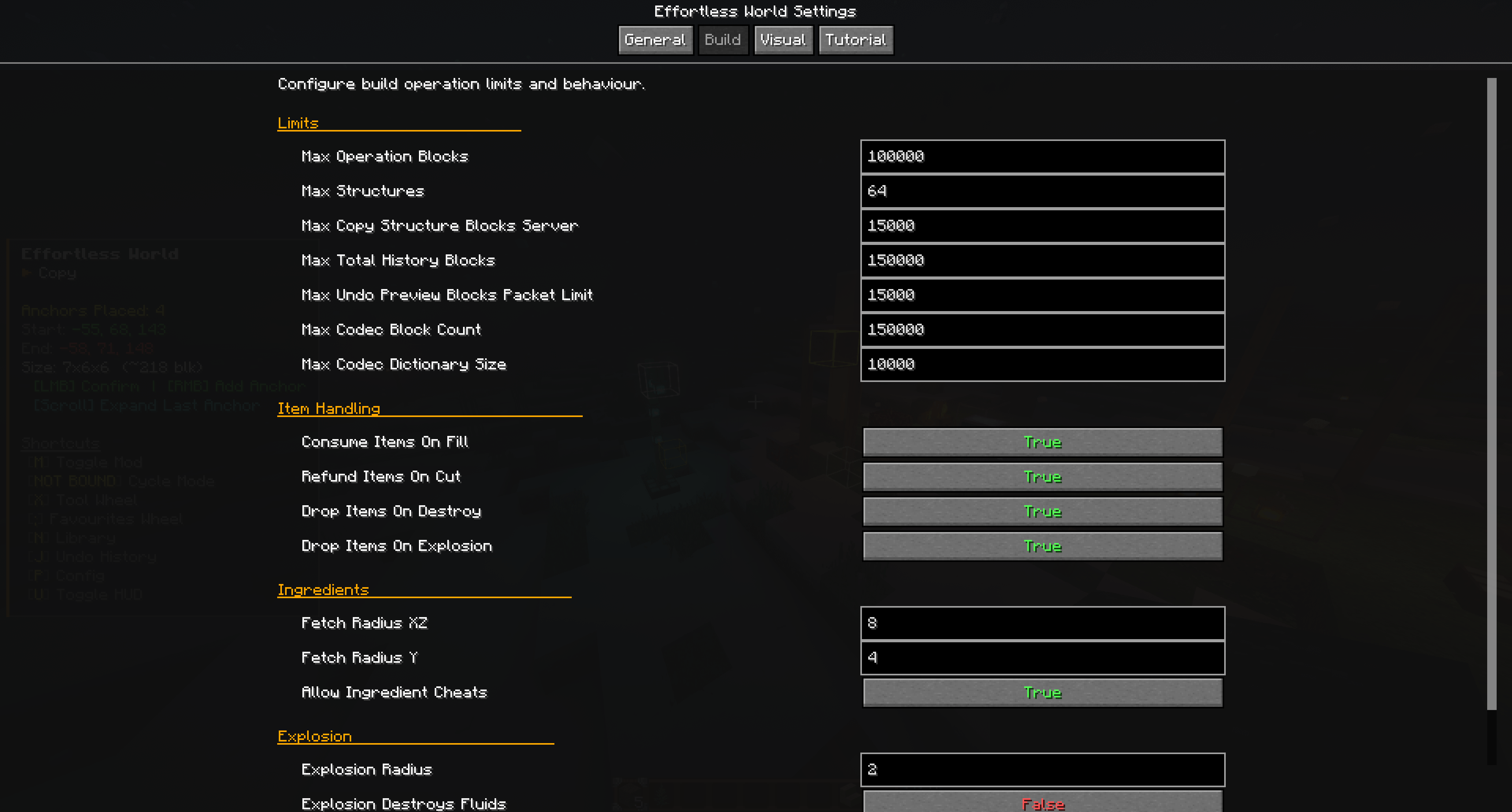
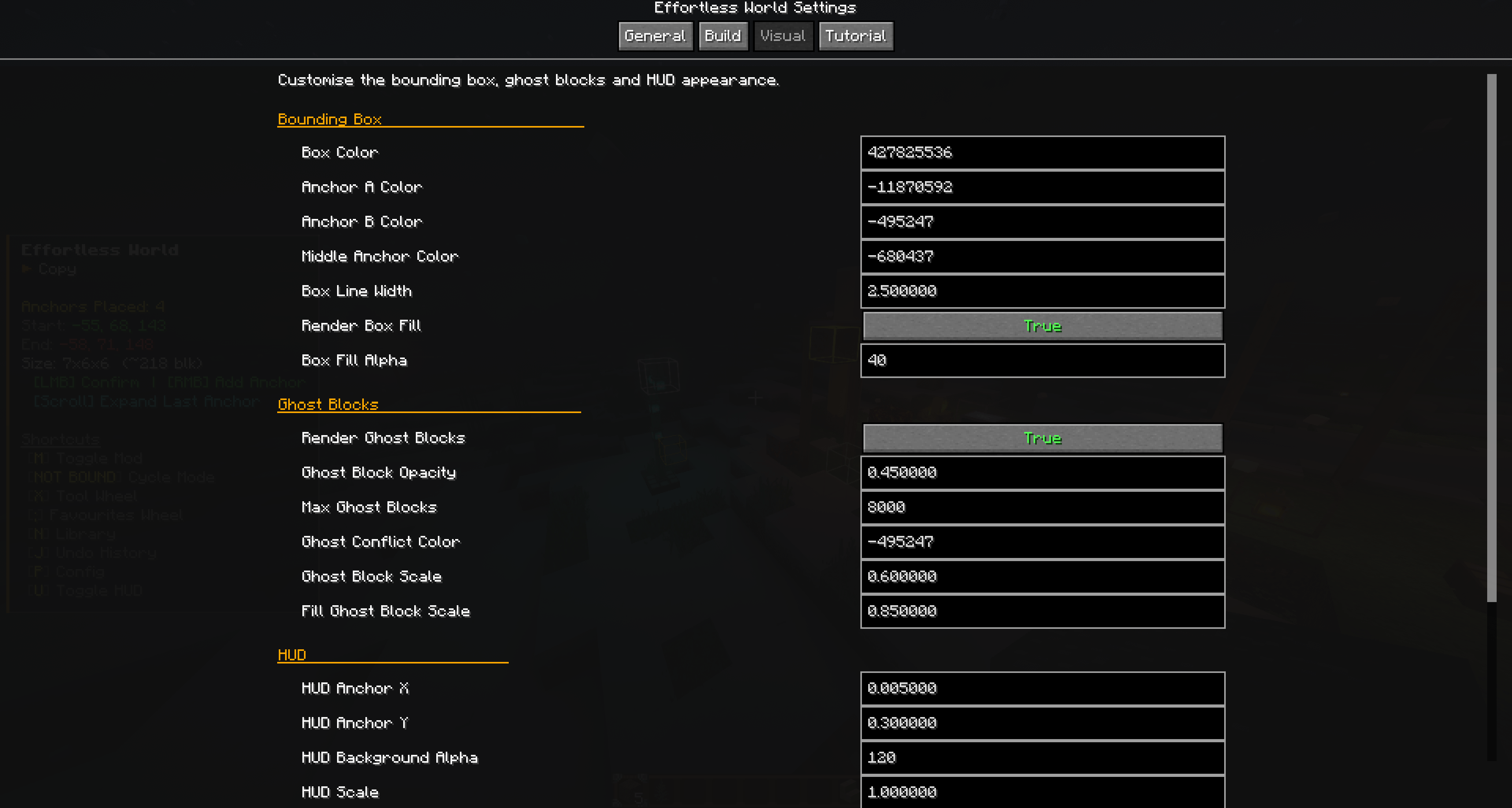
Press P to open the in-game Configuration UI with dedicated tabs for General, Build, Visual, and Tutorial settings.
- Visual Tweaks: Customize bounding box colors, line thickness, and ghost block opacity. Make Anchor A Green and Anchor B Purple—it's up to you!
- HUD Configs: Move the informative HUD overlay anywhere on your screen and adjust its scale and opacity.
- Server Authority: If you are a Server Host or Singleplayer Owner, changing limits (like Max Blocks per operation or Explosion Radius) in your Config UI automatically pushes and syncs those rules to the server live!
⚠️ Important Notes & Caveats
Effortless World is built to be powerful, but it respects survival balance and server safety.
Item Consumption: In Survival mode, Fill and Paste operations will consume items from your inventory. Cut and Destroy operations will drop the blocks as items. (This can be disabled by Server Hosts in the Build Configs).
Protection & Claims: The mod triggers Forge block-breaking events. You cannot use this mod to bypass server claim plugins (like FTB Chunks) or break blocks in areas you don't have permission to edit.
Indestructible Blocks: Unless you are in Creative mode, the mod will actively refuse to destroy Bedrock, Command Blocks, or Barrier blocks.
Network Limits: To prevent Server Out-Of-Memory crashes, operations are hard-capped (Default: 100,000 blocks per action, configurable by host). Massive structure networks use highly compressed dictionaries to keep your server running lag-free.
Mod Compat: Effortless World features native multiblock awareness, ensuring multi-part entities (like those from the Suffocation mod) are copied, pasted, and rotated perfectly without breaking.
Build smarter, not harder. Welcome to an Effortless World!
The Effortless World Team