• Browse
    Browse all (125)
    • iconMinecraft
    • iconThe Sims 4
    • iconWorld of Warcraft
    • iconMinecraft Bedrock
    • iconArk Survival Ascended
    • iconHytale
    • iconinZOI
    • iconStarCraft II
    • iconKerbal Space Program
    • iconStardew Valley
    • iconAmerican Truck Simulator
    • iconHogwarts Legacy
    • iconTerraria
    • iconWildStar
    • iconPalworld
    • iconWorld of Tanks
    • iconRunes of Magic
    • iconRift
    Introducing CurseForge Legends
  • Create
    MOD AUTHORS
    • Become an Author
    • Start a Project
    • Project Submission Guide
    MODDING TOOL DEVELOPERS
    • Apply for an API Key
    • Documentation
    • Terms & Conditions
    SOCIAL
    • Join Our Discord!
    • Authors Discord
    Introducing CurseForge Legends
  • Studios
    GAME DEVELOPERS
    • Unlock Modding for Your Game
    • Documentation
    Introducing CurseForge Legends
  • Help Center
  • Our Blog
  • Follow Us
    • Discord
    • Instagram
    • Reddit
    • TikTok
    • Twitter / X
    • YouTube
  • Surprise Me
  • Legacy
  • Go Premium
  • Get CurseForge App
I know kung fu...ish
DiscoverBrowse All
  • Minecraft
  • Mods
Edit Debug Screen logo

Edit Debug Screen

  • By
    AlexisEvelynAlexisEvelyn
Allows Editing The Debug Screen
Total Downloads
955
Last Update
Apr 19, 2018

Edit Debug Screen

Details

Downloads
955
Created
8 years ago
Updated
8 years ago
Project ID
292409
License
GNU General Public License version 3 (GPLv3)
Environment
Not Set

Game Versions

    1.12.2

informative placeholder

Class & Categories

  • Mods
  • Miscellaneous

Links

Source

Main File

1.12.2

editdebug-1.0.jar
Latest release
  • R
  • 1.12.2
  • Apr 19, 2018

Recent FilesView all

Minecraft 1.12

editdebug-1.0.jar
Latest release
  • R
  • 1.12.2
  • Apr 19, 2018

  • Description
  • Comments (3)
  • Files
  • Gallery (2)
  • Relations
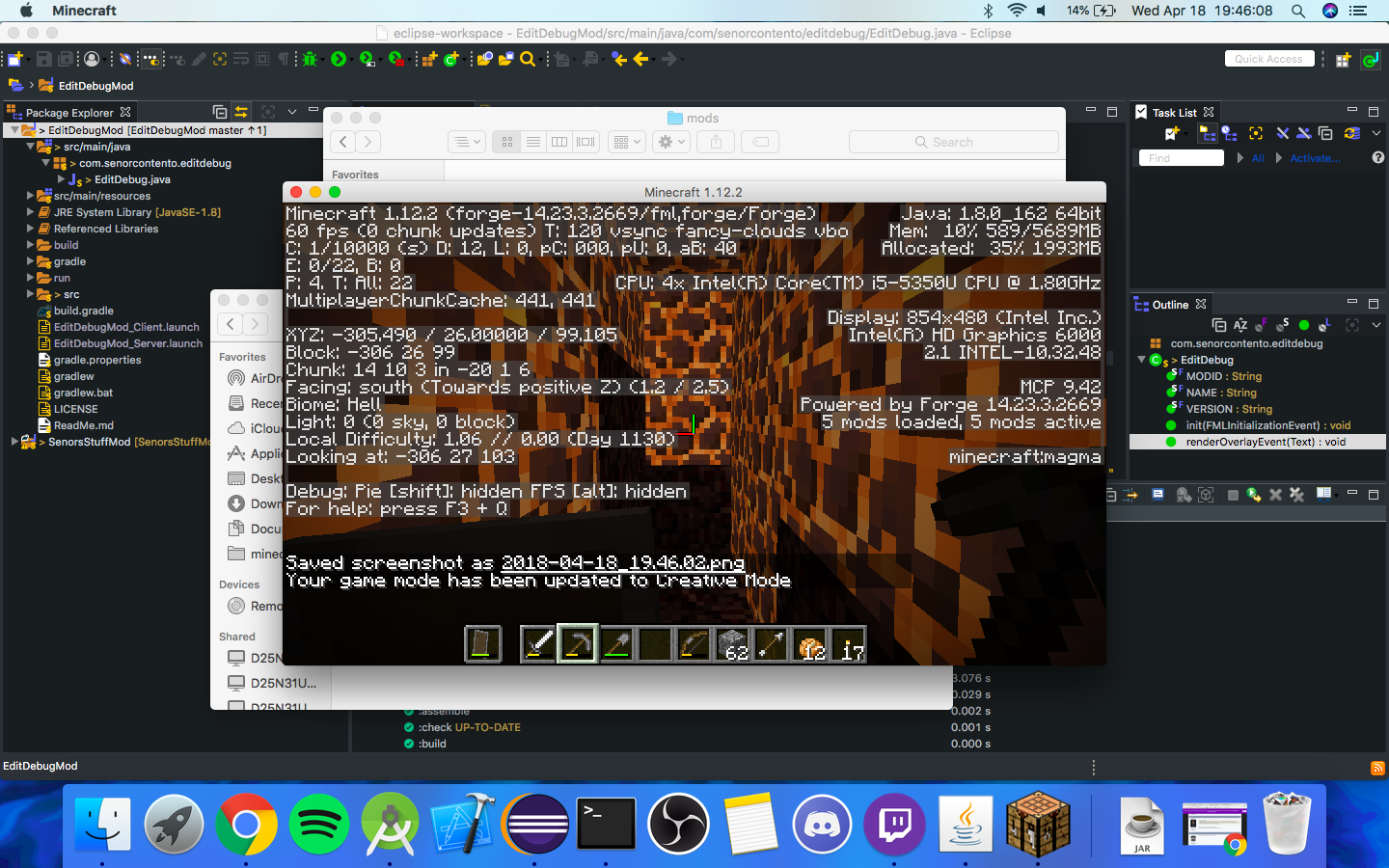
  • Thumbnail This is the information you would expect from a vanilla 1.12.2 debug screen. This information is made available when the player is in creative mode.
    This is the information you would expect from a vanilla 1.12.2 debug screen. This information is made available when the player is in creative mode.

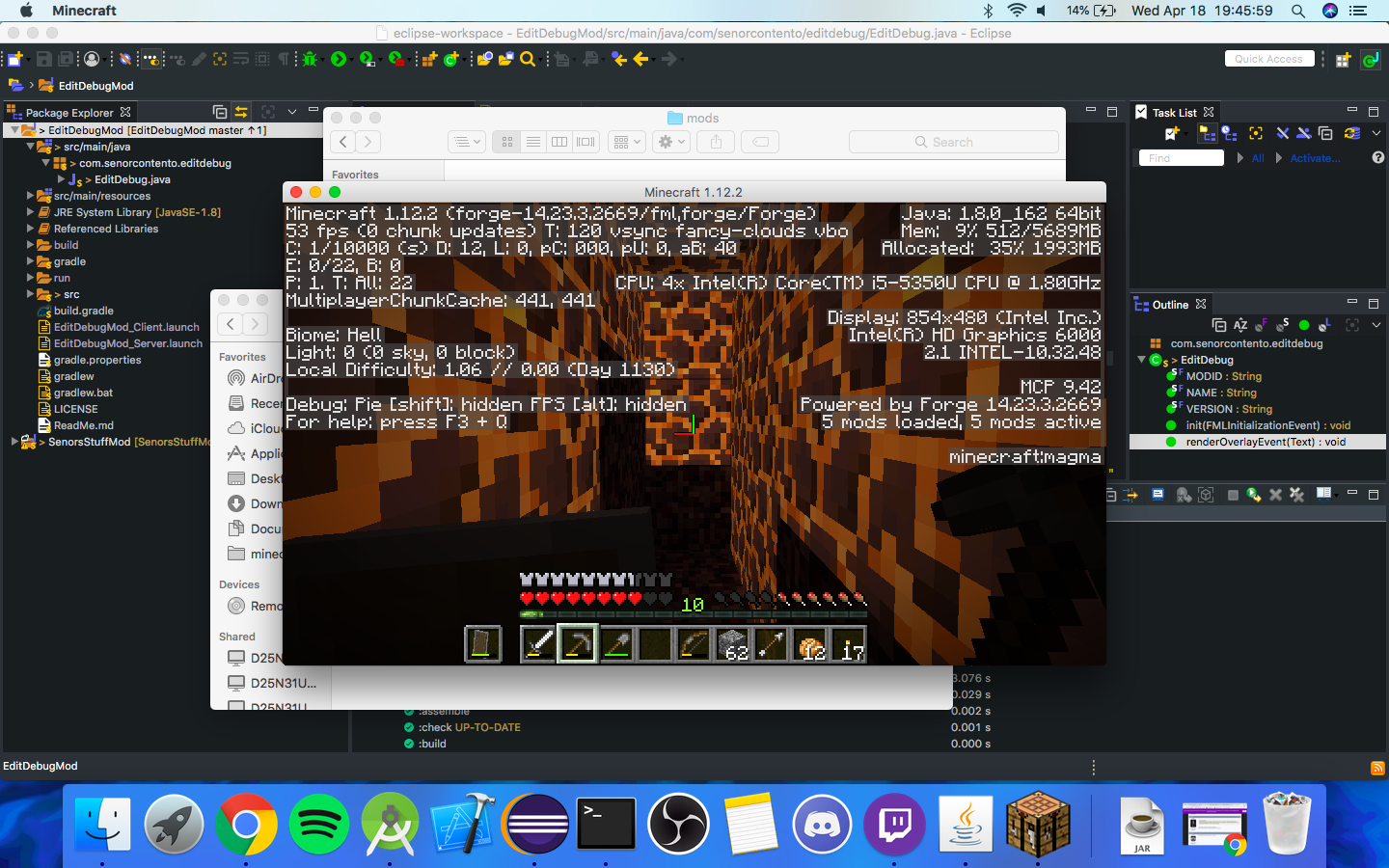
  • Thumbnail When the player is in survival mode, the coordinates and other information is removed from the debug screen. The list of everything that has been removed is below.

XYZ,
Chunk,
Block,
Facing,
and Looking at

    When the player is in survival mode, the coordinates and other information is removed from the debug screen. The list of everything that has been removed is below. XYZ, Chunk, Block, Facing, and Looking at


MinecraftDiscoverBrowse
CurseForge - a world of endless gaming possibilities for modders and gamers alike.
Download the best mods and addons!
  • Games
    • All games
    • Minecraft
    • World of Warcraft
    • The Sims 4
    • Starcraft II
    • Kerbal Space Program
    • Minecraft Dungeons
    • World of Tanks
  • Create
    • Start a project
    • Project submission guide
    • Author Rewards Program
    • Apply for an API Key
    • 3rd Party API T&C
  • Community
    • Join Our Discord!
    • Ideas Portal
    • CF blog
    • Newsletter
    • Roadmap
    • Bukkit forums
    • CurseForge Servers
  • Support
    • Knowledge base
    • Troubleshooting
    • Contact us
  • Companions
    • Overwolf
    • CurseForge for Studios
    • Tebex
    • Nitro
  • Terms of Service
  • Privacy Policy
  • Licenses
  • Mod Author Terms
© 2026 Overwolf. All rights reserved.