


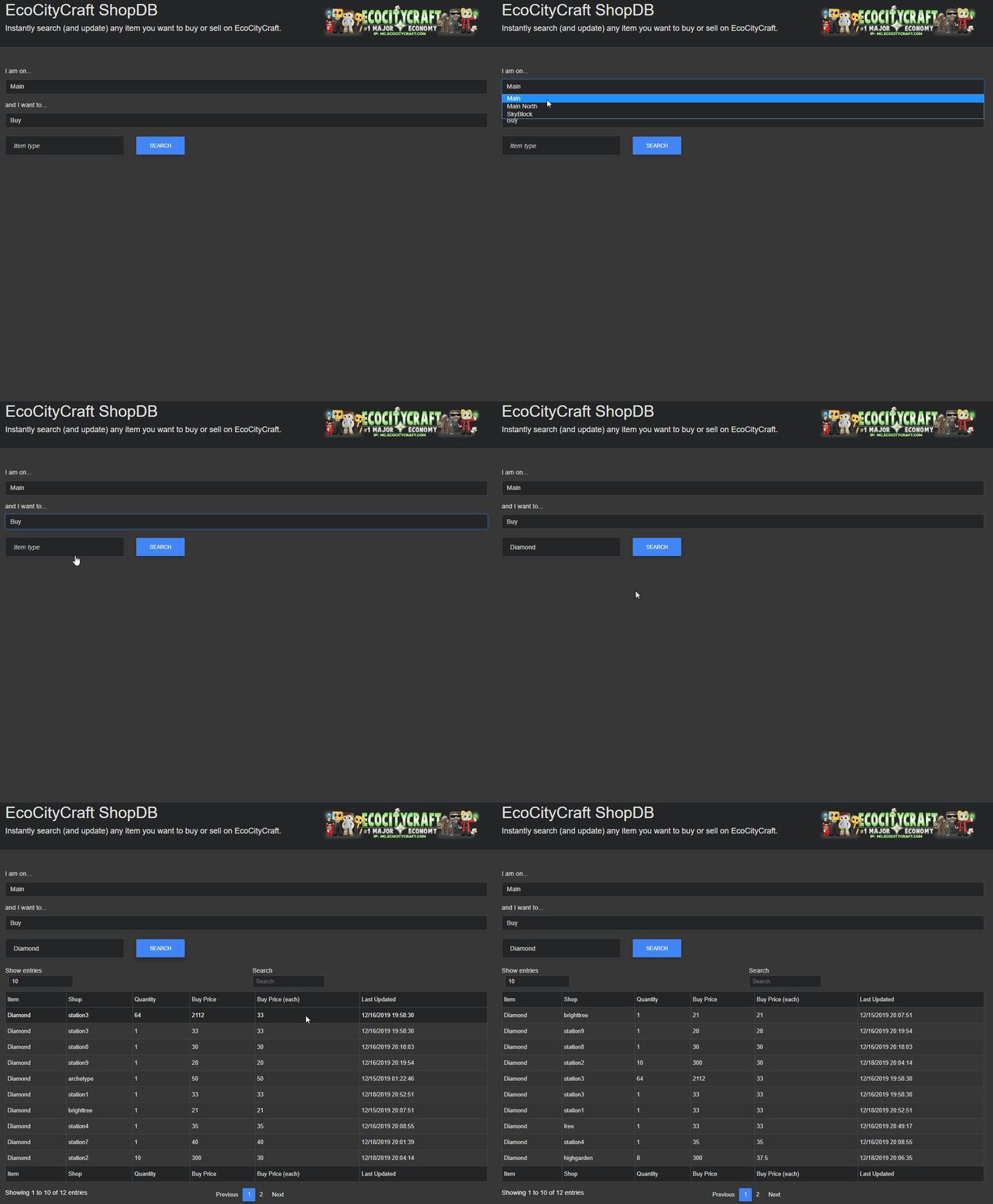
Searching for items on the server with the web interface
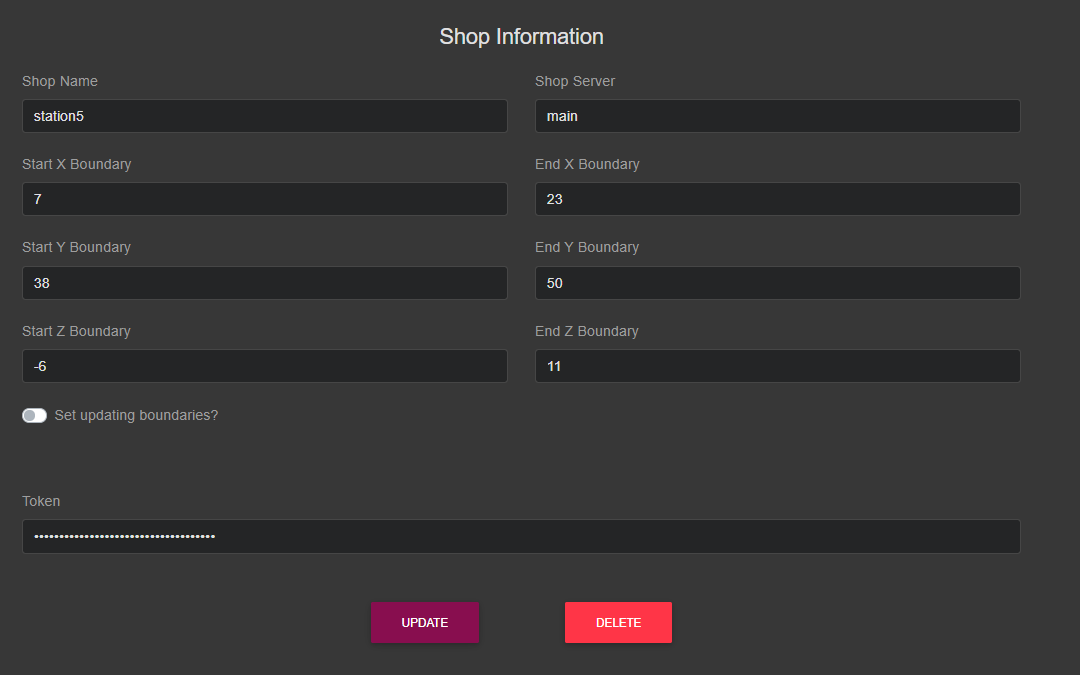
Authorized players can add, remove, or edit shop boundaries with the use of a token
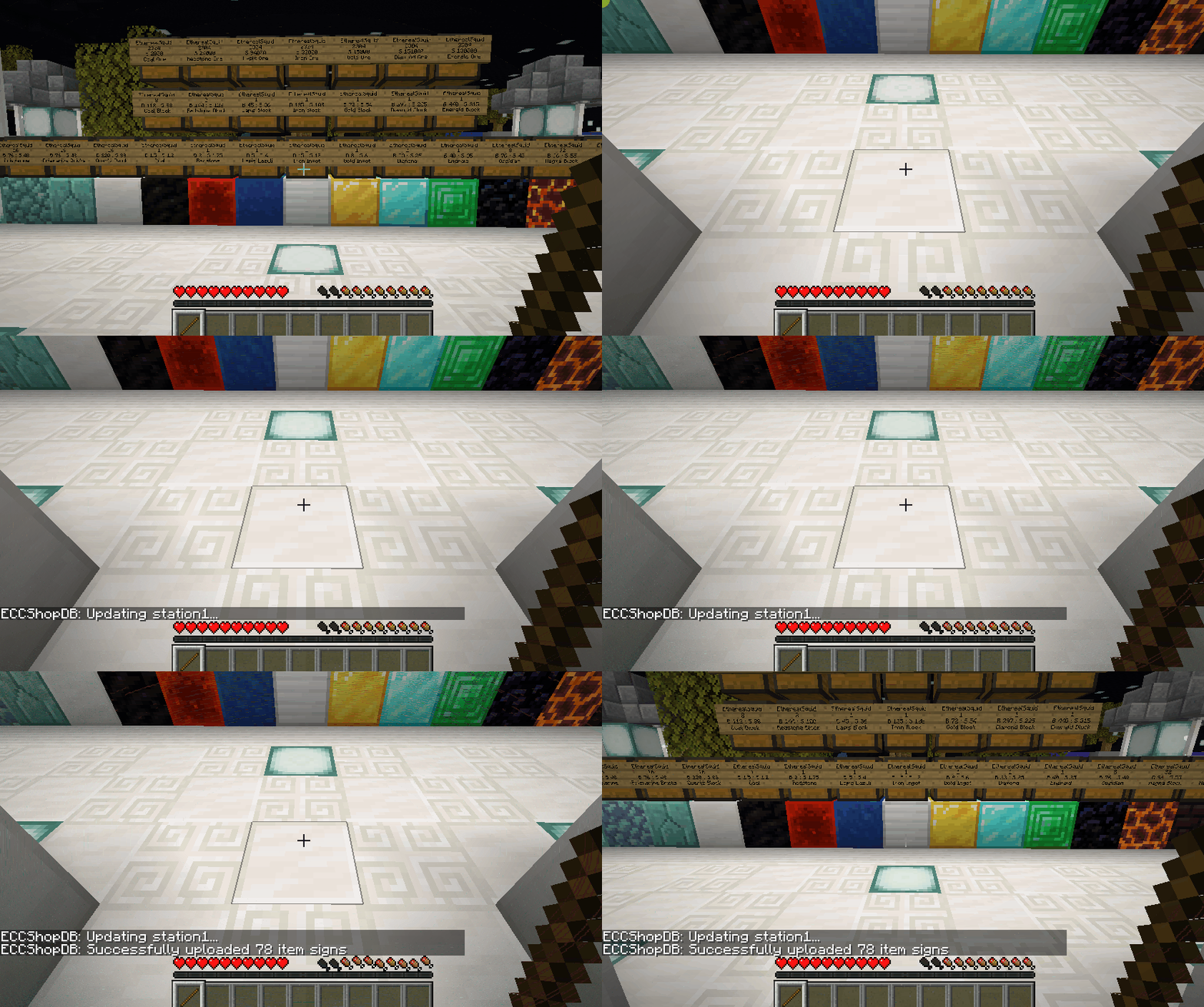
Using the mod to update a shop in-game
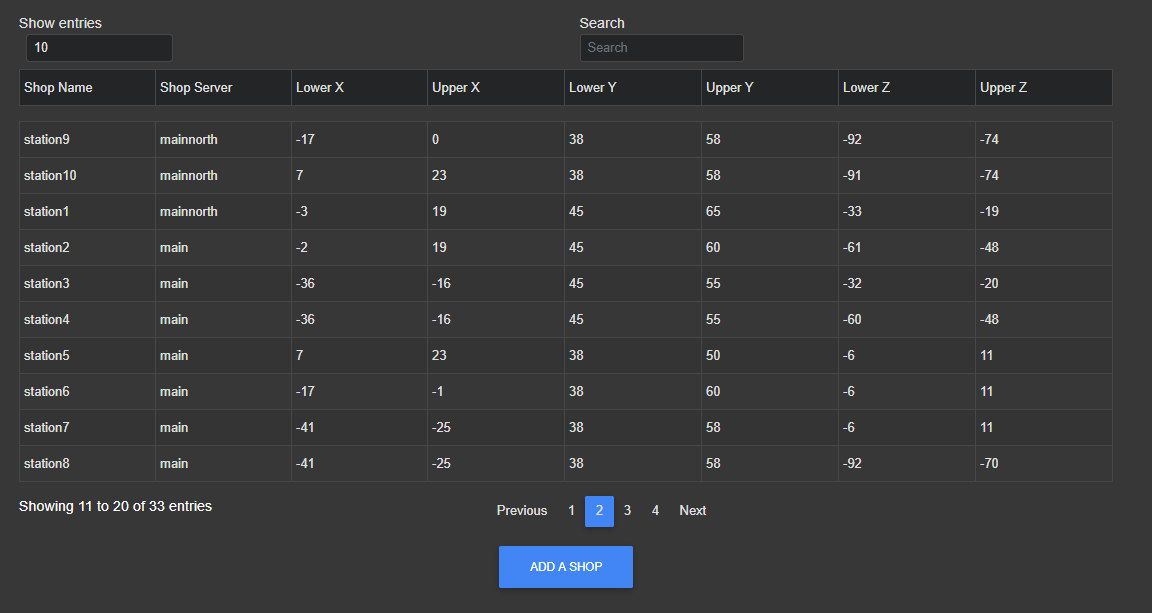
View the shop boundaries which any player can update with the use of the mod
Description
* This mod is used specifically for https://www.ecocitycraft.com/
View the web app at https://shopdb.ecocitycraft.com/
I'm very proud to present to you EcoCityCraft ShopDB!
This is a web application that you can use to search and find any item that is for sale on EcoCityCraft.
You can see which shops are buying/selling which items, and for how much! You can sort these values to see which shops are offering the most bang for your buck... or the most buck for your bang.
1. Select the server which you are playing on
2. Select whether you are looking to buy or sell an item
3. Search for the item

The results will show you:
- Item being traded
- Shop it's being traded at
- Quantity being traded
- Price for the quantity
- Price per individual item
- Time the shop was last updated
Any player can instantly update any shop in-game with just a click of a button with the use of a Forge mod which I have made:
1. Download the mod
2. Stand in a shop you want to update
3. Hold a stick
4. Right click

This will trigger an update for the shop which you are standing in, and these updates will be immediately reflected on the website. You will see your updated results the next time you search!
Any old signs that are no longer there will be removed.
Any new signs detected will be added. Any change of price will also be reflected.
Any shop can be added, modified, or removed easily with use of a dashboard which I have made
*authorized users only

To edit a shop, click on the row of the shop which you want to update.
To add a shop, click the 'add a shop' button!
You will need a token in order to add/modify/remove shops, but any player can view the shop boundaries.
https://shopdb.ecocitycraft.com/shops

Adding / removing / modifying shops will instantly reflect across the mod used to update.
EcoCityCraft ShopDB Team
