Easy Trade
- By

Description
Easy Trade
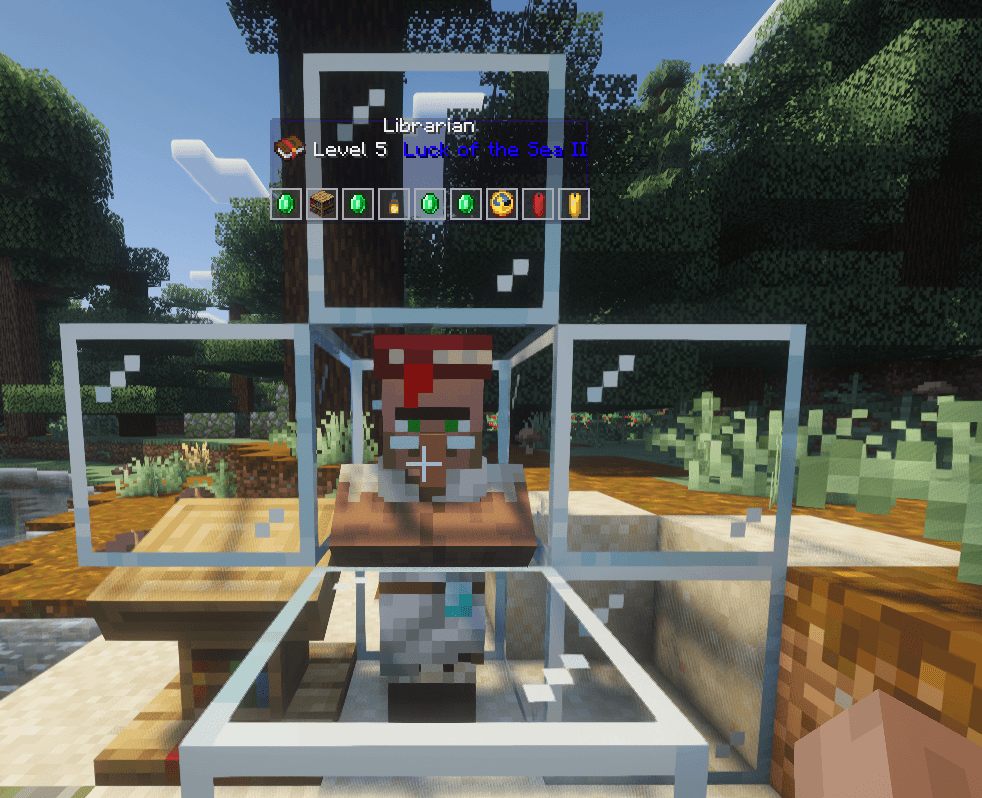
Easy Trade lets you see exactly what a villager is selling the moment you look at them, no clicking, no opening menus, no waiting for the trade screen.
Walk up to a librarian and a glass panel will float above their head showing their profession, level, and every trade they offer. Selling an enchanted book? The enchantment name cycles through a rainbow gradient so it catches your eye instantly.
Wanted trades
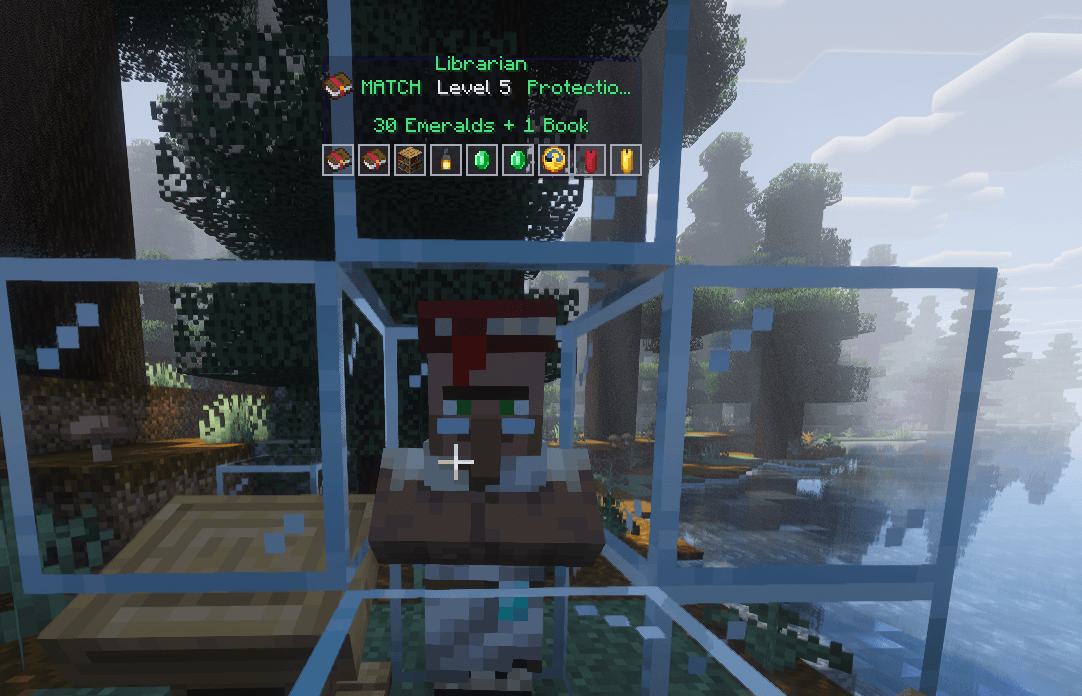
Press F7 to open the wanted-trades menu, search for any item or enchantment (e.g. mending, protection), and add it to your list. When a villager is selling something you want, the mod locks the name to green, tags it with MATCH, shows the exact price ("3 Emeralds + 1 Book"), highlights the trade cell, and plays a sound cue.
Features
- Instant trade preview — silently reads the villager's offers in the background; the trade screen never visibly opens
- Floating panel — anchored above the villager's head, fixed in place as you move your gaze, same size at any GUI scale
- Rainbow enchantment names — animated color gradient on enchanted book names
- Wanted trades (F7) — search items/enchantments, click to add, click X to remove
- Green MATCH alerts — green highlight, exact cost, and a sound when a wanted trade appears
- Manual clicks respected — your right-clicks always open the real trading menu instantly
- Client-only — vanilla packets only, works on any server, no server-side mod needed
Requirements
- Minecraft 26.2 (Java 25+)
- Fabric Loader 0.19.3+
- Fabric API
Installation
Drop easytrade.jar into your mods folder.
Usage
- Place a lectern and let a villager claim it
- Look at the villager (within 3 blocks, don't sneak)
- The panel appears above their head with all their trades
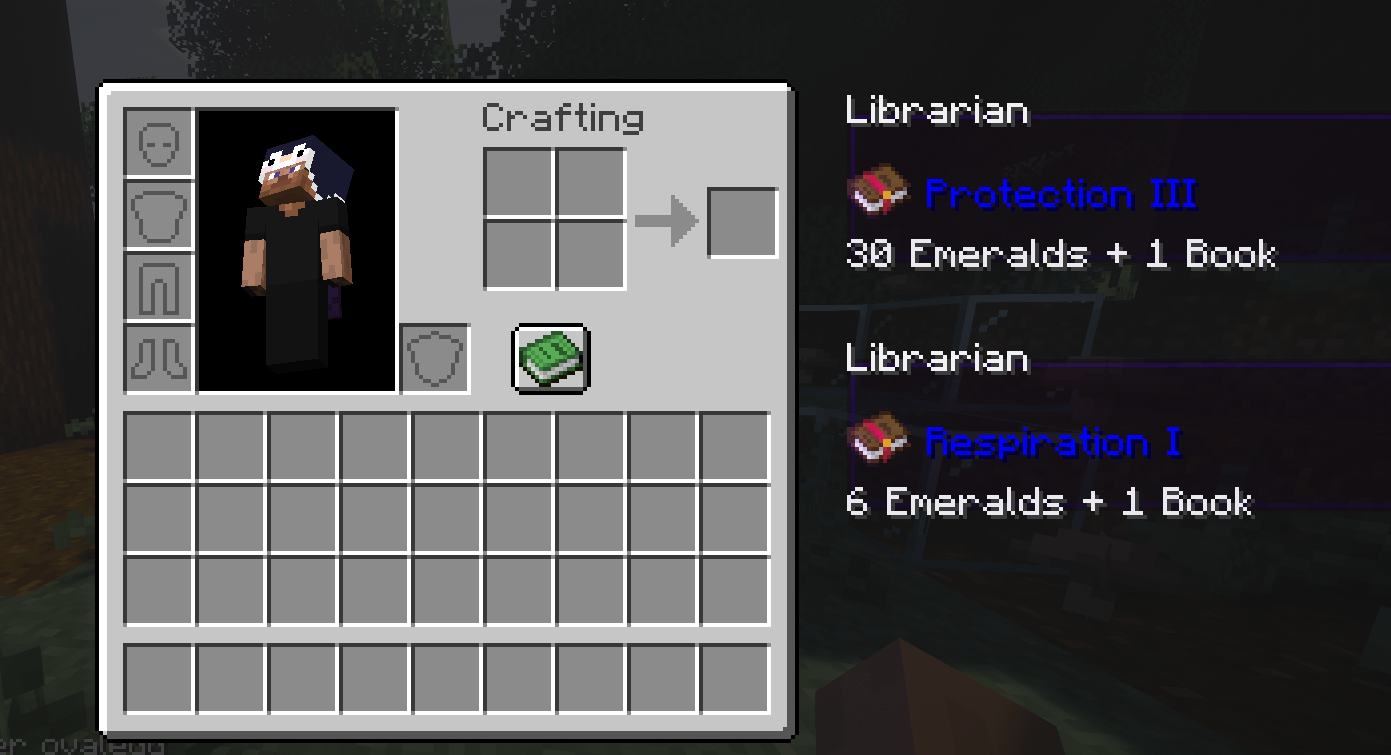
- Right-click the villager to open the trade menu, then right-click any trade to pin it (max 4)
- Press E to see your pinned trades and unpin them with the X button
- Press F7 to open the wanted-trades menu — search for an item or enchantment and click it to add it
- When a wanted trade is for sale, the name turns green and a sound plays
License
MIT — see the LICENSE.
The Easy Trade Team