Easy Full Brightness Toggle
- By
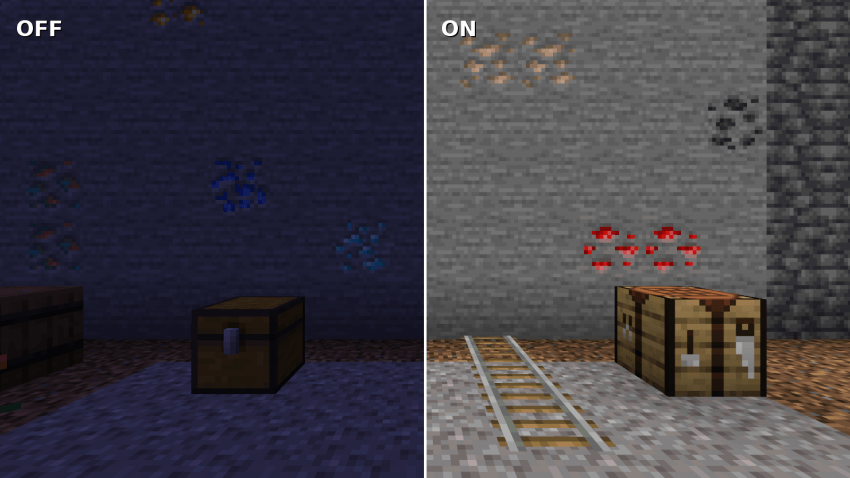
Toggle full brightness with one key - no torches, no night vision needed.
Warning: This mod is a cheat. Full brightness gives you an unfair advantage (seeing ores, mobs and players in the dark). Many servers do not allow it – only use it on servers where the rules explicitly permit it, otherwise you risk a ban.
Easy Full Brightness Toggle
Toggle full brightness with one key - no torches, no night vision needed.
Features
- Press G to toggle full brightness on and off (rebindable in Controls → Full Brightness Toggle).
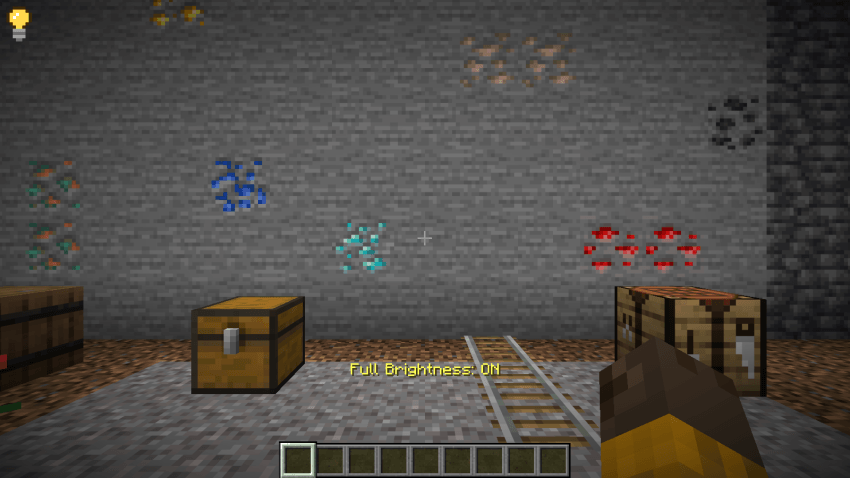
- A small light bulb icon in the top-left corner shows when it's active.
- Also removes the Warden's Darkness effect while active.
- Remembers its state between sessions.
- Your gamma setting in
options.txtis never changed. - Client-side only – works in singleplayer and on servers, nothing to install on the server.
How to use
- Install the mod for your loader and Minecraft version (Fabric also needs Fabric API) – client only.
- Join any world or server.
- Press G – a message "Full Brightness: ON" appears and the light bulb icon shows up in the top-left corner.
- Press G again to turn it off ("Full Brightness: OFF").
- To use a different key, open Options → Controls → Key Binds and change Toggle Full Brightness in the Easy Full Brightness Toggle category.
Tip: Press F1 to hide the HUD (including the bulb icon) for clean screenshots – full brightness stays on.
Fabric versions require Fabric API.
Easy Full Brightness Toggle Team

Owner