Earthworks: Construction Fleet
Survival construction vehicles, a 3D assembly workshop, working dump and service trucks, driver instruments, and Minecraft-style road equipment.
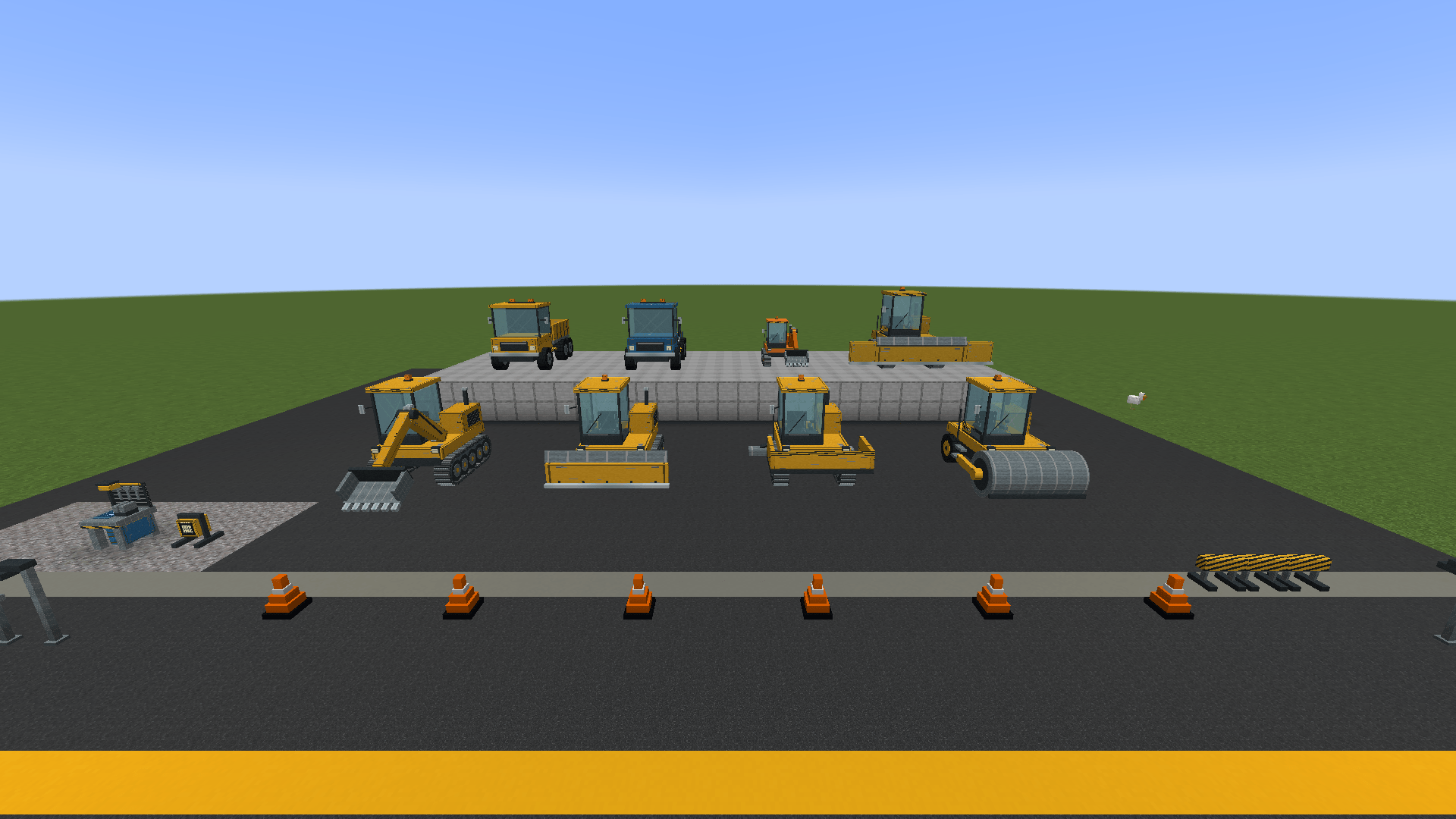
All eight vehicles displayed in a separate creative development world: excavator, bulldozer, paver, roller, dump truck, service truck, compact excavator and heavy bulldozer.
Description
Dig. Haul. Build.
Earthworks: Construction Fleet brings a working construction yard to Minecraft 1.20.1 Forge. Assemble machines in survival, fuel and maintain them, collect excavated materials, and finish the site with roads, signs and lights.
The 0.5 construction update
The development fleet contains 12 machines inspired by real-world equipment: Caterpillar 320 excavator, Komatsu D65 bulldozer, Vögele Super 1800 paver, Hamm H13 roller, Volvo A40 articulated hauler, Kenworth T880 service truck, Bobcat E35 compact excavator, Caterpillar D8 heavy dozer, CAT 140 grader, John Deere 1270G forestry harvester, Volvo L120H wheel loader and Liebherr LTM 1050-3.1 mobile crane.
Dig and clear terrain, haul materials, pave and compact asphalt, grade gravel or dirt paths, harvest trees and support the rest of your fleet. The rebuilt articulated dump truck displays collected materials in its bed. Vehicle sounds and moving tools bring the jobsite to life. Models and animations continue to be refined during development.
Built for survival
Craft the Construction Workshop to browse rotating 3D previews, check material requirements and assemble your equipment. Tiered recipes use Superb Warfare steel and mechanical components; larger machines require a bigger investment.
Machines have their own durability, fuel reserves and cargo capacity. Dedicated fuel slots accept coal, charcoal and coal blocks. Excavated drops enter vehicle cargo, and a full inventory stops collection. Open cargo from the driver seat with I/G. Repair parked machines with a wrench and Superb Warfare steel ingots.
Create vault crane
With Create 6.0.6 installed, the mobile crane can lift and relocate connected item vaults of up to 81 blocks, preserving their stored items. Park, aim at a vault and use the crane action to lift; aim at a clear landing area to lower it. A blocked landing keeps the load suspended. Unload before packing the crane away. Create is optional for the rest of the mod.
Finish the intersection
Build tapered traffic cones, octagonal stop signs, barriers, work lights, road lamps and traffic signals. Connect vertical and horizontal poles to suspend signals above the road. Traffic lights offer automatic timing, manual colors and a redstone red override. They are visual signals, not automated vehicle traffic control.
Controls
- WASD: drive and steer.
- Left mouse / R: work or toggle the machine action; the crane uses these to lift or lower while parked.
- V: change supported work modes or depth.
- I/G: open vehicle cargo while seated.
- Sneak + wrench: pack a parked, unloaded machine.
The dashboard shows speed, fuel, durability and work information. Check Minecraft’s key bindings if another mod uses the same keys.
Installation and development status
0.5.0-alpha.2 requires Minecraft Java 1.20.1, Forge 47.x, Java 17 and Superb Warfare 0.8.8 with its required dependencies. Create 6.0.6 is optional for vault handling. Install matching versions on the server and all clients. Keep only one Earthworks JAR in the mods folder.
This requirement applies to the 0.5 update; the older 0.3 release remains available separately. Alpha files may need to be downloaded directly from the project’s Files tab.
This is a development alpha. Alpha.2 fixes the Roads workshop preview crash, connects the roller’s drum supports, updates the workshop inventory presentation and reduces repeated model-rendering work. Forty-five automated server checks passed, and fleet/road previews were checked in a development client. Full-modpack performance, model detail and survival balance are still being refined. Back up existing worlds before updating.
Created for dazbrjboi. This project is a mod, not a modpack.
Earthworks: Construction Fleet Team