Dynamic Views
- By
Automatically adjusts render distance to match your FPS. Low FPS = less view distance, high FPS = more. Fully configurable in-game.
2026-06-04_23.57.43.png
Description
Dynamic View Distance
No more manually fiddling with your render distance. Dynamic View Distance monitors your framerate in real time and adjusts the view distance automatically — giving you the best possible view your PC can currently run smoothly.
How it works
The mod measures your FPS at regular intervals and compares it against two thresholds:
- FPS too low → render distance is decreased by one chunk until things run smoothly again.
- FPS high enough → render distance is increased by one chunk to show more of the world.
- FPS in the sweet spot → everything stays as it is.
This way the mod finds the optimal balance between view range and performance on its own — whether you're running across a simple plains biome or standing in a complex redstone base.
Features
- Automatic adjustment of render distance based on your current framerate
- Custom in-game settings menu — no Cloth Config or ModMenu required
- Freely configurable limits: minimum and maximum view distance, lower and upper FPS thresholds
- Cooldown system prevents the view distance from constantly flickering back and forth
- Adjustable check interval — how often your FPS is measured
- Settings are saved to a simple JSON file and persist across game sessions
How to use
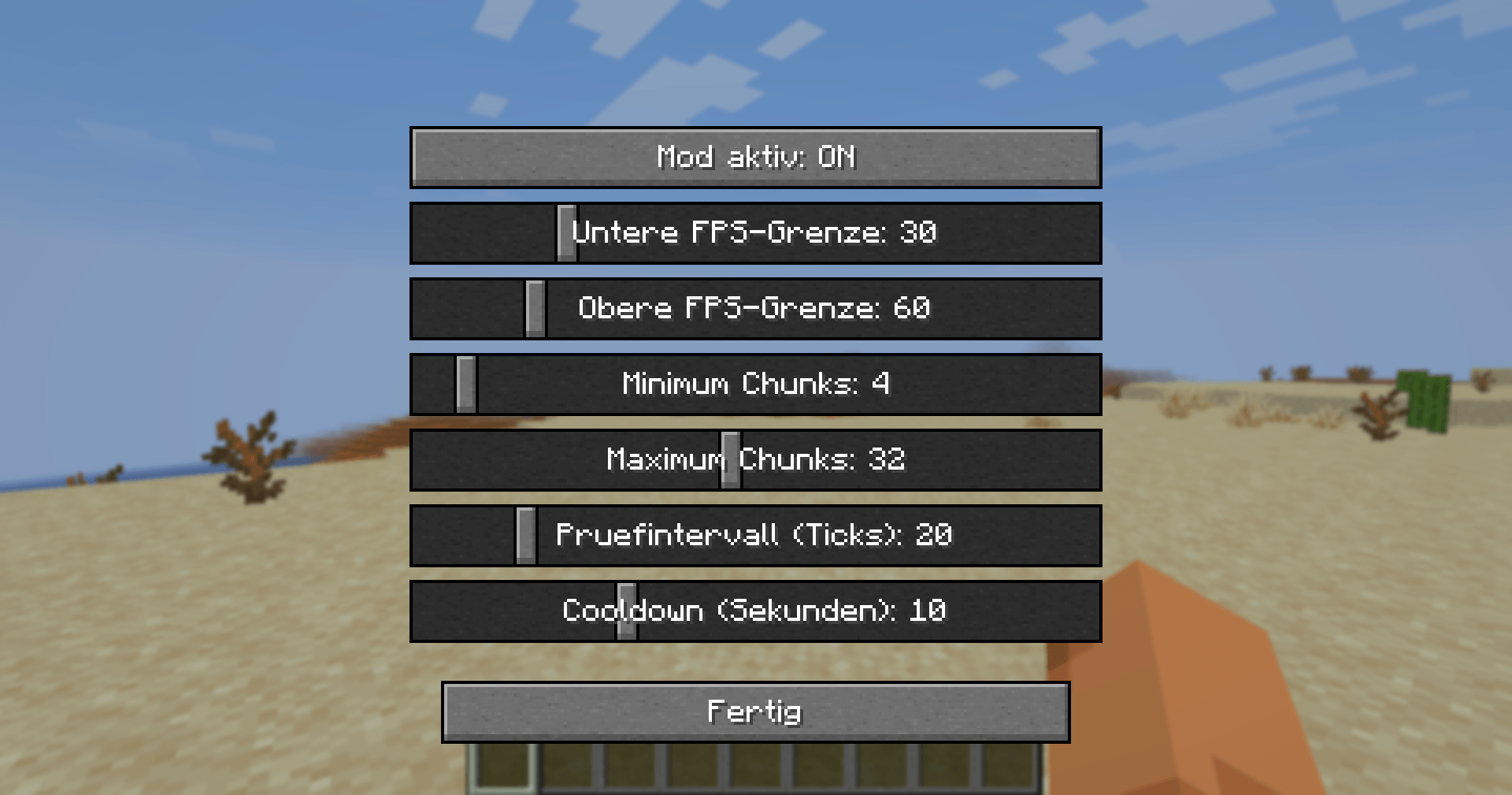
Press V in-game to open the settings menu (the key can be rebound under Options → Controls). There you can adjust the following with sliders:
| Setting | What it does |
|---|---|
| Mod enabled | Turns automatic adjustment on/off |
| Lower FPS threshold | Below this, view distance is decreased |
| Upper FPS threshold | Above this, view distance is increased |
| Minimum chunks | View distance never goes below this value |
| Maximum chunks | View distance never goes above this value |
| Check interval | How often FPS is measured (in ticks) |
| Cooldown | Pause after each change (in seconds) |
Installation
- Install Fabric Loader for Minecraft 26.1.2
- Download Fabric API and place it in your
modsfolder - Place Dynamic View Distance in your
modsfolder as well - Launch the game — done!
Notes
- This is a client-side mod — it works on any server, even ones that don't have the mod installed.
- Requires Fabric API.
- Built for Minecraft 26.1.2.
The Dynamic Views Team